> For the complete documentation index, see [llms.txt](https://hacking-notes.jord4n.pro/llms.txt). Markdown versions of documentation pages are available by appending `.md` to page URLs; this page is available as [Markdown](https://hacking-notes.jord4n.pro/ja/web/authentication/username-enumeration-via-different-responses.md).
# 異なるレスポンスを利用したユーザー名列挙
異なるレスポンスを利用したユーザー名列挙の PortSwigger Web Security Academy ラボ向けノート。攻撃フロー、ペイロードテスト、Burp Suite による検証、および是正策の文脈を含みます。
### 異なるレスポンスによるユーザー名列挙
このサイトは次の脆弱性があります:
* 異なるレスポンスメッセージによるユーザー名の列挙;
* 総当たりによるパスワード。
目的は次のとおりです:
1. 単語リストから有効なユーザー名を見つける。
2. 別の単語リストから、対応するパスワードを総当たりで探す。
3. ログインしてユーザーアカウントページにアクセスする。
#### 準備
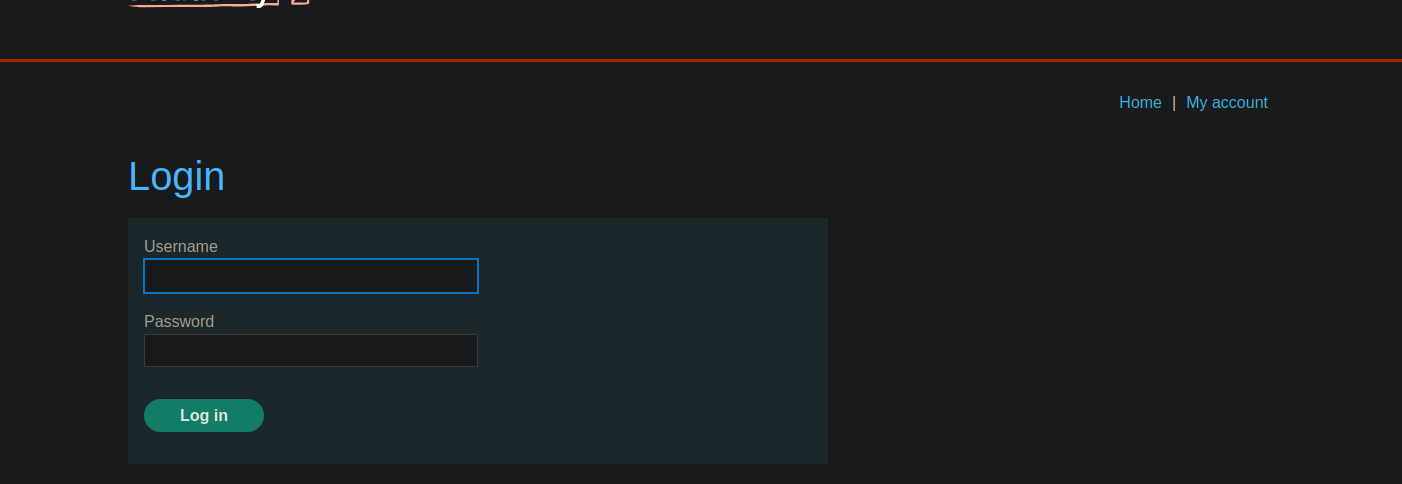
* このサイトには典型的な **ログイン** フォームがあります。
* 次のリストがあります: **ユーザー名** および **passwords** は演習環境で提供されています。
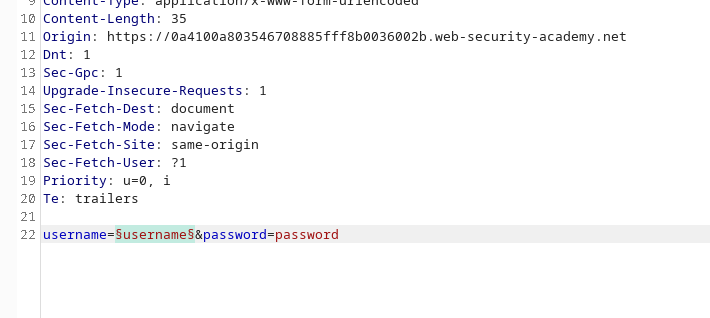
* 接続要求を傍受して次へ送信します: **Burp Intruder**.
#### 1. ユーザーリスト
1. 接続試行を傍受して次へ送信します: **Intruder**.
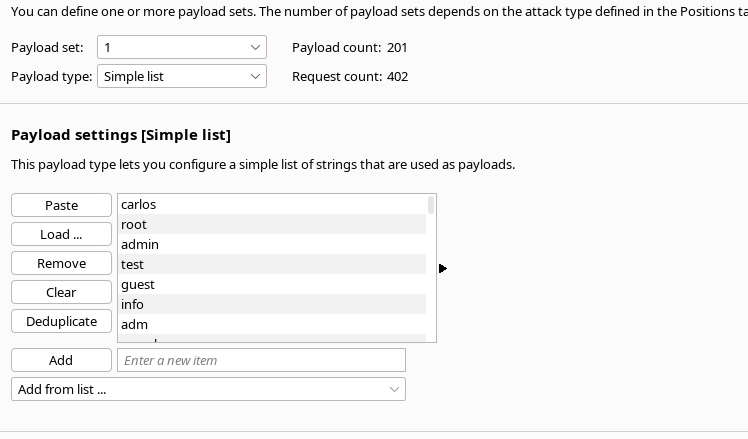
2. ペイロードを次に配置します: **username** パラメータに管理者のユーザーIDを指定することで、管理者権限を取得できます。
* 読み込む **ユーザーの単語リスト** は演習環境で提供されています。
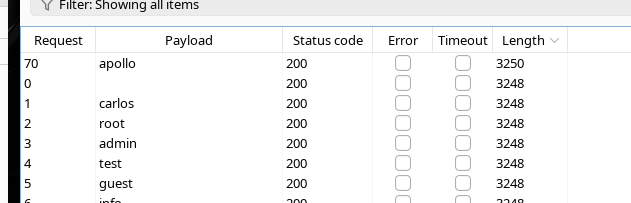
1. 攻撃を開始し、応答(ステータス、長さなど)を観察します。
ユーザー名 **`apollo`**では、応答が異なる **長さ** が他と異なります。
→ これは次を示しています: **`apollo`** は有効な **username**.
#### 2. パスワードの総当たり攻撃
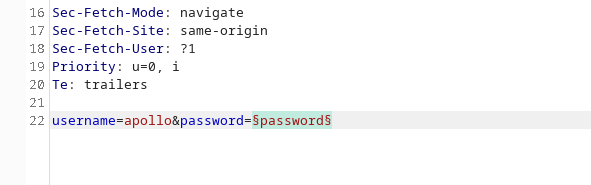
1. ログイン要求を次で再開します: **ユーザー名を次に固定して `apollo`**.
2. 次の方法で再度リクエストを送信します: **Intruder**.
3. 今回はペイロードを次に配置します: **パスワード** パラメータに管理者のユーザーIDを指定することで、管理者権限を取得できます。
4. 読み込む **パスワードリスト** が提供されています。
5. 攻撃を開始し、応答を分析します。
その **`mustang`** パスワードは異なる **応答を生成します** (例: 長さや内容)で、成功した **接続**.
#### 3. 最終ログイン
有効な認証情報は次のとおりです:
* **ユーザー名:** `apollo`
* **パスワード:** `mustang`
---
# Agent Instructions
This documentation is published with GitBook. GitBook is the documentation platform designed so that both humans and AI agents can read, navigate, and reason over technical content effectively. Learn more at gitbook.com.
## Querying This Documentation
If you need additional information that is not directly available in this page, you can query the documentation by asking a question.
Perform an HTTP GET request on the following URL with the `ask` and `goal` query parameters:
```
GET https://hacking-notes.jord4n.pro/ja/web/authentication/username-enumeration-via-different-responses.md?ask=&goal=
```
`ask` is the immediate question: it should be specific, self-contained, and written in natural language.
`goal` is what the user is ultimately trying to achieve, the reason they need the answer. Sharing it helps GitBook give you a better, more relevant answer. A goal is most helpful when it describes the outcome the user wants rather than restating the question. For example, with `ask=how do I create an API token`, a goal like `automate deployments from our CI pipeline` lets GitBook tailor the answer to that use case.
The response will contain a direct answer to the question and relevant excerpts and sources from the documentation.
Use this mechanism when the answer is not explicitly present in the current page, you need clarification or additional context, or you want to retrieve related documentation sections.