> For the complete documentation index, see [llms.txt](https://hacking-notes.jord4n.pro/llms.txt). Markdown versions of documentation pages are available by appending `.md` to page URLs; this page is available as [Markdown](https://hacking-notes.jord4n.pro/ja/web/business-logic/bypassing-flawed-state-machine.md).
# 欠陥のあるステートマシンによるバイパス
欠陥のあるステートマシンによるバイパスの PortSwigger Web Security Academy ラボ向けノート。攻撃フロー、ペイロードテスト、Burp Suite による検証、および是正策の文脈を含みます。
### 不備のある状態機械による認証バイパス
このラボは、認証プロセスにおける手順の順序に関する誤った前提に基づいています。この不十分に設計された状態機械を利用することで、認証を回避し、管理画面にアクセスしてユーザーを削除することが可能です **carlos**.
提供された識別子:
* **ユーザー:** wiener
* **パスワード:** peter
**主な観察事項**
接続フローは、途中のロール選択ステップを含むいくつかの連続した手順に分かれています。
アプリケーションは、すべての手順が順番に実行され、次の手順に進む前に各リクエストが適切に検証されていると想定しています。
**操作手順**
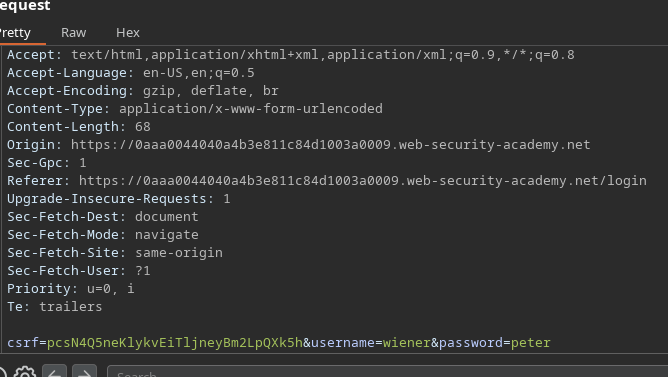
1. 有効な状態で接続 `wiener:peter` 認証情報。
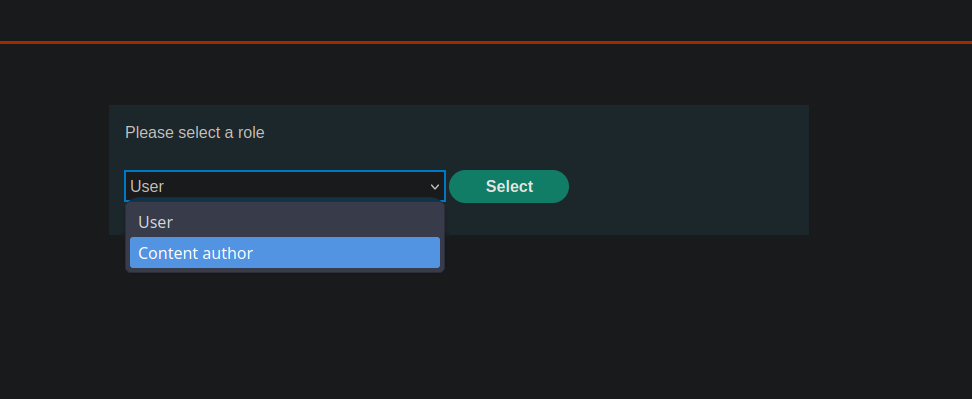
2. ログイン後、アプリケーションは次の手順を提案します **ロール選択**.
* [次へ]をクリックして先へ進みます。
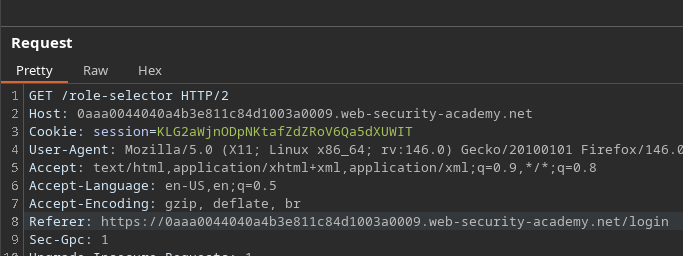
* への GET リクエストの時点で **ロールセレクタ**、リクエストを傍受します。
**リクエストを通さないでください**:ブロックするか削除します(drop)。
* ロールの検証が行われるのはこの段階です。
この検証なしでフローを続行します。
**結果**
アプリケーションは、すべての手順が適切に検証されたと誤って判断します。/ ユーザーは、正当なロールを選択または検証することなく、\*\*管理画面\*\*に直接アクセスします。
そこからユーザーを削除することができます **carlos** そしてラボを検証します。
---
# Agent Instructions
This documentation is published with GitBook. GitBook is the documentation platform designed so that both humans and AI agents can read, navigate, and reason over technical content effectively. Learn more at gitbook.com.
## Querying This Documentation
If you need additional information that is not directly available in this page, you can query the documentation by asking a question.
Perform an HTTP GET request on the following URL with the `ask` and `goal` query parameters:
```
GET https://hacking-notes.jord4n.pro/ja/web/business-logic/bypassing-flawed-state-machine.md?ask=&goal=
```
`ask` is the immediate question: it should be specific, self-contained, and written in natural language.
`goal` is what the user is ultimately trying to achieve, the reason they need the answer. Sharing it helps GitBook give you a better, more relevant answer. A goal is most helpful when it describes the outcome the user wants rather than restating the question. For example, with `ask=how do I create an API token`, a goal like `automate deployments from our CI pipeline` lets GitBook tailor the answer to that use case.
The response will contain a direct answer to the question and relevant excerpts and sources from the documentation.
Use this mechanism when the answer is not explicitly present in the current page, you need clarification or additional context, or you want to retrieve related documentation sections.