> For the complete documentation index, see [llms.txt](https://hacking-notes.jord4n.pro/llms.txt). Markdown versions of documentation pages are available by appending `.md` to page URLs; this page is available as [Markdown](https://hacking-notes.jord4n.pro/ja/web/business-logic/inconsistent-handling-of-exceptional-input.md).
# 例外的入力の一貫性のない処理
例外的入力の一貫性のない処理の PortSwigger Web Security Academy ラボ向けノート。攻撃フロー、ペイロードテスト、Burp Suite による検証、および是正策の文脈を含みます。
### 例外的な入力の一貫性のない処理
**ラボの説明**
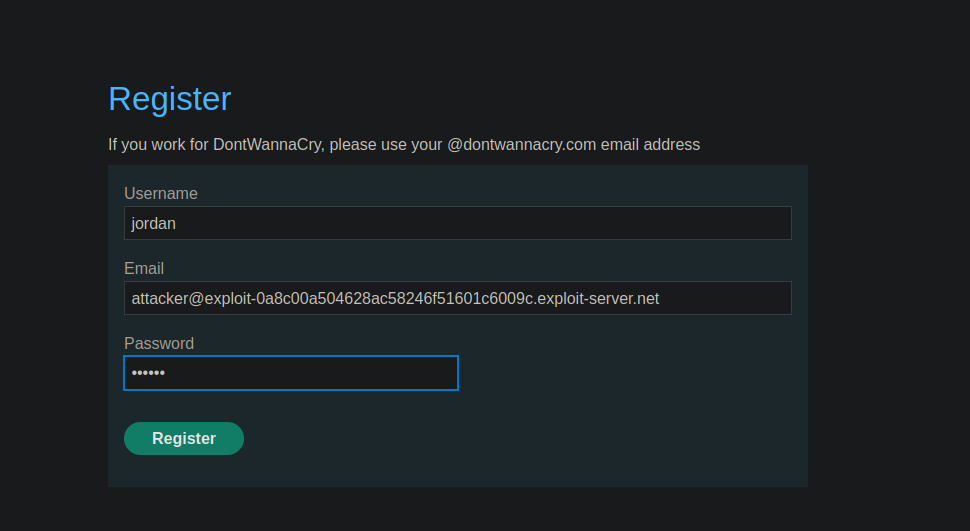
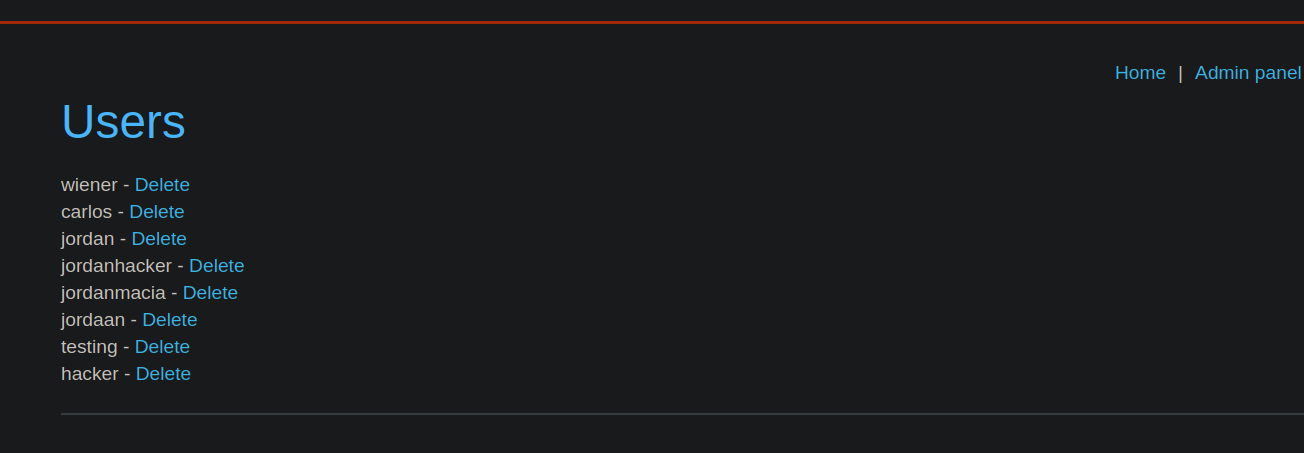
このラボでは、登録プロセスにおけるユーザー入力の検証が不十分です。この論理的な欠陥により、通常は従業員にのみ許可される管理機能へアクセスできます。 / 目的: 管理パネルにアクセスし、ユーザーを削除する **carlos**.
**初期観察**
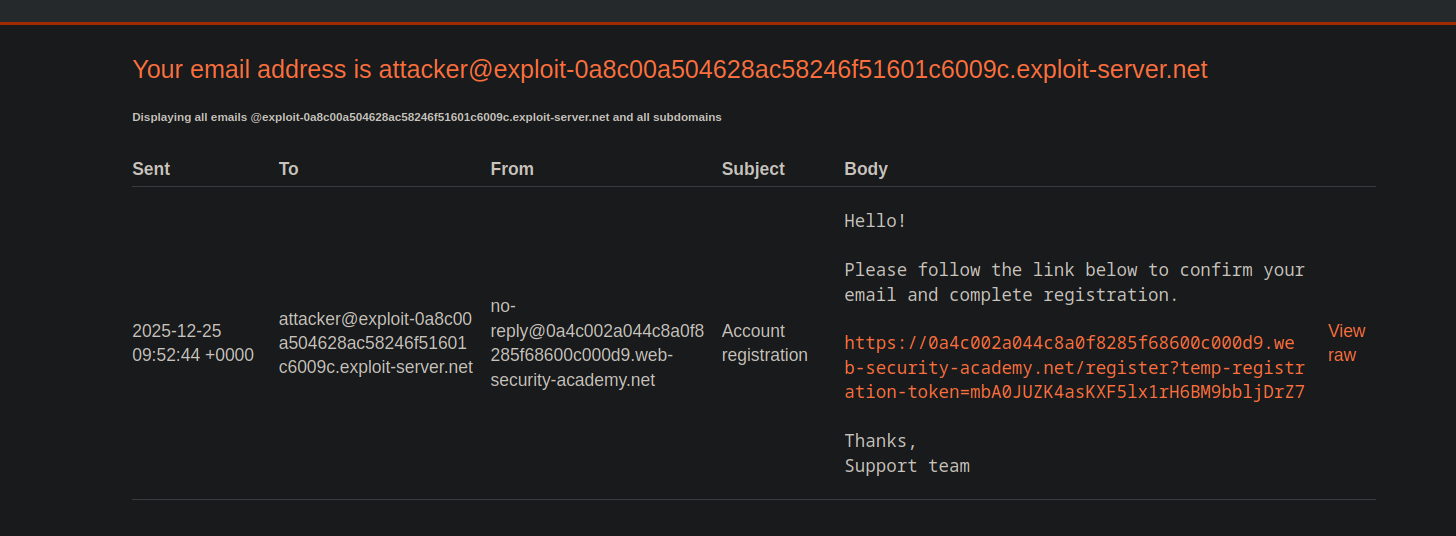
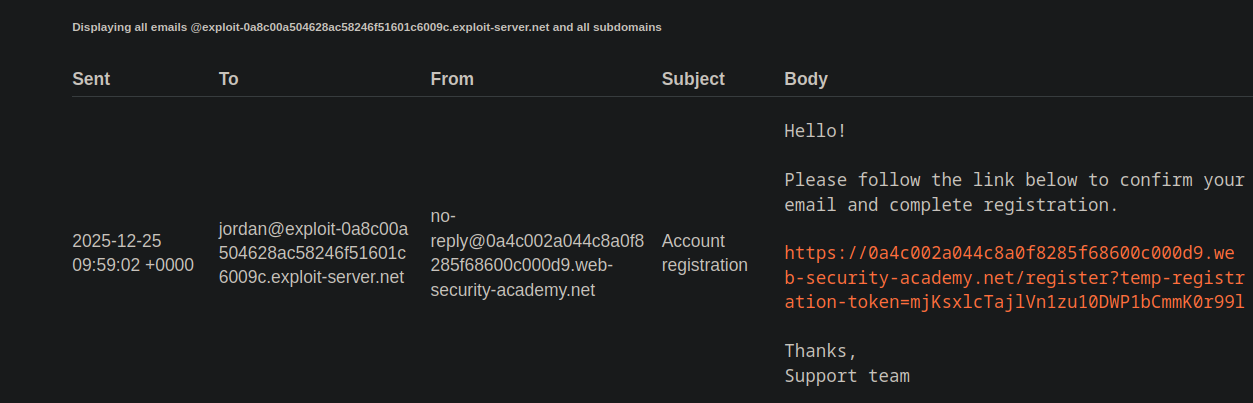
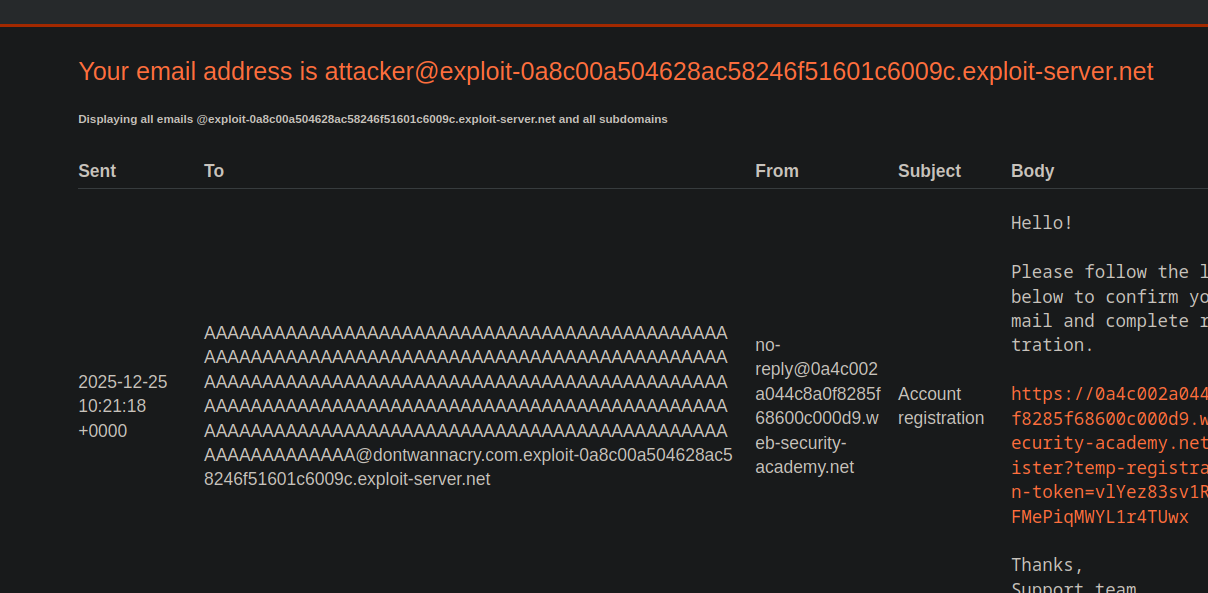
登録時に、確認メールが入力されたアドレスに送信されます。 / 稼働中のサーバーは、そのドメインおよびサブドメインに関連付けられた\*\*すべてのメール\*\*を受信します:
```bash
@exploit-0a8c00a504628ac58246f51601c6009c.exploit-server.net
```
したがって、このドメインまたはそのサブドメインで作成された任意のアドレスが受け入れられます。
**異常な挙動を確認**
の前に非常に多くの文字を含むメールアドレスを作成することで `@` 記号があると、フィールド \*\*
{% code overflow="wrap" %}
```bash
AAAAAAAAAAAAAAAAAAAAAAAAAAAAAAAAAAAAAAAAAAAAAAAAAAAAAAAAAAAAAAAAAAAAAAAAAAAAAAAAAAAAAAAAAAAAAAAAAAAAAAAAAAAAAAAAAAAAAAAAAAAAAAAAAAAAAAAAAAAAAAAAAAAAAAAAAAAAAAAAAAAAAAAAAAAAAAAAAAAAAAAAAAAAAAAAAAAAAAAAAAAA@exploit-0a8c00a504628ac58246f51601c6009c.exploit-server.net
```
{% endcode %}
この制限により、実際に保存される値と、表示またはセキュリティチェックに使用される値との間に不一致が生じます。
**不具合の動作**
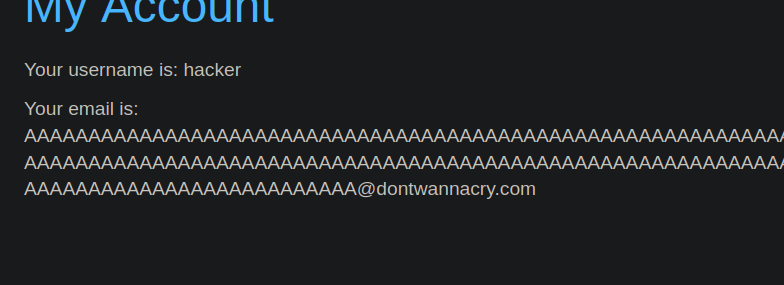
目的は、登録されたメールアドレスがちょうど次の文字列で終わるように切り捨てを強制することです: `dontwannacry.com` 信頼領域。
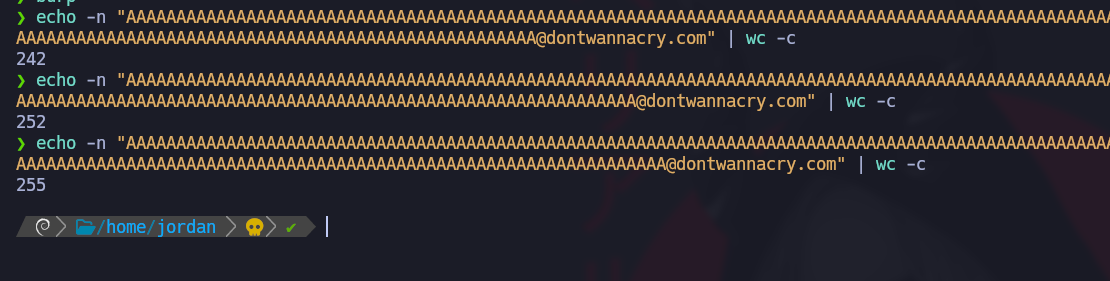
長さの確認:
{% code overflow="wrap" %}
```bash
eecho -n "AAAAAAAAAAAAAAAAAAAAAAAAAAAAAAAAAAAAAAAAAAAAAAAAAAAAAAAAAAAAAAAAAAAAAAAAAAAAAAAAAAAAAAAAAAAAAAAAAAAAAAAAAAAAAAAAAAAAAAAAAAAAAAAAAAAAAAAAAAAAAAAAAAAAAAAAAAAAAAAAAAAAAAAAAAAAAAAAAAAAAAAAAAAAAAAAAAAAAAAAAAAAAAAAAAAAAAAAAAAAAAAAAAAAAAAAAAAAAA@dontwannacry.com" | wc -c
```
{% endcode %}
255文字に達すると、最終的なアドレスは次のように構成されます:
{% code overflow="wrap" %}
```bash
AAAAAAAAAAAAAAAAAAAAAAAAAAAAAAAAAAAAAAAAAAAAAAAAAAAAAAAAAAAAAAAAAAAAAAAAAAAAAAAAAAAAAAAAAAAAAAAAAAAAAAAAAAAAAAAAAAAAAAAAAAAAAAAAAAAAAAAAAAAAAAAAAAAAAAAAAAAAAAAAAAAAAAAAAAAAAAAAAAAAAAAAAAAAAAAAAAAAAAAAAAAAAAAAAAAAAAAAAAAAAAAAAAAAAAAAAAAAAA@dontwannacry.com.exploit-0a8c00a504628ac58246f51601c6009c.exploit-server.net
```
{% endcode %}
稼働中のサーバーはすべてのサブドメインを受け入れるため、メールを問題なく受信します。
アプリケーションは、切り捨て後、そのアドレスが次に属すると解釈します: `dontwannacry.com` ドメイン。
アカウントは内部のもの、または信頼できるものと見なされます。 / 接続すると、次へのアクセスが **管理画面** 追加の確認なしで許可されます。
---
# Agent Instructions
This documentation is published with GitBook. GitBook is the documentation platform designed so that both humans and AI agents can read, navigate, and reason over technical content effectively. Learn more at gitbook.com.
## Querying This Documentation
If you need additional information that is not directly available in this page, you can query the documentation by asking a question.
Perform an HTTP GET request on the following URL with the `ask` and `goal` query parameters:
```
GET https://hacking-notes.jord4n.pro/ja/web/business-logic/inconsistent-handling-of-exceptional-input.md?ask=&goal=
```
`ask` is the immediate question: it should be specific, self-contained, and written in natural language.
`goal` is what the user is ultimately trying to achieve, the reason they need the answer. Sharing it helps GitBook give you a better, more relevant answer. A goal is most helpful when it describes the outcome the user wants rather than restating the question. For example, with `ask=how do I create an API token`, a goal like `automate deployments from our CI pipeline` lets GitBook tailor the answer to that use case.
The response will contain a direct answer to the question and relevant excerpts and sources from the documentation.
Use this mechanism when the answer is not explicitly present in the current page, you need clarification or additional context, or you want to retrieve related documentation sections.