> For the complete documentation index, see [llms.txt](https://hacking-notes.jord4n.pro/llms.txt). Markdown versions of documentation pages are available by appending `.md` to page URLs; this page is available as [Markdown](https://hacking-notes.jord4n.pro/ja/web/business-logic/insufficient-workflow-validation.md).
# ワークフロー検証の不足
ワークフロー検証の不足の PortSwigger Web Security Academy ラボ向けノート。攻撃フロー、ペイロードテスト、Burp Suite による検証、および是正策の文脈を含みます。
### ワークフロー検証の不備
**ラボの説明**
このラボは、購入プロセスの各段階の論理的な順序に関する誤った前提に基づいています。アプリケーションは、注文を検証する前に、必要なすべての条件(実際の支払いを含む)が満たされていることを適切に確認しません。
\*\* 対象:\*\*/ この欠陥を利用して商品を購入する \*\*
**提供された認証情報:**
* ユーザー: `wiener`
* パスワード: `peter`
**アプリケーションの動作分析**
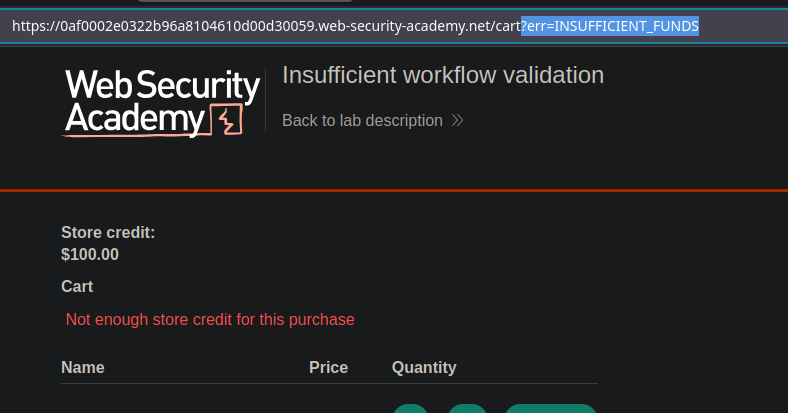
* ユーザーが残高不足の状態で商品を支払おうとすると、アプリケーションは次のエラーを返します:
```bash
?err=INSUFFICIENT_FUNDS
この購入にはストアクレジットが不足しています
```
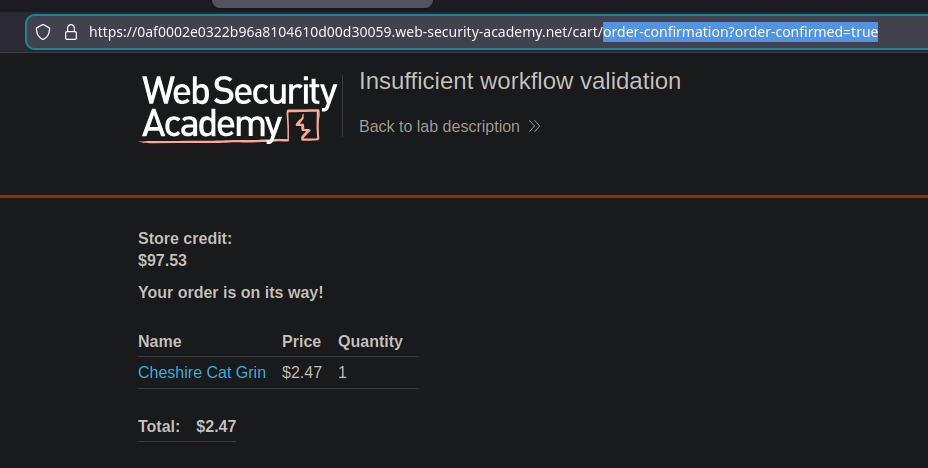
しかし、注文確認は次のURLにアクセスするだけで行われます:
```bash
/cart/order-confirmation?order-confirmed=true
```
* このページでは、実際に支払いが行われたか、残高が十分かどうかを確認しません。
**不具合の動作**
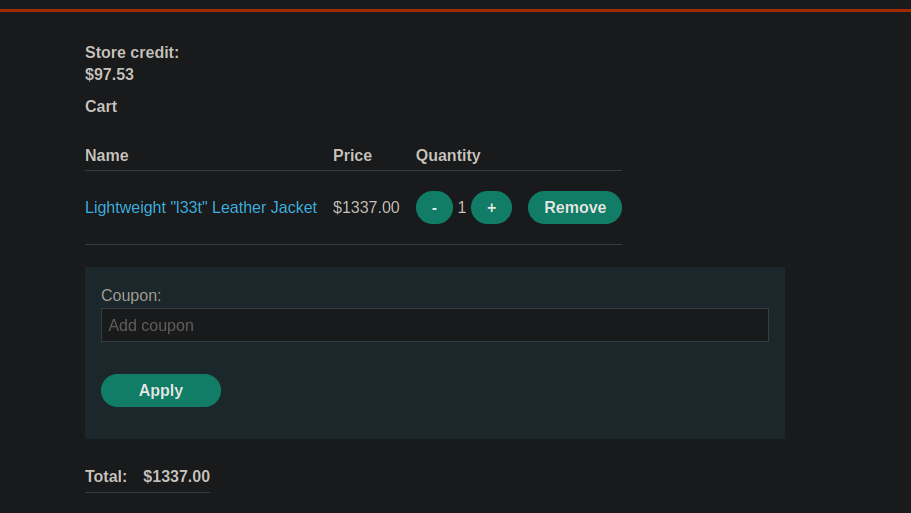
1. 価格がのアイテムをカートに追加する **1337 €** (例:対象のジャケット)
通常どおり支払いを完了しない(残高不足のため失敗します)。
〜を介して直接アクセスする **GET** リクエストで、次のURLに:
`/cart/order-confirmation?order-confirmed=true`
* その後、アプリケーションは追加の確認を行わずにコマンドを検証します。
---
# Agent Instructions
This documentation is published with GitBook. GitBook is the documentation platform designed so that both humans and AI agents can read, navigate, and reason over technical content effectively. Learn more at gitbook.com.
## Querying This Documentation
If you need additional information that is not directly available in this page, you can query the documentation by asking a question.
Perform an HTTP GET request on the following URL with the `ask` and `goal` query parameters:
```
GET https://hacking-notes.jord4n.pro/ja/web/business-logic/insufficient-workflow-validation.md?ask=&goal=
```
`ask` is the immediate question: it should be specific, self-contained, and written in natural language.
`goal` is what the user is ultimately trying to achieve, the reason they need the answer. Sharing it helps GitBook give you a better, more relevant answer. A goal is most helpful when it describes the outcome the user wants rather than restating the question. For example, with `ask=how do I create an API token`, a goal like `automate deployments from our CI pipeline` lets GitBook tailor the answer to that use case.
The response will contain a direct answer to the question and relevant excerpts and sources from the documentation.
Use this mechanism when the answer is not explicitly present in the current page, you need clarification or additional context, or you want to retrieve related documentation sections.