> For the complete documentation index, see [llms.txt](https://hacking-notes.jord4n.pro/llms.txt). Markdown versions of documentation pages are available by appending `.md` to page URLs; this page is available as [Markdown](https://hacking-notes.jord4n.pro/pt-br/hacking-tools/web/burpsuite.md).
# Burp Suite
Notas de pentest web com Burp Suite para interceptação no Proxy, validação no Repeater, automação no Intruder, análise no Comparer, manipulação de requisições HTTP, teste de payloads, teste de autenticação, vulner
{% hint style="info" %}
**Burp Suite** é uma ferramenta de cibersegurança amplamente utilizada para avaliar vulnerabilidades em aplicações web. Ela oferece um conjunto de recursos que permite aos profissionais de segurança identificar, explorar e mitigar possíveis fraquezas em sites e aplicações por meio de testes de penetração e análise de segurança.
{% endhint %}
## Fluxo de trabalho do Burp Suite
1. Configure o proxy do navegador e capture a requisição que representa o comportamento-alvo.
2. Use o histórico do Proxy para entender parâmetros, cookies, cabeçalhos, redirecionamentos e o estado de autenticação.
3. Envie requisições interessantes para o Repeater para validação manual com alterações mínimas no payload.
4. Use o Intruder somente depois de confirmar a posição do payload e o sinal de resposta esperado.
5. Compare requisições e respostas quando a vulnerabilidade depende de diferenças sutis de status, tamanho, cabeçalhos ou conteúdo do corpo.
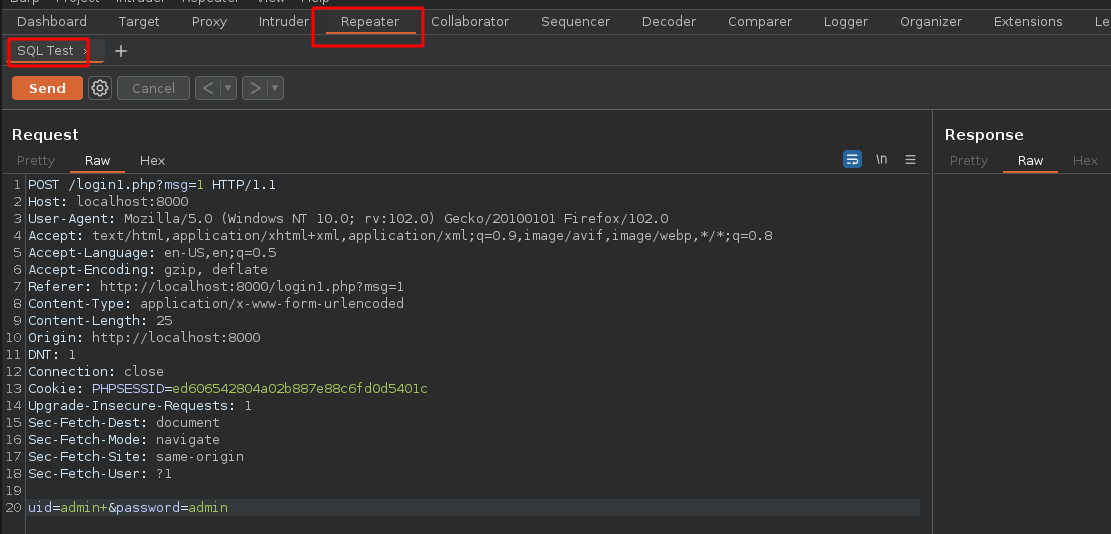
## Repeater:
> O Repeater é uma ferramenta que permite aos usuários reenviar e repetir requisições HTTP e HTTPS. Isso é útil para testar diferentes entradas e verificar a resposta do servidor. Também é útil para identificar vulnerabilidades, pois permite aos usuários testar diferentes valores e detectar respostas inesperadas.
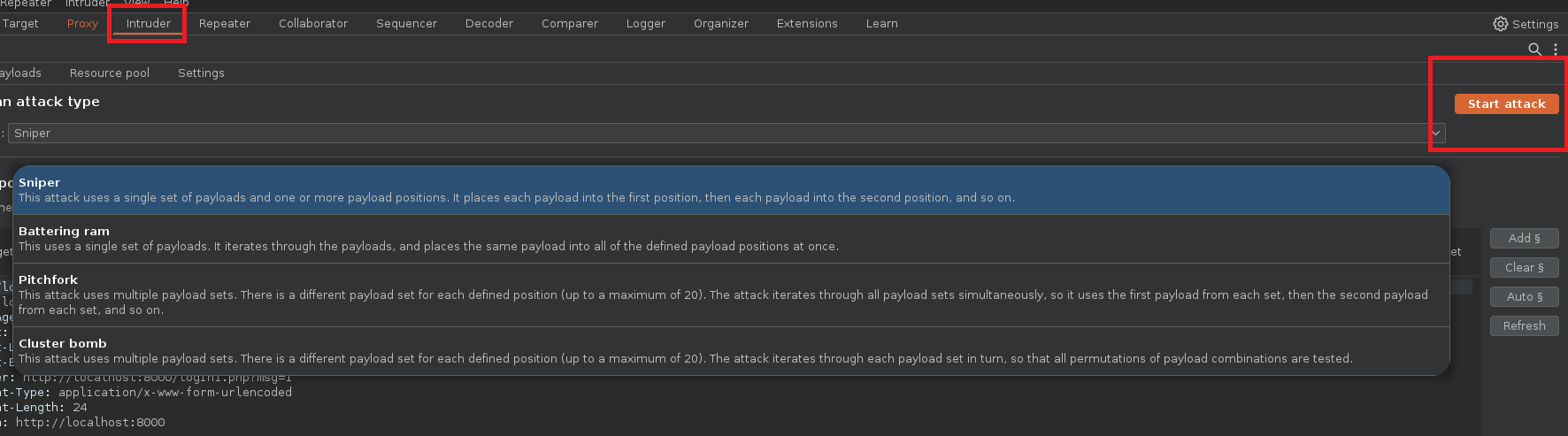
## Intruder :
> Intruder: É uma ferramenta usada para automatizar ataques de força bruta. Os usuários podem definir diferentes payloads para diferentes partes da requisição, como a URL, o corpo da requisição e os cabeçalhos. Em seguida, o Intruder automatiza a execução das requisições usando diferentes payloads, e os usuários podem examinar as respostas para identificar vulnerabilidades.
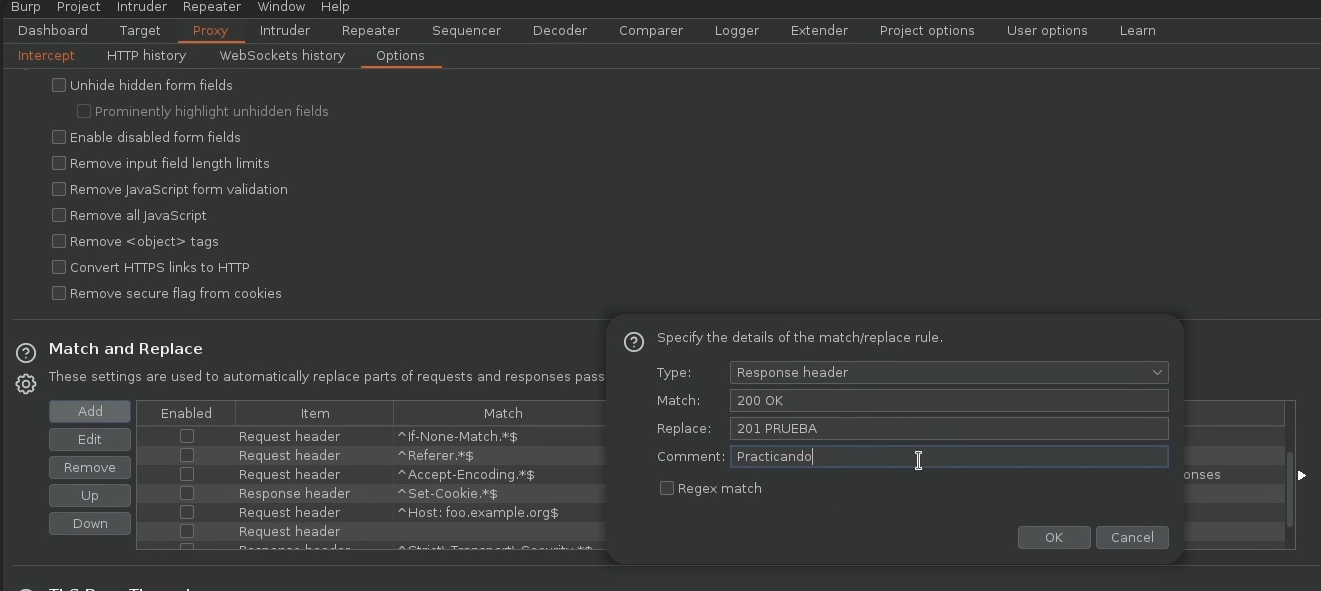
## Proxy :
> Proxy: Esta é a principal ferramenta do Burp Suite e atua como intermediária entre o navegador e o servidor web. Isso permite aos usuários interceptar e modificar requisições e respostas HTTP e HTTPS enviadas entre o navegador e o servidor. O Proxy também é útil para identificar vulnerabilidades, pois permite aos usuários examinar o tráfego e analisar requisições e respostas.
## Comparer :
> Compare: É uma ferramenta usada para comparar duas requisições HTTP ou HTTPS. Isso é útil para detectar diferenças entre requisições e respostas e analisar a segurança da aplicação.
---
# Agent Instructions
This documentation is published with GitBook. GitBook is the documentation platform designed so that both humans and AI agents can read, navigate, and reason over technical content effectively. Learn more at gitbook.com.
## Querying This Documentation
If you need additional information that is not directly available in this page, you can query the documentation by asking a question.
Perform an HTTP GET request on the following URL with the `ask` and `goal` query parameters:
```
GET https://hacking-notes.jord4n.pro/pt-br/hacking-tools/web/burpsuite.md?ask=&goal=
```
`ask` is the immediate question: it should be specific, self-contained, and written in natural language.
`goal` is what the user is ultimately trying to achieve, the reason they need the answer. Sharing it helps GitBook give you a better, more relevant answer. A goal is most helpful when it describes the outcome the user wants rather than restating the question. For example, with `ask=how do I create an API token`, a goal like `automate deployments from our CI pipeline` lets GitBook tailor the answer to that use case.
The response will contain a direct answer to the question and relevant excerpts and sources from the documentation.
Use this mechanism when the answer is not explicitly present in the current page, you need clarification or additional context, or you want to retrieve related documentation sections.