> For the complete documentation index, see [llms.txt](https://hacking-notes.jord4n.pro/llms.txt). Markdown versions of documentation pages are available by appending `.md` to page URLs; this page is available as [Markdown](https://hacking-notes.jord4n.pro/pt-br/web/authentication/username-enumeration-via-different-responses.md).
# Enumeração de nome de usuário via respostas diferentes
Notas sobre enumeração de nome de usuário via respostas diferentes para os laboratórios do PortSwigger Web Security Academy, incluindo fluxo de exploração, teste de payload, validação no Burp Suite e contexto de remediação.
### Enumeração de nomes de usuário por meio de respostas diferentes
O site é vulnerável a:
* enumeração de nomes de usuário por meio de mensagens de resposta diferentes;
* a senha de força bruta.
O objetivo é:
1. Encontrar um nome de usuário válido em uma lista de palavras.
2. Fazer força bruta da senha associada, a partir de outra lista de palavras.
3. Fazer login e acessar a página da conta do usuário.
#### Configuração
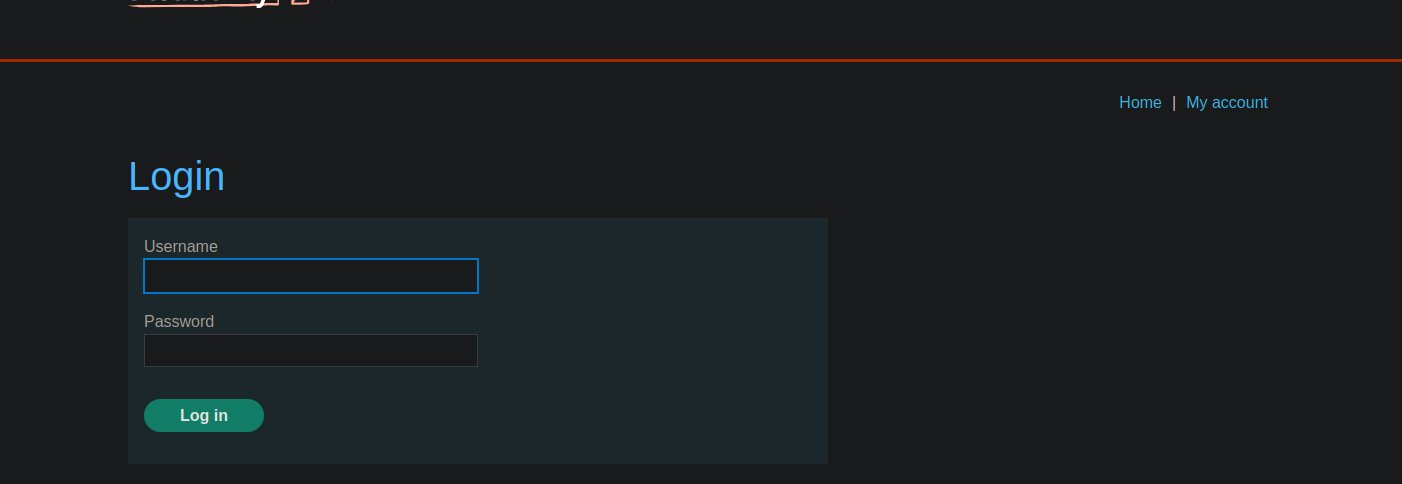
* O site oferece um clássico **login** formulário.
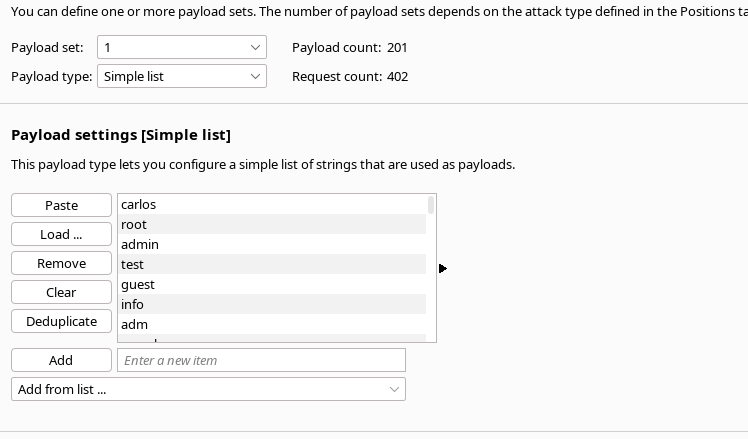
* Há listas de **nomes de usuário** e **passwords** fornecidos pelo laboratório.
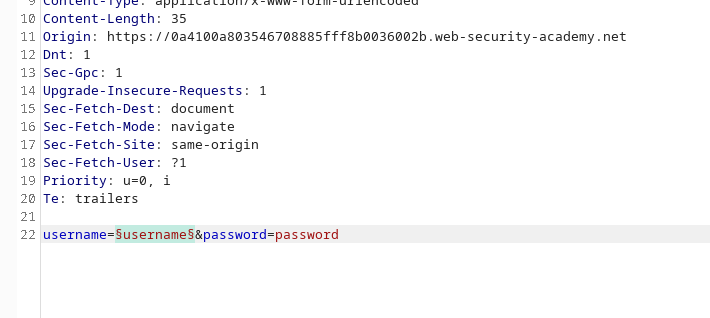
* A solicitação de conexão é interceptada para enviar ao **Burp Intruder**.
#### 1. Lista de usuários
1. Intercepte uma tentativa de conexão e envie-a para **Intruder**.
2. Coloque uma carga útil no **nome de usuário** parâmetro.
* Carregue a **lista de palavras de usuários** fornecidos pelo laboratório.
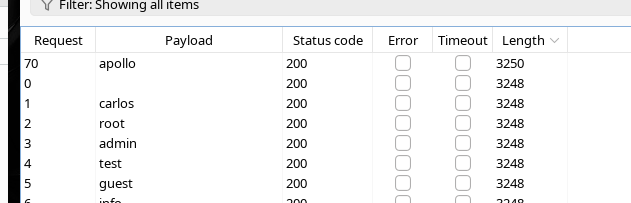
1. Inicie o ataque e observe as respostas (status, comprimento, etc.).
Observe que, para o nome de usuário **`apollo`**, a resposta tem um **comprimento** diferente das outras.
→ Isso indica que **`apollo`** é válido **nome de usuário**.
#### 2. Força bruta da senha
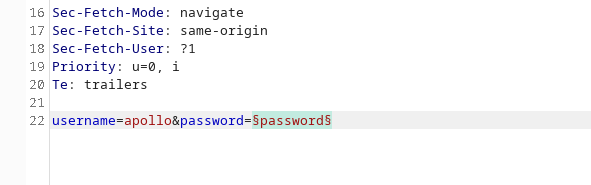
1. Retome a solicitação de login com **nome de usuário fixo para `apollo`**.
2. Envie a requisição novamente em **Intruder**.
3. Coloque a carga útil desta vez no **senha** parâmetro.
4. Carregue a **lista de senhas** fornecida.
5. Inicie o ataque e analise as respostas.
O **`mustang`** a senha produz uma resposta diferente **resposta** (por exemplo, comprimento ou conteúdo) indicando uma conexão bem-sucedida **conexão**.
#### 3. Login final
As credenciais válidas são:
* **Nome de usuário :** `apollo`
* **Senha :** `mustang`
---
# Agent Instructions
This documentation is published with GitBook. GitBook is the documentation platform designed so that both humans and AI agents can read, navigate, and reason over technical content effectively. Learn more at gitbook.com.
## Querying This Documentation
If you need additional information that is not directly available in this page, you can query the documentation by asking a question.
Perform an HTTP GET request on the following URL with the `ask` and `goal` query parameters:
```
GET https://hacking-notes.jord4n.pro/pt-br/web/authentication/username-enumeration-via-different-responses.md?ask=&goal=
```
`ask` is the immediate question: it should be specific, self-contained, and written in natural language.
`goal` is what the user is ultimately trying to achieve, the reason they need the answer. Sharing it helps GitBook give you a better, more relevant answer. A goal is most helpful when it describes the outcome the user wants rather than restating the question. For example, with `ask=how do I create an API token`, a goal like `automate deployments from our CI pipeline` lets GitBook tailor the answer to that use case.
The response will contain a direct answer to the question and relevant excerpts and sources from the documentation.
Use this mechanism when the answer is not explicitly present in the current page, you need clarification or additional context, or you want to retrieve related documentation sections.