> For the complete documentation index, see [llms.txt](https://hacking-notes.jord4n.pro/llms.txt). Markdown versions of documentation pages are available by appending `.md` to page URLs; this page is available as [Markdown](https://hacking-notes.jord4n.pro/pt-br/web/xss/reflected-xss-with-custom-tags-only.md).
# XSS Refletido com Apenas Tags Personalizadas
Notas sobre XSS Refletido com Apenas Tags Personalizadas para laboratórios da PortSwigger Web Security Academy, incluindo fluxo de exploração, teste de payloads, validação no Burp Suite e contexto de remediação.
### XSS refletido em contexto HTML com todas as tags bloqueadas, exceto as personalizadas
Este aplicativo bloqueia todas as tags HTML "clássicas"; apenas elementos personalizados são permitidos. O objetivo do laboratório é injetar uma tag personalizada que seja executada automaticamente `alert(document.cookie)` (aqui você quer roubar o cookie de sessão via o alert).
Observações e abordagem (reformulado)
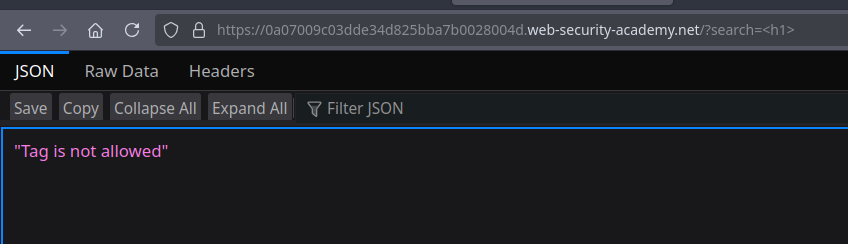
* Como todas as tags padrão são filtradas, a técnica é definir/inserir uma tag personalizada que o navegador aceitará.
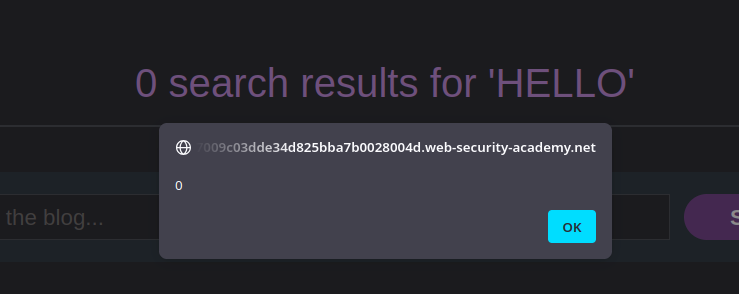
* Uma tag personalizada pode conter gerenciadores de eventos — mas alguns eventos só ocorrem se o elemento puder receber foco.
* Itens personalizados não são focalizáveis por padrão; portanto, é necessário forçar o foco adicionando `tabindex=1` para que o evento relacionado seja executado ao interagir (por exemplo, ao clicar ou pressionar Tab).
1. Tag simples — não focalizável (não executa o alert):
```javascript
HELLO
```
2. A mesma tag, tornada focalizável com `tabindex` — `onfocus` funciona:
```javascript
HELLO
```
Prova de conceito final (exfiltração via redirecionamento)
* Construímos uma URL que injeta a tag personalizada com um `onfocus` chamando `alert(document.cookie)` e forçamos o foco ao `tabindex=1`.
* Exemplo de payload para enviar à vítima (injeção codificada em URL no `parâmetro de busca` parâmetro):
{% code overflow="wrap" %}
```javascript
```
{% endcode %}
---
# Agent Instructions
This documentation is published with GitBook. GitBook is the documentation platform designed so that both humans and AI agents can read, navigate, and reason over technical content effectively. Learn more at gitbook.com.
## Querying This Documentation
If you need additional information that is not directly available in this page, you can query the documentation by asking a question.
Perform an HTTP GET request on the following URL with the `ask` and `goal` query parameters:
```
GET https://hacking-notes.jord4n.pro/pt-br/web/xss/reflected-xss-with-custom-tags-only.md?ask=&goal=
```
`ask` is the immediate question: it should be specific, self-contained, and written in natural language.
`goal` is what the user is ultimately trying to achieve, the reason they need the answer. Sharing it helps GitBook give you a better, more relevant answer. A goal is most helpful when it describes the outcome the user wants rather than restating the question. For example, with `ask=how do I create an API token`, a goal like `automate deployments from our CI pipeline` lets GitBook tailor the answer to that use case.
The response will contain a direct answer to the question and relevant excerpts and sources from the documentation.
Use this mechanism when the answer is not explicitly present in the current page, you need clarification or additional context, or you want to retrieve related documentation sections.