> For the complete documentation index, see [llms.txt](https://hacking-notes.jord4n.pro/llms.txt). Markdown versions of documentation pages are available by appending `.md` to page URLs; this page is available as [Markdown](https://hacking-notes.jord4n.pro/reconnaissance/subdomains.md).
# Subdomains
Subdomain enumeration techniques for discovering public DNS records, certificate transparency entries, indexed hosts, and exposed infrastructure.
Subdomain enumeration expands the target attack surface by discovering public hosts, DNS records, virtual hosts, certificate transparency entries, and indexed infrastructure.
{% hint style="info" %}
There are various techniques for discovering the subdomains associated with a website. These techniques can be performed using online tools or directly from the console, and vary depending on the objectives and available resources. Here are several tools you can use for this task, with detailed example commands.
{% endhint %}
## Gobuster:
> Gobuster is a very popular tool for quickly discovering subdomains by performing DNS queries on a website. It uses a list of words to test different combinations of subdomains. Here is an example of its use on the command line:
```bash
gobuster vhost -u https://website.com --append-domain -w /usr/share/SecLists/Discovery/DNS/subdomains-top1million-110000.txt -t 100
```
* **-u**: Specifies the URL of the target website.
* **-w**: Sets the word file path to use for testing subdomains.
* **-t**: Sets the number of threads (in this case, 100), which increases the search speed.
* /| grep -v "403": ignore HTTP 403 responses.
## Wfuzz:
> Wfuzz is another fuzzing tool that allows you to test different subdomains by exploiting HTTP responses. To search for subdomains, use the following command:
```bash
wfuzz -c -t 100 -w /usr/share/SecLists/Discovery/DNS/subdomains-top1million-5000.txt -H "Host: FUZZ.website.com" https://website.com
```
* **-c**: activates colored mode for better readability of results.
* **-t 20**: sets the number of simultaneous threads (here, 20) to speed up the process.
* **-H "Host: FUZZ.website.com"**: replace "FUZZ" with each value in the list to test possible subdomains.
* **--hc=404**: ignore HTTP 404 responses.
## **Sublist3r**
> Sublist3r is a Python tool designed to enumerate website subdomains using OSINT. It uses many search engines such as Google, Yahoo, Bing, Baidu and Ask, and other sources like Netcraft, Virustotal, ThreatCrowd, DNSdumpster and ReverseDNS1.
* **Sublist3r**: Tool for enumerating subdomains, for example:/ `sublist3r -d website.com`
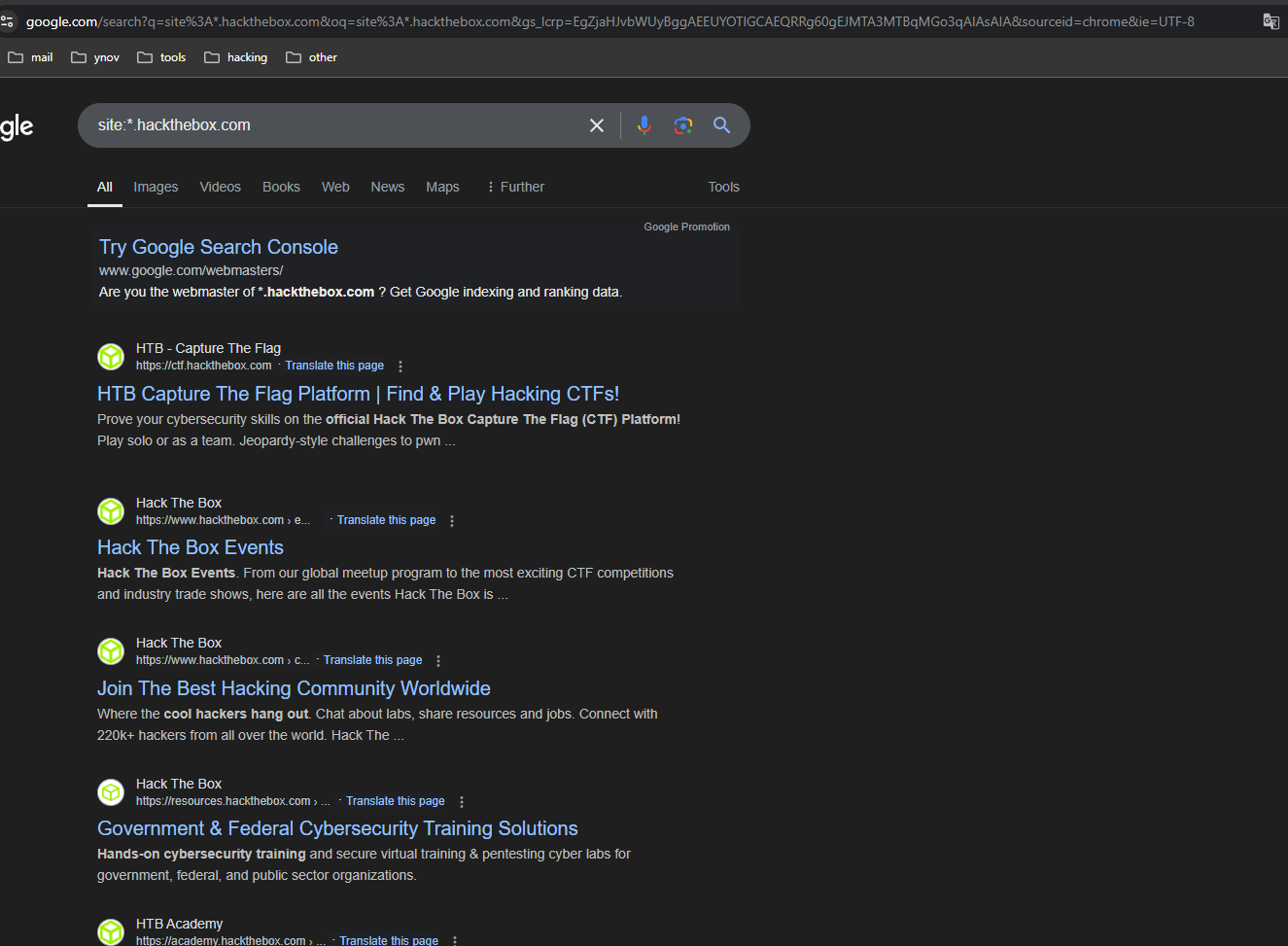
## Google Dorks:
> Google Dorks are special queries that allow you to use Google to find specific information. To discover the subdomains of a website, you can use the following query:
```makefile
site:*.website.com
```
This command will display all indexed subdomains of **website.com** using Google's index. This technique is particularly useful for quickly obtaining a list of publicly accessible subdomains.
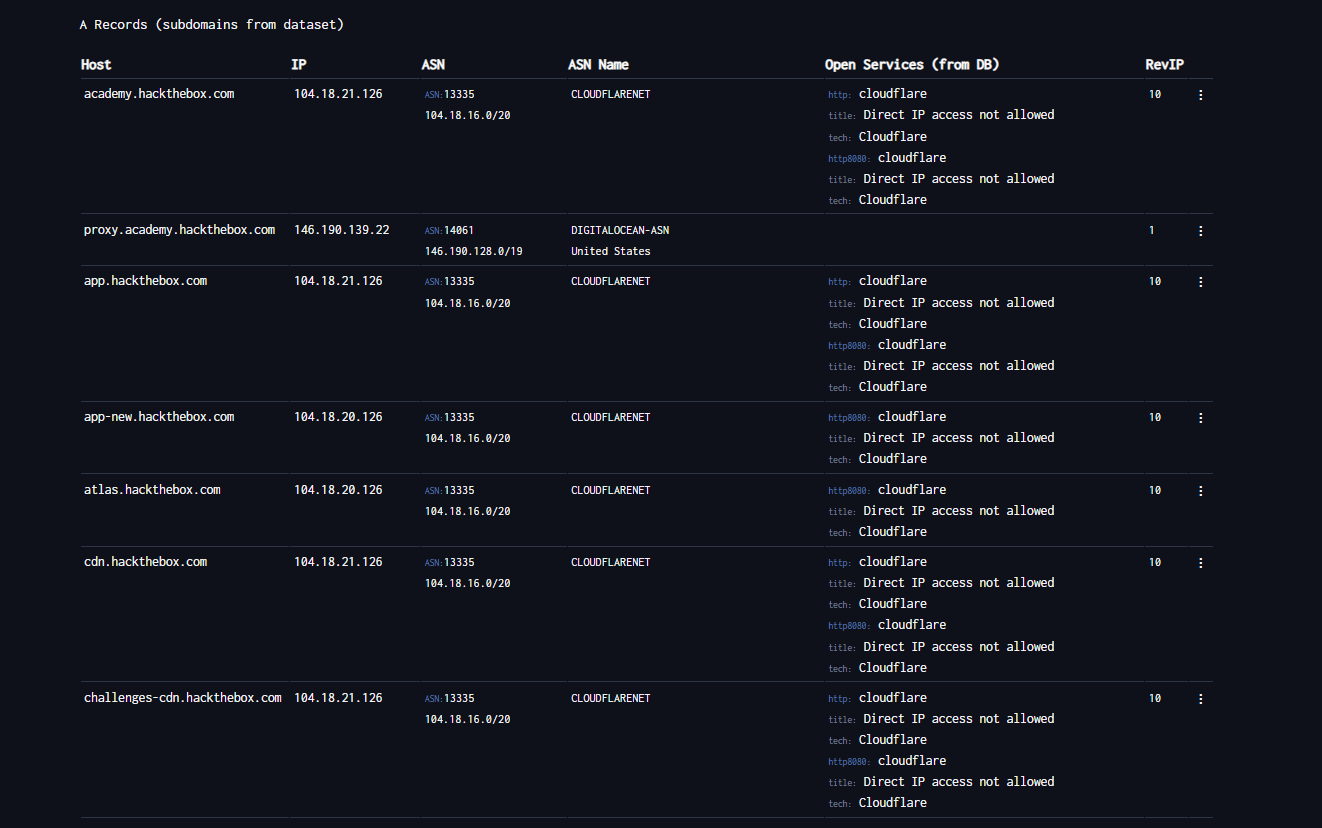
## DNSDumpster:
> [DNSDumpster ](https://dnsdumpster.com/)is a free online tool used to collect information about a website's Domain Name System (DNS). It is particularly useful in penetration testing (pentesting) to obtain information about an organization's network infrastructure. Using DNSDumpster, you can access details of a domain's public DNS records and discover key infrastructure components such as:
* The servers.
* Subdomains.
* The associated IP addresses.
* Other network services.
## Passive Domain Enumeration
Use passive sources first to collect candidate subdomains without touching the target infrastructure directly. Replace `target.com` with the authorized domain.
```bash
export TARGET="target.com"
```
### Certificate Transparency
Query `crt.sh` and review the raw JSON output:
```bash
curl -s "https://crt.sh/?q=${TARGET}&output=json" | jq .
```
Extract unique hostnames from certificate transparency results:
```bash
curl -s "https://crt.sh/?q=${TARGET}&output=json" \
| jq -r '.[] | .name_value, .common_name' \
| sed 's/\*\.//g' \
| sort -u
```
### Project Sonar
Collect subdomains, related TLDs, and reverse DNS results from public Project Sonar-style datasets:
```bash
curl -s "https://sonar.omnisint.io/subdomains/${TARGET}" | jq -r '.[]' | sort -u
curl -s "https://sonar.omnisint.io/tlds/${TARGET}" | jq -r '.[]' | sort -u
curl -s "https://sonar.omnisint.io/all/${TARGET}" | jq -r '.[]' | sort -u
```
Reverse DNS lookup for one IP or a CIDR range:
```bash
curl -s "https://sonar.omnisint.io/reverse/192.0.2.10" | jq -r '.[]' | sort -u
curl -s "https://sonar.omnisint.io/reverse/192.0.2.0/24" | jq -r '.[]' | sort -u
```
### Multi-Source Collection
Run `theHarvester` against multiple configured sources:
```bash
while read -r source; do
theHarvester -d "${TARGET}" -b "$source" -f "${source}-${TARGET}"
done < sources.txt
```
### Resolve Subdomains to IPs
Convert confirmed subdomains into a unique IP list:
```bash
while read -r subdomain; do
host "$subdomain" | awk '/has address/ {print $4}'
done < subdomains.txt | sort -u > ip-addresses.txt
```
### Enrich IPs with Shodan
Use Shodan to review exposed services for each resolved IP address:
```bash
while read -r ip; do
shodan host "$ip"
done < ip-addresses.txt
```
## Additional OSINT Resources
Phonebook and other public OSINT resources are centralized in [People and Breach Research](/hacking-tools/osint/people-and-breach-research.md). Website infrastructure, Shodan, and archived URL resources are centralized in [Websites and Infrastructure](/hacking-tools/osint/websites-and-infrastructure.md).
---
# Agent Instructions
This documentation is published with GitBook. GitBook is the documentation platform designed so that both humans and AI agents can read, navigate, and reason over technical content effectively. Learn more at gitbook.com.
## Querying This Documentation
If you need additional information that is not directly available in this page, you can query the documentation by asking a question.
Perform an HTTP GET request on the following URL with the `ask` and `goal` query parameters:
```
GET https://hacking-notes.jord4n.pro/reconnaissance/subdomains.md?ask=&goal=
```
`ask` is the immediate question: it should be specific, self-contained, and written in natural language.
`goal` is what the user is ultimately trying to achieve, the reason they need the answer. Sharing it helps GitBook give you a better, more relevant answer. A goal is most helpful when it describes the outcome the user wants rather than restating the question. For example, with `ask=how do I create an API token`, a goal like `automate deployments from our CI pipeline` lets GitBook tailor the answer to that use case.
The response will contain a direct answer to the question and relevant excerpts and sources from the documentation.
Use this mechanism when the answer is not explicitly present in the current page, you need clarification or additional context, or you want to retrieve related documentation sections.
.png?alt=media)
.png?alt=media)
.png?alt=media)