> For the complete documentation index, see [llms.txt](https://hacking-notes.jord4n.pro/llms.txt). Markdown versions of documentation pages are available by appending `.md` to page URLs; this page is available as [Markdown](https://hacking-notes.jord4n.pro/reconnaissance/web-profiling.md).
# Web Profiling
Web profiling techniques for identifying technologies, frameworks, CMS, servers, libraries, and exposed versions on a target website.
Web profiling identifies the target technology stack, including CMS, frameworks, web servers, JavaScript libraries, analytics tools, security products, and exposed versions.
{% hint style="info" %}
There are many ways to learn about the technologies used by a website. Thanks to different tools accessible from the console, browser extensions or specialized sites, you can obtain detailed information on the technologies used by a page. Here are several methods to identify them:
{% endhint %}
## WhatWeb:
> WhatWeb is a very popular command line tool for identifying the technologies used by a website. Fast and accurate, it can detect a wide range of technologies, including CMS, frameworks, web servers, analytics tools, etc. What sets it apart is its ability to analyze HTTP headers, source code, and other elements on the page.
```bash
whatweb https://website.com
```
This command will provide you with a detailed overview of the technologies used by the site, including the CMS, JavaScript libraries, analytics tools, and much more.
## BuiltWith:
> [BuiltWith](https://builtwith.com) is one of the most detailed tools for analyzing website technologies. This online service offers a comprehensive view of the technologies used, such as servers, frameworks, libraries, marketing and security tools, and even versions of certain technologies. Although the information provided can sometimes be excessive, this tool is still great for getting a complete view.
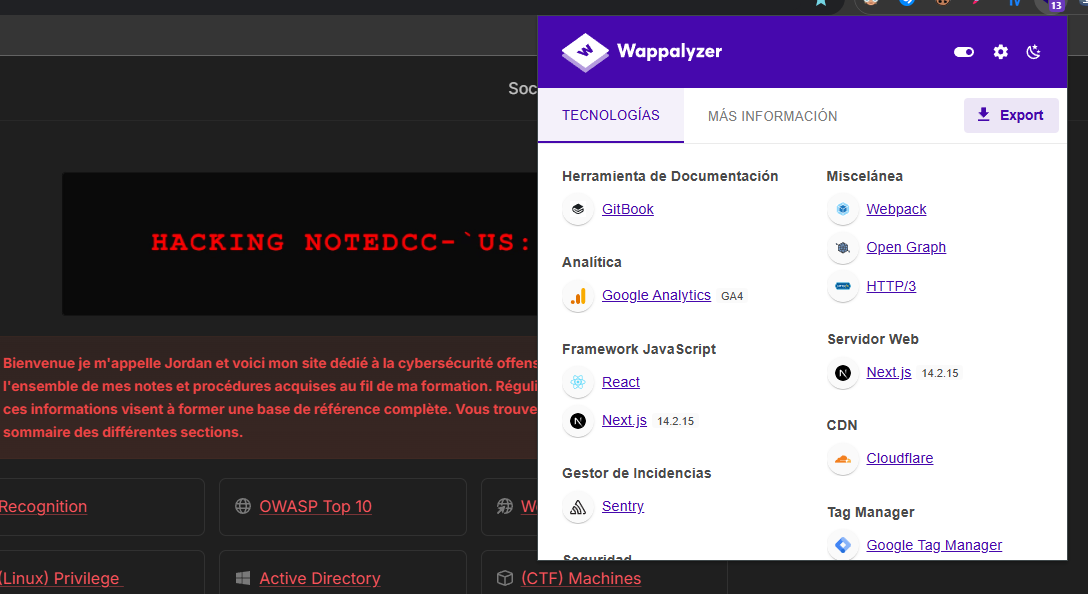
## Wappalyzer:
> [Wappalyzer ](https://www.wappalyzer.com/)is a browser extension that stands out for its simplicity and efficiency. As soon as you access a website, the extension automatically detects the technologies used, including CMS, web servers, JavaScript libraries, and more. One of Wappalyzer's strengths lies in its speed, particularly in providing essential information instantly. Additionally, it can sometimes display the versions of detected technologies.
---
# Agent Instructions
This documentation is published with GitBook. GitBook is the documentation platform designed so that both humans and AI agents can read, navigate, and reason over technical content effectively. Learn more at gitbook.com.
## Querying This Documentation
If you need additional information that is not directly available in this page, you can query the documentation by asking a question.
Perform an HTTP GET request on the following URL with the `ask` and `goal` query parameters:
```
GET https://hacking-notes.jord4n.pro/reconnaissance/web-profiling.md?ask=&goal=
```
`ask` is the immediate question: it should be specific, self-contained, and written in natural language.
`goal` is what the user is ultimately trying to achieve, the reason they need the answer. Sharing it helps GitBook give you a better, more relevant answer. A goal is most helpful when it describes the outcome the user wants rather than restating the question. For example, with `ask=how do I create an API token`, a goal like `automate deployments from our CI pipeline` lets GitBook tailor the answer to that use case.
The response will contain a direct answer to the question and relevant excerpts and sources from the documentation.
Use this mechanism when the answer is not explicitly present in the current page, you need clarification or additional context, or you want to retrieve related documentation sections.
.png?alt=media)
.png?alt=media)