> For the complete documentation index, see [llms.txt](https://hacking-notes.jord4n.pro/llms.txt). Markdown versions of documentation pages are available by appending `.md` to page URLs; this page is available as [Markdown](https://hacking-notes.jord4n.pro/ru/cms/duplicati-cms-exploitation/duplicati-backup-reading-files.md).

# Duplicati — чтение файлов резервной копии

Заметки по злоупотреблению резервными копиями Duplicati для управления местом назначения бэкапа, смонтированных на хосте исходных каталогов, восстановления чувствительных файлов, восстановления SSH-ключей и эксфильтрации данных.

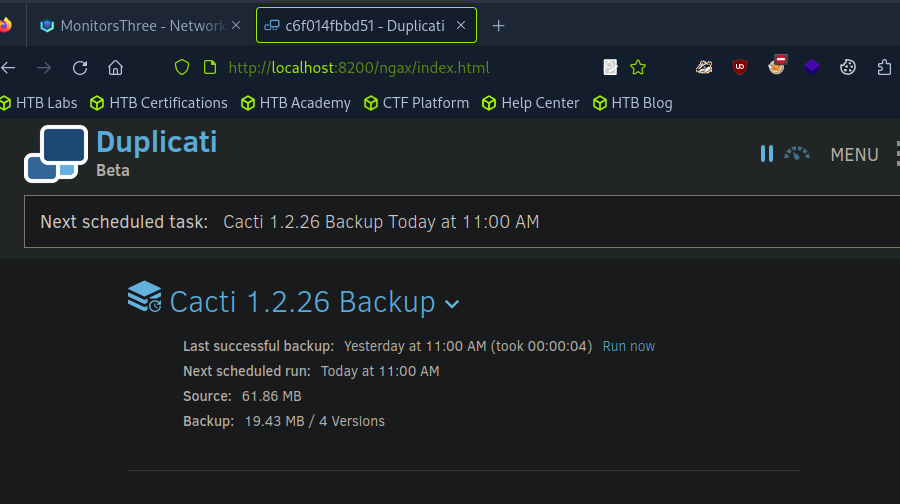
<figure><img src="https://4248209978-files.gitbook.io/~/files/v0/b/gitbook-x-prod.appspot.com/o/spaces%2Fl4EVJpcOrsgjSGsLI7p2%2Fuploads%2Fgit-blob-f647d0efc993987e0f41ba16071fe595f116a3b4%2F%7BC96AF78B-42D3-40F0-9D12-AFBFE252A742%7D.png?alt=media" alt=""><figcaption></figcaption></figure>

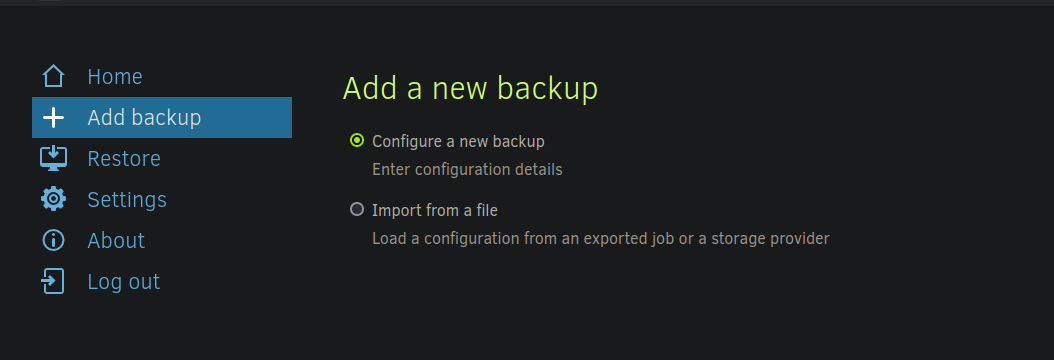
Имея доступ к **панели администратора Duplicati**, создайте новую резервную копию, чтобы эксфильтровать **SSH-ключ**.

<figure><img src="https://4248209978-files.gitbook.io/~/files/v0/b/gitbook-x-prod.appspot.com/o/spaces%2Fl4EVJpcOrsgjSGsLI7p2%2Fuploads%2Fgit-blob-63fd287f3c3821203f862badfd09a721522c73c5%2F%7BC581B276-030B-4F73-8D7F-FD97292E159D%7D.png?alt=media" alt=""><figcaption></figcaption></figure>

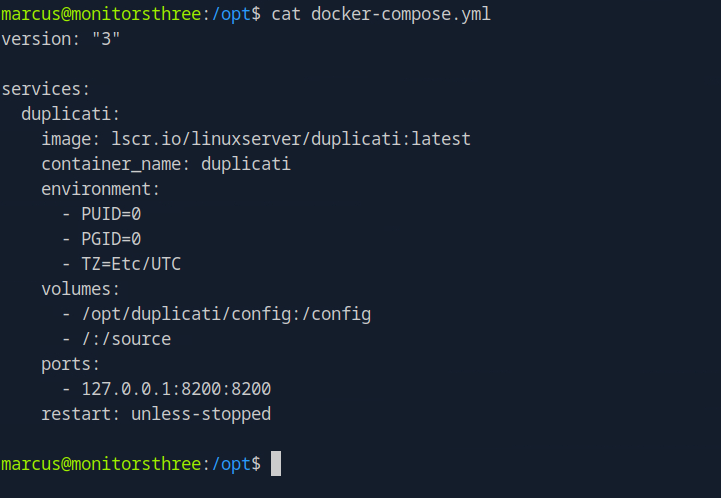
**Анализ конфигурации Docker** / Этот `docker-compose.yml` файл показывает, что файлы хранятся в хостовой системе **источник** каталог, смонтированный в контейнер.

<figure><img src="https://4248209978-files.gitbook.io/~/files/v0/b/gitbook-x-prod.appspot.com/o/spaces%2Fl4EVJpcOrsgjSGsLI7p2%2Fuploads%2Fgit-blob-f75ef1ff85fa80518ad9b88949df7f9fac07fb22%2F%7B107BE729-A34A-4F6E-B0DB-91C479FB46A3%7D.png?alt=media" alt="" width="541"><figcaption></figcaption></figure>

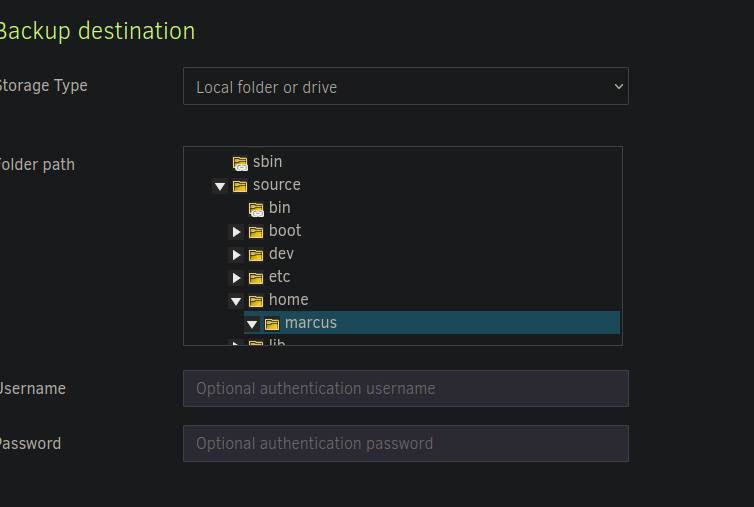
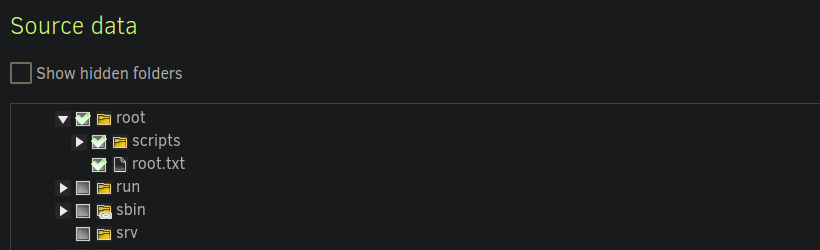
**Выбор целевого каталога**/ Чтобы получить доступ к конфиденциальным файлам, установите **backup** место назначения в этот каталог, выбрав:

* **Исходный каталог** : `/source/home/marcus/`

<figure><img src="https://4248209978-files.gitbook.io/~/files/v0/b/gitbook-x-prod.appspot.com/o/spaces%2Fl4EVJpcOrsgjSGsLI7p2%2Fuploads%2Fgit-blob-9e0c4380caa27ceef9c18a8cb7286206d1b61a39%2F%7B05793313-D41C-4DBC-A0CA-DEC0A07890FE%7D.png?alt=media" alt="" width="563"><figcaption></figcaption></figure>

* **Исходные данные:** `source/root/`

<figure><img src="https://4248209978-files.gitbook.io/~/files/v0/b/gitbook-x-prod.appspot.com/o/spaces%2Fl4EVJpcOrsgjSGsLI7p2%2Fuploads%2Fgit-blob-057b589f5a5506d824d8788f81a40dd35afa5dd5%2F%7B2D9AB280-A31A-4777-B3E3-FA09A52CFC4B%7D.png?alt=media" alt=""><figcaption></figcaption></figure>

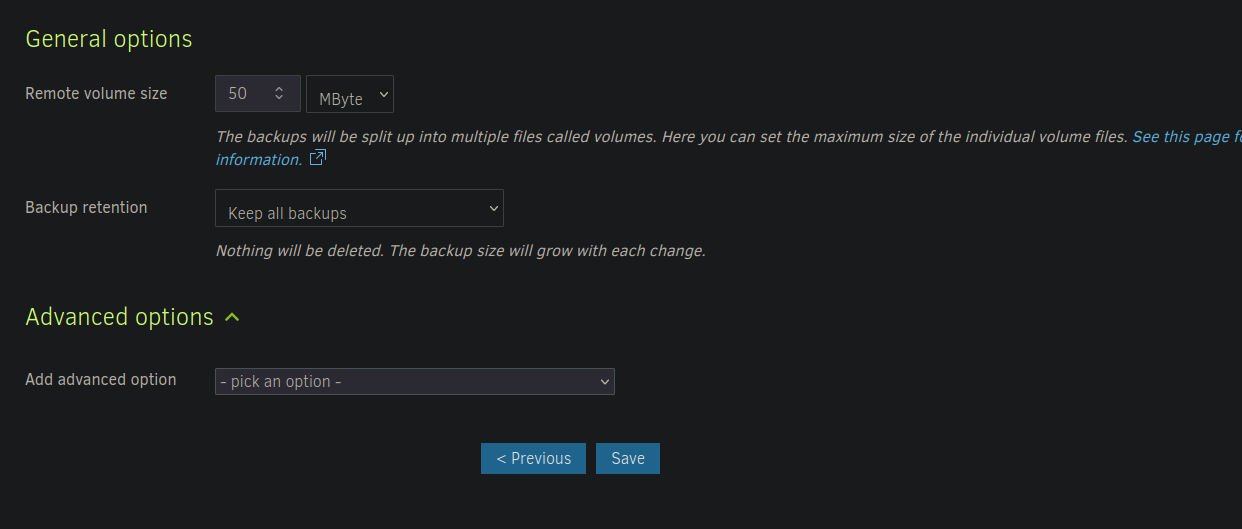
**Завершение настройки**

* Сохраните конфигурацию.

<figure><img src="https://4248209978-files.gitbook.io/~/files/v0/b/gitbook-x-prod.appspot.com/o/spaces%2Fl4EVJpcOrsgjSGsLI7p2%2Fuploads%2Fgit-blob-cfeec3c143b8e52ad9368e659839bb40f071fb8b%2F%7BA0AEFD64-7E82-4546-A016-7CC67F8E0BF5%7D.png?alt=media" alt=""><figcaption></figcaption></figure>

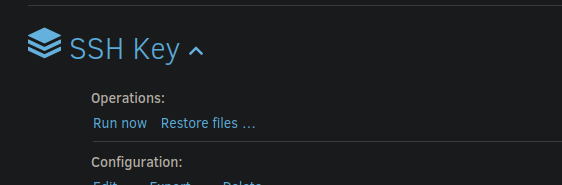
* Выполните **backup** чтобы восстановить целевые файлы.

<figure><img src="https://4248209978-files.gitbook.io/~/files/v0/b/gitbook-x-prod.appspot.com/o/spaces%2Fl4EVJpcOrsgjSGsLI7p2%2Fuploads%2Fgit-blob-940de8919cd61a1fbba989928fc302b0bc7150f4%2Fimage%20(768).png?alt=media" alt=""><figcaption></figcaption></figure>

### Извлечение файлов из резервной копии

После **backup** выполнения создаются три ZIP-архива.

<div data-full-width="true"><figure><img src="https://4248209978-files.gitbook.io/~/files/v0/b/gitbook-x-prod.appspot.com/o/spaces%2Fl4EVJpcOrsgjSGsLI7p2%2Fuploads%2Fgit-blob-6099c67d2c9f9e37168585614a7b85cc1c774d14%2F%7B3FC97933-3DD0-4039-BDE0-6B62873924D3%7D.png?alt=media" alt=""><figcaption></figcaption></figure></div>

* **Доступ к файлам**
  * Прямое открытие файлов невозможно из-за ограничений доступа.
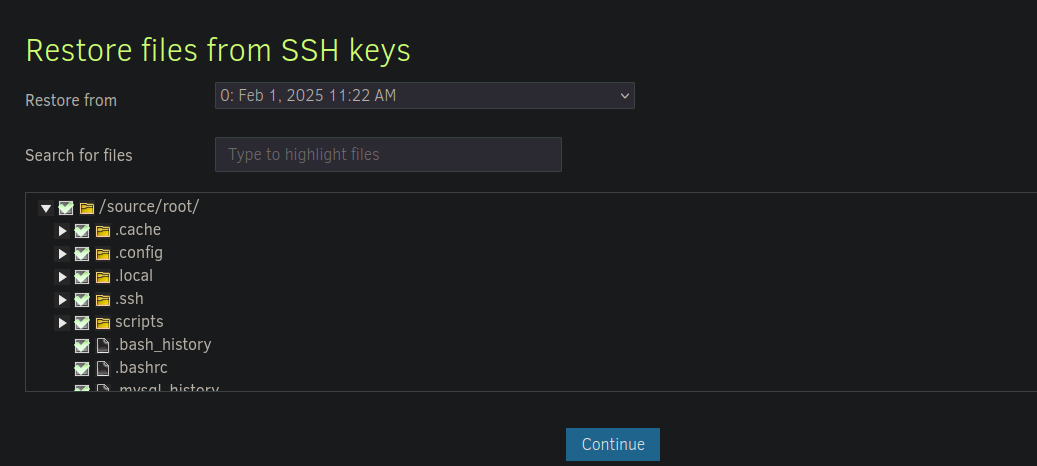
  * Через **Duplicati**, используйте **Восстановить файлы** чтобы восстановить содержимое.

<figure><img src="https://4248209978-files.gitbook.io/~/files/v0/b/gitbook-x-prod.appspot.com/o/spaces%2Fl4EVJpcOrsgjSGsLI7p2%2Fuploads%2Fgit-blob-ec54e3f0ed8ea4d007256c161d0ffdfe656eeac8%2F%7B02FC31AE-3131-47E1-9403-9CCBB58EA1FF%7D.png?alt=media" alt=""><figcaption></figcaption></figure>

**Восстановление и эксфильтрация**

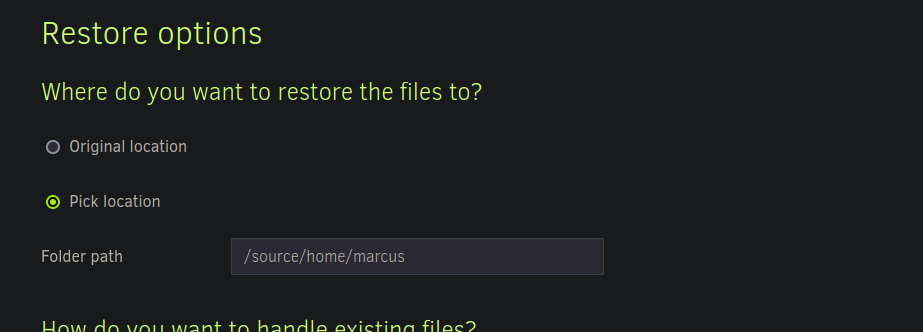
* Извлеките файлы из резервной копии.

<figure><img src="https://4248209978-files.gitbook.io/~/files/v0/b/gitbook-x-prod.appspot.com/o/spaces%2Fl4EVJpcOrsgjSGsLI7p2%2Fuploads%2Fgit-blob-50ccf3216d56749d24bdc6afd7726dab7ae3d52e%2F%7BCD5A6CE4-10C7-4C87-AA56-90B2B3119F1F%7D.png?alt=media" alt=""><figcaption></figcaption></figure>

Выберите **`/source/home/marcus/`** в качестве источника восстановления.

<figure><img src="https://4248209978-files.gitbook.io/~/files/v0/b/gitbook-x-prod.appspot.com/o/spaces%2Fl4EVJpcOrsgjSGsLI7p2%2Fuploads%2Fgit-blob-d8b76f42db8dee5c034085221758048575b8465f%2F%7BAE27CF6D-8AC7-4CF2-BE09-04E27D1C2E4F%7D.png?alt=media" alt=""><figcaption></figcaption></figure>

<figure><img src="https://4248209978-files.gitbook.io/~/files/v0/b/gitbook-x-prod.appspot.com/o/spaces%2Fl4EVJpcOrsgjSGsLI7p2%2Fuploads%2Fgit-blob-26ab313940673dc83beef4151061f8d03385b96f%2F%7B2243C849-3106-4083-B692-2F0EE5A311B6%7D.png?alt=media" alt="" width="563"><figcaption></figcaption></figure>


---

# Agent Instructions
This documentation is published with GitBook. GitBook is the documentation platform designed so that both humans and AI agents can read, navigate, and reason over technical content effectively. Learn more at gitbook.com.

## Querying This Documentation
If you need additional information that is not directly available in this page, you can query the documentation by asking a question.

Perform an HTTP GET request on the following URL with the `ask` and `goal` query parameters:

```
GET https://hacking-notes.jord4n.pro/ru/cms/duplicati-cms-exploitation/duplicati-backup-reading-files.md?ask=<question>&goal=<user_goal>
```

`ask` is the immediate question: it should be specific, self-contained, and written in natural language.
`goal` is what the user is ultimately trying to achieve, the reason they need the answer. Sharing it helps GitBook give you a better, more relevant answer. A goal is most helpful when it describes the outcome the user wants rather than restating the question. For example, with `ask=how do I create an API token`, a goal like `automate deployments from our CI pipeline` lets GitBook tailor the answer to that use case.

The response will contain a direct answer to the question and relevant excerpts and sources from the documentation.

Use this mechanism when the answer is not explicitly present in the current page, you need clarification or additional context, or you want to retrieve related documentation sections.